

How Database Migration and Backend Optimization Improve Website Performance
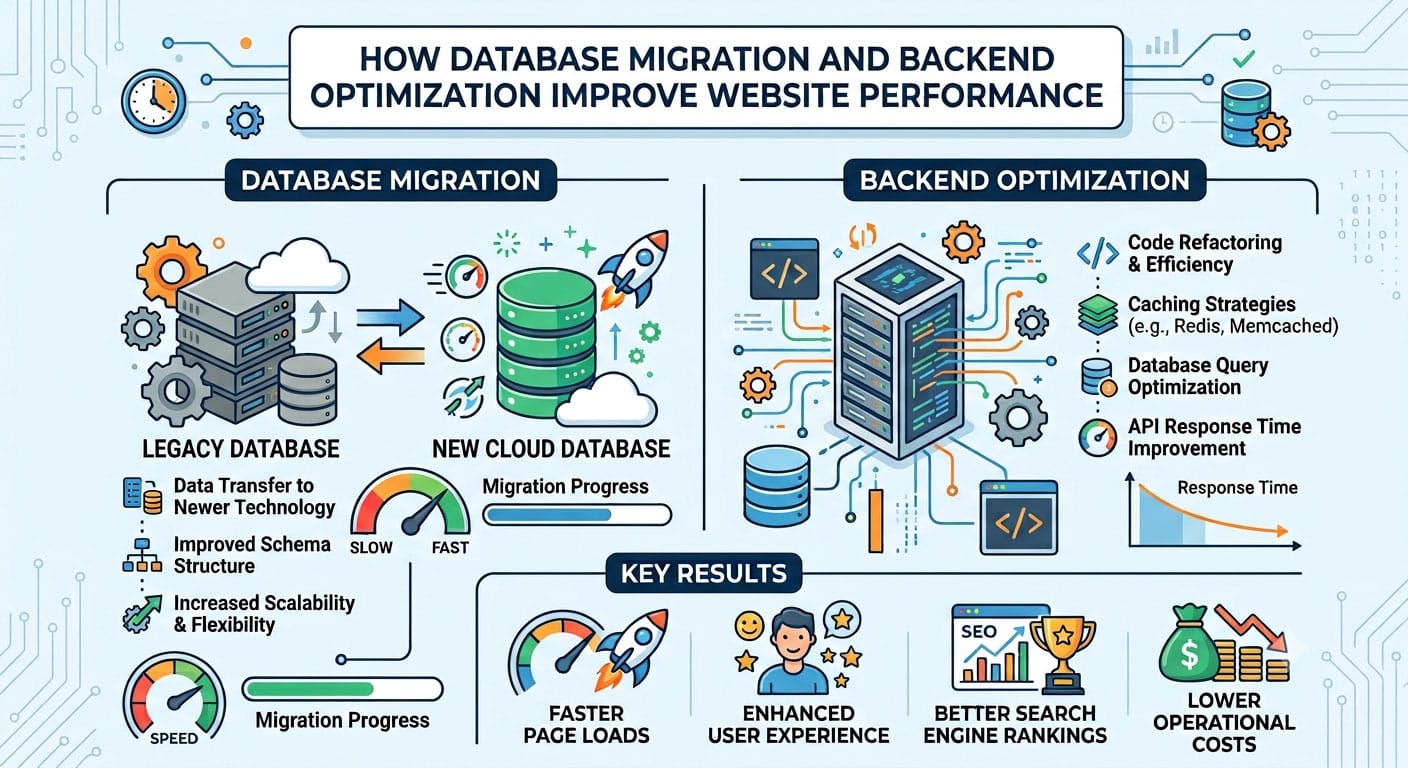
Attractive design and responsive layouts are not enough to ensure the performance of a website. A fast-loading website is built on a solid backend that handles data, processes requests and enables key features. By leveraging database migration and backend optimization, businesses can enhance their digital experiences, streamline data management, and boost loading times.
Optimizing a website’s database can also help improve its performance in terms of scalability, content delivery, and maintenance.Database optimizations can benefit websites built with WordPress and other content management systems, contributing to smoother content delivery, enhanced scalability, and efficient maintenance. But to optimize successfully, careful planning, compatibility testing, and understanding of how applications work with their databases are necessary.
Why Database Performance Matters for Websites
Valuable data like posts, user accounts, settings, product information, and customer records are held within a website database. The application could require information to be retrieved or updated as the visitor visits a page or fills out a form.
These operations can impact page loading speed and user experience if the database operations are inefficient or if the server doesn’t have enough resources. However, databases that aren’t optimized correctly can cause timeouts, inconsistencies in app behavior and problems with high traffic.
Backend optimization solves these issues by optimizing queries, analyzing database designs, eliminating excess workload and making sure that resources are utilized properly. Some useful optimizations to make for WordPress sites might involve purging out unneeded revisions, checking on any WordPress database tables generated by plugins, optimizing queries, and utilization of proper caching.
When Should Businesses Consider Database Migration?
Database migration is the process of transferring data and database capabilities to another server, database version, operating system or database engine. Migration could be a consideration if keeping the existing infrastructure is becoming too challenging, performance needs are evolving, or for businesses facing technical requirements that the current platform cannot address.
But do not consider migration as a one-size-fits-all solution to slow website performance. All teams should first try to understand how to resolve the fundamental issue and then consider the options of optimizing, upgrading, or replacing the platform.
For instance, an organization with an older SAP Adaptive Server Enterprise (ASE), or Sybase ASE, may want to upgrade to a newer version or to move to a different database platform. The right choice will depend on the needs of the application, compatibility requirements, infrastructure costs, and future maintenance objectives.
Assess Migration Risks Before Making Changes
Database migrations will not fail, since there’s no way to prevent data from being copied. Common issues involve un-resolved or overlooked requirements, variations in database response, inadequate testing or unrealistic downtime expectations.
A structured assessment of risk can assist teams to identify these problems prior to the impact on production systems. Important considerations include:
Business logic that might have been developed over many years can be found in stored procedures, triggers and views in undocumented database code.
Existing database: Hidden dependencies – Applications, reporting tools, scheduled scripts, and integrations can still depend on the old database.
Data volume: If there is a huge amount of data to transfer and validate, then it might take longer than the maintenance window.
Security and compliance: Access controls, encryption, retention policies and auditing should not be compromised following migration.
Technical expertise: Teams must have the technical skills to setup, operate, troubleshoot the target platform.
Each issue can be recorded on a risk register along with the likelihood, potential impact and person responsible for resolving the issue. Identifying what applications and systems are currently relying on the database by tracking connections on the existing server can also be done.
Check Database Compatibility Before Migration
One of the crucial aspects of a database migration is compatibility testing. A database can transfer without any problem, even though the application behaviour is different because some operations are not performed in the same way in the destination platform.
Schema and Data Types
Examine tables, indexes, constraints, identity columns, default values and user-defined types. Some of the older data types may need to be converted into more modern types. Other factors such as date and time precision, character encoding and sorting behavior also must be taken into consideration.
The differences can impact the retrieval of information, string comparisons and record processing in various website applications.
Stored Procedures and Query Behavior
Database syntax or functions may be used and be platform dependent. If the stored procedures and/or queries need to be changed during a migration, they can be rewritten for the new server.
Testing critical business processes, not just if the code is compiled. The search capabilities, customer records, reports, and transaction processing should yield the desired results.
Sybase Consulting Services can be provided by specialist providers to help evaluate current database environments, understand any compatibility issues and design migration activities.
Data Quality and Application Connections
Problems can occur in data transfer if records are incomplete, dates are invalid, there are orphaned rows, or there are encoding issues. By identifying and addressing these issues in advance of the migration window, teams can ensure that the source database is profiled in advance.
Applications must also be attended. Database drivers, connection strings, hard coded server names and embedded SQL should be checked and tested on the destination platform.
Lastly, backup, scheduled jobs, monitoring, user permissions and recovery procedures need to be set up prior to the new database going live.
Reduce Downtime With the Right Migration Strategy
Firms relying on web-based lead generation forms or customer portal or on-line sales are especially susceptible to website unavailability. The migration plan should depend on the size of the database, the complexity of the system and the amount of downtime an organization is willing to tolerate.
For small installations that have a long downtime period, a full offline migration might be appropriate. Data transfer is made in inactive applications and the new environment is validated prior to the return to normal operations.
Phased Migration can be used for larger databases, allowing for separate applications or modules to be migrated in phases. This can minimize the effects of individual changes, as long as the components in the system can be separated safely.
Alternatively, it is possible to sync data constantly (continuous sync) so that data changes are copied to the destination while the user keeps using the original system. When the target database becomes current, the team switches over. This approach can be very effective to minimize downtime but with extra planning, monitoring and testing.
In any case, the maintenance schedule should be well documented and teams should freeze any nonessential application and schema changes before cutover, and have a run tested rollback plan.
Improve Website Performance After Migration
A new database is just one aspect of backend performance improvement. Once migration is completed, teams should then assess the outcomes and work to resolve any challenges, or areas for improvement.
The following are some helpful optimization techniques:
- Optimize queries: Find slow queries and optimize them as necessary (either by indexes or by the structure of the query).
- Caching: Store appropriate pages, results of database queries, and commonly accessed data to avoid re-processing.
- Resource monitoring: Monitor CPU usage, memory usage, storage performance and database response time.
- Avoiding unnecessary overhead on the database by looking at connection management – connection pooling, application configuration.
- Normal maintenance: Check database growth and unused indexes, update software and dependencies.
With WordPress sites, these enhancements should be considered with the performance of the theme and plugins. It’s not just the database that can be to blame for a slow website, it could be oversized images, third-party scripts, poorly coded plugins, or the lack of hosting resources.
Before and after performance testing lets teams see how changes impact on the measurable.
Test the Migration Before Going Live
A good migration should be simulated with production data and production load. Data integrity, application functions, query performance, security permissions, and recovery procedures should be a part of testing.
Two or more full rehearsals can be beneficial to help teams set realistic timings and determine which steps can be done concurrently. For critical workflows such as form submissions, accessing accounts, content updates and transactions (where applicable), business stakeholders should also validate.
Prior to cutover ensure that critical risks are addressed, applications connect as expected, backups are available and monitoring is working on the target platform. Before starting a migration, the team should decide on the point at which the rollback should take effect.
Once the application is up and running, pay special attention to error rates, response times, database load, and application behavior. This will facilitate the detection of abnormal issues at an early stage and before they become crucial issues for visitors.
Conclusion
Database migration and optimisation of the back end can enhance website performance if they are doing so to fix problems that have been clearly defined. Through careful risk assessment, compatibility testing, data validation and realistically planned downtime, businesses can migrate to new environments with minimal disruption.
When it comes to WordPress and other business sites, it’s best to use a solid database, run simple queries, enable caching, set up security, and keep an eye on things. Migration should not be a one-off but should be followed by performance testing and continuous maintenance.
