
Agriculture WordPress Themes
-
 $29
-
 $29
-
 $29
-
 $29
-
 $29
-
 $29
-
 $29
-
 $29
-
 $29
-
 $29





Agriculture WordPress Themes for Farms, Organic Growers and Agro Businesses
Agriculture WordPress themes are ready-made website designs built for the people who grow, raise and sell our food. A crop farm, a dairy farm, an organic farm shop, a seed company or an agro business can use one to launch a professional online presence without hiring a web developer. These themes come with farm-friendly layouts, customizable sliders, product pages, photo galleries and WooCommerce compatibility, so a farm can tell its brand story and sell its farm-fresh produce from the same WordPress website.
This guide starts with the themes themselves: all 10 designs in our agriculture category at GraceThemes, with prices, live demo links and a short review of each. Next, we explain what these themes are, why a farm business needs a website and the benefits of a niche design, then help you with farm website planning, from website goals and target audience to website budget.
You will see the must-have features to look for, how to match a theme to your farm type and website ideas for specialty farms such as poultry, ranches, wineries and beekeeping. We then cover selling produce online, the pages every agricultural website needs, design tips, local SEO, website speed, security measures and website maintenance. Finally, we explain how to measure success, market your site, plan fresh content and avoid common mistakes, followed by free vs premium themes, how to choose, installation steps, pricing, related categories and FAQs.
Key Takeaways
- Agriculture WordPress themes give farms, growers and food companies a niche design that already speaks the language of organic farming and the farm-to-table model.
- Our agriculture category holds 10 premium themes at $29 per theme, covering crops, dairy, gardening, flower farms, grocery stores, eco groups and animal care.
- Look for a responsive WordPress theme with page builder compatibility, WooCommerce integration, multilingual support and SEO-friendly code before anything else.
- A strong farm website needs a clear farm story, honest product descriptions, real farm photos, a contact page with a Google Maps location and a simple ordering process.
- Plan first. Set measurable goals, define your target audience and fix a website budget before you choose a design.
- Our team offers free installation and setup, so even a busy farmer with no technical experience can go live quickly.
Our Agriculture WordPress Themes at a Glance
Our agriculture category currently lists 10 premium themes. Each one costs $29 as a one-time payment, and each comes with a live demo you can explore before buying. Click a theme name to open its page, view the live demo and buy.
| Theme (details and live demo) | Price | Best for | Page builder | Online store | Stand-out detail |
| AgroVision PRO | $29 | Organic farms, livestock, greenhouses, food shops | WP Page Builder, WPBakery | WooCommerce compatible | MailChimp, Yoast SEO and Rank Math support |
| Agronomics PRO | $29 | Organic farms, fruit and vegetable stores, gardening | Beaver Builder, Elementor, Visual Composer | WooCommerce compatible | Nivo slider with 10 slides, three header layouts |
| MilkyLush PRO | $29 | Dairy farms, cheese makers, milk delivery | Full site editing | WooCommerce store | Team, gallery, FAQ and video page templates |
| GreenVista PRO | $29 | Gardeners, landscapers, lawn care | Not stated | WooCommerce compatible | 1,300+ Google Fonts, five-level menu |
| Groceem PRO | $29 | Online grocery, organic food shops | Builder plugins | WooCommerce compatible | Multiple header and footer layouts |
| Floret PRO | $29 | Flower shops, florists, floral delivery | Builder plugins | Not stated | Online booking section, member post types |
| Rosebud PRO | $29 | Floral studios, floral designers | Elementor | WooCommerce compatible | Polylang, Weglot and WPML support |
| Greenest PRO | $29 | Eco groups, organic farming, renewable energy | Builder plugins | WooCommerce compatible | Parallax, sticky header, team section |
| Animate PRO | $29 | Pet care, animal shelters, animal charities | Elementor, Visual Composer, Beaver Builder, SiteOrigin | WooCommerce ready | Appointment booking form |
| Prayer PRO | $29 | Charities, nonprofits, community causes | Not stated | Not stated | Space for events and testimonials |
A Closer Look at Each Theme in This Category
Every theme in this category shares a farm or nature focus, yet each solves a different problem. The short reviews below explain who should pick which one.
1. AgroVision PRO: The All-Round Farming Theme
AgroVision PRO is our broadest farming WordPress theme. Its product page lists organic farms, organic food shops, dairy farms, livestock, fruit and vegetable businesses, greenhouses, fish farms and animal husbandry as ideal users. It works with WP Page Builder and WPBakery, and it is a WooCommerce compatible theme for selling produce.
Marketing tools are a strong point here. The theme supports MailChimp for email marketing, plus Yoast SEO and Rank Math for on-page SEO. It is translation-ready with Polylang and Weglot, and it offers more than 1,200 Google Fonts with unlimited colors through the theme options. If you want one design that covers growing, selling and promoting, start here.
2. Agronomics PRO: Built for Organic Growers
Agronomics PRO is listed as our organic farm WordPress theme. Its page names agriculture, farm services, farmers, food companies, nature farms, organic farms, fruit and vegetable stores, gardening, landscaping and health stores as target users.
It works with Beaver Builder, Elementor and Visual Composer, so you can keep the builder you already know. The design includes a built-in Nivo slider with 10 slides, a sticky header option, boxed and full-width layouts, three different headers and multiple footer layouts. Shortcodes cover slideshows, columns, buttons, toggles, tabs and Google Maps. Its page describes it as multilingual and translation-ready and lists qTranslate X.
That plugin was closed on WordPress.org in 2021 because of security issues, so for a new site we recommend a maintained plugin such as WPML or Polylang and suggest checking compatibility with our team before you buy. The theme is also compatible with NextGEN Gallery, WPForms and Contact Form 7. The page lists WordPress 4.5 or above as the requirement.
3. MilkyLush PRO: Made for Dairy Farms
MilkyLush PRO speaks directly to dairy producers and milk and dairy farms. It suits organic milk producers, cheese makers, milk delivery services and dairy co-ops. The homepage offers several hero layouts, hero sliders, product highlights, an about section, testimonials and a contact form.
Its page templates include team, image gallery, video gallery, FAQ, contact, blog and a 404 page. Editing runs through full site editing with a global fonts and colors panel. For selling, the WooCommerce store handles product listings, inventory, discounts and secure checkout. A free MilkyLush FSE version also appears on our homepage for those who want to start without paying.
4. GreenVista PRO: For Gardeners and Landscapers
GreenVista PRO serves gardeners, landscapers, lawn care companies, groundskeepers, garden designers and plant sellers. It is a service-first design, which suits a landscaping website that sells skills and time rather than boxes of produce. It is also WooCommerce compatible, so you can sell plants, seeds, bulbs, fertilizers and garden tools alongside your landscaping services.
You get multiple layouts, including boxed layouts, plus testimonial, client, calendar and clock widgets. Typography options and color controls are deep, with 1,300+ Google Fonts and 1,000+ color schemes. CSS3 animation effects add movement and can be removed if you prefer a calmer page. A drop-down menu up to five levels keeps large service lists tidy.
5. Groceem PRO: For Online Grocery and Organic Food Shops
Groceem PRO is the right pick when the shop matters more than the farm tour. It targets online grocery stores, organic food shops and online supermarkets. It is WooCommerce compatible and works with popular builder plugins.
The design offers a full-screen slider, a multi-level menu, multiple header and footer layouts and boxed layouts. That flexibility helps a growing food retail website show many product categories without feeling cluttered.
6. Floret PRO: For Flower Shops and Floral Delivery
Floret PRO is made for flower shops, florists, online floral delivery, gift stores and flower subscriptions. Flower farms and growers of cut flowers can use it too, since their websites depend on bright, close-up flower photos.
It includes a full-screen slider, testimonial and member custom post types, a multi-level menu and an online booking section. It is translation-ready, so a flower business serving more than one language group can reach both.
7. Rosebud PRO: For Floral Studios and Designers
Rosebud PRO suits floral studios, floral designers and event companies that work with flowers. It is built for Elementor, which gives you drag-and-drop control over every section.
It is WooCommerce compatible for selling bouquets or arrangements, and it supports Polylang, Weglot and WPML for multilingual websites. Shortcodes and custom widgets round out the toolkit.
8. Greenest PRO: For Eco Groups and Sustainable Agriculture
Greenest PRO fits environmental organizations, eco groups, conservation projects, organic farming groups and renewable energy businesses. It is a natural choice for an eco-friendly brand that leads with sustainability efforts and wants to show its green initiatives.
The design includes a Nivo slider, a full-screen header, parallax backgrounds, a sticky header, plus testimonial and team sections. It is WooCommerce compatible and multilingual.
9. Animate PRO: For Pet Care and Animal Charities
Animate PRO focuses on pet care, animal shelters and animal charities. It also fits rural projects that care for animals, such as animal sanctuaries and programs for rescued farmed animals.
It works with Elementor, Visual Composer, Beaver Builder and SiteOrigin, and it is WooCommerce ready. An appointment booking form, testimonials and a gallery help visitors book visits or services.
10. Prayer PRO: For Rural Charities and Community Causes
Prayer PRO is a charity and nonprofit design, also suited to church, NGO, donation and fundraising websites. Because it appears in our agriculture category, it also suits farm-linked community support groups, food banks and rural charities working on food security and local food systems.
It offers a full-width slider, a sticky header, shortcodes, widgets and space for events and testimonials. It is a good fit when your mission matters more than a product catalog.
What Are Agriculture WordPress Themes?
A WordPress theme controls how a website looks and how its content is arranged. It decides the header, the navigation menu, the homepage sections, the footer, the fonts and the colors. A general multi-purpose design tries to suit every business at once. A niche website design narrows that focus to one industry.
Agriculture WordPress themes focus on farming and agriculture. Their demo content shows wheat fields, grazing cows, fresh vegetables, orchards, silos and a red barn instead of office desks and laptops. Their sections are planned around farm needs.
You will find blocks for services, products, team members, testimonials, galleries and opening hours. Many include WooCommerce support, which turns a simple brochure site into an online farm store or a full farm e-commerce platform.
The result is a website that feels natural for an agricultural business from the first impression. Visitors see lush fields, harvests and real produce. They understand at once that they have reached a farm, not a generic company. That instant match between subject and design is what makes a farm aesthetic so effective.
Who Builds a Farm Website with These Themes
The audience for this category is wider than most people expect. A family-owned farm selling eggs at a farm stand can use one. So can a large agricultural enterprise with several product lines. Here are the most common users we see:
- Crop and vegetable farms that sell seasonal harvests to local customers.
- Dairy farmers and milk delivery services that need product listings and delivery details.
- Organic food store owners, farm shops and grocers that want a full shopping cart.
- Gardeners, landscapers and lawn care teams that sell services rather than goods.
- Flower farms, florists, seed sellers and fruit growers that depend on vivid imagery.
- Environmental groups, eco-friendly brands and animal welfare organizations linked to rural life.
- Agriculture startups and agricultural entrepreneurs testing a new food business idea.
Each group shares the same need. They want to look trustworthy online, explain what they grow or offer, and make contact or purchase easy.
Niche Theme vs Multipurpose Theme
A multipurpose theme can build almost any site, but it often needs heavy setup. You must find farm photos, rename sections, rewrite headings and remove pieces that make no sense for a farm. That takes hours, sometimes days.
A niche agriculture theme starts much closer to the finish line. The demo content already uses farm language, the color palette already feels earthy, and the page layouts already include sections for harvests, services and produce. You replace text and images with your own and the site is nearly ready.
For most farm owners, that time saving is the main reason to choose a niche design. You skip design work, speed up the design process and focus on the content only you can write.
Why a Farm Business Needs a Website
Modern consumers research food online before they buy it. They search for local farms near me, check opening hours, compare prices and read customer reviews. A farm without a website misses these moments. A farm with a clear, modern website captures them and turns online research into online purchasing.
A website also works while you are in the field. It answers questions, takes orders and collects email addresses at any hour. For a business that runs on early mornings and long days, that is valuable help. It becomes a centralized hub for your products, story, events and contact details.
Direct Sales Without the Middleman
Direct-to-consumer sales let a farm keep more of each sale. With an online store, you can list farm products, set prices, accept online payments and arrange order pick-up or delivery zones. Customers place orders when it suits them. You prepare orders when it suits you.
Direct selling also builds customer loyalty and customer retention. A buyer who orders from your website returns to your website. They are not comparing you with ten other brands on a crowded marketplace shelf. Over time, these repeat visits create lasting relationships that no middleman can take away.
Trust, Transparency and the Farm Story
Food buyers care about how food is grown. Health-conscious consumers, conscious consumers and environmentally conscious families ask about sustainable farming practices, animal welfare, pesticide use and soil health. A website gives you room to answer those questions in your own words.
An about page with your farm history, photos of your farm family and farm staff, and notes on your organic practices builds brand credibility. Visitors who feel they know you are far more likely to buy. This is why farm storytelling matters so much. An authentic farm story creates an emotional connection that a supermarket label never can.
Getting Found in Local Search
Most farm customers are nearby customers. When someone searches for fresh eggs, raw honey, grass-fed beef or a pick-your-own orchard in their area, search engines look for relevant local pages. A website with your location, products and hours of operation gives search engines what they need.
Pair it with a Google Business Profile and listings in local directories, and your local search visibility grows steadily. In short, a website helps you get found in search.
Benefits of Using Agriculture WordPress Themes
Building a website from scratch is slow and costly. A ready-made theme removes most of that work. Here is what you gain.
Faster Launch
The pre-built homepage, pre-built inner pages and demo content mean you start with a finished-looking site. You swap in your words and photos rather than designing each section. Many farms can launch quickly, often within a few days, instead of waiting months for a custom website design.
Lower Cost
A custom web development project can cost far more than most small farms can justify. Agriculture WordPress themes cost a small one-time fee, and WordPress itself is free and open source. You keep operating costs low and spend your website budget on good hosting, photos and marketing instead. That is real website cost savings.
Full Control
With a self-hosted WordPress site, you keep website ownership of your content and design. You can change prices, manage products, publish posts and update hours yourself. You are not locked into a closed website creation platform, and website hosting transfer stays possible whenever you want to move.
A Design That Fits Farming
Generic designs rarely feel right for a farm. Niche themes use nature-inspired design, earthy colors, natural imagery and rural charm from the start. That consistent look builds a visual identity and brand consistency that match your farm brand.
Room to Grow
WordPress offers a huge plugin library. As your farm grows, you can add online booking systems, subscriptions, event calendars, multilingual content or membership areas without rebuilding the site. A reliable theme with optimized code keeps working as you add these features and supports business expansion.
Planning Your Farm Website Before You Choose a Theme
Good farm website planning saves money and stress. A few clear decisions up front make theme selection much easier.
Set Website Goals and Measurable Goals
Start with goal definition. What should your site do? Common website goals include selling produce, filling CSA programs, booking farm tours, winning wholesale buyers or educating the public. Turn each goal into measurable goals, such as “50 new newsletter subscribers this season” or “20 online orders per week.” Measurable targets show whether your site is working.
Define Your Target Audience
Audience definition shapes every design choice. Busy families want quick ordering. Restaurant buyers want volumes and delivery schedules. Health seekers want nutritional facts and growing methods. First-time online shoppers need simple steps and reassurance. Grass-fed beef buyers want to know about pasture and ethical animal care. List your main groups, then decide which visitor actions matter most for each one.
Fix Your Website Budget and Timeline
A realistic website budget covers more than a theme. Plan for a domain name fee, which is usually a small yearly fee, plus a monthly hosting fee or yearly hosting fees. Some platforms offer free hosting or a free domain, but a paid domain on your own hosting gives you more control and a more professional address. Add costs for photos, plugins and your time. With a $29 theme, low website costs are easy to achieve.
Set a website timeline as well. A theme-based site can launch in days. A fully custom build usually takes much longer. Decide your website launch date around your season, so the site is ready before your busiest months.
DIY Website or Hire a Professional?
You can build the website yourself with a theme, or you can hire a professional. DIY website creation keeps costs down and gives you design control. It suits non-technical users who are willing to learn a few basics. Hiring a designer or an agency saves your time but costs more.
If you consider hiring an agency, ask clear agency questions. Who will own the domain and hosting? Can you update content yourself? How are updates and backups handled? Watch for agency red flags, such as refusing to give you admin access or locking your site to their hosting. Good agency selection protects your website ownership.
13 Questions to Answer Before You Build
These farm website planning questions help you clarify scope before you pick a design:
- What is the main goal of the site?
- Who are your main customers?
- What should visitors do first on the homepage?
- Will you sell online, take preorders or only share information?
- Do you need pickup and delivery options?
- Will you run a CSA, farm shares or food subscriptions?
- Do you host farm tours, farm workshops or events?
- Which page builder do you already know?
- Do you need more than one language?
- Who will update the site, and how often?
- What photos and videos do you already have?
- What is your total website budget?
- How will you measure success?
Must-Have Features in a Farm Website Theme
Not every feature carries equal weight. These are the ones that most affect website performance and visitor experience.
Responsive and Retina-Ready Layouts
Many mobile visitors will arrive on a phone, maybe while standing at a farmers’ market stall. A fully-responsive design adjusts every section to multiple screen resolutions and sizes, giving a clean mobile tablet desktop layout.
A retina-ready design keeps your high-resolution photos sharp on modern device screens. Test any demo on your own phone before you decide, since mobile responsiveness affects both sales and search rankings.
Sliders, Hero Sections and Galleries
Farming is visual. A hero section or image slider lets you open with your best field, harvest or herd photo. Image galleries show seasons, equipment and the people behind the work. Look for a fullscreen slider, gallery sliders, gallery styles and lightbox viewing so photos stay large and clear. Some designs also support a background video or video slider for an immersive experience.
Page Builder Compatibility
A page builder lets you edit layouts with a drag-and-drop interface instead of writing code. Our agriculture themes support a range of builders, including the Elementor page builder, WPBakery Page Builder, Beaver Builder, Visual Composer, SiteOrigin and the Gutenberg block editor with full site editing. Choose a theme that matches the builder you already use, and you will skip the learning curve. This code-free customization means no coding skills are required.
WooCommerce Online Store Support
WooCommerce is the most common way to sell on WordPress. It handles product pages, shopping cart, customer checkout, payment options, shipping settings and inventory management. Most themes in this category are WooCommerce compatible, which means the shop layouts are styled to match the rest of your site. Add-ons can bring multi-currency support, subscription tools and real-time availability if your farm needs them.
Multilingual and Translation-Ready Design
Farms often serve mixed communities, tourists or export buyers. A translation-ready theme lets you translate every label. Compatibility with WPML, Polylang or Weglot makes it possible to run full multilingual websites. Some older theme pages also list qTranslate X, but that plugin has been closed since 2021, so choose one of the maintained options instead. If you serve right-to-left languages, look for RTL support. Check the plugin names on each product page, since support varies by theme.
Typography and Color Controls
Your website should match your farm branding, from the logo on your truck to the labels on your jars. Google Fonts integration, color pickers and the WordPress Live Customizer let you set fonts and colors once and apply them everywhere. AgroVision PRO and GreenVista PRO, for example, each list more than 1,200 font choices. These personalization options make brand customization simple.
Navigation, Headers and Footers
Clear site navigation keeps visitors moving. Look for a sticky navbar or sticky navigation, a multi-level drop-down menu and a responsive menu that works on phones. Header styles, footer widgets, a custom header and a custom logo help you shape the frame of every page. Larger stores benefit from a mega menu that shows many product categories at once.
SEO-Friendly Code and Speed
Clean code, a lightweight theme and compatibility with SEO plugins help search engines read your pages. Fast loading pages also keep visitors from leaving. Look for an SEO-friendly theme with Yoast SEO or Rank Math support, then pair it with efficient hosting and image compression.
Support, Documentation and Updates
Even simple sites raise questions. Theme documentation, video tutorials, a support forum and dedicated support make problems quick to solve. Regular theme updates keep your design compatible with new WordPress versions and plugins. Our single themes come with lifetime support and updates, plus free installation and setup.
Matching a Theme to Your Farm Type
The best design depends on what you grow, raise or sell. This table gives a quick starting point.
| Farm or business type | Main website goal | Suggested themes |
| Crop and vegetable farm | Show harvests, sell produce, share farm news | AgroVision PRO, Agronomics PRO |
| Dairy and livestock farm | List milk, cheese or meat products and delivery details | MilkyLush PRO, AgroVision PRO |
| Orchard or vineyard | Show harvests, sell fruit, book farm tours | AgroVision PRO, Agronomics PRO |
| Flower farm or florist | Lead with imagery, take orders or bookings | Floret PRO, Rosebud PRO |
| Organic food shop or grocer | Run a large online catalog | Groceem PRO, Agronomics PRO |
| Gardener or landscaper | Present services and win quote requests | GreenVista PRO |
| Eco group or sustainable farm | Explain mission and projects | Greenest PRO |
| Animal sanctuary or pet care | Take bookings and donations | Animate PRO, Prayer PRO |
Crop and Vegetable Farms
A vegetable farm or crop farm sells by the season. Your site should show what is ready now, what comes next and how to buy. A product catalog with clear product availability notes, a seasonal blog and a newsletter sign-up form are the core tools here. Organic vegetable farming businesses can add notes on organic vegetable seeds, soil conservation and natural farming methods. AgroVision PRO and Agronomics PRO both fit this pattern well.
Dairy and Livestock Farms
Dairy production and livestock businesses need trust above all. Buyers want to know about grass-fed cows, pasture-raised products and milk safety testing. Use your about page to explain herd care and your product pages for clear dairy product descriptions. A dairy farm website can also share dairy benefits and recipes. MilkyLush PRO was designed for this exact audience.
Orchards, Vineyards and Flower Farms
Fruit, wine and flowers sell through beauty. Large landscape images, close-up product shots and a calm layout do most of the work. For flower farms, flower-focused designs like Floret PRO and Rosebud PRO give you that visual stage.
A vineyard or orchard that sells fruit can start with AgroVision PRO or Agronomics PRO, both of which list fruit businesses among their users. If you offer farm tours or pick-your-own days, add a booking plugin or form to fill visit slots.
Organic Food Shops and Grocers
An organic market or food hub needs strong store pages. Think product categories, search bar, filters, quick product view and smooth customer checkout. Groceem PRO handles a large catalog well, while Agronomics PRO blends farm story with store features. Both suit a local organic market moving into online selling.
Gardeners and Landscapers
A landscaping business sells skill and trust. Show before-and-after project photos, present services in categories, add client testimonials and place a quote request button on every page. GreenVista PRO is built for this.
Eco Groups and Animal Care
Environmental conservation groups, animal sanctuaries and rescue projects need to explain a mission and ask for support. Greenest PRO suits an ecology website or environment website. Animate PRO and Prayer PRO suit animal care and community causes.
Website Ideas for Specialty Farms
Some farms have needs that go beyond a standard produce shop. Here is how agriculture WordPress themes can serve specialty operations.
Poultry and Egg Farms
A poultry farm website should answer three questions fast: what birds you raise, how you raise them and how to buy. Egg producers, chicken hatchery owners and organic meat suppliers can list broilers, layers, quails and ducks on separate product pages. Explain free-range farming and ethical poultry products clearly, with photos of open space and clean housing.
A product list with weekly inventory updates helps customers know when fresh eggs are available. AgroVision PRO, which lists livestock and animal husbandry users, is a strong starting point for a poultry business website.
Beef, Cattle and Livestock Ranches
Ranches and cattle farms often sell bulk meat such as quarters, halves or wholes. Your site should explain cut options, freezer space needs, pickup dates and how deposits work. Beef farming operations can describe cattle breeding, livestock breeds, herds and cattle feed to show quality.
Some ranches also sell breeding services or consultation services, which deserve their own service pages. Clear pricing transparency matters here, because bulk purchases are larger decisions.
Vineyards, Wineries and Wine Clubs
A winery or boutique wine farm sells an experience as much as a product. Pages for tastings, events, organic wines and a wine club help visitors plan a visit and join. Viticulture businesses that sell wine grapes or vineyard services to other producers can add a trade page.
Because alcohol sales are regulated, many wineries add age verification before visitors enter the store. Choose a design with large sliders and galleries, and confirm that your age-verification and store plugins work with it before launch.
Beekeeping and Honey Production
A beekeeping website can sell honey, beeswax products and pollination services. Beekeepers and apiary owners should explain honey production, seasonal flavors and where hives are placed. Apiculture content, such as how bees are cared for through winter, builds interest and trust. Short videos from the hives make strong video content for social media and your blog.
Flower, Christmas Tree and Nursery Farms
Floriculture farming and flower-growing businesses can show flower varieties, bloom calendars and fresh flowers for events. A Christmas tree farm needs clear opening dates, tree sizes, pricing and directions, since its season is short. Horticulture business owners and nurseries can sell plant care guides alongside stock, creating a small plant eCommerce shop.
Smart Agriculture and Vertical Farms
Smart agriculture companies, vertical farms, indoor vertical farms and container farming startups sell innovation. Their sites need clean, modern design, clear explanations and strong data visualization.
Topics like automated growing technologies, indoor growing, real-time monitoring, water management, insect monitoring and drone technology need plain language for buyers who are not engineers. A sleek design with a rural and modern blend suits this agricultural technology audience well.
Agrotourism and Farm Stays
An agrotourism website promotes farm stays, tours, summer camps and seasonal festivals. It needs booking tools, a calendar, a map, clear visiting information and strong photos of the experience. Online booking systems reduce phone calls, and a gallery of past events helps visitors picture their own trip.
Organic Products, Herbs and Teas
Many farms add value with processed goods. Organic tea, herbal tea, medicinal herbs, maple syrup, artisanal products and farm-made goods all sell well online. Each item needs nutritional facts where relevant, ingredient lists and honest claims. Avoid health promises you cannot support, and keep product details accurate and simple.
Selling Farm Produce Online
An online store changes how a farm earns. It helps you convert visitors into customers and makes repeat orders easy. Here is how to create a farm store online that works.
Building a Clear Product Catalog
Start with tidy product categories such as vegetables, fruit, eggs, dairy, meat, honey and farm merchandise. Each product page needs a clear title, a short product description, honest pricing information, good product photos and a note on product availability.
Many farm goods sell by weight. WooCommerce lets you set prices per unit, and extensions can add weight-based pricing and price calculation so customers can order produce by weight. Write descriptions that answer real questions. How was it grown? When was it picked? How should it be stored? Simple storage advice builds trust and helps reduce inquiries.
CSA Subscriptions and Farm Boxes
Community Supported Agriculture, or CSA, is a popular model for small farms. CSA members pay ahead for a share of the season’s harvest and receive regular farm boxes. A website makes CSA sign-up simple with a clear sign-up flow and a visible sign-up button. You can explain share sizes, list pickup and delivery options and send CSA member instructions by email.
Some farms also sell food subscriptions or use a custom box builder, where customers pick items each week. WooCommerce extensions can add subscription management and box options to a compatible theme. Others use dedicated CSA software and link to it from the site. Either way, your site should promote CSA subscriptions clearly on the homepage.
Preorders, Pickup and Delivery
A preorder model works well for meat, holiday items and limited harvests. Online preorders let you plan quantities before harvest or processing. Be clear about delivery zones, delivery cut-off times, scheduled deliveries and order pick-up windows. Put this information on a dedicated how to shop page and repeat it at checkout. This kind of local produce delivery setup suits farms that serve one region.
Checkout and Store Policies
Offer familiar payment options and a secure checkout so first-time buyers feel safe. Use clear buy now buttons and keep the ordering experience short. Every extra step can cause customer abandonment.
Clear shipping policy and return policy pages also matter. Fresh food cannot always be returned, so explain how you handle problems. A friendly, honest policy builds more brand trust than a vague one.
Pages Every Agriculture Website Needs
A focused site structure helps visitors reach key content in two clicks. These pages form a solid base.
Homepage
Your homepage is your farm gate. Open with a strong homepage banner or hero image, a short value proposition and a clear first call to action such as “Shop This Week’s Harvest.” Add a secondary call to action, such as “Book a Farm Tour,” lower on the page. Below that, place featured products, a short story section, customer testimonials and a newsletter form.
About Page and Farm Story
Tell visitors who you are, how long you have farmed and what you believe in. Share your mission statement, mission and values, your approach to sustainable agriculture and photos of your family and team. A team introduction with real faces adds warmth. Keep it personal. This page often converts more visitors than any other.
Products or Services Page
List what you sell with clear prices and photos. Service businesses such as landscapers or a farm management firm should describe each service, who it suits and how to request a quote. Farm service providers offering farming equipment rentals or machinery rentals should list equipment, rates and availability.
Gallery Page
A farm gallery or photo gallery shows seasons, animals, farm equipment and harvest days. It offers proof that your farm is real and well run. You can even create an online farm tour with captions that walk visitors from field to barn.
Blog and News
A farm blog keeps your site active. Share seasonal updates, recipes, farming tips and behind-the-scenes stories. Each post gives search engines new content to index and gives customers a reason to return. A news page can also cover farm industry news and trends, awards and media mentions.
Contact Page with Map
Include your address, phone, email, working hours and an embedded Google Maps view. Add simple contact forms for questions and wholesale inquiries. If visitors can come to the farm, add visiting information and parking notes. Easy contact is one of the strongest trust signals a farm can offer.
Wholesale and Trade Page
Many farms sell to both households and businesses. Restaurants, grocers, distributors and procurement teams need different information from home cooks. A separate wholesale page can explain minimum order sizes, delivery schedules, available volumes and how to request a price list. Add short inquiry forms so buyers can share their needs. This page helps a farm meet B2B and B2C needs without mixing the two messages.
Events and Visits Page
If you host farm tours, workshops, pick-your-own days or seasonal festivals, give them a home. List dates, times, prices, what to bring and how to book tours. Clear details reduce questions and help you plan staff and parking.
FAQ Page
An FAQ page answers common questions about ordering, delivery, growing methods and farm certifications, such as organic certification or fair trade certification. It saves you time on the phone and helps buyers make informed decisions faster.
Design Tips for a Farm Website
Good design helps visitors trust you. These design best practices keep a farm site clean, warm and easy to use.
Choose an Earthy Color Palette
Greens, browns, warm yellows and soft creams feel natural on a farm site. An earthy color palette, green color palette or soft color palettes fit the subject and keep the eye calm. A restrained color palette with one strong accent color for buttons makes your call to action buttons stand out. Check color contrast so text stays readable for every visitor.
Use Authentic Photography
Real photos beat stock photos every time. Show your own fields, animals, produce and people. Authentic photography and original photos prove you exist and care about your work. Mix wide land photos with close detail shots and lifestyle imagery of families enjoying your food.
Shoot in morning or late-afternoon light for warm colors and natural tones. Compress images before upload to protect page loading speed.
Keep Typography Simple and Readable
Pick one font for headings and one for body text. Choose readable fonts with good spacing. Avoid text overlaid on photos when the image is busy, since that causes readability issues. Clear page headings, a strong visual hierarchy and short paragraphs help visitors scan the page on a phone.
Balance Rustic Charm and Modern Aesthetics
The best farm sites mix rustic charm with modern aesthetics. Wood textures, hand-drawn illustrations or a classic oval logo can sit beside a clean grid and modern fonts. This clean modern design keeps a cozy farm website feeling professional rather than dated.
SEO for Farm Websites
Search engine optimization helps buyers find you. You do not need to be an expert to get the basics right.
Local SEO Comes First
Most farm sales are local, so local SEO optimization is your top priority. Add your town or region to key page titles, and keep your name, address and phone number the same everywhere online.
Claim your Google Business Profile, add photos and ask happy customers for reviews. Listings in local directories and farmers’ market sites also help.
On-Page SEO Basics
Start with simple keyword research. List farming-related keywords that buyers use, such as “organic eggs near me” or “CSA farm share.” Give every page a unique title tag and meta description that includes one of these keyword phrases.
Use clear headings, descriptive URL slugs and image alt tags on every photo. Add internal linking between related pages, such as from a recipe post to a product page. An SEO plugin like Yoast SEO or Rank Math guides you through each step.
Technical SEO Basics
Submit an XML sitemap to search engines to support search engine indexing. Use schema markup where your SEO plugin allows it, so search engines understand products, events and FAQs. Make sure your site uses HTTPS and loads well on phones, since mobile optimization affects rankings.
Seasonal and Helpful Content
Search engines reward content freshness and useful pages. Write about what is in season, how to cook it and how you grow it. Answer the questions customers ask you at the market. Over time, these posts attract organic traffic, improve search rankings and help your farm establish authority as a trusted local expert.
Speed, Security and Maintenance
A fast, safe website keeps visitors and protects your business. Choose reliable website hosting that meets WordPress hosting requirements, install SSL certificates so your site uses HTTPS, and use a caching plugin to speed up page loads. Turn on lazy loading for images and avoid loading too many plugins.
Test your site with PageSpeed Insights and watch your Core Web Vitals. These reports show what slows your pages and how to fix it. Slow loading pages cost sales, so website speed optimization is worth a few hours of effort.
Keep WordPress, your theme and your plugins updated. Plugin updates fix bugs and close security gaps. If you plan code changes, use a child theme so updates do not erase your work, and test big changes in a staging environment first.
Schedule a website backup every week, or every day if you take orders daily. If you collect personal data from visitors in Europe, review GDPR rules for your forms and cookies.
Plan a simple website update schedule. Weekly updates might cover stock and prices. Monthly updates can add a blog post and fresh photos. Quarterly updates are a good time to check plugins, policies and seasonal pages. A quarterly review of your analytics completes the cycle.
Measuring Your Website’s Success
A website is an effective business tool only if you track what it does. Install analytics and check a few key numbers regularly.
Traffic metrics show how many people visit and where they come from. Conversion rate metrics show how many visitors take action, such as ordering, booking or subscribing. Bounce rates reveal pages where visitors leave quickly, often a sign of information overload, slow speed or unclear messaging.
Watch user behavior on key pages. Do visitors reach the shop? Do they finish checkout? Where do they drop off? Use these insights for conversion optimization. Small changes, like a clearer button or a shorter form, often raise conversions quickly. This data-driven approach helps you drive sales without guesswork.
Marketing Your Farm Website
A beautiful site still needs visitors. The good news is that farms have stories people love to follow. Use that advantage across a few simple channels.
Email Marketing and Newsletters
An email list is the most reliable marketing tool a farm can own. Add email capture forms to your homepage, blog and checkout. A weekly newsletter with what is in season, new products, recipes and farm news keeps your farm top of mind. Themes that support MailChimp, such as AgroVision PRO, make email list building easy. A simple subscribe pop-up offering a seasonal recipe guide can grow your list faster.
Social Media and Video
Instagram, Facebook and YouTube suit farm content well. Short farm videos of milking, harvesting, planting or newborn animals often earn strong engagement. Link every post back to a product page, a CSA sign-up page or a blog post on your site. Many agriculture WordPress themes include social media icons in the header or footer, so visitors can follow your social media channels in one click.
Partnerships and Community Links
Local restaurants, grocers, food co-ops and farmers’ markets can link to your website from theirs. Ask partners to mention you, and mention them in return. Joining Farm to School programs, Food as Medicine projects, local food events and community gatherings also creates natural reasons for people to look you up online. These links support brand awareness and local SEO at the same time.
Digital and Offline Marketing Together
Your website should connect all your marketing. Put your web address on packaging, market signs, delivery vans and business cards. Add QR codes that lead to your shop or CSA sign-up page. Digital and offline marketing work best when every channel points back to one clear online home.
Content Ideas That Keep Customers Coming Back
Fresh content gives people a reason to return and gives search engines a reason to rank you. These 7 content ideas work well on farm websites built with agriculture WordPress themes:
- Harvest calendars that show what is in season each month.
- Recipes that use your produce, with links to buy each ingredient.
- Meet the Farmer posts that introduce your family and team.
- Behind-the-scenes content from planting, lambing or harvest days.
- Guides on food storage, canning, composting or an organic kitchen garden.
- Updates on soil health, biodiversity, regenerative agriculture and other sustainable practices you follow.
- Event pages for farm tours, workshops, summer camps and open days.
You do not need to post every day. One helpful post each month, plus regular product updates, keeps a farm site active and builds customer engagement.
Common Mistakes to Avoid on Farm Websites
Even a strong design can be held back by a few avoidable errors. Watch for these:
Slow pages. Huge, uncompressed photos are the most common cause. Resize images before upload and use a caching plugin.
Hidden contact details. Visitors should never hunt for your phone number, address or hours. Put them in the header or footer of every page.
A stagnant site. Old prices, last year’s events and sold-out products make a farm look closed. Review your site at least once a month.
Too many colors and effects. Overly vibrant colors, excess active elements and text placed over busy photos hurt readability. Keep the design calm so your produce stands out.
Unconventional menu placement. Visitors expect the menu at the top or behind a standard menu icon on phones. Creative placements confuse people.
No clear next step. Every page should guide visitors toward one action, such as shopping, booking, subscribing or calling. A clear call-to-action button turns interest into sales.
Ignoring mobile users. Always check your pages on a phone. If a menu, form or checkout is hard to use on a small screen, fix it before launch.
Avoiding these mistakes matters as much as choosing among the best agriculture WordPress themes. A simple, fast, honest site will outperform a flashy one that confuses visitors.
Free vs Premium Agriculture WordPress Themes
Free WordPress themes can work for a very simple site. Premium WordPress themes usually offer more layouts, deeper customization and dedicated help. This comparison shows the main differences.
| Factor | Free WordPress themes | Our premium agriculture themes |
| Cost | $0 | $29 one-time per theme |
| Farm-focused demo content | Often limited | Built around farms, food and nature |
| Page layouts | Few | Multiple homepage and inner page layouts |
| Store styling | Varies | WooCommerce compatible in most themes |
| Customization | Basic | Theme options, fonts, colors and shortcodes |
| Setup help | Usually none | Free installation and setup |
| Support | Community forums | Direct email and forum support |
Free themes suit hobby farms or short-term projects. A farm that plans to sell online, grow its brand and keep its site for years usually gets better value from a premium design. The one-time price is small next to the hours saved on setup and fixes.
How to Choose an Agriculture WordPress Theme
With 10 strong options, a simple process helps you decide.
First, return to your website goals. Do you want to sell produce, book visits, win service quotes or tell a mission story? Your goal points to a short list.
Second, match the theme to your farm type using the table above. A dairy farm and a landscaper need very different homepages.
Third, open the live demo preview of each finalist on your phone and laptop. Click through the menu, the store pages and the contact page. Notice how fast pages load and whether you can navigate pages easily from one section to the next.
Fourth, check page builder compatibility. If you already know Elementor or WPBakery, choose a theme that supports it.
Fifth, confirm the extras you need, such as WooCommerce, multilingual plugins or a booking section. Read each product page carefully, because features differ between themes.
Finally, think about growth. Pick a design with enough layouts and customization options to handle more products, more pages and new seasons. The right agriculture WordPress themes grow with your farm instead of holding it back.
Installing and Setting Up Your Theme
Setting up a new farm website takes less time than most people fear. Follow these steps.
- Buy your chosen theme and download the theme ZIP file.
- Log in to your WordPress dashboard and go to Appearance, then Themes, then Add New.
- Click Upload Theme, choose the ZIP file and click Install Now, then Activate.
- Install the recommended plugins the theme suggests, such as your page builder or WooCommerce.
- Import demo content if the theme offers it, so your site matches the live demo.
- Open the Theme Customizer to set your logo, colors, fonts and menus.
- Replace demo text and images with your own farm story, products and photos.
- Set up your store settings, payment options, delivery areas and policy pages.
- Test every page on mobile and desktop, then publish your website.
If you prefer not to do this yourself, our team provides free installation and setup. Contact our support team by email or through the forum, and we will handle the technical side.
Pricing and Licensing
Our pricing is simple and transparent. You can buy one theme, rent access to the whole collection for a year, or buy lifetime access.
| Option | Price | What you get |
| Single premium theme | $29 one-time | One agriculture theme, lifetime updates and support, free installation and setup |
| All Theme Package | $79 per year | All 100+ premium themes for one year, one year of theme updates, lifetime support |
| Lifetime Package | $99 one-time | All 100+ premium themes, lifetime theme updates, lifetime support |
| Free FSE themes | $0 | Selected free full site editing themes, including MilkyLush FSE |
A single theme suits a farm that knows exactly what it needs. The $79 theme bundle is a yearly plan: you get every premium theme and one year of updates, while support stays lifetime.
The $99 Lifetime Package costs $20 more once and keeps theme updates coming for life, so it is the better value for agencies, web designers and farm groups that will run several sites for years. All plans include unlimited site usage, online chat support and free installation and setup. Free themes let you test our design style before you upgrade.
Explore Related Categories
Farming connects with many other industries. If your project overlaps with one of these areas, explore these related themes as well.
| Related area | Theme | Link |
| Fish farming | Fishland PRO | https://gracethemes.com/themes/fish-farming-wordpress-theme/ |
| Environment and nature | Greenest PRO | https://gracethemes.com/themes/environment-wordpress-theme/ |
| Grocery store | Groceem PRO | https://gracethemes.com/themes/grocery-store-wordpress-theme/ |
| Flower shop | Floret PRO | https://gracethemes.com/themes/flower-shop-wordpress-theme/ |
| Coffee and cafe | Chamiers PRO | https://gracethemes.com/themes/coffee-shop-wordpress-theme/ |
Frequently Asked Questions
What are agriculture WordPress themes used for?
They are used to build websites for farms, organic food shops, dairy producers, gardeners, flower growers, agro companies and eco organizations. They provide farm-focused layouts, galleries, product pages and store support.
Can I sell farm products with these themes?
Yes. Most themes in our agriculture category are WooCommerce compatible, so you can list products, accept payments and manage orders. Check each product page to confirm store support for the theme you choose.
Do I need coding skills?
No. You can customize these themes with a page builder and the Theme Customizer. Our team also offers free installation and setup if you want help.
Which theme is best for a dairy farm?
MilkyLush PRO was made for dairy farms, cheese makers and milk delivery services. AgroVision PRO is also a good choice if you sell dairy alongside other farm products.
Can I build a poultry or egg farm website?
Yes. AgroVision PRO lists livestock and animal husbandry among its users, and its WooCommerce support lets you sell eggs and poultry products. Add clear pages on how your birds are raised.
Are these themes mobile-friendly?
Yes. Our agriculture themes are built with responsive layouts that adapt to phones, tablets and desktops. Always preview the live demo on your own phone to be sure.
Can I build a multilingual farm website?
Yes. Several themes are translation-ready, and AgroVision PRO and Rosebud PRO list maintained plugins such as Polylang, Weglot and WPML. Plugin support varies, so check each theme’s details and avoid qTranslate X, which is no longer available.
How much do agriculture WordPress themes cost at GraceThemes?
Each premium theme in this category costs $29 as a one-time payment. If you need many themes, the All Theme Package is $79 per year, and the Lifetime Package is $99 one-time with lifetime updates.
Is there a free agriculture theme?
Yes. MilkyLush FSE is available free on our site and suits dairy and farm projects. It is a good way to try our design style before choosing a premium version.
Final Thoughts
A farm website is no longer a luxury. It is where buyers meet your farm before they ever visit, taste or order. The right design makes that first meeting warm, clear and trustworthy. Our agriculture WordPress themes give you a head start with farm-ready layouts, store support, flexible builders and free setup help.
Start by naming your main goal and your farm type. Shortlist two or three themes, open their live demos and picture your own photos in place. Then choose the design that feels most like your farm. With a clear story, honest product pages and steady seasonal updates, your website can help you grow your farm online and bring in new customers every season.
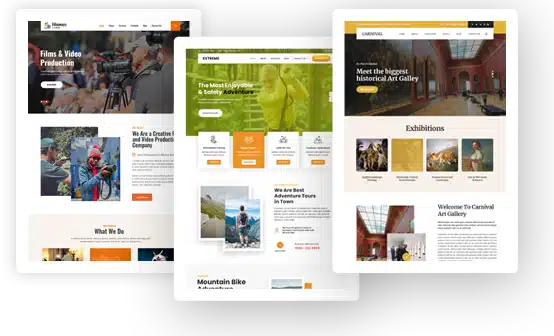
Screenshot placeholder: Agriculture WordPress themes category page showing GraceThemes farm, dairy, garden and organic shop theme previews.
