
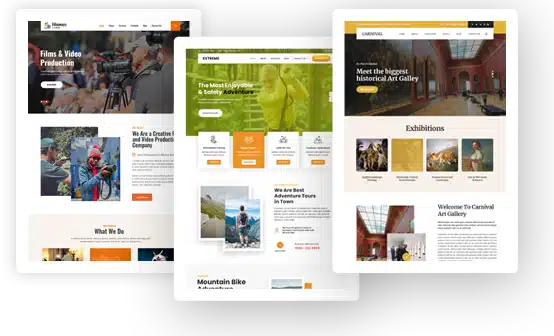
Construction WordPress Themes
-
 $29
-
 $29
-
 $29
-
 $29
-
 $29
-
 $29
-
 $29
-
 $29
-
 $29
-
 $29
-
 $29



Construction WordPress Themes for Builders, Contractors and Renovation Firms
Construction WordPress themes are website designs built for construction companies, general contractors, home builders, architects, remodeling companies and specialty trades. They give a building business a professional web presence with service sections, project galleries, team profiles, testimonials and contact forms, so homeowners, developers and property managers can judge your work and request an estimate without picking up the phone. For a contractor, the website is often the first job site a client visits, and a strong design helps it win trust before the first site visit.
This guide moves from choosing a design to growing your business with it. First come key takeaways, a comparison table of the eleven designs listed in our GraceThemes construction category and specialty-by-specialty reviews. The next part defines these themes, shows why contractors need a strong website and outlines the advantages of a ready-made layout. Planning and must-have features lead into five industry sections on project portfolios, project management, estimate requests, credentials and green building.
A matching table and website guides for general contractors, commercial builders, custom home builders, remodelers, architects, interior designers, specialty trades, landscapers, developers, construction logistics firms and nonprofit building projects come next. Later sections walk through core pages, the contractor homepage, service and location pages, online reputation, recruiting, visual design, accessible and private forms, search rankings, site performance and protection, lead tracking, promotion, content planning and the errors that cost contractors work. The last part covers free versus premium designs, a selection checklist, installation, pricing, related designs, common questions and a closing summary.
Key Takeaways
- Construction WordPress themes give builders and contractors a ready-made site with service sections, project galleries, team profiles and contact forms.
- Our construction category lists eleven premium designs at $29 each, from dedicated construction company themes to architecture, interior, real estate, landscaping and logistics designs.
- DreamBuild PRO, BuildUp PRO and Creator World PRO are built for construction companies, while Housing PRO also serves architects and landscape designers.
- No theme in this category lists a built-in estimate calculator, so plan a quote request form with a form plugin.
- Clients judge contractors by completed projects, licenses, insurance and reviews, so make that proof easy to find.
- Each premium design comes with free setup by our team, lifetime help and updates, and permission to use it on as many domains as you need.
Construction WordPress Themes at a Glance
All eleven designs in our construction category cost $29 as a single purchase. Select a theme name to see its full feature list and live demo.
| Theme (details and live demo) | Price | Best for | Page builder | Store support | Notable construction-related detail |
| DreamBuild PRO | $29 | Construction companies | Not stated | WooCommerce compatible | Construction service sections, Polylang and Weglot |
| BuildUp PRO | $29 | Construction, renovation, contractors, architects | Not named | WooCommerce compatible | Services, recent projects and team sections |
| Creator World PRO | $29 | Construction companies, architectural firms | Not stated | WooCommerce product gallery support (changelog) | Engineers team section, engineer profile pages |
| Housing PRO | $29 | Architects, construction firms, interior and landscape designers | Drag-and-drop builder (not named) | WooCommerce compatible | Portfolio custom post type, parallax, popup video |
| Spangle PRO | $29 | Interior design, architecture, construction | Drag-and-drop builder (not named) | WooCommerce support | Recent project section, skill bars, clients list |
| Flourish PRO | $29 | Furniture, interior design, remodeling | Drag-and-drop builder (not named) | WooCommerce ready | Featured projects, welcome video, product displays |
| Dream Home PRO | $29 | Real estate buyers, sellers and investors | Not stated | WooCommerce compatible | Homepage search bar, service section |
| Agronomics PRO | $29 | Gardening, landscaping; page also lists construction services | Beaver Builder, Elementor, Visual Composer | WooCommerce compatible | Three header layouts, Nivo slider |
| Shifters PRO | $29 | Logistics, freight, moving, warehousing | Drag-and-drop builder (not named) | Mentioned in changelog only | Appointment button in header, featured projects |
| Transport PRO | $29 | Transport, shipping, warehousing, movers | Visual Composer, SiteOrigin, Elementor | WooCommerce support | Pricing plan and company history sections |
| Social Care PRO | $29 | Charities and nonprofits | Drag-and-drop builder (not named) | WooCommerce and PayPal support | Donation button, team section |
Our Construction Theme Reviews by Specialty
These eleven designs fall into four groups: dedicated construction themes, architecture and interior designs, related trades such as real estate, landscaping and logistics, and one charity design. Each summary reflects what the product page states.
Designs Built for Construction Companies
DreamBuild PRO, also named Township Construction on its page, is made for construction companies and says it provides “every kind of construction service section.” For selling and languages, the page lists WooCommerce compatibility plus Polylang and Weglot for multilingual websites.
It offers more than 1,000 Google Fonts, countless color schemes, drop-down menus up to level 5 and shortcodes for slideshows, tabs, toggles, buttons and Google Maps. Widgets cover clocks, clients, testimonials and calendars. Named compatible plugins include WPForms, Accordions, Sliders, Yoast SEO and Rank Math. A page builder is not stated.
BuildUp PRO is best suited to construction companies, architectural firms, interior designers, renovation services, contractors and architects. Its sections present the services you offer, recent projects and portfolio work, and your professional team. You get a built-in Nivo slider, Revolution Slider compatibility, widgetized headers, a contact page template and a large shortcode collection. It works with Contact Form 7, Yoast SEO and WooCommerce. For languages, its page lists qTranslate X, a plugin that is no longer maintained; the multilingual advice in the features section covers better options.
Creator World PRO is designed for construction companies and architectural firms, and its page also mentions real estate businesses. The homepage includes slider images, parallax-enabled sections, an engineers team section, latest news, testimonials and a photo gallery, and the theme includes dedicated pages for engineer profiles, blogs and contacts. Its changelog adds support for the latest WooCommerce product gallery, and the page text describes it as translation ready. A page builder is not stated.
Architecture, Interior and Renovation Designs
Housing PRO serves architects, construction companies, interior designers and landscape designers. It offers custom post types for photo gallery, team members, portfolios and testimonials, a full-width image slider, a full-screen header, parallax backgrounds and popup video for presenting projects. Other features include a sticky menu, boxed and full-width layouts, a contact page template and a widget-rich footer. It works with an unnamed drag-and-drop builder and lists Revolution Slider, NextGEN Gallery, Yoast SEO, Newsletter, WPForms, Contact Form 7 and Google Maps. Its page names qTranslate X for translation.
Spangle PRO is built for interior design firms and furniture stores, and its page also names architecture, construction and design agencies. The homepage covers services, features, a photo gallery, a designer expert section, recent projects, testimonials and recent news. Shortcodes include portfolios, testimonials, team members, skill bars and a clients list. It has a built-in full-screen Nivo slider, works with Cyclone Slider and Slider Revolution and supports WooCommerce for selling interior design products. Its page names qTranslate X for translation.
Flourish PRO is a furniture shop theme whose page also lists architecture, interior design, construction and remodeling, including renovation services. Its homepage sections include interior design services, a welcome video, featured projects, portfolio grids, team members, clients projects and product displays, and the theme also offers a photo gallery and a contact form. It adds parallax scrolling, rotating text, full-width or boxed layouts and a sticky header. It is WooCommerce ready and lists Slider Revolution, Shortcodes Ultimate, WPForms, Contact Form 7 and qTranslate X.
Real Estate, Landscaping and Logistics Designs
Dream Home PRO is a luxury real estate theme for buyers, sellers and investors. Its body text does not mention construction, but a real estate business or property developer can use its homepage search bar, service section, CTA buttons and Google Maps shortcodes. It is WooCommerce compatible, multilingual and retina-ready, and it lists NextGEN Gallery, WPForms and Contact Form 7.
Agronomics PRO is a farm and gardening theme. Its page names gardening, landscaping and lawn services, and it also mentions “services related to construction.” Three builders are supported (Beaver Builder, Elementor and Visual Composer), and the theme is WooCommerce compatible.
Layout tools include a full-screen slider, a built-in Nivo slider with up to ten slides, three header layouts and a sticky header. Listed plugins are Contact Form 7, WPForms, Yoast SEO and NextGEN Gallery, with qTranslate X for translation.
Shifters PRO is built for transportation, freight, shipping, moving and warehousing companies. Construction is not stated on its page, but its layout can suit a business that delivers building materials or moves equipment.
It offers three header layout variations, with header elements such as opening times and an appointment button, a sticky header, a full-width slider, Revolution Slider support and sections for services, featured projects, the transportation process, team members and testimonials. It lists MailChimp, Contact Form 7, WPForms, Gravity Forms and qTranslate X. WooCommerce appears only in its changelog.
Transport PRO serves transport, shipping, logistics, warehousing and movers. Construction is not stated, but its sections for company history, services, advantages, latest news, testimonials, a pricing plan and a contact form fit a haulage or material supply firm.
It works with Visual Composer, SiteOrigin and Elementor, supports WooCommerce, includes a full-screen Nivo slider and lists Revolution Slider, MailChimp and Contact Form 7. Translation plugins are not stated.
A Charity Design in This Category
Social Care PRO is a charity and nonprofit theme, and its page does not mention construction. It can still suit a nonprofit housing project or a community building campaign that raises funds and recruits volunteers. It includes a donation button, a full-width slider, team members, testimonials and PayPal and WooCommerce support for accepting funds.
What Are Construction WordPress Themes?
A WordPress theme controls your site’s appearance: layout, header, navigation menu, footer, fonts and color schemes. Construction WordPress themes shape that design around building trades, with construction-focused design elements such as service sections, project galleries, team profiles and testimonials.
WordPress is the content management system behind the site, and plugins add tools such as contact forms, sliders, SEO settings or an online store. Because you own a self-hosted WordPress website, you control your content and can change hosting or design whenever you choose.
Who Uses Construction Themes
These designs fit a wide range of building companies:
- General contractors and construction firms that run residential projects and commercial projects.
- Custom home builders and renovation contractors working directly with homeowners.
- Architects, structural engineers and design-build firms.
- Specialty trade contractors such as roofers, plumbers, electricians, painters and tiling crews.
- Interior designers, kitchen remodeling and bathroom remodel specialists.
- Landscaping contractors and outdoor construction businesses.
- Property developers and real estate agencies selling new builds.
- Freelancers and small contractors who need a professional-looking site.
Core Parts of a Construction Website
A construction theme is built from a few standard parts. Header and footer areas hold your logo, menu and contact details, while a slider area displays large project images. Ready-made sections for services, a project showcase, team members and testimonials fill the homepage.
Custom post types for portfolios, galleries or staff keep project content organized, and widget areas, page templates and shortcodes let you add maps, buttons and tabs without coding. These construction website features are the raw materials; the homepage section later in this guide explains how to arrange them.
Construction Theme or Multipurpose Theme
A dedicated construction design already uses industry terminology, construction imagery and layouts made for showcasing completed projects. A multipurpose theme can be shaped into a construction site, but it starts generic and needs more setup. For most building firms, a construction-ready design gets you online faster with a more convincing result. Related designs such as architecture, interior or logistics themes make sense when that work is your main specialty.
Why Contractors Need a Strong Website
A website is now part of how clients judge contractors, alongside referrals and word of mouth.
Clients Vet Contractors Online
Homeowners worry about unqualified contractors and fly-by-night operators, while developers and property managers need confidence in a firm’s capacity. Both look for licensing, insurance, years in business, reviews and past projects before they call. A clear website answers these questions and reduces selection anxiety.
Proof of Work Wins Bids
Construction is a visual trade. Photos of completed projects, before-and-after photos and short case studies show the quality of your craftsmanship far better than claims. A well-organized online portfolio helps you stand out from competition and supports winning bids.
A Lead Generation Engine Around the Clock
Your site works like a 24/7 sales representative. It explains your services, answers common customer questions and collects estimate requests while your crews are on job sites. For a small contractor, that steady flow of qualified leads is one of the most practical reasons to invest in a website.
Benefits of Using Construction WordPress Themes
A purpose-built theme saves a building firm the cost of a custom site and gets a construction website live quickly, without hiring a professional designer for custom functionality.
- Lower upfront cost. A single design is $29, a budget-friendly theme compared with custom web design.
- Faster launch. Demo content and pre-built sections help you launch your website quickly and focus on photos and copy.
- Industry-specific layouts. In the dedicated construction designs, service sections, project galleries and team profiles are already in place.
- Easy customization. Theme options, color customization and drag-and-drop builders let you match your brand without coding.
- Room to grow. Plugins can add multilingual pages, an online store for building materials or a client portal as your business grows.
- Website ownership. You keep full control of your domain, content and design.
Planning a Construction Company Website
A clear plan turns a good-looking site into a business development tool and keeps ongoing costs inside your website budget.
Define Services and Service Area
List every service you want to sell, then the cities and neighborhoods you cover. This decides your menu, your service pages and your location keywords. A roofing contractor serving three counties needs a different structure from a commercial construction firm working statewide.
Know Your Clients
Homeowners want reassurance, clear pricing cues and examples of similar projects. Developers, facility managers and property managers want capacity, safety records and project management excellence. Write your pages for the target audience that brings your most profitable work.
Budget, Hosting and Domain
Plan for a domain name, a hosting package, a premium theme, professional photography and any plugins. Choose reliable hosting with strong website uptime, an SSL certificate and daily backups. A managed WordPress hosting plan suits busy owners who prefer not to handle updates themselves.
Questions Before You Build Your Contractor Site
- Which services bring your most profitable jobs?
- Which cities or neighborhoods do you want to rank in?
- Do you serve homeowners, commercial clients or both?
- How will visitors request an estimate or schedule a consultation?
- Do you have recent project photos and client testimonials ready?
- Which licenses, insurance details and certifications can you display?
- Do you need careers pages for recruiting crews?
- Who will keep the portfolio and blog updated?
Must-Have Features in Construction WordPress Themes
When you compare construction WordPress themes, check these features against each product page and live demo.
Mobile Layout for Visitors on Job Sites
Many clients, project managers and subcontractors browse on phones, sometimes from a job site with a spotty connection. A mobile-friendly construction site needs a fully responsive layout, a click-to-call phone number and fast loading pages. Load each live demo on a phone, ideally outdoors on mobile data, before you commit.
Project Portfolio and Gallery
Look for a portfolio custom post type, a photo gallery or a projects section. Housing PRO lists portfolio and gallery custom post types, BuildUp PRO presents recent projects and portfolio work, and Flourish PRO includes featured projects and portfolio grids.
Service Sections
Every construction company needs a clear service list. DreamBuild PRO says it provides every kind of construction service section, Spangle PRO and Transport PRO include services sections, and BuildUp PRO lets you present the services you offer.
Team and Engineer Profiles
Clients want to know who will manage their project. Creator World PRO includes an engineers team section with profile pages, and BuildUp PRO, Housing PRO and Flourish PRO include team sections.
Contact Forms and Estimate Requests
None of the eleven pages lists a built-in estimate calculator or quote form, so plan to build a quote request form or project inquiry form with a contact form plugin. Smooth form plugin integration matters more than built-in forms. Contact Form 7 appears on most of these pages, WPForms on several and Gravity Forms on Shifters PRO.
Sliders, Parallax and Video
Large images and high-quality imagery sell construction work. Most designs here include an image slider, Housing PRO and Flourish PRO add parallax and video, and Shifters PRO offers popup video.
Multilingual Options
If you work with bilingual crews or clients, check translation support. DreamBuild PRO names Polylang and Weglot. BuildUp PRO, Housing PRO, Spangle PRO, Flourish PRO, Agronomics PRO and Shifters PRO name qTranslate X, which was closed on WordPress.org and is no longer updated. If you choose one of those designs, pair it with WPML, Polylang or another actively developed translation tool, and ask our support team to confirm everything works together.
Page Builder Support
Agronomics PRO names Beaver Builder, Elementor and Visual Composer, and Transport PRO names Visual Composer, SiteOrigin and Elementor. Housing PRO, Spangle PRO, Flourish PRO, Shifters PRO and Social Care PRO work with an unnamed drag-and-drop builder, while DreamBuild PRO, BuildUp PRO, Creator World PRO and Dream Home PRO do not name one. Choose the editor your team already knows, since page builder customization is easier with familiar tools.
Project Portfolios That Win Bids
Your portfolio is your strongest sales tool, so build your construction project showcase with care. Clear project portfolio pages let you showcase completed projects and support client trust and credibility.
Turn Projects Into Case Studies
For major jobs, write short case studies: the client’s goal, the project scope, challenges such as site conditions or weather delays, how your crew solved them and the result. Add the project location, project size and timeline. A case study format shows problem-solving and process transparency, which reassures sophisticated clients.
Before-and-After Photos and Progress Shots
Pair before-and-after photos with progress photos that show the work in stages. Aerial drone footage, time-lapse footage and architectural renderings add depth for larger builds. Use real project images, not stock photos, and shoot in bright lighting with clutter removed.
Organize by Project Type
Group work into portfolio categories, such as kitchen remodels, home additions, commercial buildouts, tenant improvements or industrial projects, inside a filterable portfolio. Portfolio filters help visitors find similar jobs fast, and an outdated portfolio suggests an inactive contractor, so add finished projects regularly.
Project Management and Client Communication
Clients often worry about delays, budget overruns and poor communication. Your website can ease that client anxiety before the contract is signed.
Explain Your Process
Show each stage, from preliminary consultation and site visit through the design phase, pre-construction meetings and construction phases to the punch list and project closeout. Set realistic timeline expectations and explain common causes of schedule delays, such as weather delays and material lead times. This kind of process transparency builds confidence with educated clients.
Client Portals and Progress Updates
Many contractors use scheduling software, Gantt charts or a client portal for progress tracking, budget updates and change orders. These tools are separate from your theme, but your site can link to them and explain how clients will receive updates. Responsive communication is one of the strongest selling points a builder can offer.
Warranties and Post-Completion Service
Describe your warranty programs, post-completion service and any maintenance programs. Clear warranty length and follow-up terms reassure clients that you stand behind your construction quality long after the final inspection.
Estimate Requests, Quotes and Lead Capture
Turning visitors into estimate and consultation requests is the main job of a contractor website. Good construction lead forms and a prominent CTA help you generate leads and convert prospects.
Contact Form vs Estimate Request Form
A basic contact form collects a name, email and message. An estimate request form gathers project details such as project type, location, budget range, start date and photos, so you can qualify leads before a site visit. Since none of these themes lists a built-in quote tool, build your quote request form with a form plugin such as WPForms, Gravity Forms or Contact Form 7.
What to Ask in a Quote Form
Keep the first step short: name, phone, email, project type and ZIP code. Then add optional fields for budget, timeline and photo uploads. Short contact forms reduce mobile form abandonment, while optional details improve lead quality.
Respond Fast
Speed often decides who wins the job. Send an automatic reply confirming the request, route lead notifications to the right estimator and follow up quickly by phone. Add a sticky “Call Now” or “Free Estimate” button on mobile so urgent clients can reach you in one tap.
Licenses, Safety and Credentials
Clients hire contractors they trust, and professional credentials provide that trust. Clear construction trust signals also support company credibility during contractor vetting.
Licenses and Insurance
Show your contractor license number, insurance details and bonding information where your state requires it. List general liability and workers’ compensation coverage in plain language. These details separate licensed contractors and insured contractors from fly-by-night operators.
Safety Record and Programs
Commercial clients often ask about safety before they invite you to bid. Describe your safety program, jobsite safety practices, training such as OSHA courses, toolbox talks and PPE rules. A dedicated safety page shows professionalism and reduces project risk in the client’s eyes.
Certifications and Memberships
List manufacturer certifications, industry association memberships, green building credentials such as LEED, local business awards and Better Business Bureau accreditation if you hold them. Use certification badges with links to verify them where possible.
Green Building and Sustainability
Many owners ask about energy efficiency, lifecycle savings and environmental impact. If sustainable building is part of your work, give it a dedicated page.
Show Your Green Construction Experience
List LEED projects, solar installation, green roofs, rainwater harvesting, geothermal systems or net-zero design work you have completed. Explain your approach to material selection, waste reduction and indoor air quality in plain language.
Explain the Benefits Clearly
Environmentally conscious clients want practical results: lower utility bills, available utility rebates, better comfort and higher property value. Pair each claim with a real project example, and keep green building education simple so homeowners and developers can compare options.
Matching a Theme to Your Construction Business
Start with this table, then read the matching guide, where each section closes with our suggested design.
| Business type | Main website goal | Suggested themes |
| General contractor | Show services and projects, win bids | DreamBuild PRO, BuildUp PRO |
| Commercial or industrial builder | Prove capacity, safety and engineering depth | Creator World PRO, DreamBuild PRO |
| Custom home builder | Showcase homes and win homeowner trust | Housing PRO, BuildUp PRO |
| Remodeling or renovation company | Show transformations and generate estimates | BuildUp PRO, Flourish PRO |
| Architect or engineering firm | Present portfolio and team expertise | Housing PRO, Creator World PRO |
| Interior designer or design-build firm | Display projects and design services | Spangle PRO, Flourish PRO |
| Roofing, plumbing or specialty trade | Generate local service calls | DreamBuild PRO, BuildUp PRO |
| Landscaping contractor | Show outdoor projects and services | Agronomics PRO, Housing PRO |
| Real estate developer | Present new builds and property search | Dream Home PRO |
| Construction logistics or materials supplier | Explain delivery services and win contracts | Shifters PRO, Transport PRO |
| Nonprofit housing or community build | Raise funds and recruit volunteers | Social Care PRO |
Website Guides by Contractor Type
Each part of the building industry sells differently, and focused expertise in one market segment often wins more work. These guides show what to include.
General Contractors
A general contractor site should list services clearly, show residential and commercial work, explain your process from preliminary consultation to project closeout and make the estimate path obvious. Add a project timeline overview so clients know what to expect.
Best theme fit: DreamBuild PRO for its construction service sections, or BuildUp PRO for services, projects and team sections in one layout.
Commercial and Industrial Builders
Commercial clients want proof of capacity: project types, contract values in general terms, safety records, prequalification documents and client references. Offer a bid request form and downloadable capability statements.
Best theme fit: Creator World PRO for its engineers team section and engineer profile pages, or DreamBuild PRO for broad construction service sections.
Custom Home Builders
A custom home builder sells a dream and a process. Show finished homes, floor plan examples, the design phase, the construction phases and warranty programs. Video tours and client stories help families picture working with you.
Best theme fit: Housing PRO for its portfolio post type, parallax and popup video, or BuildUp PRO for recent projects and team sections.
Remodeling and Renovation Companies
Remodeling companies win work through transformation results. Lead with before-and-after showcasing, kitchen remodel and bathroom remodel galleries, a clear process section and financing options if you offer them.
Best theme fit: BuildUp PRO, which names renovation services, or Flourish PRO, whose page lists remodeling and renovation services.
Architects and Engineering Firms
Architecture studios and engineering firms sell expertise and design thinking. Show architectural design work, renderings, team credentials and sustainability messaging such as green construction and net-zero design.
Best theme fit: Housing PRO, built for architects, or Creator World PRO for its engineers team section.
Interior Designers and Design-Build Firms
Interior and design-build firms need image-rich galleries, design services, a designer profile and product or material showcases.
Best theme fit: Spangle PRO for its designer expert and recent project sections, or Flourish PRO for featured projects and product displays.
Roofing, Plumbing and Specialty Trades
Roofers, plumbers, electricians and painters rely on local and urgent searches. Add emergency services pages, a clickable phone number in the header, service area pages and real job photos. A roofing company website should explain roof repair versus roof replacement, storm damage assessment, roof inspection scheduling and how insurance claims work, in plain language.
Offer a free roof inspection or free estimate button, show manufacturer certifications and a before and after gallery, and add pages for gutter services, flat roof repairs and emergency roof repair after storms.
Best theme fit: DreamBuild PRO for detailed service sections, or BuildUp PRO for services and recent projects.
Landscaping and Outdoor Contractors
Landscaping contractors need seasonal services, outdoor project galleries and a simple quote path.
Best theme fit: Agronomics PRO, whose page names landscaping and construction-related services, or Housing PRO, which lists landscape designers.
Real Estate Developers
Developers selling new builds need property presentation, location maps and inquiry forms for buyers and investors.
Best theme fit: Dream Home PRO for its homepage search bar, service section and Google Maps shortcodes.
Construction Logistics and Materials Suppliers
Companies that deliver building materials, move equipment or run warehousing need service lists, process steps and contract inquiries.
Best theme fit: Shifters PRO for its featured projects and appointment button, or Transport PRO for its pricing plan and services sections.
Nonprofit Housing and Community Builds
Housing charities and community building projects need cause pages, volunteer sign-ups and a donate button.
Best theme fit: Social Care PRO, a charity design with a donation button and PayPal support.
Core Pages for a Construction Website
These key pages form the backbone of most contractor sites and give your construction business website a clear content hierarchy.
- Home page. Your first impression, covered in the next section.
- About Us page. Company history, mission statement, company values, family-owned or in-house crew story and leadership team.
- Services page. A clear service list and service breakdown, linking to detailed service pages.
- Projects or Portfolio page. A portfolio showcase of completed projects organized by type, with project pictures and short write-ups.
- Service area pages. Location-specific pages for the cities you serve.
- Reviews and Testimonials. Client testimonials, star ratings and project references.
- Licenses and Safety. Licensing information, insurance details, certifications and safety programs.
- Careers page. Job opportunities, employee benefits, training and safety measures.
- Contact page. Visible contact details, including phone number, email, office location, a map on site, opening hours, areas covered and an estimate request form.
- Blog or Resource Center. Helpful advice, seasonal tips, industry news, company updates and recent blog posts.
Designing a Contractor Homepage
Your home page should tell visitors what you build, where you work and how to take the next step. Good homepage design blends visual storytelling with a conversion-focused design.
Hero Section
Use a large, high-quality image or a short video hero of a completed project. Add a benefit-focused headline, your service area and a primary CTA such as “Request a Free Estimate.” Keep the phone number above the fold.
Services and Proof
Below the hero, show your main services with clear icons, then a strip of recent projects, client logos, review stars and certification badges. A short “why choose us” section explains your unique selling proposition: in-house crews, on-time completion or warranty length.
Final Call to Action
End with a clear next step, your service area map and contact details. Keep one primary CTA throughout the page, using high-contrast CTAs at natural break points on a long-scroll homepage, so visitors are never unsure what to do.
Writing Service Pages and Service Area Pages
Construction service pages and location pages bring in much of the search traffic for contractors, so treat them as service showcase pages, not short summaries.
Detailed Service Pages
Give each service its own page: what it includes, who it suits, your process, materials, typical timelines, warranties, FAQs and real project photos. Benefit-driven copy should explain the result for the client before the technical details.
Service Area Pages
Create pages for the main cities you serve with genuinely local content: projects completed nearby, local building codes, permitting process notes and neighborhood testimonials. Avoid thin duplicate pages that only swap a city name, since near-identical pages add little value.
Reviews, Testimonials and Reputation
Construction online reviews often decide which contractor gets the call, since homeowners read genuine feedback before a hiring decision.
Collect Reviews Consistently
Ask every satisfied client for a review after project completion. A review request link in a post-job follow-up email or a QR code on the final invoice makes it easy. Reply to reviews politely, including negative reviews.
Show Testimonials Well
Present construction client testimonials as transparent testimonials with full names, project type and location, and add testimonial photos or video testimonials where clients agree. Place testimonials near your estimate form, where hiring decisions happen.
Careers and Recruiting Pages
Many construction companies struggle to hire and face workforce turnover, so a careers page that lists career opportunities supports workforce development and shows staffing depth to clients. Describe open roles, pay ranges if you share them, benefits, apprenticeship programs, safety training and company culture. Crew photos and short employee stories help future hires picture the job.
Design Tips for Construction Websites
Whichever of our construction WordPress themes you choose, good construction web design should feel strong, clear and trustworthy. Many contractors favor a rugged industrial design or image-based design that lets eye-catching photos do the talking.
Colors and Branding
Many building firms use bold colors such as construction yellow, safety orange or deep blue, paired with neutral grays. Use your brand colors consistently and make CTA buttons high contrast.
Photography First
Professional photography of real crews, equipment and finished work beats stock photography. Candid shots of the team in action add authenticity.
Clear Navigation
Keep the main menu to a few items, such as Services, Projects, About, Careers and Contact, with service dropdowns for detailed pages. Problem-based navigation, such as “Leaking Roof” or “Kitchen Remodel,” helps homeowners find answers quickly.
Clean, Fast Layouts
Use white space, readable text and modular sections. Avoid auto-play video with sound, heavy animations and long blocks of construction jargon.
Accessibility and Privacy for Contractor Sites
An accessible site reaches more clients. Use accessible color contrast, descriptive alt text on project images, clear form labels, keyboard navigation and captions on videos. These steps help visitors who use screen readers and other assistive tools.
Protect client data from estimate forms with an SSL certificate, secure form handling and a clear privacy policy. Only ask for personal information you need to prepare a quote.
SEO for Construction Companies
Search engine optimization brings contractors steady, high-intent traffic. A simple construction SEO strategy focuses on local search, service line pages and keyword-rich content that answers real questions.
Local SEO and “Contractors Near Me”
Verify your Google Business Profile and fill in every field: services, service area, project photos, opening hours and a link to your site. Keep NAP consistency and business information accuracy across online directories, post Google Business updates and respond to reviews.
Keyword Research by Service and City
Target searches people actually use, such as “custom home builder near me,” “commercial contractor in [city]” or “kitchen remodeling contractor.” Map each keyword to one page to avoid competing pages, and use long-tail keywords in service and FAQ content.
Schema and Technical Basics
Add structured data such as LocalBusiness or HomeAndConstructionBusiness schema, FAQ schema on question pages and descriptive meta tags. Keep a clear site architecture, use canonical URLs and fix broken internal links.
Service Hierarchy and Internal Links
Plan a simple service hierarchy: main services at the top, specific jobs beneath and service area pages linked from each. Use keyword mapping and keyword clusters so every page has one clear topic, a unique title tag, one H1 heading and a helpful meta description that improves the search snippet. Internal linking with descriptive anchor text and an Open Graph image for social sharing complete the basics.
Content That Builds Authority
Publish educational content: how-to process content, cost factors, material comparisons and construction timelines. Helpful, plain-language copy builds topical authority and gives AI search results accurate information about your company.
Website Speed, Security and Maintenance for Builders
Project galleries are image-heavy, so construction website optimization needs attention. A fast-loading website helps prevent visitor abandonment.
Speed
Compress images, use WebP format where possible, enable a caching plugin and lazy load galleries. Review Core Web Vitals in Google Search Console, run key pages through Google PageSpeed Insights and target a mobile load time of about three seconds or less.
Security
Use strong passwords, keep WordPress, your theme and plugins updated with security patches, run malware scans and schedule daily backups. Consider a web application firewall if your site receives heavy traffic.
Monthly and Quarterly Upkeep
Add new projects monthly, refresh seasonal services, check forms and links quarterly and remove outdated offers. Stale content makes an active contractor look inactive.
Measuring Bids, Leads and Website ROI
Track the numbers that matter to a construction business, not vanity metrics. Set up Google Analytics and conversion tracking for estimate requests, phone calls and consultation bookings. Call tracking shows which pages and campaigns produce calls.
Then connect website leads to your sales pipeline to see lead volume, close rate, average job value and cost per lead. These figures show your real return on investment, how well your forms handle lead qualification and whether you attract pre-qualified leads or unqualified leads.
Marketing Your Construction Company Online
A website grows faster when other channels support it. A clear construction marketing strategy connects your site, profiles and ads into one sales funnel.
- Google Business Profile. Post project photos and updates regularly.
- Paid search. Pay-per-click campaigns can send high-intent visitors to specific landing pages, while Google Local Services Ads, where available for your trade, place your business at the top of local results for direct calls and messages.
- Social media marketing. Share progress photos, crew stories and short project videos on Facebook, Instagram, YouTube and LinkedIn.
- Email marketing. Send past clients seasonal tips, maintenance reminders and referral requests, and use short email sequences for lead nurturing after each estimate.
- Referrals and networking. Word-of-mouth referrals, local networking and partnerships with architects, suppliers and realtors still drive many contracts.
Content Ideas for Contractors
Construction content marketing shows you are active and knowledgeable, lets you share your knowledge and industry know-how, and gives search engines new pages to rank:
- Project case studies with photos and client quotes.
- Cost factor guides for common projects.
- Material comparisons, such as roofing materials or countertop options.
- Seasonal tips for maintenance, storms and winter preparation.
- Permit and inspection explainers for your area.
- Team spotlights and safety milestones.
- FAQ articles that answer common customer questions.
Construction Website Mistakes That Lose Bids
These problems cost contractors jobs and push construction website visitors toward competitors.
- No real project photos. Stock images make clients doubt your experience.
- Hidden phone number. Urgent clients leave if they cannot call in one tap.
- Missing licenses and insurance. Clients may assume you are unlicensed.
- Long, complicated forms. Ask for essentials first and details later.
- Slow galleries. Uncompressed images drive mobile visitors away.
- Outdated portfolio. Old projects suggest you are no longer busy.
- Jargon-heavy copy. Plain language builds more trust with homeowners.
A strong design helps, but even the best construction WordPress themes depend on real photos, clear copy and fast replies, so plan content as carefully as layout.
Free vs Premium Construction WordPress Themes
A free construction theme can work for a one-person business testing an idea. Premium construction WordPress themes add more layouts, construction-specific features and support.
| Factor | Free construction themes | Our premium construction themes |
| Cost | $0 | $29 one-time per theme |
| Construction layouts | Limited | Service sections, project galleries and team profiles in the dedicated designs |
| Portfolio tools | Basic | Portfolio custom post types or project sections in selected themes |
| Store support | Varies | WooCommerce compatible in most designs |
| Setup help | Usually none | Free installation and setup |
| Support and updates | Community forums | Lifetime support and updates |
A sole trader can begin with a free theme. A growing construction company that relies on its website for estimate requests usually benefits from a premium design and ongoing support.
How to Choose a Construction Theme
Follow these steps to choose among our construction WordPress themes.
- Name your specialty. Use the matching table to shortlist designs for your trade.
- List must-have sections. Services, portfolio, team, testimonials and a quote request form.
- Test demos on a phone. Check the phone number, menu and gallery speed.
- Confirm the editor. Match the page builder to your team’s skills.
- Check plugin compatibility. Make sure your estimate form, SEO and multilingual plugins run smoothly with your chosen layout.
- Plan for growth. Make sure the layout can handle new services, locations and projects.
Installing Your Construction Theme
You can complete your construction theme installation in an afternoon.
- Purchase the design and keep its ZIP package on your computer.
- In the WordPress dashboard, open the Appearance menu and choose Themes, then Add New.
- Choose Upload Theme, select the ZIP package, install it and click Activate.
- Add any suggested plugins, for example your preferred builder, a form plugin for estimates or WooCommerce for a store.
- Import the demo content so your pages mirror the live preview.
- Upload your logo and set brand colors and fonts in the theme options.
- Swap every sample paragraph and photo for your own services, projects and crew.
- Build your estimate request form and connect analytics.
- Test every page and form on phone and desktop, then launch.
Busy on site? Our team handles the installation free of charge, and you can message us by email, through live chat or on our forum.
Construction Theme Prices and Bundles
Choose the option that fits your company.
| Option | Price | What you get |
| Single theme | $29 one-time | One theme, lifetime updates and support, free installation |
| Elementor Themes Bundle | $59 one-time | 20+ Elementor-based themes, unlimited domains, free installation |
| All Theme Package | $79 per year | All 100+ premium themes for one year, one year of updates, lifetime support |
| Lifetime Package | $99 one-time | All 100+ premium themes, lifetime updates and support |
One design is enough for most contractors, because a single theme already allows unlimited sites. Bundles help web designers and multi-brand construction groups that need several different designs. The yearly $79 package covers every theme with twelve months of updates, and the $99 option keeps updates going permanently. Unlimited site use, online chat support and free setup are included with the $29 theme as well as the $79 and $99 packages.
Explore Related Categories
Construction work often overlaps with industrial services, cleaning, security and insurance. The following designs sit in other GraceThemes categories but suit those neighboring trades.
| Related area | Theme | Link |
| Manufacturing and industrial services | Indostic PRO | https://gracethemes.com/themes/industrial-wordpress-theme/ |
| Post-construction cleaning | Cleanup PRO | https://gracethemes.com/themes/carpet-cleaning-wordpress-theme/ |
| Home security installers | Home Guard PRO | https://gracethemes.com/themes/home-guard-wordpress-theme/ |
| Contractor insurance agencies | Insurer PRO | https://gracethemes.com/themes/insurance-company-wordpress-theme/ |
| Material delivery and shipment tracking | SmartTrack PRO | https://gracethemes.com/themes/shipment-tracking-wordpress-theme/ |
Frequently Asked Questions
What are construction WordPress themes?
They are website designs for construction companies, contractors, architects and renovation firms, with service sections, project galleries, team profiles and contact forms.
Which theme is best for a general contractor?
DreamBuild PRO and BuildUp PRO are strong choices, since both are built for construction companies and include service sections.
Do these themes include a quote calculator?
No. None of the eleven product pages lists a built-in estimate calculator, so build a quote request form with a plugin such as WPForms, Gravity Forms or Contact Form 7.
Can I show my completed projects?
Yes. Housing PRO includes portfolio and gallery custom post types, BuildUp PRO presents recent projects and Flourish PRO offers featured projects and portfolio grids.
Do these themes work with Elementor?
Agronomics PRO and Transport PRO name Elementor. Five others work with an unnamed drag-and-drop builder, and DreamBuild PRO, BuildUp PRO, Creator World PRO and Dream Home PRO do not name a builder.
Can I build a bilingual contractor website?
Yes. DreamBuild PRO names Polylang and Weglot. Where a page lists qTranslate X, switch to WPML, Polylang or another tool that still receives updates.
How much are construction WordPress themes at GraceThemes?
A single design is $29 with no renewal. Bundles are $59 for the Elementor set, $79 per year for every theme and $99 once for lifetime access.
Can I sell building materials online?
Yes. Most designs here list WooCommerce compatibility, so you can add an online store for building materials or products.
Final Thoughts
A contractor’s website works like a digital storefront and a sales tool combined. It should show real projects, prove you are licensed and insured, explain services clearly and make requesting an estimate effortless. Our construction WordPress themes give builders, contractors, architects and renovation firms a strong starting point, from dedicated construction layouts to architecture, interior, landscaping and logistics designs.
Choose the design that matches your specialty, fill it with real project photos and clear service pages, and keep your portfolio fresh. With steady care, your site will keep bringing in qualified leads between jobs.
