
From contact form to qualified lead: how to build a smarter client intake workflow in WordPress
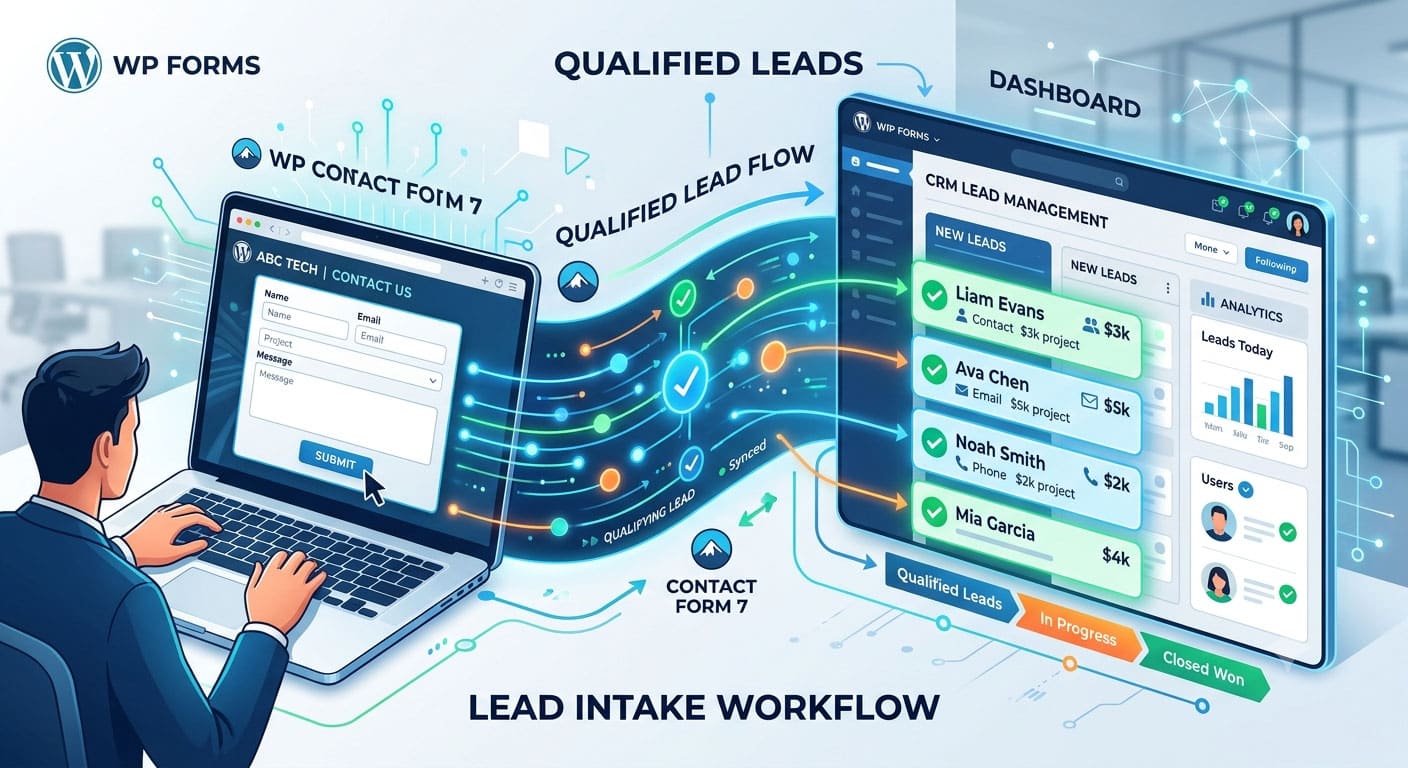
A contact form should do more than collect a name, an email address, and a message. For a professional-services website, it can be the first step in a working intake process that identifies what the visitor needs, sends the request to the right person, preserves the context behind the inquiry, and reduces the amount of manual sorting staff have to do later.
WordPress makes that possible without turning the site into a complicated custom application. The challenge is deciding what should happen after someone clicks Submit. A form that asks the wrong questions creates extra work. A form that asks too much creates friction. A form that captures useful information but sends every submission into the same inbox simply moves the bottleneck somewhere else.
A contact form should start a workflow, not end one
Many business websites still treat the form submission as the finish line. A visitor sends a message, WordPress delivers an email, and someone inside the company decides what to do with it. That works when the site receives a few inquiries a week. It becomes much less efficient when the same inbox starts receiving sales questions, support requests, consultation requests, job applications, vendor pitches, and messages that belong to completely different teams.
The handoff becomes even more important in professional services, where the website is often only the first layer of a much more specialized process. The same discipline matters with ai for in-house legal teams, where a useful workflow begins with a defined task and keeps professional judgment attached to the work rather than treating AI as a catch-all solution. A WordPress intake system benefits from the same principle: decide exactly what the form needs to accomplish before adding automation around it.
Instead of asking whether the site needs “AI intake,” start with something narrower. Perhaps consultation requests need to be separated from general questions. Perhaps existing clients should be routed to a different team. Perhaps one service line needs more qualifying information before staff can respond usefully. Those are workflow problems first and technology problems second.
Ask only for information that changes the next step
Long forms often look thorough but create two problems at once. Visitors are less likely to finish them, and staff end up collecting information they do not actually use.
Every field should earn its place by changing what happens next.
A basic service inquiry may need a name, email address, service category, location, and short description of the issue. A consultation form may also need preferred timing or a question about urgency. A B2B service may need company size or project type if those details affect who handles the request.
The useful test is simple: if removing a field would not change routing, prioritization, preparation, or follow-up, the field may not belong in the first step.
This is especially important on mobile. A form that feels manageable on a desktop can become exhausting when a visitor is tapping through twelve fields on a phone. Progressive intake can work better: collect enough information to qualify the inquiry, then gather deeper details once the right team has taken ownership.
Map each field to a decision inside the business
Before choosing plugins or building automations, map what each answer should trigger. This is where a simple WordPress form becomes an intake system.
A service dropdown might assign the inquiry to a particular team. A location field might identify whether the visitor falls inside the service area. A budget range could separate early research from an active project. An existing-client question might bypass sales completely and send the message to support.
The goal is not to make a machine decide whether a lead is “good” or “bad.” It is to make routine sorting predictable so people can spend more time on the requests that actually require judgment.
| Form input | What it can clarify | Possible next action |
| Service needed | Why the visitor is contacting the business | Route to the relevant team |
| New or existing client | Whether the request is sales or support | Send to separate queue |
| Location | Whether the business can serve the inquiry | Route by territory or flag out-of-area requests |
| Preferred timeline | How soon the visitor expects action | Prioritize urgent requests |
| Project type | Which specialist should review the request | Assign owner automatically |
| Short description | Context that fixed fields cannot capture | Create summary for human review |
Use AI for the messy part of the submission
Structured fields are easy for WordPress automation because the answers are predictable. Free-text messages are harder.
One visitor may write two sentences. Another may paste five paragraphs covering several issues at once. A third may describe the right problem using completely different language from the terms used on the website. That is where AI can be useful without taking over the intake decision.
An AI step can summarize a long message, identify the apparent topic, extract useful details, or suggest a category before the submission reaches a person. The output should support the handoff, not silently replace it.
For example, a form submission might arrive with the original message intact plus a short internal summary: “Existing client asking about renewal, mentions billing question, requests callback this week.” A staff member can understand the request quickly while still being able to read the exact words the visitor submitted.
This is different from letting a chatbot make promises, interpret complex professional issues, or decide whether a business should accept a client. The most useful automation often sits behind the form where it saves administrative time without changing what the visitor was told.
Keep the original inquiry attached to the lead
Automation can become counterproductive when the system turns a detailed inquiry into a label and then throws away the context.
A lead marked “Consultation – Priority 2” tells a sales team almost nothing about what the person actually needs. If the employee has to open WordPress, search an email inbox, check a CRM, and then look for an attachment just to reconstruct the conversation, the workflow has not reduced friction.
The original submission should stay attached to the record as it moves through the process. The same applies to files, consent selections, timestamps, and any other information the business genuinely needs.
This becomes more important when several people touch the same request. The first employee may classify it. Another may schedule the consultation. A specialist may handle the actual call. If each person receives only part of the information, the visitor ends up repeating the same story.
A useful handoff therefore preserves two things at once: a concise summary that makes the request easy to scan and the complete source material for anyone who needs the detail.
Questions to settle before automating the handoff
- Who owns a new submission when it first arrives?
- Which answers change where the inquiry is sent?
- Which requests need a faster response than others?
- What information must remain attached to the lead?
- When should AI summarize or classify a message rather than act on it?
- Which decisions always require a person?
- What happens when the automation cannot confidently categorize the request?
Connect WordPress to the tools the team already uses
A smarter intake workflow does not automatically require a new dashboard.
If staff already manage leads in a CRM, the WordPress form can feed that system. If appointments are managed in a scheduling platform, qualified requests can move into the booking flow. If a small business works primarily from shared email, structured notifications can still make the process much easier without introducing another piece of software.
The best destination is the place where people already do the work.
That sounds obvious, but many intake systems fail because the website creates a parallel workflow. A form plugin stores submissions in WordPress, another tool sends notifications, a CRM creates duplicate records, and employees continue relying on email because it is familiar. The result is more administration rather than less.
Before adding another integration, decide which system owns the lead after submission. WordPress can remain the collection point while the CRM, help desk, or practice-management system becomes the working record. Once that boundary is clear, automations have a much simpler job.
The same principle applies to notifications. Not every submission needs to alert five people. The right person should receive enough context to act, while everyone else should be able to find the record if they need it.
Measure whether qualification actually improves the response
A complicated intake flow is not automatically a better one. It should make something measurably easier for the visitor or the team.
A useful starting point is form completion. If a new version asks more qualifying questions but completion drops sharply, the extra information may not be worth the friction. Response time is another practical measure. If automated routing works, the right person should see a relevant request sooner.
Quality matters too. Staff can review whether routed inquiries are reaching the correct team, whether AI summaries are useful, and whether visitors are still being asked for information they already supplied online.
For a professional-services site, a qualified lead does not have to mean “someone ready to buy immediately.” It means the business has enough information to decide what should happen next without forcing a staff member to start from zero.
The intake process can then be refined gradually. One field may turn out to be unnecessary. One category may attract too many unrelated requests. One automatic rule may need an exception. Those small adjustments are easier to make when the workflow has a clear purpose.
Build the workflow around the next action
The smartest WordPress intake systems are not necessarily the ones with the most plugins, the longest forms, or the most AI.
They are the ones that reduce the distance between a visitor asking for help and the right person knowing what to do.
That starts with a focused form. The answers should support real decisions. Automation should handle repetitive sorting. AI can help make messy text easier to work with. The original submission should remain available. And the handoff should end in a system the team already knows how to use.
Once those pieces are connected, a contact form stops being a digital suggestion box. It becomes part of the operating workflow of the business, helping a WordPress site do something more useful than simply collect messages.
