

What Time Was It 24 Hours Ago? A Simple Guide to Time and Date Calculation
Have you ever looked at the clock and wondered what time it was exactly one day ago? Maybe you’re checking when a message arrived, figuring out how long ago an event
happened, reviewing a work schedule, or simply trying to make sense of yesterday’s date. Whatever brought you here, the answer is easier to find than you might think.
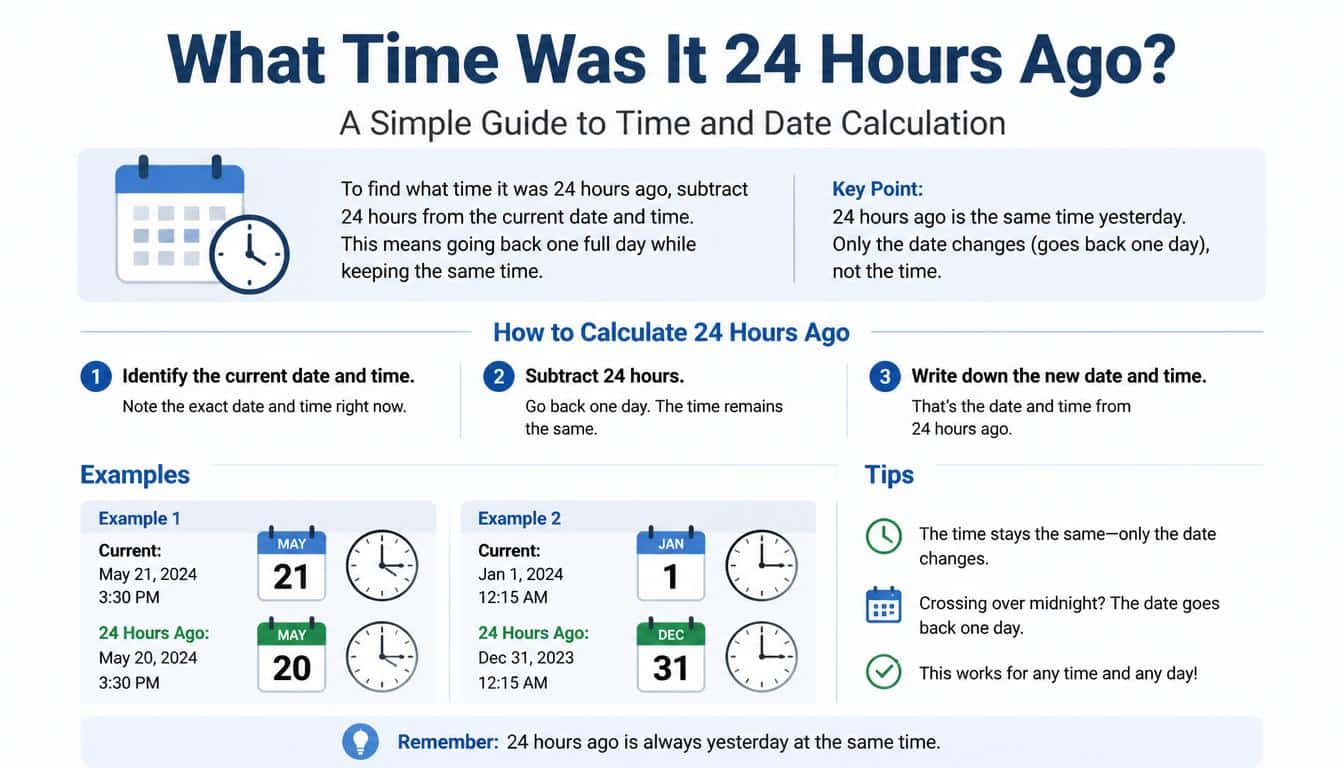
What time was it 24 hours ago? The simplest way to find out is to subtract 24 hours from your current time. If the current time is 2:20 PM on Monday, October 12, 2026, then 24 hours earlier it was 2:20 PM on Sunday, October 11, 2026, in the same time zone, assuming no clock-change adjustment applies.
That little calculation might seem almost too simple, but time doesn’t always behave as neatly as we expect. Different time zones, daylight saving changes,
and dates that cross midnight can make a straightforward question surprisingly confusing. And when you need an accurate answer, a small detail can make a real difference.
Let’s explore how to calculate time 24 hours ago, understand the relationship between hours and dates, and use simple methods to find past and future times without getting tangled up in the clock.
What Time Was It 24 Hours Ago? The Quick Answer
The answer depends on your current time and the time zone you’re using. In ordinary circumstances, subtracting 24 hours takes you back to the same clock time on the previous calendar day.
For example, using the reference time of 2:20 PM on Monday, October 12, 2026, in GMT+5, the calculation is:
- Current date: Monday, October 12, 2026
- Current time: 2:20 PM
- Time interval: 24 hours, or one full day
- Previous date: Sunday, October 11, 2026
- Time 24 hours ago: 2:20 PM on Sunday, October 11, 2026
So, if someone asks what the time was yesterday at this exact moment, you can generally answer by looking at the clock and moving back one calendar day.
However, remember that the example above uses a supplied reference time. If you’re checking the answer at a different moment, you’ll need to use your actual current time and date instead.
How to Calculate 24 Hours Ago From the Current Time
You don’t need advanced mathematics to figure out a past time. A clock, a calendar, or a basic calculator can do the job just fine, and the method takes only a few seconds.
Step 1: Check the Current Time and Date
Start by identifying your current time and date. For example, suppose your phone displays 9:45 AM on Thursday, October 15.
Write down both the time and the date. Knowing only the hour isn’t always enough, especially if the calculation crosses midnight or involves a different time zone.
Step 2: Subtract 24 Hours
Next, subtract 24 hours from the current time. Since 24 hours represents one complete day, the clock time will ordinarily stay the same while the date moves back by one day.
In our example, 9:45 AM on Thursday becomes 9:45 AM on Wednesday, October 14.
That’s the basic principle behind the current time minus 24 hours calculation.
Step 3: Check Whether the Date Changes
If you start at 12:15 AM on Thursday, the time 24 hours earlier is 12:15 AM on Wednesday. The date changes even though the clock reading doesn’t.
This is where people sometimes get confused. They see the same time displayed and assume nothing has changed, when in fact the calendar date is different.
Step 4: Confirm Your Time Zone
Your location matters whenever you’re comparing times from different parts of the world. A timestamp recorded in GMT+5, for instance, may correspond to a different local clock reading in another time zone.
If you’re calculating a past time for an international meeting, travel itinerary, or online transaction, make sure both timestamps use the correct time zone.
What Does 24 Hours Ago Actually Mean?
The phrase 24 hours ago means exactly 24 elapsed hours before a particular reference moment. It doesn’t simply mean yesterday in a general sense.
For example, if it is 6:30 PM on Friday, then 24 hours earlier is normally 6:30 PM on Thursday. The elapsed duration is one complete day, not merely the period between the two calendar dates.
This distinction becomes useful when you’re checking deadlines, social media activity, appointment reminders, or records that display the phrase “one day ago.”
Some applications round elapsed time into days or hours. A post marked “1 day ago” may have been published a little more or less than 24 hours before you viewed it, depending on how that application calculates and displays time.
The exact meaning depends on whether the system is showing a rounded label, a calendar date, or a precise timestamp.
Is 24 Hours Ago the Same as the Same Time Yesterday?
In most everyday situations, yes. If you’re using the same time zone and no daylight saving transition affects the interval, the same time yesterday is a practical way to describe the moment 24 hours earlier.
Suppose it’s 11:10 AM on Saturday. At the same clock time on Friday, exactly one ordinary 24-hour period has passed.
But there’s a small catch.
Some places move their clocks forward or backward when daylight saving time begins or ends. During those transitions, the same local clock reading on consecutive dates might represent an interval of 23 or 25 elapsed hours rather than exactly 24.
That’s why it helps to distinguish between a calendar-day calculation and an elapsed-time calculation. They often produce the same answer, but not always.
How Many Minutes, Seconds, and Milliseconds Are in 24 Hours?
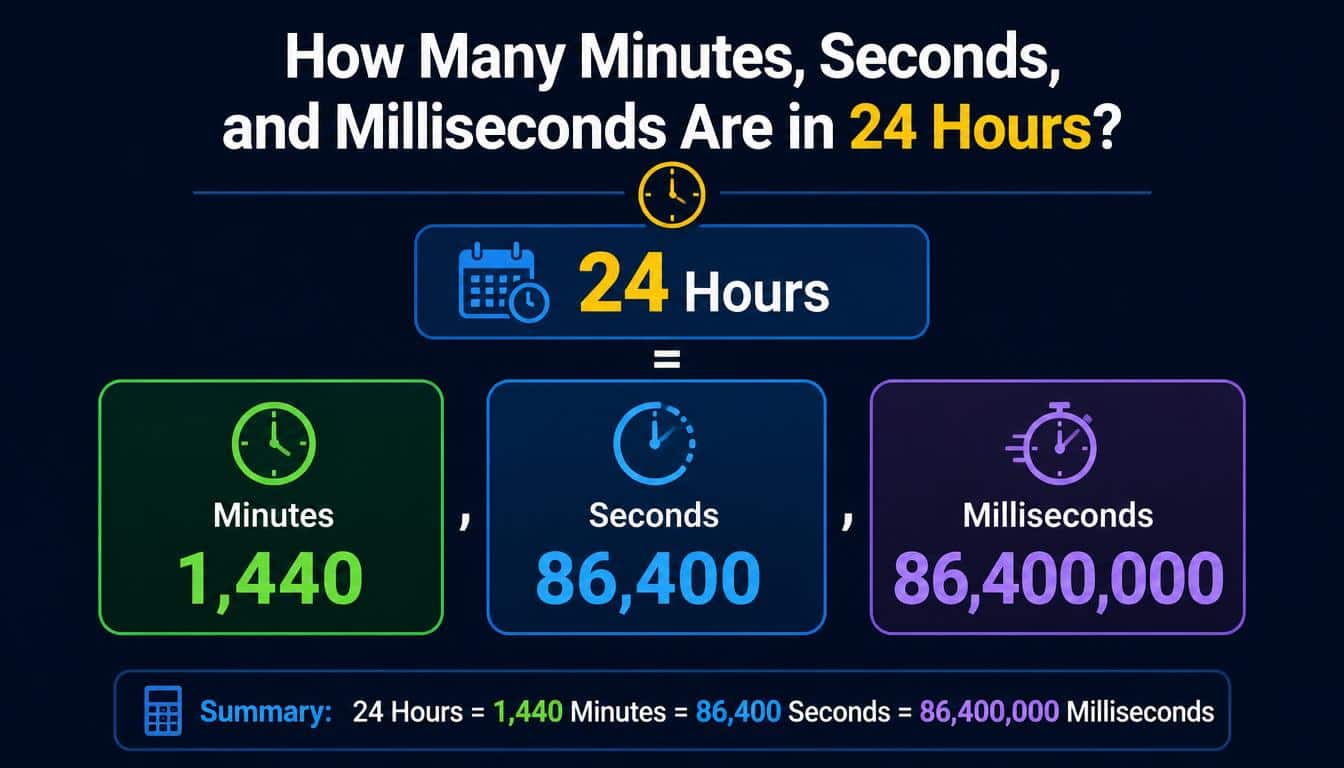
Understanding time conversions makes it easier to work with digital clocks, timers, spreadsheets, and online calculators. A full 24-hour period contains the following amounts of time:
- 24 hours = 1 day
- 24 hours = 1,440 minutes
- 24 hours = 86,400 seconds
- 24 hours = 86,400,000 milliseconds
The calculations are straightforward. Multiply 24 by 60 to get the number of minutes. Multiply that result by 60 to convert minutes into seconds, then multiply the seconds by 1,000 to get milliseconds.
These figures are useful when you’re measuring elapsed time in software, calculating a timer duration, or checking a timestamp stored in a digital system.
For everyday questions, though, you probably won’t need to count every second. Knowing that 24 hours equals one day is enough for most simple calculations.
Using a 24 Hours Ago Calculator
A 24 hours ago calculator can save time when you need an answer quickly, particularly when you’re dealing with a specific date or an unfamiliar time zone.
Most time calculators work by taking a starting date and time, applying a duration, and displaying the result. To calculate a past time, you enter the reference moment and subtract the required number of hours.
A useful calculator should let you:
- Enter a specific starting date and time.
- Subtract 24 hours or another chosen interval.
- View the resulting date as well as the clock time.
- Specify a time zone when necessary.
- Calculate past and future times without doing the arithmetic manually.
A time and date calculator is especially helpful if your question involves more than a single day. For example, calculating 60 hours ago requires more than simply looking at yesterday’s clock reading.
When using an online tool, always check whether it interprets your input as local time or as a timestamp in a particular time zone. That little setting can change the result, even when your arithmetic is perfectly correct.
What Was the Time Yesterday in GMT+5?
If you’re working with GMT+5, the method is the same: subtract 24 elapsed hours from the reference timestamp expressed in that time zone.
Using the reference example of Monday, October 12, 2026, at 2:20 PM GMT+5, the result is Sunday, October 11, 2026, at 2:20 PM GMT+5.
GMT+5 means the local time is five hours ahead of Greenwich Mean Time. When you compare it with a location using a different offset, you’ll need to account for the difference.
For example, a timestamp in GMT+5 corresponds to a timestamp five hours ahead of GMT at the same instant. If you convert that instant into a different local time zone, the calendar date may change too.
It’s worth remembering that time-zone rules are not identical everywhere. Some regions change their offsets seasonally, while others keep a consistent offset throughout the year. Always check the rules that apply to your location and date when precision matters.
What Time Was It 36, 48, 60, 72, and 84 Hours Ago?
Sometimes a one-day calculation isn’t enough. You might need to find when a project milestone happened, check a booking window, or calculate how much time has passed since an event several days earlier.
Here’s how the most common intervals translate into days and hours:
- 36 hours ago: One day and 12 hours ago, or 1.5 days.
- 48 hours ago: Two full days ago.
- 60 hours ago: Two days and 12 hours ago, or 2.5 days.
- 72 hours ago: Three full days ago.
- 84 hours ago: Three days and 12 hours ago, or 3.5 days.
To calculate any of these, begin with the current date and time and subtract the required number of hours.
For instance, if it’s 4:00 PM on Monday, 36 hours earlier was 4:00 AM on Sunday. Going back 48 hours takes you to 4:00 PM on Saturday.
The more hours you subtract, the more important the calendar becomes. Crossing midnight repeatedly can be confusing if you try to perform the calculation entirely in your head, so writing down the dates is often the easiest solution.
How to Calculate Time 24 Hours From Now
Calculating a future time uses the same basic idea, only in the opposite direction. Instead of subtracting 24 hours, you add 24 hours to your current timestamp.
If it’s 7:35 AM on Tuesday, then 24 hours from now will ordinarily be 7:35 AM on Wednesday.
This is useful for reminders, appointments, medication schedules, work shifts, and online events. A hours from now calculator can also help you determine future times when the interval is longer than a day.
Keep in mind that exactly 24 elapsed hours later isn’t always the same thing as the same local clock time tomorrow. Daylight saving changes can affect that relationship, particularly when you’re scheduling something across an overnight clock change.
If your intention is to meet someone at 7:35 AM tomorrow, use the calendar date and local clock time. If your intention is to measure an exact 24-hour interval, use elapsed time instead.
Common Mistakes When Finding the Time 24 Hours Ago
The calculation itself is easy, but a few everyday mistakes can lead to the wrong answer.
Confusing Yesterday With the Previous 24 Hours
Yesterday refers to the previous calendar day. The previous 24 hours refers to a rolling period measured backward from the current moment.
For example, at 8:00 AM on Tuesday, yesterday at 11:00 PM was only nine hours ago. It wasn’t 24 hours ago, even though it occurred on the previous calendar day.
Forgetting to Change the Date
A clock reading on its own doesn’t identify a unique moment. If you write down 3:15 PM without recording the date, you may not know which occurrence of that time you’re referring to.
Always include the date when accuracy matters.
Ignoring Time Zones
Comparing a timestamp from one country with a local clock in another country without converting the time zones can produce misleading results.
Make sure you’re comparing the same instant or using the same time zone before subtracting hours.
Treating Every Day as Exactly 24 Local Clock Hours
A normal day is commonly treated as 24 hours, but daylight saving transitions can create exceptions when working with local civil time.
For exact calculations, distinguish between adding or subtracting a fixed duration and moving to the previous or next calendar day.
Real-Life Situations Where a 24-Hour Time Calculation Helps
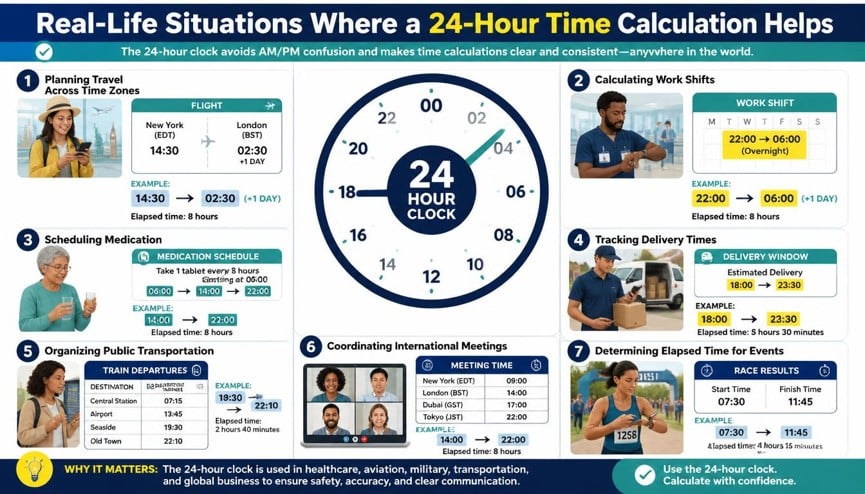
The question “What time was it 24 hours ago?” appears in more situations than you might expect. Often, it comes up when someone needs a quick answer and doesn’t want to work through a complicated explanation.
Checking Messages and Online Activity
If you received a message and want to know when it was sent relative to the current time, subtracting 24 hours can provide a useful reference point.
However, remember that messaging applications may display rounded labels such as “yesterday” or “1 day ago.” Check the actual timestamp if you need an exact answer.
Managing Work Schedules
Workers who rotate between shifts sometimes need to compare start times across consecutive days. Subtracting 24 hours makes it easier to see when a previous shift began.
For overnight shifts, always include the date. A shift beginning at 10:00 PM and finishing the next morning crosses midnight, so the clock readings alone don’t tell the entire story.
Tracking Deliveries and Bookings
Delivery estimates, reservation windows, and confirmation messages often depend on timestamps. Calculating the time 24 hours earlier can help you understand when a stated period began.
For important deadlines, rely on the date, time zone, and terms specified by the service rather than assuming every reference to “one day” means precisely 24 hours.
Recording Personal Events
You might be comparing yesterday’s workout, remembering when you last called a friend, or keeping a record of an important event.
A basic time calculator can make these little tasks easier. Sometimes the smallest calculations help us keep the details of everyday life in order, and that’s useful enough.
How to Calculate Time Ago Without an Online Tool
You can work out the answer manually with a clock and calendar. For a straightforward 24-hour calculation, the process is particularly simple.
First, write down the current time. Then move the date back by one day while keeping the clock reading the same, provided no daylight saving transition changes the elapsed-time relationship.
For other intervals, break the calculation into manageable pieces. Subtract 24 hours for every full day, then subtract any remaining hours.
Suppose you want to calculate 36 hours ago from 6:00 PM on Friday. Subtract 24 hours to reach 6:00 PM on Thursday, then subtract another 12 hours to reach 6:00 AM on Thursday.
This method is handy when your internet connection is unavailable or you simply prefer to calculate things yourself. It also helps you understand how a time subtraction calculator arrives at its result, instead of treating the displayed answer like magic.
Current Timestamp, Seconds, and Digital Time Calculations
Digital systems often store dates and times as timestamps rather than as familiar calendar entries. A timestamp represents a particular moment, and many systems use a count of seconds or milliseconds relative to a defined starting point.
If you have a timestamp measured in seconds, subtracting 86,400 ordinarily moves it back by 24 hours. If the value is measured in milliseconds, subtract 86,400,000 instead.
This is one reason developers, analysts, and people working with spreadsheets often convert time into numbers before doing calculations.
Still, timestamps require care. Some systems count leap seconds differently or use different conventions for representing time, and local time-zone formatting can affect the date displayed to a user. For ordinary scheduling, you rarely need to worry about those details, but they matter in specialised applications.
A reliable date and time difference calculator can help when the inputs are complex or the result needs to be checked carefully.
Choosing the Right Time Calculator for Your Needs
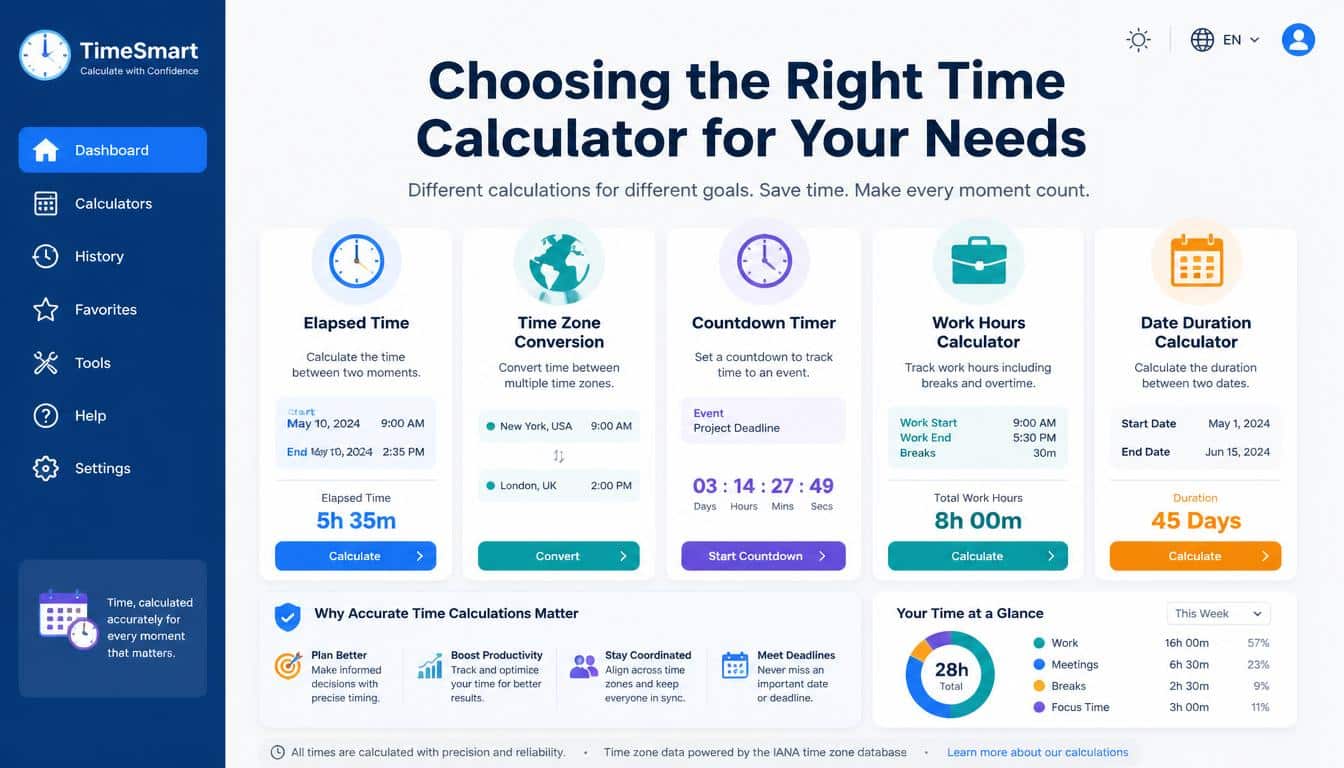
Not every time tool serves the same purpose. A simple hours calculator may be enough for finding the time 24 hours ago, while a more advanced date calculator may be better for working with multiple dates or international schedules.
Look for a tool that clearly displays the starting time, the duration being added or subtracted, and the resulting date. If you’re working internationally, time-zone selection is particularly important.
You can also explore resources such as Inch Calculator, which publishes practical calculators and conversion guides for everyday mathematical questions. Before relying on any online result, check the inputs and make sure the tool handles dates and time zones in the way you expect.
For a quick, ordinary calculation, your phone’s clock and calendar are often all you need. For repeated calculations or more complicated time intervals, a dedicated online tool can save a surprising amount of effort.
Frequently Asked Questions About What Time It Was 24 Hours Ago
What time was it exactly 24 hours ago?
It was the time exactly 24 elapsed hours before your reference moment. In an ordinary situation without a clock-change adjustment, that means the same clock time on the previous calendar day.
How do I find out what date it was 24 hours ago?
Take the current date and time, then subtract 24 hours. Usually, the result falls on the previous calendar date at the same clock time. If a daylight saving transition is involved, check the actual elapsed-time calculation.
Is 24 hours equal to one day?
Yes, 24 hours equals 1,440 minutes, 86,400 seconds, or 86,400,000 milliseconds. However, a local calendar day can contain 23 or 25 hours in places that observe daylight saving time.
What time will it be 24 hours from now?
Add 24 elapsed hours to your current time. Under ordinary conditions, the answer will be the same clock time on the following day.
How can I calculate 24 hours ago in GMT+5?
Use your current date and time in GMT+5 and subtract 24 hours. If the reference is October 12, 2026, at 2:20 PM GMT+5, the result is October 11, 2026, at 2:20 PM GMT+5.
Can I calculate 24 hours ago without a calculator?
Absolutely. Note the current date and time, then move back one day while keeping the clock reading unchanged, assuming no daylight saving transition affects the interval.
Why does my time calculator show a different date?
The tool may be using a different time zone, a different starting timestamp, or a local calendar-day calculation instead of subtracting exactly 24 elapsed hours. Check those settings before assuming the result is incorrect.
What time was it 11 hours ago?
11 hours ago was the current time minus 11 hours. Subtract 11 hours from your local time to find the exact result.
What time was it 24 hours ago?
24 hours ago was the same time yesterday, one full day before the current date and time.
Has it been 24 hours?
24 hours have passed when a full 1,440 minutes have elapsed between the starting time and the current time.
24 hours ago from now
To calculate 24 hours ago from now, subtract one day from the current date while keeping the same time.
What time was it yesterday at this time?
Yesterday at this time was exactly 24 hours before now, at the same clock time on the previous day.
Read More: https://gracethemes.com/dog-pregnancy-calculator/
Final Thoughts: Time Is Easier to Understand When You Keep It Simple
Finding out what time was it 24 hours ago doesn’t require complicated mathematics. In most everyday situations, all you need to do is subtract one day from the current date and keep the same clock time.
Whether you’re checking an old message, reviewing a work schedule, calculating a deadline, or planning something for tomorrow, understanding the difference between elapsed hours and calendar dates will help you find the right answer.
For quick calculations, remember the essential conversions: 24 hours is 1,440 minutes, 86,400 seconds, and 86,400,000 milliseconds. When time zones or daylight saving changes enter the picture, take a moment to verify the details rather than relying on the clock alone.
And if you ever find yourself staring at a timestamp and wondering where yesterday went, don’t worry. Time calculations become much easier once you know what you’re measuring and which reference point you’re using.
Have you used a time calculator to solve a tricky scheduling question, or do you have a simple method that works every time? Share your experience or favourite tip in the comments. A little practical knowledge can make somebody else’s day a whole lot easier.
