
How to Build a Professional WordPress Website That Delivers a Better User Experience
A polished website has become essential for any business, freelancer or organisation hoping to be taken seriously online. Getting it right takes far more than picking nice colours and adding a handful of pages, though. It calls for careful planning, a layout that adapts to every screen, genuinely useful content and a structure that lets people find things quickly. A plumber whose phone number is buried three clicks deep will lose the emergency call to a rival. WordPress has won a huge following because it is flexible, easy to customise and suits all kinds of projects, from tiny blogs to busy online shops.
Start with a Clear Website Structure
Purpose comes first. Before any design work begins, it pays to be clear about what the site is meant to do. A company site may need pages for its services, contact details, customer reviews and a short story about the business. An online magazine, by contrast, might need categories, a search bar and a well-organised blog.
Mapping the layout early saves visitors from getting lost. The key pages ought to sit within easy reach of the main menu. Clear headings, descriptive page titles and a logical flow of content also help search engines grasp what the site is about. Nobody likes hunting for a “Contact” link hidden at the bottom of a long page.
Simplicity usually wins. A clean layout tends to serve people far better than one crammed with needless sections and decorative clutter.
Choose a Suitable WordPress Theme
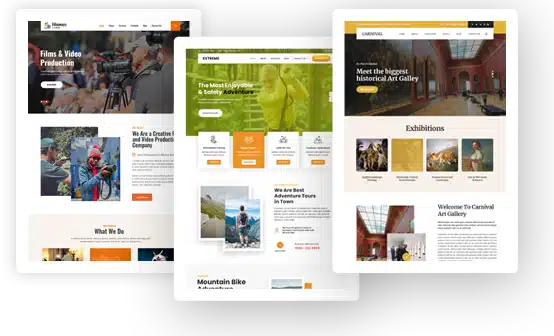
The theme sets the tone. It shapes much of a site’s look and layout, from how content appears to how menus behave and how visitors move between sections. A café’s theme might put mouth-watering photos front and centre, while a law firm’s leans on calm, orderly text.
Choosing well means weighing up responsiveness, customisation options, loading speed, accessibility and how happily the theme works with popular plugins. The right one backs up the site’s goals without piling on features that make day-to-day running a headache.
Regular updates matter as well. WordPress Themes that are maintained properly stand a far better chance of working with newer versions of WordPress and the latest web technology. An abandoned theme can quietly break after a routine update.
Prioritize Mobile-Friendly Design
People browse on everything from phones and tablets to laptops and desktop computers. A site that looks stunning on a big monitor can turn into a frustrating mess on a small screen if its layout doesn’t adapt. A shopper checking a menu while waiting at a bus stop has little patience for tiny text.
Responsive design lets each part of a page resize itself to fit the screen. Menus need to stay easy to reach, words must remain readable and pictures have to fit neatly on any display. A shop selling baby gear, for example, needs the product details and buying information for an item like a newborn carrier to be just as clear on a phone as on a laptop. A tired parent scrolling at 3 a.m. with a baby in one arm will appreciate that more than anyone.
Small practical touches make a big difference on mobile. Buttons need to be large enough to tap, links need breathing room between them, and forms ought to be easy to fill in with a thumb. Trying pages out on several devices catches problems before real visitors run into them.
Improve Website Loading Speed
Speed shapes every visit. Pages that crawl into view test people’s patience and send many of them away before they find what they came for.
WordPress sites can be sped up in several ways. Shrinking image files cuts their size with barely any loss in quality. Browser caching saves returning visitors from loading the same files again, while dependable hosting gives the site the muscle it needs to serve pages quickly. A homepage photo straight off a camera can easily be ten times larger than necessary.
Plugins deserve a regular review too. They add handy features, but a pile of unneeded extras can create extra upkeep and drag performance down.
Checking performance regularly helps catch slowdowns that creep in as a site grows.
Create Helpful and Search-Friendly Content
A good design needs good words behind it. Most visitors turn up with a particular question, problem or interest in mind. Each page earns its keep by answering those needs with clear explanations, relevant facts and practical advice. A gardener searching for “why are my tomato leaves yellow” wants an answer, not a sales pitch.
Search engine optimisation starts with knowing what people are actually searching for. Relevant keywords can sit naturally in page titles, headings, web addresses and the main text. Readability must always come first, though, rather than stuffing the same phrase in again and again.
Links between pages help visitors find related material elsewhere on the site. Descriptive alt text on images also boosts accessibility and gives search engines extra clues about what each picture shows.
Fresh, accurate and original content published regularly can help a site stay visible in search results for years.
Protect the Website with Regular Maintenance
Keeping a site secure is part of running it properly. Old software, weak passwords and neglected plugins can all leave the door open to trouble. A hacked homepage on a Monday morning is every site owner’s nightmare.
Administrators need to keep WordPress itself, its themes and its plugins up to date whenever new versions arrive. Strong passwords and two-factor sign-in add an extra layer of protection to every account. Regular backups matter just as much, letting owners restore their content if something goes wrong or an attack gets through. A recent backup can turn a disaster into a minor inconvenience.
Protective add-ons and site-watching services offer a helpful safety net, but they work best alongside careful, hands-on management rather than as a substitute for it.
Make Accessibility Part of the Design Process
A good website welcomes everyone. Accessibility covers clear fonts, strong colour contrast, descriptive links, full keyboard navigation and meaningful descriptions for images. A visitor using a screen reader deserves the same smooth experience as anyone else.
Forms need clear labels, and interactive features must be easy to spot and use. Changes like these make a site more comfortable for people with a wide range of abilities and browsing habits.
Accessibility belongs in the plan from day one, not as an afterthought once the site is already live. Fixing it later usually costs far more time and money.
Conclusion
A professional WordPress site depends on getting design, speed, security, accessibility and content working together. A good theme lays the groundwork, yet lasting success rests on how well the site actually serves the people who visit it. By planning the layout with care, keeping pages quick, staying on top of security and publishing genuinely helpful material, site owners can build an online presence that stays useful, dependable and ready to grow with them. The theme gives a site its look. Thoughtful care keeps visitors coming back.
