

The 10 Fastest WooCommerce Themes (Tested in 2026)
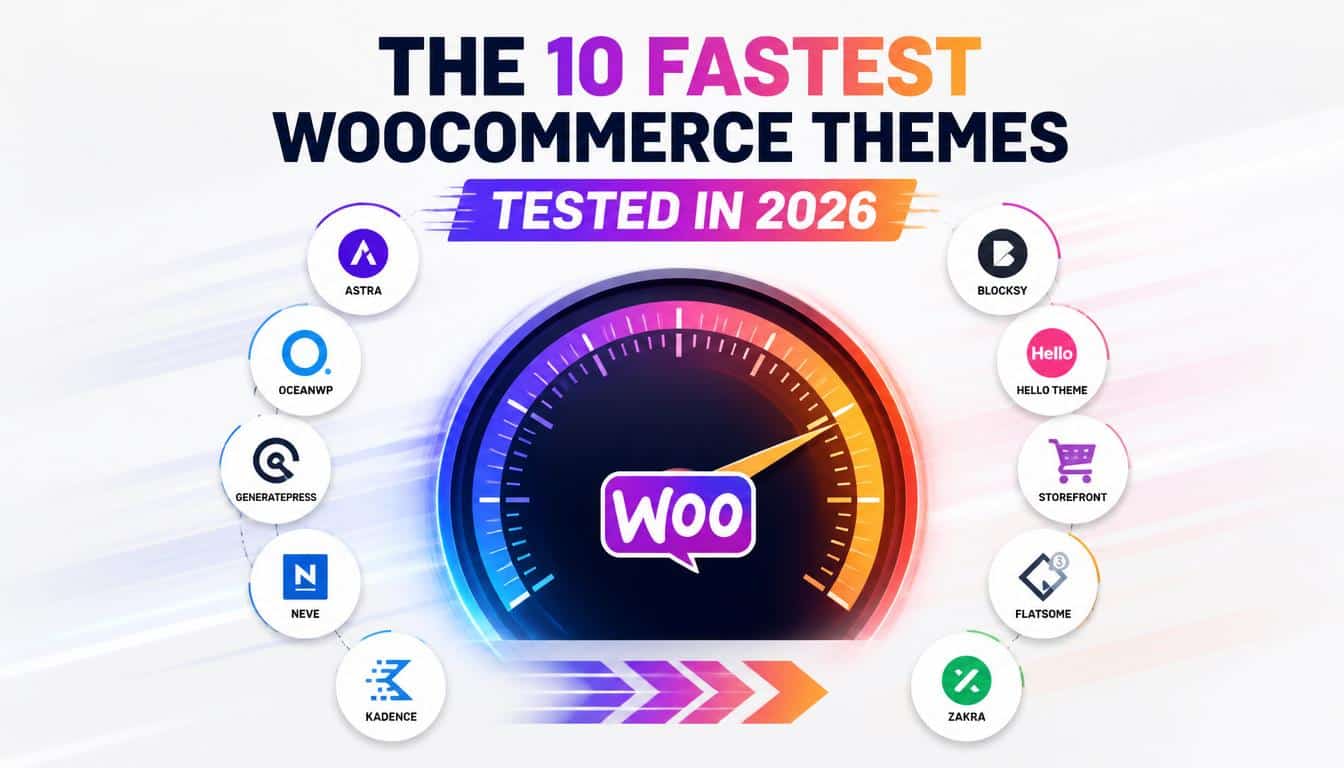
There is a particular kind of panic that arrives with a slow online store. You open your homepage, wait for the hero image to appear, watch the menu think about appearing, and somewhere in that tiny awkward pause a customer has already wandered off.
It’s not dramatic, maybe, but in e-commerce those little pauses can quietly become lost sales. A fast store feels less like a machine and more like a shopkeeper who has already heard what you need.
That is why choosing among the fastest WooCommerce themes is not merely a beauty contest between screenshots.
A theme becomes part of the machinery behind your online store, influencing page weight, scripts, layouts, WooCommerce performance, and how much extra work your server and
browser have to do. And yes, a gorgeous demo can still be a bit of a diva when you install 17 plugins on it.
For this 2026 comparison, I’m using the benchmark figures supplied for the test set, alongside current theme documentation and official product information.
The supplied test results put Shoptimizer first at 88/100, followed by Neve Pro and Astra at 85/100 each.
The numbers are useful as a comparison snapshot, not as a promise that every store will reproduce them exactly, because hosting, plugins, images, fonts and content can change a score rather dramatically.
How We Judged the Fastest WooCommerce Themes
A theme test should never be treated like a school exam where one number tells the whole story. A PageSpeed mobile score can be excellent while a real shopper still waits too long for a product gallery, and a beautiful desktop result can become rather grumpy on a mid-range phone.
The benchmark supplied for this comparison considers measurements such as LCP, FCP, CLS, Speed Index, TTI, TBT, HTTP requests, total page size and total loading time.
These measurements sit alongside the broader Core Web Vitals conversation, where Google continues to emphasize real-world loading, responsiveness and visual stability. So we’re interested in speed, yes, but also in the bits customers actually feel.
The test figures below were apparently gathered under a controlled environment using comparable conditions, but they should not be confused with a universal laboratory ranking. Your own WooCommerce website may behave differently.
A cheap host, enormous product photographs, twelve tracking scripts and one enthusiastic popup plugin can turn the lightest theme into a surprisingly heavy creature.
Fastest WooCommerce Themes: The 2026 Ranking at a Glance
| Rank | Theme | Benchmark score | Total loading time |
| 1 | Shoptimizer | 88/100 | 2.1s |
| 2 | Neve Pro | 85/100 | 2.4s |
| 3 | Astra | 85/100 | 2.3s |
| 4 | Storefront | 84/100 | 2.1s |
| 5 | Botiga | 84/100 | 2.6s |
| 6 | Flatsome | 83/100 | 2.4s |
| 7 | Avada | 79/100 | 2.9s |
| 8 | Divi | 78/100 | 3.2s |
| 9 | The7 | 71/100 | 4.2s |
| 10 | BeTheme | 60/100 | 4.3s |
One thing jumps out here: the gap between first and fourth place is actually pretty small in loading time.
That matters because “fastest” doesn’t always mean “best for you”; a store owner may happily trade a little raw speed for better product page customization, a familiar builder, or a feature they genuinely need.
1. Shoptimizer The Speed-and-Conversion Specialist
Shoptimizer takes the top spot in the supplied benchmark with 88/100 and a reported 2.1-second total loading time.
That is a very respectable combination for a serious shop, particularly because its appeal isn’t simply minimalism.
It is built around the slightly more commercial question: how can the store load quickly while also making it easier for somebody to buy?
- Performance: The supplied benchmark gives it the highest overall score in this group.
- Conversion focus: The design philosophy puts considerable attention on reducing friction during shopping.
- Checkout: A distraction-free checkout can remove visual clutter at the moment when customers are most fragile, oddly enough.
- Trust: Features such as trust-focused elements can help shoppers feel that the store is legitimate.
- Sticky details: Sticky product information can keep important purchasing controls within reach.
- Speed: The reported 1s loading figure makes it one of the quickest options here.
- Best fit: It makes particular sense for merchants who care about conversion rate as much as aesthetics.
Shoptimizer is the theme I would investigate first for a store where speed and sales have to sit at the same table. It doesn’t mean every Shoptimizer site will score 88, obviously; your images, hosting and plugins still get a vote.
2. Neve Pro Lightweight Without Feeling Bare
Neve Pro lands at 85/100 with a reported 2.4-second loading time. The attraction here is that a lightweight theme doesn’t have to look like somebody forgot to finish designing the website.
Neve aims for the middle ground between performance and substantial WooCommerce customization options, which is often the sensible place to live.
- Lightweight foundation: It is designed with performance in mind rather than treating speed as an afterthought.
- Shop layouts: Multiple layouts give merchants room to shape the browsing experience.
- Mobile usability: Responsive design is especially important because shoppers often arrive through phones.
- Sticky add-to-cart: Keeping purchasing controls available can shorten the path from “hmm” to “buy”.
- Off-canvas tools: Sidebars and filters can preserve screen space on smaller displays.
- Checkout control: Customization extends into important buying stages.
- Best fit: Freelancers and store owners wanting flexibility without immediately building a giant visual system.
Neve Pro is the sort of choice that feels sensible on Monday morning, when you remember you’re going to have to maintain this website for the next three years. Fancy is nice, but maintainable fancy is nicer.
3. Astra The Flexible All-Rounder
Astra also scores 85/100 in the supplied benchmark, with 2.3 seconds reported for total loading time. Its real strength is the combination of a lightweight reputation with a large ecosystem of starter templates and WooCommerce controls.
The official Astra documentation highlights extensive WooCommerce customization, including shop, product, cart and checkout areas,
while its current WooCommerce material emphasizes features such as quick view, filters, pinned add-to-cart controls and product-gallery layouts.
- Lightweight code: A useful starting point for stores where WordPress theme speed
- Starter templates: You can begin with a pre-built structure rather than staring at a blank page, which is nice.
- Product controls: Galleries, layouts and shopping elements can be customized extensively.
- Filters: Product discovery can be improved without making customers wrestle with the catalog.
- Checkout options: Astra provides tools aimed at making the checkout experience cleaner.
- Page builders: It works comfortably within the broader WordPress builder ecosystem.
- Best fit: Businesses wanting a fast WordPress theme that can grow into something more customized.
Astra is probably the safest “I need speed but don’t know exactly what my store will become yet” recommendation in this group. It leaves doors open, and e-commerce projects have a funny habit of finding new doors.
4. Storefront The Straightforward Foundation
Storefront records 84/100 and 2.1 seconds in the supplied test. More importantly, it is the official WooCommerce theme and is maintained by WooCommerce core developers,
according to WooCommerce’s current marketplace documentation. It is free and deliberately clean, making it less of a fireworks display and more of a sturdy shop floor.
- Official integration: Storefront is built specifically around WooCommerce compatibility.
- Free: That makes it attractive for new stores watching every euro.
- Clean design: Fewer decorative distractions can mean a simpler starting point.
- Responsive: It is designed to adapt across screen sizes.
- Customizable: A child theme, customizer or plugins can take the design elsewhere.
- WooCommerce compatibility: The official integration is a major reason to consider it.
- Best fit: Small shops, developers and merchants who want a dependable foundation.
Storefront is not trying to impress you with a hundred shiny controls, and that’s sort of the point. Sometimes the best WooCommerce WordPress theme is the one that lets your products do the talking.
5. Botiga Minimalist, Modern and Shop-Friendly

Botiga reaches 84/100, with a reported 2.6-second loading time. It is particularly interesting for merchants who want minimalist e-commerce design without giving up useful shopping features.
- Minimalist interface: Clean layouts can keep attention around the products.
- Block editor: It fits naturally into the modern WordPress editing approach.
- Product galleries: Visual merchandising gets plenty of room.
- Cart and checkout: Essential buying stages are part of its WooCommerce focus.
- Filters: Product filtering supports easier catalog navigation.
- Search: Better product discovery matters more as a store grows.
- Best fit: Fashion, lifestyle, beauty and product-led brands that prefer a tidy visual identity.
Botiga sits in that pleasant space where “minimal” doesn’t automatically mean “empty”. The store can feel polished without putting a chandelier on every button, which is frankly a relief.
6. Flatsome Feature-Rich Without Falling Out of the Race
Flatsome posts 83/100 and 2.4 seconds in the supplied benchmark. It is a well-known multipurpose WooCommerce choice and leans heavily into visual design through its UX Builder.
- UX Builder: Visual editing can make custom layouts easier for non-developers.
- Live search: Useful for stores with many products.
- Wishlist: Customers can save products for later.
- Catalog mode: Helpful when the website needs to showcase products without immediate purchases.
- Responsive design: Important for modern shopping behavior.
- WooCommerce focus: It is designed around online retail rather than general blogging.
- Best fit: Merchants who want lots of built-in store functionality and visual freedom.
Flatsome is not the minimalist champion here, but that’s not really its job. Its trick is carrying a larger suitcase while still moving through the airport at a decent pace.
7. Avada A Builder Powerhouse
Avada comes in at 79/100 with a reported 2.9-second loading time. The lower benchmark score is understandable when you look at how much design machinery the platform offers.
Its current WooCommerce Builder supports custom product, shop, cart and checkout layouts, and Avada documents a large collection of WooCommerce-specific elements.
- WooCommerce Builder: Store sections can be designed visually.
- Custom products: Individual product layouts can be tailored.
- Shop pages: Merchants can build custom catalog experiences.
- Cart and checkout: These areas can be redesigned rather than left entirely to defaults.
- Pre-built websites: Starting from templates can save setup time.
- Design freedom: It is one of the stronger options for deep visual customization.
- Best fit: Agencies and ambitious brands that need a powerful website builder.
Avada proves an important point about this ranking: raw speed isn’t everything. A 79/100 theme may still be the right answer if its design system saves you weeks of development, although you should keep performance optimization firmly on the shopping list.
8. Divi Visual Design With a Performance Trade-Off
Divi reaches 78/100 and 3.2 seconds in the supplied test. Its major attraction is the visual editing experience, especially for people who want a WYSIWYG approach to building product and shop pages.
- Visual builder: You can work directly with the design rather than imagining the final result.
- WooCommerce Builder: Store components can be customized extensively.
- Product layouts: Merchants get control over how products are presented.
- Shop pages: Catalog design can be shaped around a brand.
- Reusable designs: Helpful for maintaining consistency across a larger store.
- No-code appeal: Many changes can be made without editing PHP.
- Best fit: Designers and agencies where visual flexibility is a primary requirement.
Divi is a reminder that adding more creative machinery usually gives the browser more things to think about. It can still be a very good choice, just don’t buy a sports car and then attach a caravan to it.
9. The7 Elementor Freedom With More Weight
The7 scores 71/100, while the supplied benchmark reports 4.2 seconds total loading time. It is particularly attractive to Elementor users because its Theme Builder supports custom headers, footers, content areas and archives.
- Elementor: A familiar visual workflow for many WordPress designers.
- Theme Builder: Header, footer and archive templates can be customized.
- WooCommerce templates: Store sections can receive more individualized layouts.
- Advanced filters: Useful for larger product catalogs.
- Pre-built designs: Templates can shorten the road from installation to launch.
- Customization: It offers a deep design toolbox.
- Best fit: Elementor-heavy projects where flexibility matters more than achieving the smallest possible page.
The7 isn’t the first theme I’d choose if speed is literally the only requirement. But if an agency already has an Elementor workflow, changing the whole production system for a few points on a synthetic benchmark can be its own sort of expensive detour.
10. BeTheme The Heavyweight Creative Toolbox
At 60/100 and a reported 4.3 seconds, BeTheme is the slowest performer in this supplied top-ten benchmark.
Yet writing it off would be too easy, because its attraction is the enormous amount of design and website-building functionality.
- BeBuilder: Visual page creation is central to the experience.
- Pre-built websites: Large template collections can speed up initial development.
- WooCommerce: It supports stores rather than being merely a general-purpose blogging theme.
- Dynamic websites: More advanced projects can make use of dynamic content.
- Query tools: Useful when a website needs more than a static brochure.
- Design flexibility: It is aimed at users who want extensive control.
- Best fit: Creative projects where customization is more important than winning a speed leaderboard.
BeTheme is the big suitcase of this list: it carries almost everything, but you probably shouldn’t sprint while holding it.
With careful speed optimization, caching and sensible asset choices, it can still become a workable store.
What the Numbers Really Tell Us About WooCommerce Speed
The ranking makes one thing beautifully obvious: theme performance is only one ingredient in website performance.
A theme with an 88/100 benchmark can become slow after adding oversized hero images, review widgets, analytics, chat software, social feeds and a handful of plugins that all believe they are the main character.
The biggest metrics deserve some attention. Largest Contentful Paint (LCP) tells you about the loading of the main visible content. First Contentful Paint (FCP) describes when the browser begins showing meaningful content.
Cumulative Layout Shift (CLS) captures annoying visual movement. And metrics such as Total Blocking Time (TBT) help expose pages where JavaScript keeps the browser busy for too long.
That is why a good WooCommerce theme speed comparison should be followed by real testing.
Run your own pages through PageSpeed Insights, Google Lighthouse and GTmetrix, preferably after the store contains representative products and images.
The demo is not your store, sadly; the demo has never met your 4,000-pixel product photography.
Fast WooCommerce Theme vs. Fast WooCommerce Website
A lightweight theme gives you a head start, but it cannot perform miracles. Hosting quality, database queries, plugin behavior, image delivery, fonts, caching and third-party scripts can dominate the final result.
For example, WP Rocket specifically documents WooCommerce-aware behavior, including automatic exclusions for Cart, Account and Checkout pages and optimization around certain WooCommerce requests.
This matters because dynamic commerce pages can’t simply be treated like static blog posts and aggressively cached without thought.
A practical performance stack might include page caching, browser caching, compressed images, modern image formats, lazy loading where appropriate, CSS and JavaScript optimization, deferred or delayed JavaScript, and sensible font loading.
Don’t switch every optimization button on blindly, though. Sometimes “optimize everything” is how a perfectly good cart starts behaving like a haunted shopping basket.
Which Theme Should You Actually Choose?
If your priority is maximum benchmark performance with conversion-minded features, Shoptimizer is the obvious first investigation. Its supplied 88/100 score gives it the strongest starting position.
If you want broad customization with strong performance, Astra and Neve Pro are especially compelling. Both sit at 85/100 in the supplied results, with Astra reporting a slightly quicker 2.3-second loading time than Neve Pro’s 2.4 seconds.
For a simple, dependable foundation, Storefront is hard to ignore. WooCommerce itself describes it as its official theme, with deep WooCommerce integration and a deliberately clean foundation.
If design flexibility is the priority, Flatsome, Avada, Divi, The7 or BeTheme may make more sense, even though their benchmark positions are lower.
A store isn’t a benchmark score, after all; it is a business with customers and a checkout that needs to work on a rainy Tuesday evening.
How to Improve WooCommerce Performance After Choosing a Theme
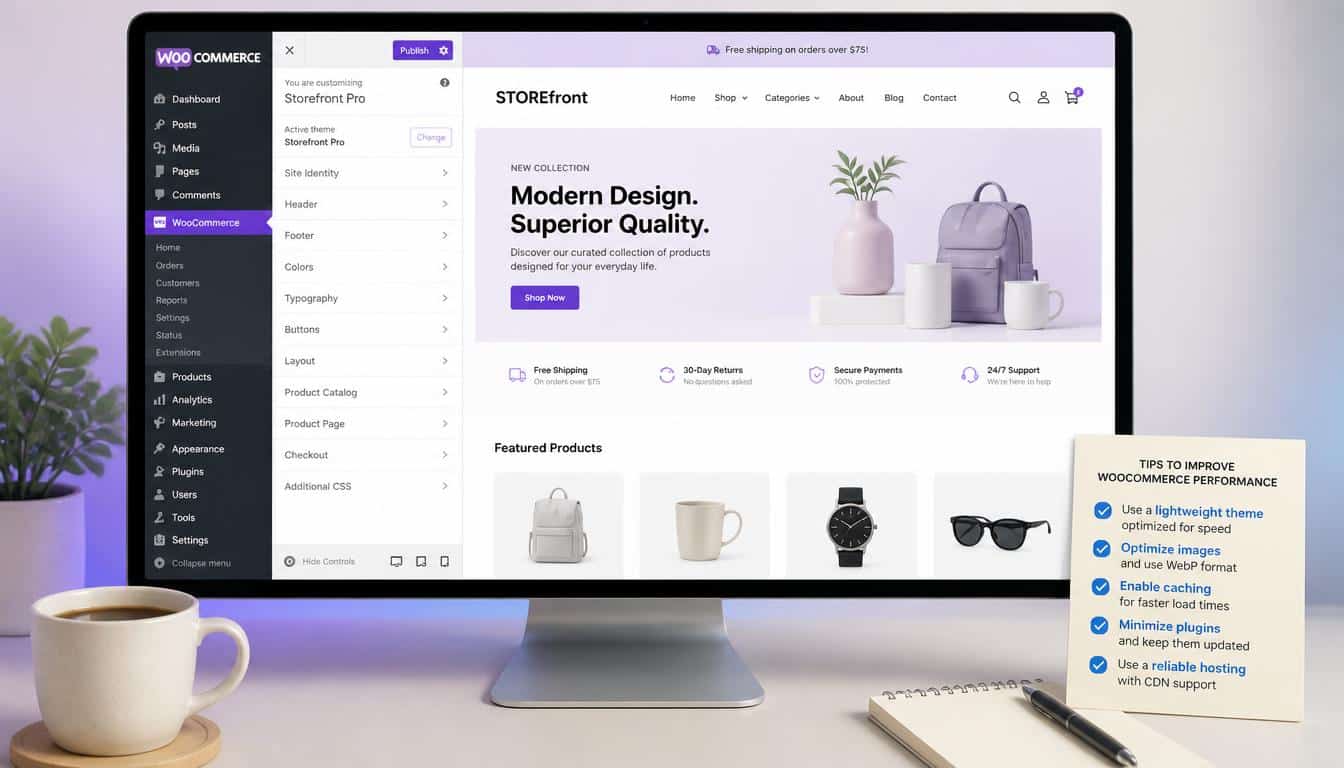
Start with the boring things because, annoyingly, the boring things often win. Compress product images,
avoid loading five font families, remove plugins you don’t use, keep WordPress and WooCommerce updated, and choose hosting that can actually cope with your traffic.
Then look at HTTP requests, JavaScript execution, render-blocking resources, unused CSS, page size and third-party scripts.
If your homepage needs 40 requests before showing the product grid, changing the theme may only be treating the symptom.
Use PageSpeed Insights for a useful real-world-oriented view, Lighthouse for detailed diagnostics, and GTmetrix for another perspective on loading behavior.
Test both desktop and mobile, because a store that flies on your development laptop but crawls on a phone isn’t really flying.
Most importantly, test the pages that make money: the homepage, category page, product page, cart and WooCommerce checkout. A homepage score of 95 is lovely, but a broken or sluggish checkout is the kind of achievement nobody wants.
Frequently Asked Questions
Fastest WooCommerce theme 2020
The fastest WooCommerce theme in 2020 was generally considered a lightweight option with clean code, fewer scripts, and optimized assets for quicker page loading.
WooCommerce themes
WooCommerce themes control the design, layout, and shopping experience of an online store, including product pages, carts, checkout, and responsive mobile layouts.
Best WooCommerce theme
The best WooCommerce theme depends on your store’s needs, but a good choice should offer fast performance, easy customization, responsive design, and strong WooCommerce compatibility.
WooCommerce theme
A WooCommerce theme provides the visual foundation for a WordPress online store, helping you customize product displays, shop pages, navigation, cart, and checkout.
Best WooCommerce WordPress themes
The best WooCommerce WordPress themes combine speed, flexibility, attractive designs, and reliable e-commerce features to create a smooth shopping experience for customers.
Read This Blog: https://gracethemes.com/10-fastest-wordpress-themes-tested-in-2026/
Final Verdict: Speed Is a Starting Line, Not the Finish
The 2026 benchmark gives Shoptimizer the crown at 88/100, with Neve Pro and Astra close behind at 85/100.
Storefront and Botiga follow at 84/100, while Flatsome, Avada, Divi, The7 and BeTheme offer increasingly broad design systems alongside progressively lower benchmark scores.
But don’t choose a theme simply because its number is larger. Choose according to the store you are actually building.
A small catalog may thrive on Storefront. A conversion-focused retailer may prefer Shoptimizer.
A designer may reach naturally for Divi or Avada. An Elementor specialist may find The7 much more productive.
And somebody building a highly customized brand site might accept a little extra weight in exchange for creative control.
The smartest fast WooCommerce theme is therefore not always the theme with the fastest demo. It is the theme that gives your particular store a lightweight foundation, sensible
WooCommerce features, good mobile behavior and enough customization that you don’t need to bolt on twenty plugins just to make the product page look normal.
In the end, website speed is a form of courtesy. Customers shouldn’t have to stand outside your digital shop tapping the screen and wondering whether the shopkeeper went for lunch.
Give them a quick page, clear products, an uncomplicated shopping cart, a trustworthy checkout and a smooth user experience.
That combination does something a benchmark alone never can: it makes buying feel easy. And when an online store makes buying feel easy, everybody tends to have a slightly better day.
