

The 10 Fastest WordPress Themes Tested in 2026 (Free and Paid)
There is a peculiar little moment when a WordPress site finally loads the way you hoped it would: no white screen hanging around, no hero image arriving three business days after the visitor, no menu that suddenly jumps because a font decided to wake up late.
It feels less like “website optimization” and more like the site has simply remembered its manners. In 2026, that matters more than ever because WordPress website speed
is not just a bragging-rights number from a testing tool; it shapes how quickly people can read, click, buy, and leave happily.
A fast theme gives you a better starting point, but it does not magically turn a badly built website into a racing car.
Hosting, images, plugins, fonts, third-party scripts and page builders can all change the final result, sometimes by a lot.
So this fastest WordPress themes 2026 comparison is best read as a practical performance guide rather than a promise that every installation will produce the same score.
The benchmark figures below follow the test figures supplied for this comparison, while current theme documentation was also checked for feature and performance claims.
That’s an important distinction, and honestly, speed testing gets a bit silly when people forget it.
How We Tested the Fastest WordPress Themes in 2026
A WordPress theme speed test is only useful when the conditions are reasonably comparable. Changing the host, server location, plugins, page content, image sizes or caching between themes can make a “winner” out of almost anything, which isn’t exactly science, is it.
For this comparison, the supplied benchmark scenario used a fresh WordPress installation, similar content and layouts, the same general testing environment and mobile-oriented performance testing.
Around 30 themes were considered before the 10 highlighted here were selected, with the focus placed on themes that either performed strongly in the supplied benchmark or offered a compelling balance between speed, flexibility and builder functionality.
The numbers below should therefore be treated as a performance benchmark, not universal guarantees.
A theme showing 1.9 seconds in one test can load considerably slower on a media-heavy WooCommerce site with six analytics scripts and seventeen plugins. We’ve all seen that website, probably.
| Rank | Theme | Category | Supplied fully loaded time | Mobile score |
| 1 | Astra | Lightweight / multipurpose | 1.9s | 91/100 |
| 2 | Hello | Lightweight / Elementor | 1.9s | 90/100 |
| 3 | Avada | Page builder / multipurpose | 2.3s | 87/100 |
| 4 | GeneratePress | Lightweight | 2.5s | 87/100 |
| 5 | Kadence | Lightweight / multipurpose | 2.8s | 89/100 |
| 6 | OceanWP | Lightweight / multipurpose | 2.9s | 88/100 |
| 7 | Divi | Page builder | 3.2s | 84/100 |
| 8 | Salient | Page builder | 3.8s | 82/100 |
| 9 | The7 | Page builder / multipurpose | 3.9s | 81/100 |
| 10 | BeTheme | Multipurpose / builder | 4.0s | 82/100 |
The interesting thing here isn’t merely that the first few themes are quick. It’s the shape of the list. Lightweight themes dominate the upper part, while builder-heavy themes have improved considerably and can still be sensible choices when design control is worth a little extra complexity.
The 5 Fastest Lightweight WordPress Themes
1. Astra The Best All-Rounder for Speed and Flexibility
Astra takes the top spot in the supplied benchmark with a 1.9-second fully loaded time and a 91/100 mobile score.
That combination is hard to ignore, particularly for someone who wants a fast WordPress theme without living inside a barebones design system.
Astra has long positioned itself around lightweight code, customization and compatibility with popular builders.
It also integrates with WooCommerce, which makes it a particularly interesting choice for small online stores and businesses that need more than a simple brochure site.
Its WooCommerce integration includes dedicated customization options rather than treating the shop as an awkward guest in the house.
Why it stands out:
- Excellent supplied result for WordPress theme performance.
- Strong 91/100 mobile benchmark score.
- Good fit for WooCommerce
- Works with popular page builders.
- Large customization range without requiring a giant multipurpose framework.
- Suitable for blogs, business sites and ecommerce.
- A sensible choice for freelancers building several different types of client sites.
- Strong balance between speed and visual flexibility.
If you’re asking for the fastest WordPress theme for 2026 and don’t want your choice to feel like a technical experiment, Astra is probably the safest first place to look.
2. Hello The Minimalist Speed Freak
Hello is a different creature. It isn’t trying to be your entire website toolkit out of the box. It is more like an empty, very clean room waiting for you to bring the furniture.
Elementor describes Hello as a lightweight, minimalist theme designed specifically to work with Elementor. Its documentation highlights minimal styling, a small resource footprint and very few initial requests.
The supplied benchmark gives Hello the same 1.9-second fully loaded time as Astra, with a 90/100 mobile score.
Why it stands out:
- Excellent foundation for Elementor
- Minimal styling means less theme baggage.
- Free to use.
- Particularly useful for landing pages and custom designs.
- Good fit for freelancers and agencies already comfortable with Elementor.
- Supports responsive design.
- Works with WooCommerce when combined with Elementor’s ecommerce tools.
- Gives designers considerable control over the final appearance.
The catch is rather simple: Hello is fastest when you actually want a blank canvas. If you’d rather install a theme, choose a ready-made header, adjust six colors and get dinner, another theme may suit you better.
3. GeneratePress A Developer-Friendly Speed Choice
GeneratePress remains one of the most respected lightweight WordPress themes, and the supplied benchmark places it at 2.5 seconds with an 87/100 mobile score.
Its current official documentation emphasizes speed, stability and accessibility, and the theme reports a 7.5 KB page size, two HTTP requests and zero dependencies for its base configuration. Those are very lean foundations indeed.
Why it stands out:
- Extremely small base footprint.
- Excellent for developers and performance-focused site owners.
- Strong relationship with the native WordPress editing experience.
- Useful starter sites without forcing a huge visual framework.
- Good accessibility focus.
- Suitable for blogs, businesses and custom client projects.
- Excellent choice when clean code matters more than flashy effects.
- Premium features can extend customization without abandoning the lightweight philosophy.
GeneratePress is the sort of theme you appreciate more after you’ve maintained a few slow websites. Suddenly, “two requests” sounds rather romantic.
4. Kadence Fast, Flexible and Surprisingly Comfortable
Kadence records 2.8 seconds in the supplied test and an 89/100 mobile score, making its mobile result particularly interesting. It doesn’t merely chase tiny file sizes; it combines performance with practical site-building tools.
Kadence says its theme uses a progressive code structure and loads resources according to what a page actually uses.
It also provides a header builder, footer builder and WooCommerce support, while its performance settings include options such as locally loading Google Fonts and preloading CSS.
Why it stands out:
- Strong mobile performance.
- Native-friendly approach to Gutenberg.
- Header and footer builders.
- WooCommerce-ready.
- Supports Elementor and other builders.
- Local font loading can reduce external requests.
- Useful for content-rich websites.
- A good middle ground between minimalist and multipurpose themes.
Kadence is especially attractive when you want lightweight code but don’t want to give up the comfort of drag-and-drop customization.
5. OceanWP A Flexible Veteran That Still Holds Up

OceanWP comes in at 2.9 seconds and 88/100 mobile in the supplied benchmark. It belongs to that useful category of themes that can start fairly light but also grow into a much more elaborate website.
For WordPress users who want compatibility with the block editor, Elementor or Beaver Builder, OceanWP can be a practical option.
Its appeal is less about being the absolute smallest theme and more about giving site owners room to expand without immediately moving into a massive builder ecosystem.
Why it stands out:
- Good supplied mobile score.
- Flexible customization.
- Useful for blogs and business websites.
- Suitable for ecommerce projects.
- Works with popular visual builders.
- Responsive design.
- More features than ultra-minimal themes.
- Reasonable choice when flexibility matters almost as much as raw speed.
OceanWP won’t necessarily win a contest judged only by milliseconds, but real websites aren’t built from milliseconds.
They’re built from pages, images, menus, forms and occasionally a client who insists on three sliders.
The 5 Fastest Page-Builder and Multipurpose Themes
6. Avada The Builder Heavyweight That Learned to Run
Avada is the surprise of this group. With a supplied result of 2.3 seconds and an 87/100 mobile score, it places above several lighter-looking competitors.
Avada is a full website-building ecosystem, with its own visual builder, layout tools, WooCommerce builder and performance controls.
Current documentation says Avada 7.15.6 was released in July 2026, and its Performance Wizard is designed to help site owners switch off unnecessary features after the website has been completed.
Why it stands out:
- Strong benchmark despite being feature-rich.
- Integrated visual website builder.
- Header, footer and layout builders.
- WooCommerce builder.
- Large collection of prebuilt websites.
- Performance Wizard for post-build optimization.
- Good option for agencies needing a unified workflow.
- Much more flexible than a minimalist starter theme.
This is where the old idea that “page builder equals slow” starts to look a bit tired. A builder can add complexity, sure, but modern optimization can make the relationship much less dramatic than it once was.
7. Divi A Page Builder With Serious Performance Controls
Divi records 3.2 seconds and 84/100 mobile in the supplied test. That’s not lightweight-theme territory, but it is respectable considering the enormous amount of visual design functionality involved.
Elegant Themes has added performance features including Dynamic CSS, Dynamic Module Framework, Critical CSS and dynamic JavaScript loading.
The principle is sensible: don’t process or send every possible feature when the page isn’t using it.
Why it stands out:
- Powerful visual editing.
- Dynamic CSS reduces unnecessary stylesheet output.
- Dynamic modules limit processing to used features.
- Critical CSS support.
- Large design ecosystem.
- Suitable for agencies and visual designers.
- Strong customization options.
- Better performance potential than its old reputation might suggest.
Divi makes sense when visual control is part of the job, not merely a hobby. If you need a site that looks custom without hand-coding every section, the extra builder machinery can be worth it.
8. Salient Design-Heavy Without Completely Forgetting Speed
Salient reaches 3.8 seconds and 82/100 mobile in the supplied benchmark. It is clearly not competing directly with Hello on minimalism, but that’s not really its mission.
Salient is aimed at visually ambitious websites, with professional templates and extensive customization.
It is a good reminder that WordPress theme performance should be evaluated against the actual purpose of a website.
A portfolio site for a creative studio has different design demands from a plain documentation website.
Why it stands out:
- Strong visual design system.
- Professional prebuilt layouts.
- Extensive customization.
- Useful for creative agencies.
- Suitable for portfolio-heavy websites.
- Supports ecommerce projects.
- Good choice when visual identity is central.
- Can benefit significantly from careful asset optimization.
Use it thoughtfully, though. A beautiful theme with twelve animations on every section is still going to make a phone sigh.
9. The7 Flexible for Elementor-Centric Projects
The7 records 3.9 seconds and an 81/100 mobile score. It is built for users who value ready-made designs and extensive customization, especially around Elementor and other supported tools.
Its main strength isn’t minimalist code. It’s breadth. For agencies, that can matter because starting with a usable template can save hours of repetitive construction.
Why it stands out:
- Large collection of prebuilt websites.
- Strong Elementor orientation.
- Broad customization.
- Useful for agencies and freelancers.
- Good selection of design templates.
- Suitable for business and ecommerce projects.
- Visual editing reduces the need for custom coding.
- Better suited to design-first workflows than ultra-minimal development.
The7 is therefore less about being “the smallest theme” and more about getting a complex website assembled without rebuilding every wheel yourself.
10. BeTheme Lots of Website for the Weight
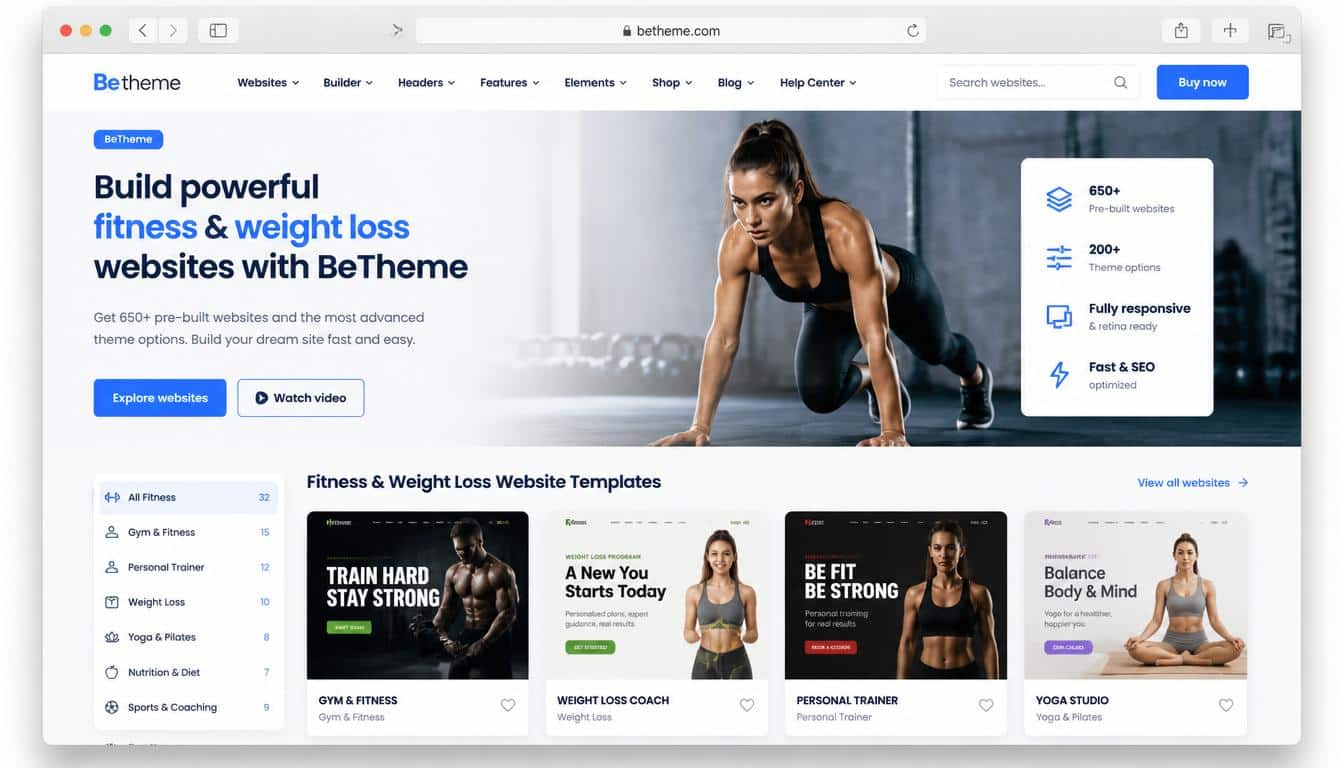
BeTheme closes the list at 4.0 seconds and 82/100 mobile in the supplied benchmark. That’s the slowest of these ten, but calling it “bad” would miss the entire point of the comparison.
BeTheme is a multipurpose system built around large amounts of customization, prebuilt websites and its BeBuilder environment.
For users who want hundreds of design directions available from the beginning, that flexibility can outweigh a modest performance penalty.
Why it stands out:
- Large library of ready-made websites.
- Strong multipurpose functionality.
- BeBuilder visual editing.
- WooCommerce support.
- Useful for agencies managing varied projects.
- Extensive design customization.
- Good option for dynamic websites.
- Can improve substantially with disciplined optimization.
It is also the clearest example of why theme choice is only chapter one. The supplied benchmark includes a separate optimization example in which
BeTheme improved from an 80/100 performance result to 98/100 after optimization, with LCP moving from 3.3 seconds to 1.2 seconds and fully loaded time falling from 4.0 to 2.1 seconds.
Those figures belong to that supplied benchmark scenario, not a universal promise for every BeTheme installation.
Free vs Paid: Which Fast WordPress Theme Should You Choose?
The fastest free WordPress theme is not automatically the best theme for your project. Free themes can be superb, especially when their architecture is intentionally lean,
but premium themes often bundle templates, builders, support and specialized functionality that would otherwise require several plugins.
For a lean blog, personal site or simple company website, Astra, Hello, GeneratePress, Kadence and OceanWP are strong places to begin.
Their lightweight foundations make WordPress speed optimization easier because you’re starting with less machinery.
For an agency project where visual editing and prebuilt websites are central, Avada, Divi, BeTheme, The7 or Salient may be more productive.
The site might technically be heavier, but if a designer can build it in half the time and the final page is properly optimized, that isn’t necessarily a bad trade.
The useful question isn’t “Which theme has the smallest CSS file?” It is “Which theme gives me the functionality
I need while leaving enough performance budget for the rest of the website?” That’s the grown-up version of the question, anyway.
Why Core Web Vitals Matter More Than a Pretty Speed Score
A Core Web Vitals score is not simply Google’s way of giving your website a gold star or a sad little red face. The current core metrics focus on loading, responsiveness and visual stability.
Google recommends an LCP of 2.5 seconds or less for a good experience, while INP measures how quickly a page responds to user interactions.
The major measurements to understand are:
- Largest Contentful Paint (LCP) how quickly the main content becomes visible.
- Interaction to Next Paint (INP) how responsive the page feels when someone interacts with it.
- Cumulative Layout Shift (CLS) whether content unexpectedly jumps around.
- First Contentful Paint (FCP) an earlier signal showing when the browser first renders visible content.
- Total Blocking Time (TBT) a lab metric useful for understanding how much JavaScript is keeping the browser busy.
- Speed Index an estimate of how quickly visible content appears during loading.
This is why choosing a theme only from a PageSpeed score can be misleading. A page might get a heroic number in a laboratory while feeling sluggish on a mid-range phone over a mobile connection. The browser does not care about your screenshot of the score, unfortunately.
How to Make Any WordPress Theme Faster
Even the best-performing WordPress themes can become slow when the website owner keeps piling things onto them. A beautiful 4 MB hero image is still a 4 MB hero image, no matter how proudly the theme advertises “performance optimized.”
Start with image optimization. Resize images to the dimensions actually needed, use modern formats where appropriate, and avoid loading giant originals when a 1200-pixel image will do.
Lazy loading is useful for below-the-fold media, while the most important above-the-fold image should be handled carefully so you don’t accidentally delay LCP.
Then look at fonts. Too many font families and weights create extra requests and more work for the browser. Local font hosting, sensible font subsets and proper preloading can help. Kadence, for example, provides a setting for loading Google Fonts locally.
After that comes the less glamorous stuff: CSS minification, JavaScript optimization, removing unused CSS, delaying non-critical JavaScript, reducing HTTP requests, enabling compression and configuring page caching.
None of these changes feels particularly exciting, but collectively they can turn a sluggish website into one that feels almost suspiciously quick.
Where WP Rocket Fits Into WordPress Performance Optimization
A caching and optimization plugin such as WP Rocket can be useful when the theme itself isn’t the whole problem.
WP Rocket’s current documentation describes page caching and automatic optimization features, and it provides a way to bypass its caching and optimization for testing so that cached and uncached results can be compared.
The important word here is compare. Don’t activate fifteen optimization toggles, see a green score and walk away. Test your forms.
Open your menus. Check your sliders. Buy something from your own WooCommerce store. Visit the site on a phone. Look at the layout while it loads.
Performance optimization is a little like seasoning food. More isn’t automatically better, and occasionally the thing you add to “improve” it is the exact thing that ruins dinner.
Lightweight Theme vs Page Builder: Which Wins?
If pure page speed is your only goal, a minimalist theme will usually have an advantage because there is less code and fewer features competing for browser time.
But real websites have real requirements. A designer may need custom headers, dynamic templates, WooCommerce product layouts, animations, forms, testimonials and a visual editor.
Building all of that manually can be expensive, and a modern builder can actually make the project more maintainable for the person who inherits it later.
That’s why the lightweight-versus-builder argument shouldn’t be treated as a religious war. Astra vs Avada, Hello vs Divi, or GeneratePress vs BeTheme are really comparisons between different philosophies of building a website.
Choose the smallest architecture that comfortably does the job. Not the smallest architecture that makes your developer mutter “well, technically it loads.”
Which Theme Is Best for Different Types of Websites?

For a blog or content website, GeneratePress, Astra and Kadence are especially attractive because they combine a lean foundation with practical editing tools.
For Elementor, Hello is the obvious performance-first starting point. Elementor itself describes Hello as a lightweight theme designed to work closely with its editor.
For WooCommerce, Astra and Kadence are strong candidates when you want a lighter foundation, while Hello can work well when Elementor is central to the store’s design.
Astra’s WooCommerce integration is built into the theme’s ecosystem, with additional options available through its premium features.
For agencies, the answer becomes more complicated. Avada, Divi, The7 and BeTheme can make sense when prebuilt layouts and visual workflows save substantial development time.
For developers, GeneratePress is particularly appealing because its lightweight approach leaves plenty of room for custom development without beginning with a mountain of theme functionality.
Read This Blog: https://gracethemes.com/seo-optimization/
The Final Ranking: Which Is the Fastest WordPress Theme in 2026?
Based on the supplied 2026 benchmark figures, Astra takes the overall crown, narrowly matching Hello’s 1.9-second fully loaded time while producing the highest mobile score in this group at 91/100.
Hello is the strongest minimalist choice for Elementor users. Avada deserves special attention because its 2.3-second result shows that a feature-rich visual builder does not automatically have to be painfully slow.
GeneratePress, Kadence and OceanWP form an excellent middle group for users who want speed without living inside a blank canvas.
Among the heavier builder-oriented themes, Divi has made meaningful performance improvements through dynamic asset loading and CSS controls, while Salient, The7 and BeTheme remain attractive when design breadth is more important than shaving the last few hundred milliseconds.
The biggest lesson, though, isn’t hidden in the ranking. It is hiding underneath it.
A theme is the foundation, not the entire building. Your hosting, images, plugins, scripts, fonts, caching, page builder settings and content structure will all influence the finished result.
Google’s own guidance treats Core Web Vitals as an important part of user experience, but a fast website is also simply nicer to use.
So if you want the safest performance-first starting point, begin with Astra, Hello, GeneratePress or Kadence.
If you need a full visual construction system, don’t automatically reject Avada or Divi; use their performance controls properly.
And if you choose a heavier multipurpose theme because it genuinely saves you time, optimize the finished site instead of apologizing to the speed test.
In the end, the fastest WordPress theme is the one that lets your actual website become fast, not merely the one that looks impressive in a comparison table.
A clean 90 score with a useful website beats a perfect laboratory score attached to a website nobody can comfortably manage. Speed should feel invisible to the visitor, which is perhaps the nicest compliment a website can receive.
