

The 7 Best WordPress Image Optimization Plugins in 2026
There is a peculiar moment when a beautiful website begins to feel heavy. The pictures are gorgeous, the layout is polished, the words are all in the right places and yet the page takes its sweet little time appearing on a phone.
You click, you wait, and somewhere between the loading spinner and the half-rendered hero image, a visitor quietly leaves. It’s not dramatic, but it happens.
Images are often the quiet heavyweight inside a WordPress website. They can make a page feel rich and alive, but oversized JPGs,
enormous PNGs, uncompressed uploads and unnecessary image requests can also drag down page speed, increase bandwidth use, and make mobile visitors wonder if the internet has personally offended them.
A good image optimization plugin is therefore less about making pictures “smaller” and more about teaching your website when, where, and how much image data to send.
In 2026, the best tools go well beyond old-fashioned image compression. Depending on the plugin, you can get WebP and AVIF conversion, automatic resizing, responsive image delivery, lazy loading, CDN delivery, bulk optimization, metadata removal and even
cloud-based processing. But no single plugin is perfect for every WordPress site, and that little detail matters rather more than glossy feature lists suggest.
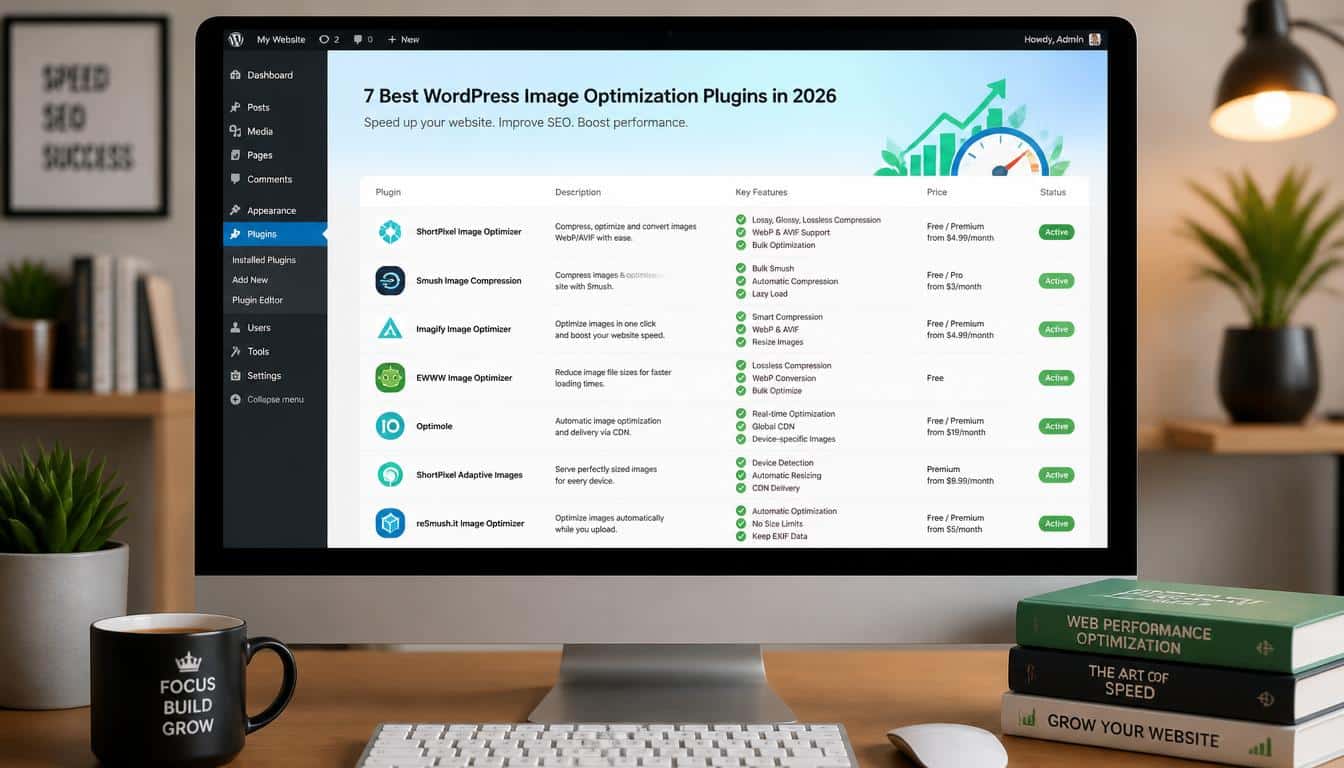
So, after looking at what these tools actually do, here are seven of the strongest WordPress image optimization plugins worth considering in 2026.
The right choice depends on whether you run a photography portfolio, an online store, a personal blog, an agency site, or simply a website where you would like the pages to stop arriving at the speed of a sleepy tortoise.
Why WordPress Image Optimization Matters More Than Ever
A modern webpage is a small ecosystem of files. HTML, CSS, JavaScript, fonts, third-party scripts and media all compete for the browser’s attention.
Images can become especially troublesome because a single photograph from a modern iPhone or camera may be several megabytes while being displayed in a space that is only a few hundred pixels wide. That is a rather silly trade, honestly.
Website image optimization tackles this problem from several directions. Compression reduces the image file size, resizing prevents unnecessarily huge image dimensions,
and modern formats such as WebP and AVIF can deliver comparable visual quality with less data. Lazy loading then prevents offscreen images from being downloaded before the visitor needs them.
There is also the matter of Core Web Vitals. Google’s current Core Web Vitals focus on loading, interactivity and visual stability through LCP, INP and CLS.
A good LCP target is 2.5 seconds or less, while a good CLS score is 0.1 or less; image handling can influence these metrics, particularly when a large image becomes the page’s main visible element.
That does not mean installing an image plugin magically gives a website a perfect performance score. It doesn’t.
Your theme, hosting, JavaScript, caching, fonts and server response all matter too. Think of image optimization as taking a heavy suitcase out of an already crowded car, rather than claiming you have just bought a faster car.
How We Chose the Best WordPress Image Optimization Plugins
A useful WordPress image optimizer should do more than squeeze a JPG until it looks like a postage stamp from 2004. For this comparison, the important questions are practical ones:
How well does the plugin handle compression? Can it resize oversized images? Does it support WebP or AVIF? Is there bulk optimization?
Does it offer lazy loading or a CDN? And, perhaps most importantly, how much technical fiddling does it demand from an ordinary site owner?
I also looked at the different optimization models. Some plugins process images locally on your own server, while others send images to a cloud service for processing or delivery. Neither approach is automatically better.
Local optimization can give you more control and may avoid recurring service costs, whereas cloud-based optimization can reduce pressure on your hosting account and offer adaptive image delivery.
Pricing and limits matter as well. A plugin that saves 60% on every image but charges in a way that makes a busy ecommerce site wince is not necessarily the bargain it first appears to be.
Your API credits, monthly image quota, visitors, CDN bandwidth and number of websites can change the real cost quite a bit.
1. Imagify Best All-Round WordPress Image Optimizer
Imagify remains one of the easiest choices for people who want serious WordPress image optimization without turning the WordPress dashboard into an aircraft cockpit.
Developed by the team behind WP Rocket, it focuses on compression, resizing, modern image formats and bulk processing in a fairly friendly package.
One of Imagify’s strengths is its automation. It can optimize images when they enter the Media Library, and it also provides a bulk optimization system for older uploads.
Its documentation says bulk optimization can continue in the background, meaning you don’t have to keep a browser tab open and stare at a progress bar like it owes you money.
The plugin can optimize the different image sizes WordPress creates and supports conversion to WebP, with AVIF available as an option. That makes it particularly attractive for bloggers, agencies and small businesses that want a relatively simple path toward next-generation image formats.
Why choose Imagify?
- Excellent balance between simplicity and advanced image compression
- Automatic optimization during image uploads
- Bulk optimization for an existing media library
- WebP conversion and AVIF support
- Multiple compression levels
- Useful for bloggers, agencies and business websites
- Background bulk processing makes large libraries less annoying
- Easy restoration of optimized originals when you need to rethink your compression choices
The main appeal is that Imagify does not force you to become an image-format philosopher. You can choose your compression level, let the plugin do its work, and then visually inspect the result. For most normal WordPress users, that is exactly the sort of boring reliability we actually want.
2. ShortPixel Best for Advanced Compression and Large Media Libraries
ShortPixel is a particularly strong option when image optimization is not a side quest but a significant part of running the website.
Its WordPress plugin supports lossy and lossless compression, WebP and AVIF conversion, resizing, lazy loading and bulk processing.
The plugin also supports optimization beyond the standard Media Library, which can be valuable for sites with unusual folder structures or large galleries.
ShortPixel offers several approaches to compression, giving experienced users more room to tune the balance between image quality and file size.
This matters for photographers and ecommerce owners because “compress everything aggressively” is not a universal solution. A product photograph with fine texture needs a different touch from a tiny blog thumbnail.
It also has cloud-based processing, so your hosting server does not necessarily have to perform all the heavy lifting.
That can be a meaningful advantage when you’re working with thousands of images or a modest hosting plan that already has plenty on its plate.
ShortPixel is especially useful for:
- Photographers with large galleries
- WooCommerce stores with many product images
- Agencies managing image-heavy client websites
- Users wanting detailed compression controls
- Websites needing WebP conversion and AVIF support
- Bulk image optimization
- Sites with images outside the normal Media Library workflow
- Users who want background processing and WP-CLI support
The trade-off is complexity. ShortPixel gives you more knobs, and knobs are lovely until you’re not sure which one you accidentally turned. Beginners may find Imagify or Smush a little easier to understand at first.
3. Optimole Best for Cloud-Based Adaptive Image Delivery
Optimole takes a different approach to image optimization for website speed. Instead of treating optimization as something that happens only when you upload a picture, it focuses heavily on cloud processing and adaptive delivery.
Optimole can automatically compress and resize images and serve them through its CDN. Its documentation also describes device-aware delivery, lazy loading and automatic selection between modern formats such as WebP and AVIF.
That adaptive element is one of its biggest advantages. A visitor on a small mobile screen does not necessarily need the same image dimensions as somebody looking at a large desktop monitor.
Optimole can dynamically scale images according to the display context, helping avoid the classic problem of sending a giant photograph to a tiny viewport.
It also provides controls for smart cropping, watermarking, metadata stripping and lazy-loading exclusions.
Importantly, Optimole allows you to avoid lazy loading the images that appear above the fold, which is useful because blindly lazy-loading your hero image can sometimes make the page feel slower instead of faster.
Optimole is a strong fit for:
- High-traffic websites
- Image-heavy blogs
- Ecommerce sites
- International audiences
- Users who prefer cloud-based processing
- Websites needing adaptive image delivery
- People who want CDN delivery built into their optimization workflow
- Site owners who don’t want to manually create multiple image variants
The downside is that you are buying into a service model rather than simply installing a self-contained compressor.
For some website owners that is exactly what they want. For others, especially those wanting maximum local control, it may feel like one more service subscription to keep track of.
4. Smush Best for Beginners and Large WordPress Communities
Smush, from WPMU DEV, is one of the most familiar names in WordPress image optimization. It is designed around the idea that image compression should be something
you configure once and mostly forget about afterward, which is a charming concept when you have 3,000 images sitting in your Media Library waiting to be dealt with.
Smush Pro currently combines compression, resizing, lazy loading, CDN delivery and automatic WebP and AVIF conversion.
WPMU DEV says its CDN includes 119 global locations and supports up to 500GB of CDN traffic under the stated Pro offering.
The plugin is also strong on bulk workflows. If a site has accumulated years of unoptimized uploads,
bulk processing can be considerably more convenient than opening individual images and pressing buttons until your afternoon disappears.
Smush stands out for:
- Beginners who want a polished interface
- Bulk compression
- Automatic optimization on upload
- Lazy loading
- WebP and AVIF conversion
- Built-in CDN delivery in Pro
- Image resizing
- Agencies looking for a broader WordPress performance toolkit
Smush Pro is especially interesting for agencies because WPMU DEV positions the product alongside other site-management and performance tools. If you already use the WPMU DEV ecosystem, the integration story can be rather appealing.
Still, don’t activate every optimization feature simply because a checkbox exists. If another caching or performance plugin already controls lazy loading or CDN image delivery, duplicate systems can create conflicts rather than speed things up.
One good optimizer doing its job is generally nicer than three plugins fighting over the same image like toddlers over the last biscuit.
5. EWWW Image Optimizer Best for Local Control and Flexible Optimization
EWWW Image Optimizer has earned its reputation partly because it gives users a lot of control over how images are processed.
The plugin can optimize JPG, PNG, GIF and SVG files, perform resizing, generate WebP images and work with images beyond the standard WordPress Media Library.
One particularly useful distinction is its local optimization approach. EWWW offers local processing for many tasks, meaning users can avoid sending every image to an external optimization service.
For organizations with particular privacy requirements or users who simply prefer keeping processing closer to their own infrastructure, that can be a major advantage.
Its feature set has also expanded considerably. Current EWWW offerings include responsive image scaling, lazy loading, WebP conversion and, in premium tiers, AVIF, CDN delivery and additional performance tools.
Choose EWWW when you care about:
- Local or server-side optimization
- Flexible control over image processing
- Unlimited optimization in its free offering
- WebP conversion
- Responsive image handling
- Metadata and image processing options
- Optimizing images stored outside the standard Media Library
- Advanced WordPress performance workflows
EWWW is the plugin for the person who says, “Yes, but what exactly is happening to my files?” and genuinely wants the answer.
It can be more technical than some competitors, but that extra depth is not pointless complexity if you actually need it.
6. LazyLoad by WP Rocket Best for Deferring Offscreen Images
This one deserves a slightly different category because LazyLoad by WP Rocket is not primarily a compression engine. Its job is to change when resources load.
Lazy loading means images that are below the initial viewport can be deferred until they are approaching visibility.
Instead of downloading every image on a long article immediately, the browser can concentrate on the content the visitor can actually see.
WP Rocket’s documentation describes lazy loading for images as well as iframes and videos, with resources loaded as they become necessary.
That can reduce initial downloads and improve perceived loading performance, especially on mobile connections. But there is an important little wrinkle: you should not lazily load every image indiscriminately.
A large hero image that forms the page’s LCP element usually needs to be treated as a critical resource rather than shoved into the “later, maybe” pile.
LazyLoad by WP Rocket is best for:
- Sites that already have another compression plugin
- Blogs with long pages
- Image-heavy landing pages
- Websites with many embedded videos or iframes
- Users wanting simple lazy loading
- Reducing unnecessary initial browser downloads
- Complementing compression and caching tools
It is particularly useful when you already have compression handled by something like Imagify, ShortPixel or EWWW and don’t want to add another giant all-in-one system just to solve lazy loading.
7. Imsanity Best for Automatically Resizing Oversized Uploads
Imsanity is delightfully focused. It is not trying to be everything. Its core mission is to stop enormous images from wandering into your WordPress Media Library and taking up space like they own the building.
The plugin automatically scales oversized uploads according to dimensions you configure. It can also bulk-resize previously uploaded images and selectively resize images from the Media Library.
The current WordPress.org listing shows active development in 2026, including support for resizing AVIF uploads and WebP/AVIF quality settings.
This is especially useful for blogs, community sites and websites where multiple contributors upload photographs.
Imagine telling ten contributors, “Please resize your images to an appropriate web dimension before uploading,” and then discovering that nine of them interpreted this as an optional philosophical suggestion. Imsanity quietly solves that problem.
Imsanity is best for:
- Blogs with many contributors
- User-generated content
- Websites receiving camera-sized uploads
- Automatic image resizing
- Bulk resizing existing images
- Reducing oversized originals and wasted disk space
- Simple workflows where compression is handled elsewhere
One important caution: resizing is not the same as full image compression. Imsanity itself explains that its JPG resizing uses standard WordPress compression and that the resulting files may still benefit from a dedicated optimizer.
WordPress Image Optimization: Compression vs Resizing vs Lazy Loading
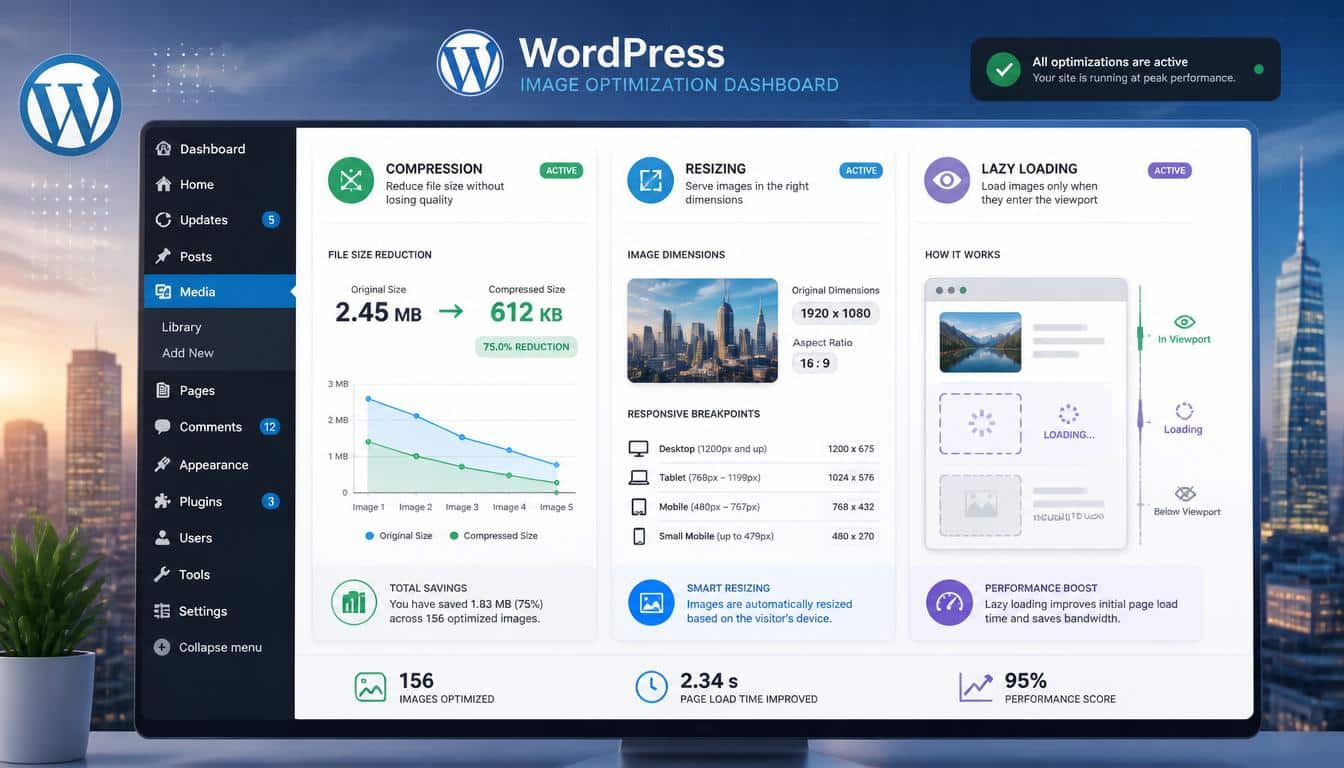
These three ideas get bundled together so often that people sometimes assume they are the same thing. They are not, and understanding the difference will save you from making a very expensive little mess.
Image compression changes how efficiently the pixels are stored. Lossy compression throws away some information to produce a smaller file,
while lossless compression preserves the image data more precisely but usually produces less dramatic savings. The correct choice depends on the image and how much visual quality matters.
Image resizing changes the actual dimensions. If your website displays a 500-pixel-wide image, there is often little reason to send a 5,000-pixel-wide original and ask the browser to shrink it. That is like delivering a whole sofa because the customer ordered a cushion.
Lazy loading changes when the image is downloaded. It doesn’t necessarily make the underlying image smaller. Instead, it tells the browser that offscreen resources can wait until they are needed.
The best performance strategy often combines all three: resize images to sensible dimensions, compress them appropriately, serve modern formats such as WebP or AVIF where useful, and lazy-load genuinely offscreen content.
WebP or AVIF: Which Format Should You Use?
For years, JPG and PNG were the familiar faces of web imagery. Now WebP and AVIF have become central to modern image delivery.
WebP is mature, widely supported and generally an easy upgrade for many WordPress sites. AVIF can achieve excellent compression efficiency, but the best format depends on the image, browser support, encoding settings and the particular delivery system you use.
The important phrase here is “where supported.” A modern optimizer should not simply throw AVIF files at every visitor and hope for the best.
Good delivery systems detect browser capabilities and provide an appropriate format or fallback. Optimole, for example, documents automatic WebP and AVIF selection with fallback to the original where necessary.
So don’t convert an entire archive to AVIF merely because the acronym sounds impressively futuristic. Test actual images, inspect visual quality and measure file sizes.
How to Improve WordPress Page Speed With Image Optimization
Before installing anything, run a baseline test. Google PageSpeed Insights, Lighthouse or GTmetrix can show you where your page is spending its performance budget.
Then make changes one at a time rather than activating fifteen optimizations and afterwards wondering which one caused the hero banner to disappear.
Pay attention to four useful measurements:
- Image file size before and after optimization
- Page speed or loading performance
- Total page weight
- Number of HTTP requests
Also check the actual visual result. A percentage savings number is exciting until you discover your beautiful product photo now resembles a photocopy of a photocopy.
If PageSpeed Insights recommends efficiently encoding images, properly sizing images, serving next-generation formats or deferring offscreen images, those recommendations map closely to the core jobs of the plugins discussed here.
EWWW’s own documentation groups these image-related performance tasks into compression, correct sizing, lazy loading and modern formats.
And remember the LCP image. The biggest visible image is often not something you want to lazy-load. Modern optimization should be selective, not an enthusiastic hammer looking for nails.
Which Plugin Is Best for Your Type of WordPress Website?
Different websites have different image problems, so the “best” plugin changes depending on what you’re building.
For bloggers: Imagify, Smush or Imsanity are excellent starting points. If contributors upload huge photographs, Imsanity can be particularly useful.
For photographers: ShortPixel is attractive because of its compression flexibility, while Optimole can be compelling if adaptive delivery and CDN-based image serving matter more to you.
For ecommerce websites: ShortPixel, Smush, Optimole and EWWW are strong candidates because product catalogs can contain thousands of images and small improvements multiply quickly across the store.
For agencies: ShortPixel and Smush deserve a close look, especially where bulk workflows and managing multiple sites are important.
For privacy-conscious users: EWWW’s local optimization capabilities can be appealing, especially when you prefer not to make cloud processing the centre of your image workflow.
For simple resizing: Imsanity wins because it doesn’t pretend the problem is more complicated than it is.
For lazy loading: LazyLoad by WP Rocket is a sensible specialist option, particularly when another plugin already handles compression.
Should You Install More Than One Image Optimization Plugin?
Usually, no. This is where many WordPress performance projects wander into the bushes.
Running two plugins that both compress, resize, convert to WebP and lazy-load images can cause duplicate processing, unexpected file variants, conflicts and troubleshooting headaches. Optimole’s own documentation specifically warns that overlapping image optimization, lazy loading and next-generation format functions between plugins can create conflicts.
There are legitimate combinations, though. Imsanity can handle automatic resizing, while another plugin handles compression and modern formats. Likewise, a dedicated lazy-loading plugin can complement a compressor if the responsibilities are clearly separated.
The golden rule is wonderfully unglamorous: one plugin per major image job unless you know exactly why two are needed.
A Simple 2026 Image Optimization Workflow
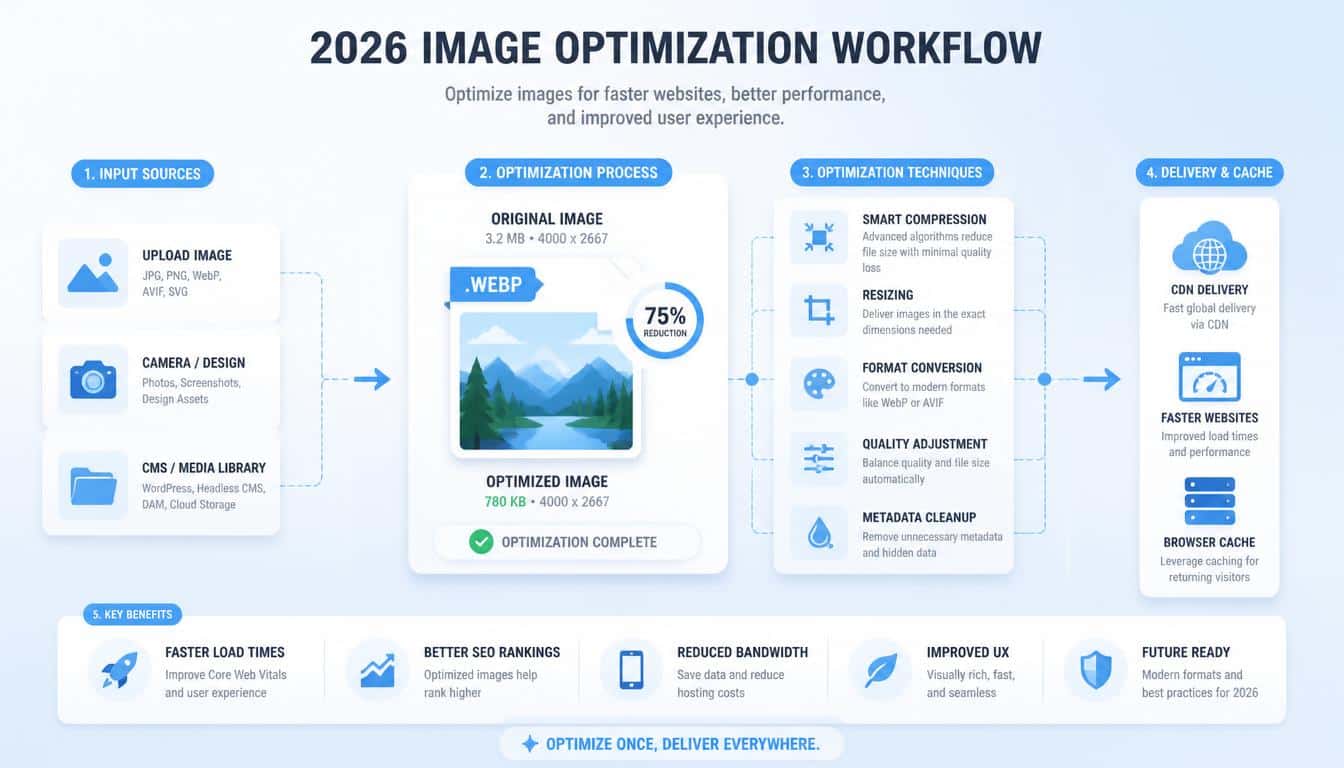
Start by auditing your existing images. Find out which pages are heaviest, which images are oversized, and whether your current theme is serving responsive image dimensions correctly.
Next, choose one primary optimizer. For a straightforward site, Imagify or Smush may be easiest. For more technical control, consider ShortPixel or EWWW. If adaptive cloud delivery sounds useful, Optimole is worth investigating.
Then configure a sensible maximum image width. There is no universal magic number, because a photography site and a small local business website have very different needs.
But do not preserve 8,000-pixel originals for a site where they will never be displayed anywhere near that size.
After that, enable WebP or AVIF delivery if your chosen system handles it well. Check several real images not just the plugin’s demo image to make sure image quality remains acceptable.
Finally, configure lazy loading carefully. Keep important above-the-fold images available immediately, while allowing genuinely offscreen images to wait.
Test the result on a real mobile device too, because desktop performance can sometimes tell a rather flattering story.
Frequently Asked Questions
How to optimize images for WordPress
Optimize images by compressing them, resizing oversized files, and using modern formats like WebP or AVIF. You can also enable lazy loading to improve page speed without sacrificing image quality.
Image optimizer WordPress plugin
A WordPress image optimizer plugin automatically compresses and resizes images while maintaining good visual quality. Popular options include Imagify, ShortPixel, Optimole, Smush, and EWWW Image Optimizer.
Image compression plugin
An image compression plugin reduces image file sizes to help your pages load faster. Look for features such as lossy and lossless compression, WebP/AVIF conversion, and bulk optimization.
WordPress image optimizer
A WordPress image optimizer helps reduce image file sizes, improve page speed, and enhance Core Web Vitals. The best tools can also provide automatic resizing, lazy loading, and next-generation image formats.
Read This Blog: https://gracethemes.com/fastest-woocommerce-wordpress-themes/
Final Verdict: The Best WordPress Image Optimization Plugin in 2026
There is no single winner for every website, but there is a sensible shortlist.
Imagify is the best all-round choice for many ordinary WordPress websites because it combines ease of use with strong compression, bulk processing and modern formats.
ShortPixel is excellent for advanced users, photographers and large media libraries. Optimole is especially compelling for adaptive, cloud-based image delivery.
Smush remains a friendly choice for beginners and agencies that like an integrated WordPress performance ecosystem.
EWWW Image Optimizer is the flexible, control-loving option, particularly attractive when local processing matters. LazyLoad by WP Rocket is the specialist pick for delaying offscreen resources, while Imsanity is superb at preventing oversized uploads from becoming tomorrow’s storage headache.
The deeper lesson, however, is that WordPress image optimization isn’t really about chasing a green performance score.
It is about sending the browser only the image data a visitor actually needs, at the right dimensions, in an efficient format, at the right moment.
That sounds technical, but the human result is beautifully simple: pages appear faster, mobile browsing feels less clumsy, servers do less unnecessary work, and visitors get to the good stuff sooner.
So pick the plugin that fits your workflow, back up your originals before making aggressive changes, test before and after with PageSpeed Insights or GTmetrix, and always look at the actual pictures with your own eyes.
Numbers are useful little creatures, but they don’t notice when your sunset suddenly looks like mashed carrots.
And if you remember only one thing, let it be this: optimize the image, not the existence of the image. Beautiful visuals still have a place on the web. They just shouldn’t weigh as much as a small refrigerator.
