
A Weekend Website: How a Community Choir Got Online With AI

The Hollybank Community Choir has rehearsed in a draughty church hall in Sheffield every Tuesday for eleven years. Its members range from a retired bus driver with a booming bass to a nineteen-year-old music student who can hit notes the rest of them only dream about. What the choir had never had was a website. New members found it by word of mouth, concert dates were posted on a noticeboard in the corner shop, and the choir’s secretary, a cheerful retired librarian called Margaret, kept everything else in a fat ring binder. When a local festival asked for “a link to the choir’s site”, Margaret realised the binder wasn’t going to cut it.
Why Community Groups Often Go Without
Plenty of clubs, societies and volunteer groups find themselves in the same position. Football teams, allotment associations, book clubs and charity shops all need a basic online presence, yet few have the money for a designer or a volunteer with technical skills. Building a website has long felt like a job for someone else.
The result is familiar. Information ends up scattered across social media posts, group chats and paper flyers. Newcomers struggle to find the basics, such as when and where the group meets and how to join.
How AI and No-Code Tools Have Changed Things
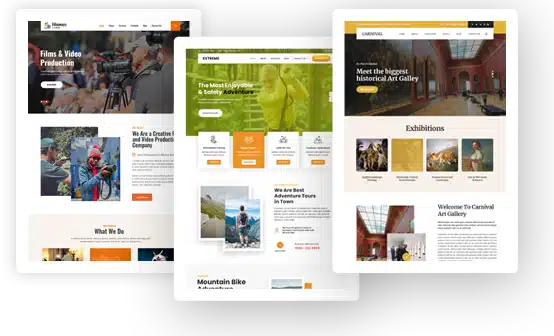
No-code website builders made it possible to create a site without writing code, using ready-made blocks for text, images and contact forms. AI takes that a step further by helping with the hardest part, getting started. A short description of the group can be turned into a draft structure with suggested sections and starter wording.
That shift suited Margaret perfectly. She is, in her own words, “excellent with Dewey decimals and hopeless with computers”. Reacting to a draft felt far less intimidating than designing a site from scratch.
Gathering the Essentials First
Before opening any tool, Margaret sat down at her kitchen table with a cup of tea and wrote a list. What does the choir do? Who can join? Where and when does it rehearse? When are the next concerts? Who can be contacted with questions?
That list became the backbone of the site. Planning ahead also saved time later, because the answers to those questions are exactly what visitors want to find within a few seconds.
Trying a Free AI Website Builder
The choir’s youngest member, the music student, suggested trying a free ai website builder from Rewind.ai. Rewind.ai is a platform offering free AI tools that can be used without signing up, which mattered a great deal to a choir with no budget and a secretary wary of new passwords. Being able to start straight away removed the usual hesitation.
Margaret typed a short description: a friendly community choir in Sheffield, open to all abilities, rehearsing on Tuesday evenings, with concerts at Christmas and in early summer. Within moments, there was a draft to work with. It suggested a welcome section, a section about the choir, rehearsal details and a contact section. It also, rather grandly, described the choir as “a premier vocal ensemble”. Margaret laughed and changed it to “a friendly bunch who love to sing”.
Making It Sound Like the Choir
AI drafts are a starting point, not the finished product. The personality has to come from the people involved, and for a community group that’s the whole point.
Margaret added a short history of the choir, a few lines about what a typical rehearsal looks like and a note reassuring newcomers that reading music isn’t required. She swapped stock-style wording for specific details, such as the name of the church hall and the fact that there’s always tea and biscuits at the break. Real photos from last year’s Christmas concert replaced generic images, including one of the bass section looking very serious in matching scarves.
Accuracy needed checking carefully. Rehearsal times, the hall’s address and the contact email were all double-checked against the binder, since AI tools can fill gaps with guesses. A website announcing the wrong rehearsal night would cause more confusion than having no website at all. Margaret also asked two long-standing members to read the draft, and one spotted that the Christmas concert date was a week out. It was a small slip, but exactly the kind that sends twenty people to a locked church hall on a cold December evening.
Keeping It Clear on Phones
Many visitors would arrive on their phones, perhaps after hearing about the choir at a festival. Margaret’s grandson tested the site on his mobile and found that the contact button was hard to spot. A quick adjustment fixed it. Simple layouts, readable text and an obvious way to get in touch usually matter far more than fancy design for a small group. A short page with the essentials, easy to read on a bus or in a queue, does more for a choir than any number of animations.
Updating Without Stress
A community website works best when it’s kept up to date. Concert dates change, new members join and photos from each event can be added. Margaret now spends ten minutes after each concert updating the news section. It’s become part of her routine, much like counting the biscuits at the break.
Sharing the job helps too. Two other members now know how to update the concert listings, which means the site no longer depends on one person, and Margaret can take a holiday without worrying.
Final Thoughts
Community groups no longer need a big budget or technical skills to create a useful website. No-code tools and free AI website builders can produce a solid draft from a simple description, leaving volunteers free to add real details, accurate information and the personality that makes a group special. A little planning and careful checking go a long way. The Hollybank Community Choir’s website went live in time for the festival, and three new members turned up the following Tuesday. One of them, rather wonderfully, was another bass.
