


Top 5 Best AI App Generators in 2025 – Build Apps Faster and Smarter
Today’s AI app generators can transform a written idea into a working application in minutes, handling everything from UI layouts to data connections and workflows. What once required full engineering teams is now accessible to founders, product managers, and operations teams alike.
But not all AI app generators are created equal. In this article, we explore the best AI app generator tools in 2025 – tools that let you generate fully functional web and mobile applications using natural language, intuitive visual builders, or a hybrid AI-assisted development model. We’ve analyzed user feedback, product features, and real use cases to help you choose the right generator for your specific needs, goals, and technical requirements.
1. Lovable – best for rapid app prototypes
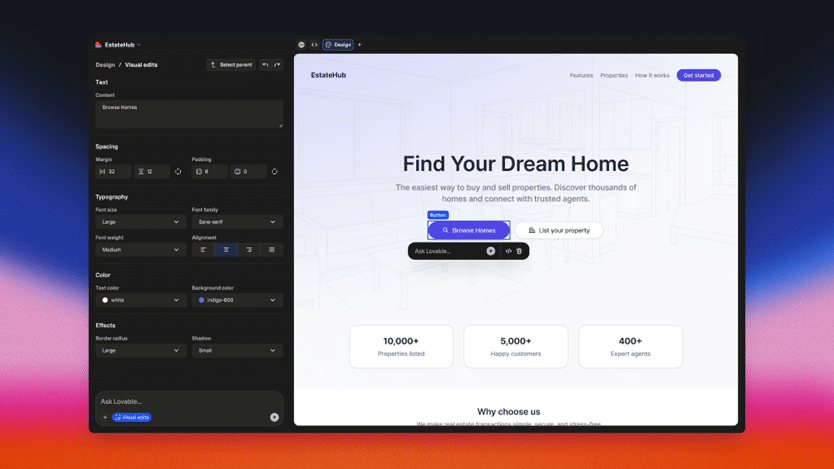
Lovable is an AI-driven app generator designed to make a plain-English description into a working prototype with minimal input. Using Lovable, you can build UI screens, backend logic, and data models automatically and then transform them into a functioning application. It is ideal for validating startup ideas, pitch demos, and MVPs.
Key features:
- Natural language full-stack building.
- Automated UI + backend generation.
- GitHub integration.
- Instant working prototype.
- Basic data models included.
- Exportable app code (in many cases).
Best for:
- Startup founders testing ideas.
- Product teams prototyping concepts.
- Early-stage rapid MVP validation.
2. UI Bakery – best for internal tools and business apps
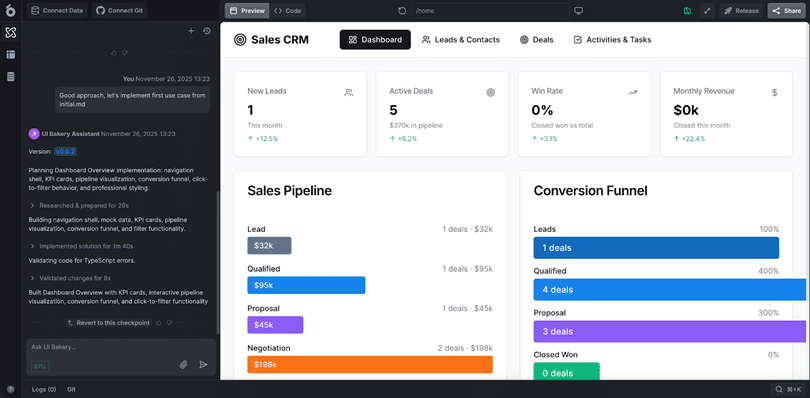
UI Bakery is an AI app generator focused on building internal tools, dashboards, admin interfaces, CRM tools, and operational apps quickly and securely. It combines natural language prompts with a powerful visual editor and extensive template library, allowing you to refine everything visually – from adjusting layouts to adding logic workflows and customizing data connections.
Key features:
- AI prompt to UI + workflow generation.
- Business-focused ready-to-use templates for faster app creation.
- Drag-and-drop visual editor for UI and workflows.
- Built-in logic and automation for business processes.
- Connects to 40+ databases (MySQL, PostgreSQL, Oracle) and SaaS tools (Salesforce, HubSpot, Stripe, Google Sheets, and custom APIs).
- Enterprise capabilities, including roles, SSO, and access control.
Best for:
- Internal operational dashboards.
- Business and operations applications
- Admin portals and CRMs.
- Teams need AI speed with secure and scalable business apps.
3. Bubble AI – best no-code platform with AI enhancements

Bubble AI is a no-code platform with AI assistance. It helps you generate app pages, screens, workflows, database structures, and data logic using natural language prompts. Then you can also continue working with Bubble’s visual editor, plugins, and scalable hosting.
Key features:
- AI-assisted visual interface building.
- Fully customizable drag-and-drop editor.
- Plugin ecosystem.
- Hosting + deployment included.
- Workflow automation generation.
Best for:
- Consumer-facing web apps.
- Complex logic without code.
- Non-technical entrepreneurs.
4. DronaHQ AI – best for business dashboards and panels
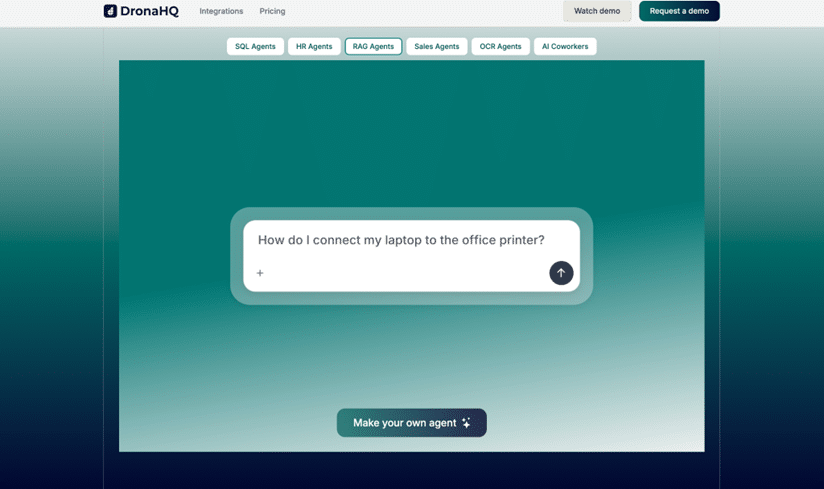
DronaHQ AI blends enterprise-oriented AI app generation with a visual low-code builder. It helps teams quickly build data-driven dashboards, CRUD interfaces, and workflow apps using AI prompts and visual tools. The platform excels at transforming connected data sources into actionable business panels and workflow apps with minimal manual setup.
Key features:
- AI UI generation for dashboards & CRUD screens.
- Connectors for major databases and services.
- Visual logic and action flows.
- Role-based access features.
- Embedded analytics.
Best for:
- Operations teams.
- Data-rich internal dashboards.
- Workflow automation UIs.
5. ToolJet AI – best open-source and customizable option
ToolJet AI is an open-source app builder with AI assistance that can generate pages and logic using prompts. The full visual editor allows connecting data sources, configuring APIs, and building full applications. Self-hosting and code export options appeal to technical teams who want complete control, security, and flexibility.
Key features:
- Open-source and self-hostable.
- AI-assisted generation of UI and workflows.
- Connectors for APIs and databases.
- Visual builder + logic editor.
- Custom authentication and deployment.
Best for:
- Tech teams want full control.
- Self-hosted deployments.
- Organizations with security requirements.
Quick feature comparison of top AI app generators
| Feature | Lovable | UI Bakery | Bubble AI | DronaHQ AI | ToolJet AI |
| AI App Generation | Turns text prompts into instant app prototypes with UI and basic logic. | Generates full business apps from prompts, including UI, workflows, and data connections. | Uses AI to assist page, workflow, and database creation inside a visual builder. | Creates data-driven dashboards and CRUD screens from prompts. | Assists in generating UI and logic, designed for further customization. |
| Visual Editing | Basic editing after generation. | Full drag-and-drop editor for UI, logic, and workflows. | Highly flexible visual editor with deep customization. | Visual low-code editor focused on structured workflows. | Flexible visual editor with layout and logic control. |
| Data Integrations | Supports simple data models for prototypes. | Connects easily to SQL, NoSQL, APIs, and spreadsheets. | Built-in database with plugin-based integrations. | Strong connectors for enterprise databases and services. | API and database connectors with open-source extensibility. |
| Enterprise Features | Limited, mainly for MVPs. | Includes roles, permissions, SSO, and secure deployments options. | Scalable with security depending on plan | Designed for enterprise workflows and internal access control. | Self-hosted and customizable for security-focused teams |
| Customization Level | Fast but limited flexibility. | Balanced automation with strong customization options. | Very high control over UI and logic. | Moderate customization for dashboards and workflows. | Maximum control through open-source architecture. |
| Limitations | Best for simple prototypes but not ideal for complex or large-scale apps. | Slight learning curve for full advanced customization; pricing can increase for enterprise plans. | Can be overwhelming for complete beginners; reliant on visual logic knowledge. | Focused on dashboards/workflows – less suitable for consumer-facing apps. | Self-hosting requires technical setup; steeper learning curve for non-developers. |
Final thoughts
AI app generators in 2025 are genuinely usable. Whether you’re a non-technical founder, product manager, or developer, there’s a solution that fits your needs. Platforms are democratizing app creation like never before – from Lovable’s quick prototyping to UI Bakery’s enterprise-ready internal tools and the open flexibility of ToolJet AI.
The right choice depends on your use case:
- Lovable for fast MVPs and idea validation.
- UI Bakery for internal tools and business apps that need real data, workflows, and access control.
- Bubble AI for full no-code web apps with high visual flexibility.
- DronaHQ AI for data-driven dashboards and internal workflow applications.
- ToolJet AI – if you need an open-source, self-hosted solution with maximum control.
