

All WordPress Themes
-
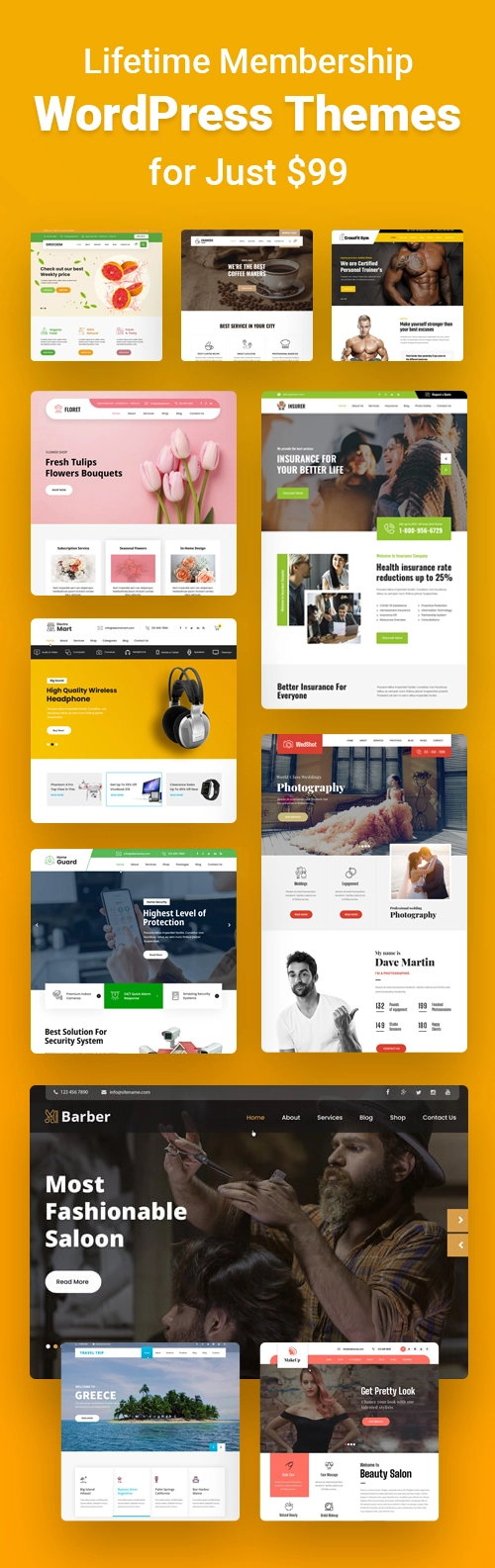
 $99
$99 -
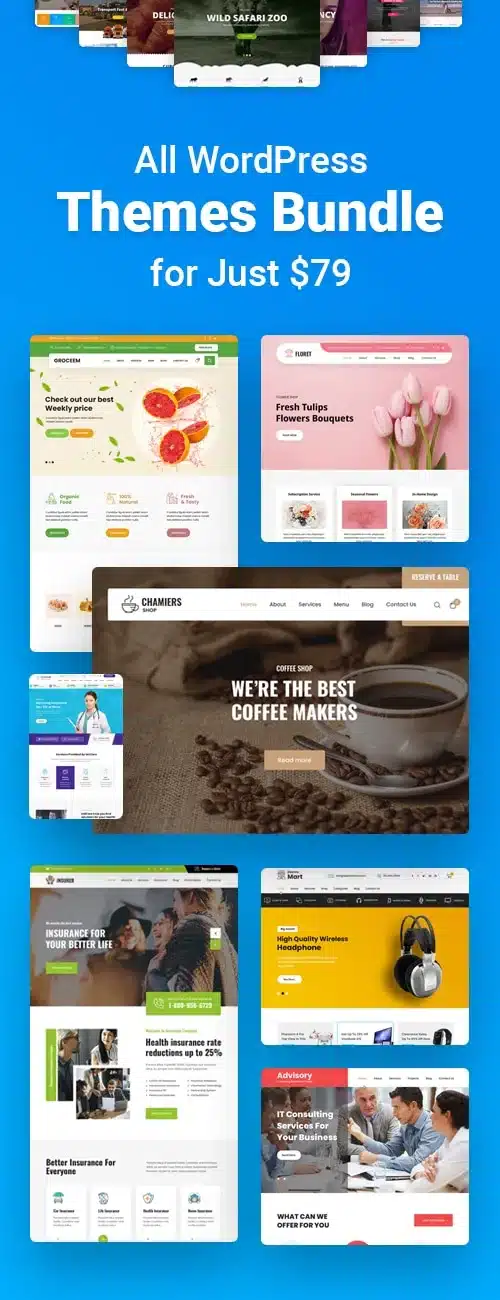
 $79
$79 -
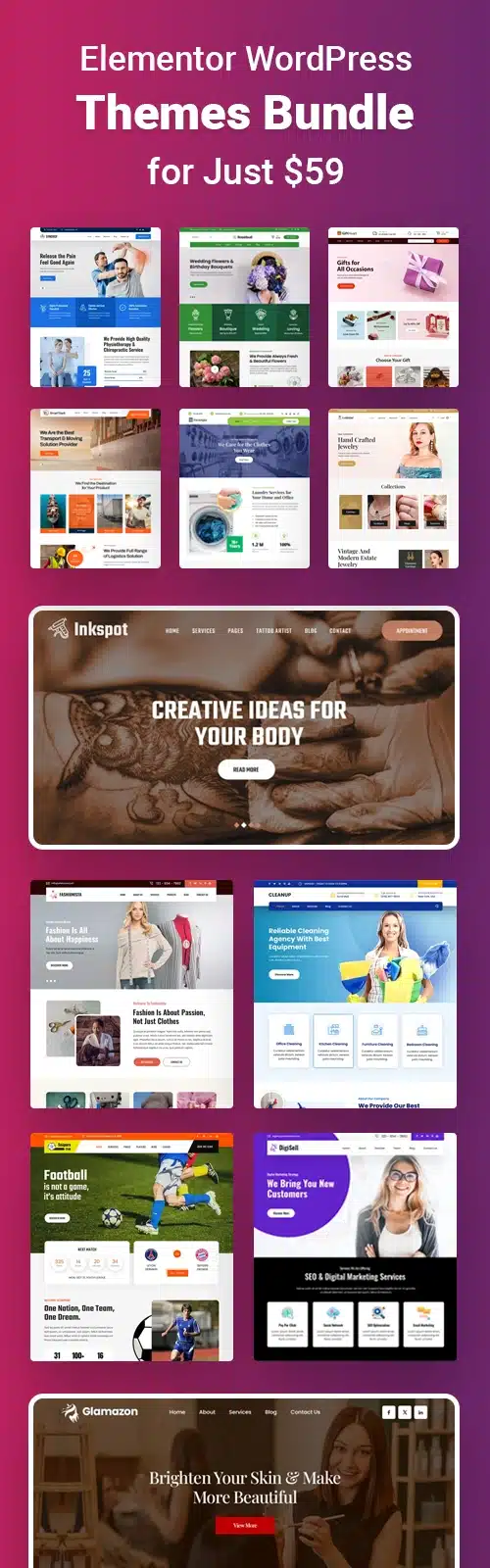
 $59
$59 -
 $29
$29 -
 $29
$29 -
 $29
$29 -
 $29
$29 -
 $29
$29 -
 $29
$29 -
 $29
$29 -
 $29
$29 -
 $29
$29 -
 $29
$29 -
 $29
$29 -
 $29
$29 -
 $29
$29 -
 $29
$29 -
 $29
$29 -
 $29
$29 -
 $29
$29 -
 $29
$29 -
 $29
$29 -
 $29
$29 -
 $29
$29





















Premium WordPress Themes: The Complete Buyer’s Guide to GraceThemes Prices, Policies and Reviews
Premium WordPress themes are paid website templates for the WordPress CMS that come with professional design, dedicated support, regular theme updates and niche-specific layouts that free themes rarely include. WordPress runs around 42.6% of all websites and 59.8% of sites built on a known content management system, according to W3Techs data. That means the theme you pick shapes how millions of small business websites look, load and convert. Premium themes close the gap between a bare install and a finished site by bundling demo content, customization options and WooCommerce compatibility into one package.
This guide covers everything you need to know before choosing premium WordPress themes from GraceThemes. You will find all 21 of our current PRO themes compared side by side, along with every plan price. The guide also explains the full license, refund and support policies, real customer reviews from Trustpilot and G2. You also get a buying checklist, an installation walkthrough and answers to the most common questions. Every price and feature below reflects our current pricing and product pages.
Quick takeaways:
- Every GraceThemes PRO theme costs $29 as a one-time payment, with unlimited site usage, lifetime support and lifetime updates.
- The $99 Lifetime Package unlocks all 100+ premium themes and beats buying single themes once you need four or more.
- Because our themes are delivered digitally, all sales are final, so try the live demo carefully before checkout.
- Customers rate GraceThemes 4.7 out of 5 on Trustpilot across 404 reviews, with much of the recent praise aimed at fast support.
- The right premium theme matches your industry, your page builder and your budget, not just the prettiest demo.
Premium WordPress Themes at a Glance
All 21 PRO-tier premium themes on the first page of the GraceThemes catalog cost $29 each. They differ mainly by industry, page builder support and multilingual readiness. The table summarizes the key details from each product page.
| Theme | Best for | Page builder | WooCommerce | Multilingual |
| CosmoCalm PRO | Spas and salons | Elementor | Yes | Translation-ready |
| DineRoyale PRO | Catering services | Elementor | Yes | Translation-ready |
| Indostic PRO | Industrial firms | Elementor | Yes | Polylang, Weglot |
| Spectral PRO | Gaming stores | Elementor | Yes | Polylang, Weglot |
| Creazione PRO | Luxury interiors | Shortcodes, widgets | Yes | Polylang, Weglot |
| AgroVision PRO | Farms | WPBakery, WP Page Builder | Yes | Polylang, Weglot |
| PetPulse PRO | Veterinary clinics | Ask our team | Ask our team | Ask our team |
| Ecolife Park PRO | Wildlife parks | Elementor | Yes | Polylang, Weglot |
| Gymfinity PRO | Fitness trainers | Ask our team | Yes | Polylang, Weglot |
| AquaFusion PRO | Fishery services | Shortcodes | Yes | Polylang, Weglot |
| WonderKids PRO | Preschools | WPBakery, WP Page Builder | Yes | Polylang, Weglot |
| RazorCuts PRO | Barber shops | Ask our team | Ask our team | Ask our team |
| DivineYoga PRO | Yoga and spiritual centers | Ask our team | Yes | Polylang, Weglot |
| DreamBuild PRO | Construction | Shortcodes | Yes | Polylang, Weglot |
| GreenVista PRO | Gardeners | Shortcodes | Yes | Polylang, Weglot |
| Elvotix PRO | Political campaigns | Ask our team | Yes | Polylang, Weglot |
| MilkyLush PRO | Dairy farms | Built-in builder | Yes | WPML, Polylang, Weglot |
| Energix PRO | Green energy | Elementor | Yes | Polylang, Weglot |
| GlobeJourney PRO | Travel agencies | WPBakery, WP Page Builder | Yes | Polylang, Weglot |
| BrandZen PRO | Marketing agencies | Elementor | Yes | Polylang, Weglot |
| Nutriflux PRO | Nutritionists | Ask our team | Yes | Polylang, Weglot |
For themes marked “Ask our team,” contact our pre-sales team by email or chat and we will confirm the best setup for your site.
GraceThemes Pricing Plans and Value
GraceThemes sells premium themes through four plans, and the right one depends on how many designs you need.
| Plan | Price | Themes included | Site usage | Updates | Support |
| Single Theme | $29 one-time | 1 selected theme | Unlimited | Lifetime | Free lifetime |
| Elementor Themes Bundle | $59 one-time | 20+ Elementor themes | Unlimited domains | Included | Free |
| All Theme Package | $79 for 1 year | All 100+ themes for 1 year | Unlimited | 1 year | Free lifetime |
| Lifetime Package | $99 one-time | All 100+ themes | Unlimited | Lifetime | Free lifetime |
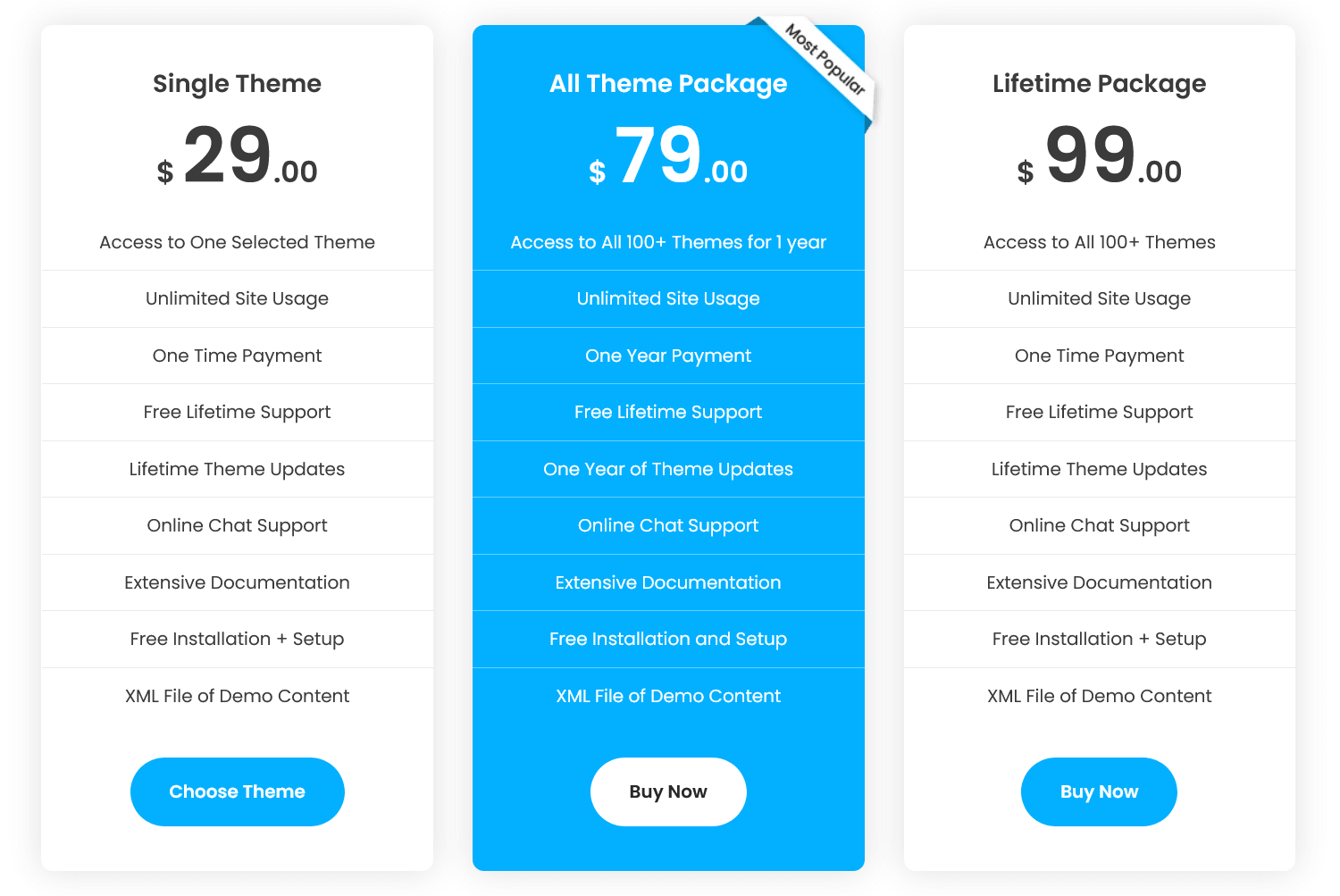
Every plan for these premium WordPress themes includes online chat support, documentation, free installation and setup and an XML demo content file.
Which GraceThemes Plan Gives the Best Value?
- One business website: the $29 Single Theme is enough, since it already includes lifetime updates.
- Two or three sites in different niches: three single themes cost $87, which is still less than the $99 Lifetime Package.
- Four or more designs: four single themes cost $116, so the $99 Lifetime Package becomes the cheaper option.
- Elementor users: the $59 bundle costs about the same as two single themes and covers 20+ Elementor designs.
- Short projects: the $79 All Theme Package gives one year of access, but the Lifetime Package costs only $20 more and never expires.
Good to Know Before You Buy
- The All Theme Package covers one year of access and updates, while the Lifetime Package never expires.
- Prices can change, so check our pricing page for current offers.
- Not sure which plan fits? Our pre-sales team answers questions by email and chat.
What Are Premium WordPress Themes?
Premium WordPress themes are commercial themes you buy from a theme developer or theme marketplace instead of downloading them free from the WordPress.org theme directory. You pay for a finished design system plus the service behind it: customer support, security patches, compatibility updates and ready-made demo layouts for a specific type of business.
How Premium Themes Differ From Free Themes
Free themes are a fine starting point for a personal blog or a test site. Premium themes make more sense once the website has to win customers, take bookings or sell products.
| Factor | Free themes | Premium themes |
| License fee | None | One-time fee (from $29 at GraceThemes) |
| Support | Community forums, basic email | Dedicated support, often lifetime |
| Updates | Depends on the volunteer author | Scheduled version updates with a changelog |
| Design | Generic layouts | Niche-specific homepages and sections |
| Demo content | Often missing | One-click demo import or XML file |
| Customization | Limited Customizer options | Extended color schemes, Google Fonts, layouts |
| Plugins | Basic compatibility | Tested with WooCommerce, Elementor, multilingual plugins |
GraceThemes also publishes free themes, which get basic support by email and on the WordPress.org forums. PRO themes, by contrast, get lifetime support from the date of purchase.
Premium Themes vs Custom Design vs Website Builders
| Option | How you pay | Best for | Main trade-off |
| Premium theme | One-time license | Owners who want a fast, affordable launch | Design starts from a template |
| Custom web design | Agency or freelancer project fee | Brands with unique requirements | Higher cost and longer timeline |
| Hosted website builder | Monthly subscription | Users who never want to manage hosting | Less ownership and fewer plugins |
For most small businesses, a premium theme is the practical middle ground. It costs far less than custom design and gives you more control than a hosted builder, because you own the site and can add any plugin. Custom design makes sense once your brand needs features or layouts that no theme can deliver.
What GPL Licensing Means for Premium Themes
WordPress is released under the GNU General Public License (GPL), and GraceThemes states that its themes and source code are fully GPL. In practice, you may use and modify the theme code for personal or commercial websites. Your payment covers access to official downloads, updates and support. That is why buying premium themes from the original developer matters: nulled or redistributed copies skip the updates that patch security vulnerabilities.
Who Should Pay for Premium Themes?
- Small business owners who need a professional site without hiring a developer.
- Freelancers and agencies who build sites for clients across many industries.
- Service providers such as salons, clinics, gyms and consultants who need appointment calls to action and service sections.
- Online store owners who need tested WooCommerce integration.
- Nonprofits, schools and churches that want a credible design on a tight budget.
How to Evaluate a Premium Theme Before You Buy
A polished live demo proves a designer can make one page look good. It does not prove the theme will stay fast, secure and easy to edit after launch. Judge premium themes on these eight checkpoints.
Responsive and Mobile-Friendly Design
Most US visitors browse on phones, so a mobile-responsive layout is non-negotiable. Open the demo on a phone and a tablet, tap the navigation menu, and check that buttons, forms and images resize cleanly. Several GraceThemes PRO themes highlight a retina-ready display and a passed Google mobile-friendly test, and you can check both on your own devices through the live demo.
Page Builder Compatibility
Decide how you want to edit before you choose:
- Elementor-based themes such as CosmoCalm, BrandZen, Energix and Indostic suit people who want drag-and-drop editing.
- WPBakery-compatible themes such as WonderKids, GlobeJourney and AgroVision suit users who already know that builder.
- Shortcode-based themes such as DreamBuild and GreenVista suit owners who only change text, colors and images.
- Block themes suit users comfortable with the Gutenberg block editor and Full Site Editing.
WooCommerce and Plugin Support
If you plan to sell products, gift cards or classes, confirm WooCommerce compatibility on the product page. Nineteen of the 21 PRO themes above state WooCommerce support. Also check support for contact form plugins, slider plugins and SEO plugins such as Yoast SEO or Rank Math.
Before you rely on WooCommerce, list the store features you need, such as product variations, shipping zones, sales tax settings and payment gateways. Then confirm that the product, cart and checkout pages look right in the live demo. A theme that only declares compatibility may still need styling work on those pages.
Speed and Clean Code
A theme adds CSS, JavaScript and fonts to every page. Read the changelog for signs of optimization. For example, Gymfinity PRO lists removed unused CSS and JS in its version 1.1 notes. After installing, test the site in Google PageSpeed Insights and track Core Web Vitals such as Largest Contentful Paint (LCP). Features like 1,000 CSS3 animations look impressive in a demo, but turn off the ones you do not need.
SEO-Friendly Structure
Premium themes cannot rank a site on their own, but a badly coded one can hold it back. Look for semantic HTML5 markup, a single logical H1 heading per page, schema-friendly layouts and fast loading. At GraceThemes, our goal is to build themes that are SEO friendly, responsive ready and fast loading.
Translation and Multilingual Readiness
A translation-ready theme ships with language files so you can localize text. Most GraceThemes PRO themes list Polylang and Weglot support, and MilkyLush PRO also lists WPML, which matters if you serve Spanish-speaking customers in the US. Test your language plugin on the demo content first, and contact our team about any text that does not translate.
Support, Updates and Documentation
Support quality separates good premium themes from cheap ones. Check the channels, hours, response time and scope of support before you buy. Our policies section below covers each of these in detail.
Good documentation saves you support tickets. Look for setup guides, demo import steps and a list of theme options before you buy. Every GraceThemes plan includes documentation and a support forum, so you can browse them before you buy.
License, Refunds and Total Cost
Compare the total cost of ownership, not just the sticker price:
| Cost item | What to check |
| Theme license | One-time or yearly fee, number of sites |
| Updates | Lifetime or limited to 1 year |
| Page builder | Free version enough, or a Pro plan needed |
| Premium plugins | Booking, forms, sliders, SEO add-ons |
| Hosting | Managed WordPress hosting vs shared hosting |
| Refunds | Clear purchase terms before checkout |
Page Builder Options in Premium Themes: Elementor vs WPBakery vs Shortcodes
The editing tool behind a theme shapes your daily work more than its colors or fonts. GraceThemes PRO themes use four approaches: Elementor, WPBakery or WP Page Builder, shortcodes with widgets, and a built-in builder in MilkyLush PRO. Knowing how each one works helps you avoid a theme that looks right but feels wrong to edit.
| Editing approach | How you edit | Learning curve | Best for | GraceThemes examples |
| Elementor | Visual drag and drop on the live page | Low | Owners who want to see changes as they make them | CosmoCalm, DineRoyale, Indostic, Spectral, Ecolife Park, Energix, BrandZen |
| WPBakery / WP Page Builder | Visual and backend drag and drop | Low to medium | Users who already know these builders | WonderKids, GlobeJourney, AgroVision |
| Shortcodes and widgets | Short code tags plus Customizer settings | Medium | Owners who mostly change text and images | DreamBuild, GreenVista, AquaFusion, Creazione |
| Block editor (Gutenberg) | WordPress’s built-in blocks | Low to medium | Users who want no extra builder plugin | Not the main approach in the themes above |
Elementor-Based Premium Themes
Elementor is a visual builder with a free plugin and a paid Pro version. You click any section on the live page, change text, images or spacing, and see the result instantly. That makes Elementor-based premium themes the easiest choice for beginners and busy owners.
The trade-off is weight. Every builder adds scripts and styles, so keep the number of add-on plugins low and test your speed after setup. Also check whether the features you want need Elementor Pro, because that is a separate purchase from the theme.
WPBakery and WP Page Builder Themes
WPBakery is a long-running drag-and-drop builder that many theme vendors bundle or support. It offers both a backend editor and a frontend editor. If you or your developer already know it, WPBakery-compatible premium themes such as WonderKids, GlobeJourney and AgroVision will feel familiar.
WPBakery saves layouts as shortcodes inside your content. If you later switch to another builder, those layouts usually need to be rebuilt, so choose with the long term in mind.
Shortcode and Widget-Based Themes
Shortcode-based themes rely on short tags, such as a slider or tabs shortcode, plus the WordPress Customizer and widgets. They suit owners who keep the demo layout and mostly replace text, photos and colors. They require a little more reading of the documentation, but they avoid loading a full page builder on every page.
Which Editing Approach Should You Pick?
- Choose an Elementor-based theme if you want to redesign sections yourself without code.
- Choose a WPBakery-compatible theme if your team already works in WPBakery.
- Choose a shortcode-based theme if you plan to keep the demo layout and change content only.
- Whatever you pick, use one builder per site. Mixing builders slows pages and complicates future changes.
Best Premium WordPress Themes From GraceThemes: All 21 PRO Themes Reviewed
These 21 premium WordPress themes cover the service niches US small businesses search for most. Each review below covers the key features from the theme’s product page and the businesses it suits best. Every theme costs $29.
1. CosmoCalm PRO: Best for Spas and Salons
CosmoCalm PRO is the newest release and is built for spa websites, beauty salons and wellness centers.
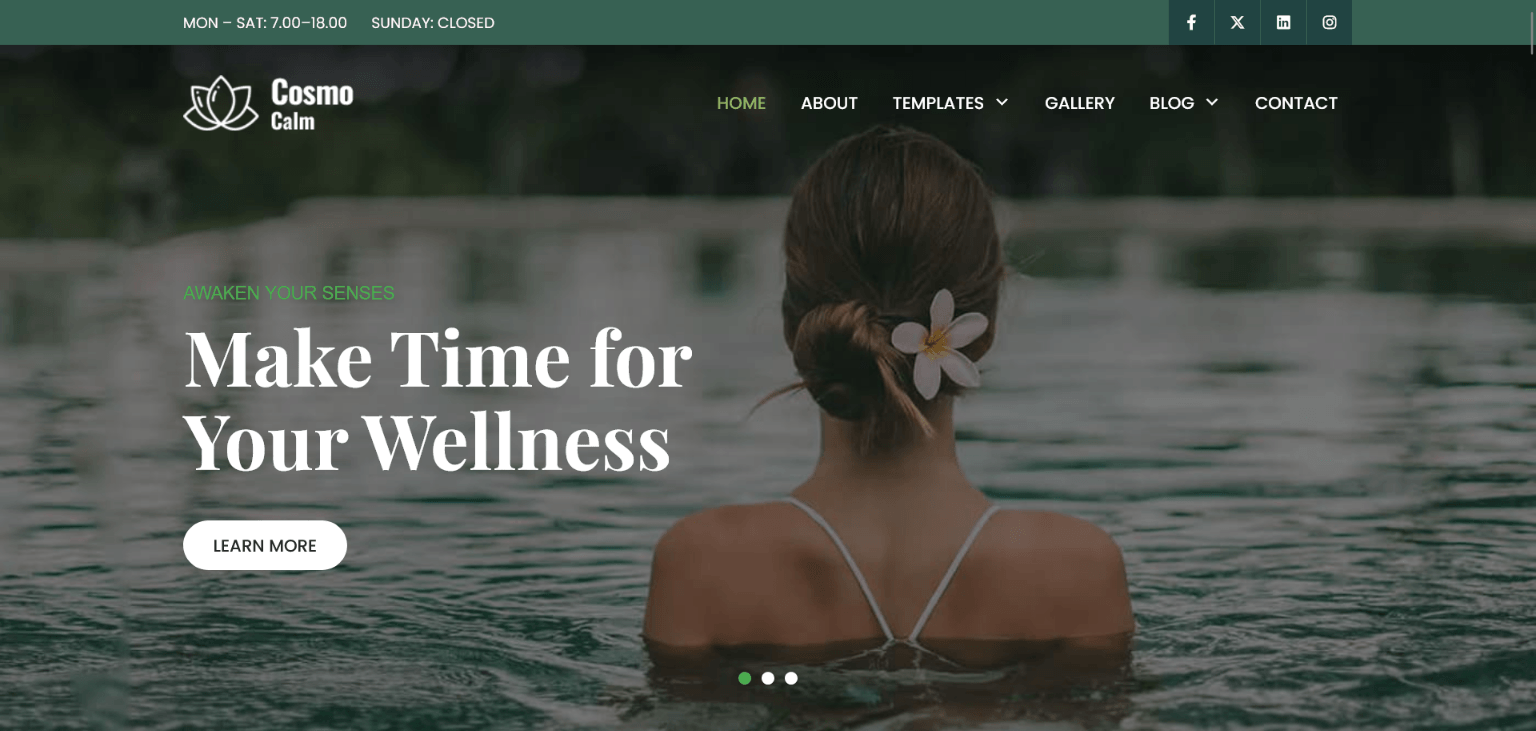
- Elementor compatibility with multiple homepage layouts.
- Service, testimonial, gallery, team and call-to-action sections.
- WooCommerce support for selling skincare products or gift cards.
It has no built-in booking system, so add an appointment booking plugin for online reservations.
Who should choose it: Day spas, salons and wellness studios that already work in Elementor will get the most from CosmoCalm. Plan your service menu, price list and staff bios before importing the demo, because the layout gives each of those its own section. As our newest release, it is built for the latest version of WordPress, and you can follow every improvement in the changelog.
2. DineRoyale PRO: Best for Catering Companies
DineRoyale PRO targets catering services, event caterers and private chefs.
- Built with Elementor, with editable layouts, colors, fonts and content blocks.
- Team showcases for chefs and event staff, plus a photo gallery and testimonials.
- Banner, call-to-action and blog layouts.
It is translation-ready, so you can offer your menus and services in more than one language.
Who should choose it: Caterers who sell events rather than walk-in meals fit this theme best, because its sections focus on services, staff and galleries instead of online ordering. Use the gallery for past weddings and corporate events. Then add a quote-request form so visitors can share dates, guest counts and budgets. If you serve guests in several languages, our pre-sales team can recommend the right translation setup.
3. Indostic PRO: Best for Industrial and Manufacturing Firms
Indostic PRO is designed for factories, manufacturers and engineering companies.
- Elementor-based with multiple homepage layouts, including boxed layouts.
- Five-level drop-down menu for large service catalogs.
- One-click demo installation and shortcodes for sliders, tabs and Google Maps.
Who should choose it: Manufacturers with many product lines or divisions benefit most from the five-level menu, which keeps a large catalog organized. Use the homepage layouts to highlight capabilities, certifications you hold and contact options for distributors. B2B buyers often research on desktop, so test the boxed layouts on wide screens as well as on phones.
4. Spectral PRO: Best for Gaming Stores
Spectral PRO suits gaming stores, esports teams and gaming blogs.
- Elementor-based design with several homepage layouts.
- Product sections for gaming consoles, gadgets, PCs and discs.
- HD retina-ready display and a five-level menu.
Who should choose it: Gaming shops that sell hardware online get the most from Spectral, since its product sections are built around consoles, gadgets, PCs and discs. Pair it with WooCommerce for checkout. Keep product images compressed, because gaming product pages often carry many large photos. The retina-ready claim matters in this niche, so check the demo on a high-resolution screen.
5. Creazione PRO: Best for Luxury Interior Designers
Creazione PRO is made for interior designers, furniture stores and home decor brands.
- Product sections for furniture and home decor, plus a separate services section.
- Drag-and-drop widgets for testimonials, clients, calendars and clocks.
- WooCommerce support for product sales and client bookings.
Who should choose it: Interior designers who also sell furniture or decor can run their portfolio and store on one site. Lead with high-quality project photos, then link each project to the products or services it used. It uses shortcodes and drag-and-drop widgets, so you can update content without installing a separate page builder.
6. AgroVision PRO: Best for Farms and Agribusiness
AgroVision PRO serves farms, organic producers and agribusinesses.
- Works with WPBakery and WP Page Builder.
- CTA buttons you can reposition or assign to each service.
- Fully multilingual with Polylang and Weglot.
Who should choose it: Farms that sell to the public, such as farm stands, produce-box programs and organic producers, benefit from the per-service CTA buttons. Assign one button to each offer, for example produce boxes, farm tours or wholesale inquiries. If your team already knows WPBakery, AgroVision will feel familiar from day one.
7. PetPulse PRO: Best for Veterinary Clinics
PetPulse PRO is built for veterinary clinics, animal hospitals and pet care services.
- Doctor profile and staff profile sections that build trust with pet owners.
- Review and testimonial sections for social proof.
Need online payments or a second language? Contact our team and we will confirm the best setup for your clinic.
Who should choose it: Small and mid-size veterinary practices that want to introduce their vets and build trust online are the best match. Pet owners compare clinics on reviews and staff experience, so fill the doctor profile and testimonial sections first. You will likely need a separate appointment plugin and contact form, so budget for those alongside the $29 theme.
8. Ecolife Park PRO: Best for Wildlife Parks and Zoos
Ecolife Park PRO fits wildlife parks, zoos and conservation groups.
- Elementor support, with custom widgets for clocks, calendars, client logos and testimonials.
- Over 1,300 Google Fonts and over 1,000 color schemes.
- Product sections for pet food, dog houses and wildlife photos.
Who should choose it: Wildlife parks, sanctuaries and conservation groups that want a photo-led site fit Ecolife Park well. The product sections can also support a small gift shop for prints or merchandise. With over 1,300 fonts and 1,000 color schemes on offer, pick a simple brand palette early so the site stays consistent.
9. Gymfinity PRO: Best for Fitness Trainers and Gyms
Gymfinity PRO is designed for personal trainers, gyms and fitness studios.
- WooCommerce sections for gym equipment and supplements.
- Compatible with WPForms, Polylang and Weglot.
- Version 1.1 removed unused CSS and JS for leaner pages.
It supports major browsers, including Chrome, Firefox, Safari and Opera.
Who should choose it: Personal trainers and small gyms that want to sell equipment or supplements next to their services suit Gymfinity best. Put membership options and trainer bios near the top of the homepage, and use WPForms for consultation requests. Our pre-sales team can show you how its sections are edited before you buy.
10. AquaFusion PRO: Best for Fishery Services
AquaFusion PRO suits fisheries, seafood suppliers and aquaculture businesses.
- Shortcodes for slideshows, columns, buttons, toggles, tabs and Google Maps.
- Custom widgets and cross-browser compatibility.
Who should choose it: Fisheries, seafood suppliers and fish farms that need a straightforward business site fit AquaFusion. Use the Google Maps shortcode to show your location or delivery area. Use the tabs shortcode to separate wholesale and retail information. Add product photos and any certifications you hold to build buyer confidence.
11. WonderKids PRO: Best for Preschools and Daycares
WonderKids PRO serves preschools, kindergartens and daycare centers.
- Works with WPBakery and WP Page Builder.
- WooCommerce tested with the latest version.
- Polylang and Weglot support for bilingual families.
Run it on the latest version of WordPress for the best results.
Who should choose it: Preschools, daycares and early learning centers that serve bilingual families get the most value here. Parents usually look for programs, hours, staff and enrollment steps first, so give each its own page. Use clear photos of classrooms and activities, and follow your center’s photo consent rules for children.
12. RazorCuts PRO: Best for Barber Shops
RazorCuts PRO is aimed at barber shops and men’s grooming salons.
- Testimonial and gallery sections to show haircuts and styles.
- Mobile-optimized, completely responsive design.
Pair it with a booking plugin so clients can reserve appointments online.
Who should choose it: Barber shops that win customers through photos of their work suit RazorCuts best. Fill the gallery with recent cuts and fades, and keep testimonials short and specific. Many clients book from their phones, so add a mobile-friendly booking plugin and test the full booking flow on a small screen.
13. DivineYoga PRO: Best for Yoga Studios and Spiritual Centers
DivineYoga PRO fits yoga studios, meditation centers and spiritual retreats.
- Homepage testimonial and services sections with boxed layouts.
- Sections for selling yoga products through WooCommerce.
Who should choose it: Yoga studios, meditation centers and retreat organizers that also sell mats, apparel or online classes can use DivineYoga as a combined studio site and shop. Add a class schedule plugin if you publish weekly timetables. Keep the design calm and uncluttered so it matches the experience you sell.
14. DreamBuild PRO: Best for Construction Companies
DreamBuild PRO suits construction companies, builders and real estate developers.
- Construction service sections for every service you offer.
- Shortcodes for slideshows, tabs and Google Maps.
- WooCommerce support and 100% responsive
Who should choose it: Construction firms, builders and township developers that need to present many services and projects fit DreamBuild. Use the service sections for each trade or project type, and the Google Maps shortcode for project locations. Add a quote-request form, since many construction leads start with an estimate.
15. GreenVista PRO: Best for Gardeners and Landscapers
GreenVista PRO is made for gardeners, landscapers and lawn care services.
- Shortcodes, custom widgets and easy customization.
- Optimized for iPhone and iPad.
Who should choose it: Gardeners, landscapers and lawn care companies serving local customers fit GreenVista. Before-and-after photos and seasonal service lists help visitors judge your work, so plan them before launch. Add your service area and a simple quote form, since many visitors want a price estimate first.
16. Elvotix PRO: Best for Political Campaigns
Elvotix PRO serves political candidates, campaign teams and advocacy groups.
- Testimonies section, multiple sliders and a customizable header.
- Parallax scrolling for a modern campaign look.
Who should choose it: Candidates, campaign teams and advocacy groups that need a fast, visual campaign site fit Elvotix. Use the sliders for key messages and events, and the testimonies section for endorsements you have permission to publish. Add donation and volunteer sign-up forms, and check the campaign finance and disclosure rules that apply to your race.
17. MilkyLush PRO: Best for Dairy Farms
MilkyLush PRO targets dairy farms, creameries and farm-to-table brands.
- Hero sliders, product highlights and a built-in contact form.
- Team, gallery, video, FAQ and blog pages.
- WooCommerce for inventory, discounts and payments, plus WPML
Who should choose it: Dairy farms and creameries that sell directly to customers fit MilkyLush, since it includes WooCommerce, a contact form and dedicated FAQ and video pages. Use the video page for farm tours and the FAQ page for delivery and storage questions. WPML support also makes it a strong option for farms serving multilingual communities.
18. Energix PRO: Best for Green Energy Companies
Energix PRO suits solar installers, renewable energy firms and sustainability brands.
- Elementor-based, built on HTML5.
- Multiple typography options and customizable color combinations.
Who should choose it: Solar installers and renewable energy companies that build in Elementor fit Energix. Explain your process step by step, from site assessment to installation, and show completed projects with photos. Add a lead form or quote request, because energy buyers often compare several offers before deciding.
19. GlobeJourney PRO: Best for Travel Agencies
GlobeJourney PRO is made for travel agencies, tour operators and travel bloggers.
- Works with WPBakery and WP Page Builder.
- WooCommerce support for tour payments.
- Multilingual setup for international travelers.
Who should choose it: Travel agencies and tour operators that take payments online and serve international visitors fit GlobeJourney. List each tour with dates, inclusions and prices, and use WooCommerce for deposits or full payments. Translate key pages with Polylang or Weglot so overseas travelers can book with confidence.
20. BrandZen PRO: Best for Marketing Agencies
BrandZen PRO targets digital marketing agencies, creative studios and consultants.
- Built on Elementor for drag-and-drop layouts.
- WooCommerce support for selling audits or service packages.
Who should choose it: Marketing agencies, freelancers and consultants who build in Elementor fit BrandZen. Lead with case studies and results you can share, then add clear service packages and a booking or contact form. Multilingual support helps agencies that serve clients in more than one market.
21. Nutriflux PRO: Best for Nutritionists and Dietitians
Nutriflux PRO serves nutritionists, dietitians and health coaches.
- Shortcodes, custom widgets and cross-browser compatibility.
- WooCommerce for selling meal plans or supplements.
Who should choose it: Nutritionists, dietitians and health coaches who sell consultations, meal plans or supplements fit Nutriflux. Present your credentials, approach and packages clearly, and use WooCommerce for paid plans. Our pre-sales team can show you how its sections are edited before you buy.
Premium Themes by Industry: What Each Niche Needs
Niche premium WordPress themes save hours because their homepage sections, icons and calls to action already speak your customer’s language. Our catalog spans 38 categories, from corporate and multipurpose to church, museum and art gallery and health coach websites.
| Industry | Must-have features | Matching premium themes |
| Health and wellness | Service menus, appointment CTAs, testimonials | CosmoCalm PRO, Nutriflux PRO, DivineYoga PRO |
| Fitness | Class schedules, trainer profiles, product shop | Gymfinity PRO |
| Medical and veterinary | Doctor profiles, trust signals, contact forms | PetPulse PRO |
| Food and hospitality | Menus, galleries, event inquiries | DineRoyale PRO |
| Agencies and consulting | Portfolio, case studies, lead forms | BrandZen PRO |
| Construction and industrial | Project galleries, service lists, quote requests | DreamBuild PRO, Indostic PRO |
| Education | Program pages, enrollment CTAs, multilingual text | WonderKids PRO |
| Travel and tourism | Tour packages, payments, translation | GlobeJourney PRO |
| Agriculture | Product showcases, farm-to-table messaging | AgroVision PRO, MilkyLush PRO, AquaFusion PRO |
| Environment and energy | Sustainability messaging, project galleries | Energix PRO, GreenVista PRO, Ecolife Park PRO |
| Politics and nonprofits | Donation CTAs, news, volunteer sign-ups | Elvotix PRO |
| Interior and design | High-resolution galleries, portfolio grids | Creazione PRO |
| Gaming and entertainment | Dark layouts, product grids | Spectral PRO |
| Grooming | Before-and-after galleries, reviews | RazorCuts PRO |
Niche Premium Themes vs Multipurpose Premium Themes
- Niche premium themes ship with industry-ready demo content, so launch is faster and copywriting is easier.
- Multipurpose premium themes offer many demos in one package, which suits agencies that need flexibility.
- A single business usually needs fewer customizations and plugins with a niche theme.
- Agencies get both options for one price with a lifetime theme bundle.
GraceThemes Policies: License, Refunds, Support and Updates
Policies matter as much as design, because they decide what happens after you pay for premium WordPress themes. Here is exactly what you get with our premium themes, from licensing to support.
| Policy | What you get |
| License | GPL; use and modify themes for personal or commercial sites |
| Site limit | Unlimited projects, for any purpose |
| Payment | One-time payment on most plans, with no hidden subscriptions |
| Purchases | All sales are final, since themes are delivered digitally; test the live demo first |
| Support channels | Email and support forum; pre-sales by email and chat |
| Support hours | Monday to Saturday, 9 AM to 10 PM GMT+5:30 |
| Response time | Usually within 12 hours on weekdays; up to 24 hours for complex issues |
| PRO support length | Lifetime, from the date of purchase |
| Free theme support | Basic support by email and WordPress.org forums |
| Compatibility | Built to run on the latest version of WordPress |
License Terms
We license our themes and source code under the GPL, so you may modify them for personal or commercial websites. There is no site cap: the terms allow use on as many projects as you like.
In practice, this means you can install the theme on your own site, on client sites and on staging copies without buying extra licenses. Images, fonts or icons shown in a demo may come from third parties, so ask whether they are included before you publish them on a live site.
Refund Policy
Because our themes are delivered digitally, all sales are final. To choose with confidence:
- Test the live demo on desktop and mobile.
- Ask pre-sales questions by email or chat before checkout.
- Confirm page builder, WooCommerce and plugin compatibility for your exact setup.
Support Policy
Support aims to make theme features work the way the demo shows. It includes free installation and setup for beginners. It does not cover:
- Major customizations or new theme options.
- General WordPress questions.
- Third-party plugins, which go to the plugin author.
- Hosting, server diagnostics or server maintenance.
We handle support by email and our support forum, so every request is tracked. For US customers on Eastern Time, our support window runs roughly from late night to midday.
Sharing Website Access Safely
Installation help can require access to your site. We do not save website access details you provide. As an extra safeguard:
- Create a temporary administrator account instead of sharing your own login.
- Use a staging site when possible.
- Delete the account and change passwords once the work is done.
Updates and Liability
Single Theme and Lifetime plans include lifetime updates, while the All Theme Package includes one year of updates. Our themes are built to run on the latest version of WordPress. Keep a backup before every update.
GraceThemes Reviews: What Customers Say
GraceThemes has been building premium themes since 2015, and customers rate us highly on independent review platforms.
| Platform | Rating | Number of reviews |
| Trustpilot | 4.7 out of 5 (Excellent) | 404 |
| G2 | 5.0 out of 5 | 3 |
On Trustpilot, 92% of reviews are 5-star, 5% are 4-star and 2% are 1-star, with 22 reviews posted in the last 12 months.
What Customers Praise
- Fast, helpful support: several recent reviewers say the team resolved issues quickly, including PHP compatibility
- Design and ease of use: reviewers describe the themes as attractive, customizable and easy to set up.
- Long-term value: some customers report years of use and repeat purchases.
Why Customers Choose GraceThemes
| Benefit | What it means for you |
| Low one-time price | $29 per theme, or $99 for all 100+ themes |
| Unlimited site usage | Use your theme on as many projects as you need |
| Lifetime support and updates | Included with the Single Theme and Lifetime plans |
| 100+ niche designs | Ready-made layouts across 38 industry categories |
| Free installation and setup | Our team helps beginners get the theme running |
| Multilingual ready | Most PRO themes support Polylang and Weglot |
| Trusted by customers | 4.7 out of 5 on Trustpilot from 404 reviews |
How to Choose, Install and Set Up Premium WordPress Themes
Most buyers of premium WordPress themes spend more time admiring demos than planning the setup. Follow this order and your new theme goes live with fewer surprises.
Step-by-Step Buying Checklist
- Write down your site goals: leads, bookings, sales or information.
- Shortlist three premium themes from your industry category.
- Open each live demo on desktop and mobile.
- Read the product page for page builder, WooCommerce and multilingual support.
- Check the last updated date and version number for active maintenance.
- Send any pre-sales questions to our team by email or chat.
- Pick a plan: one theme for one business, the Lifetime Package for four or more designs.
How to Install a Premium Theme in WordPress
- Download the theme ZIP file from your account after purchase.
- In the WordPress dashboard, go to Appearance > Themes > Add New > Upload Theme.
- Upload the ZIP, click Install Now, then Activate.
- Install any recommended plugins the theme prompts for.
- Import the XML demo content through Tools > Import > WordPress.
- Set your homepage and posts page under Settings > Reading.
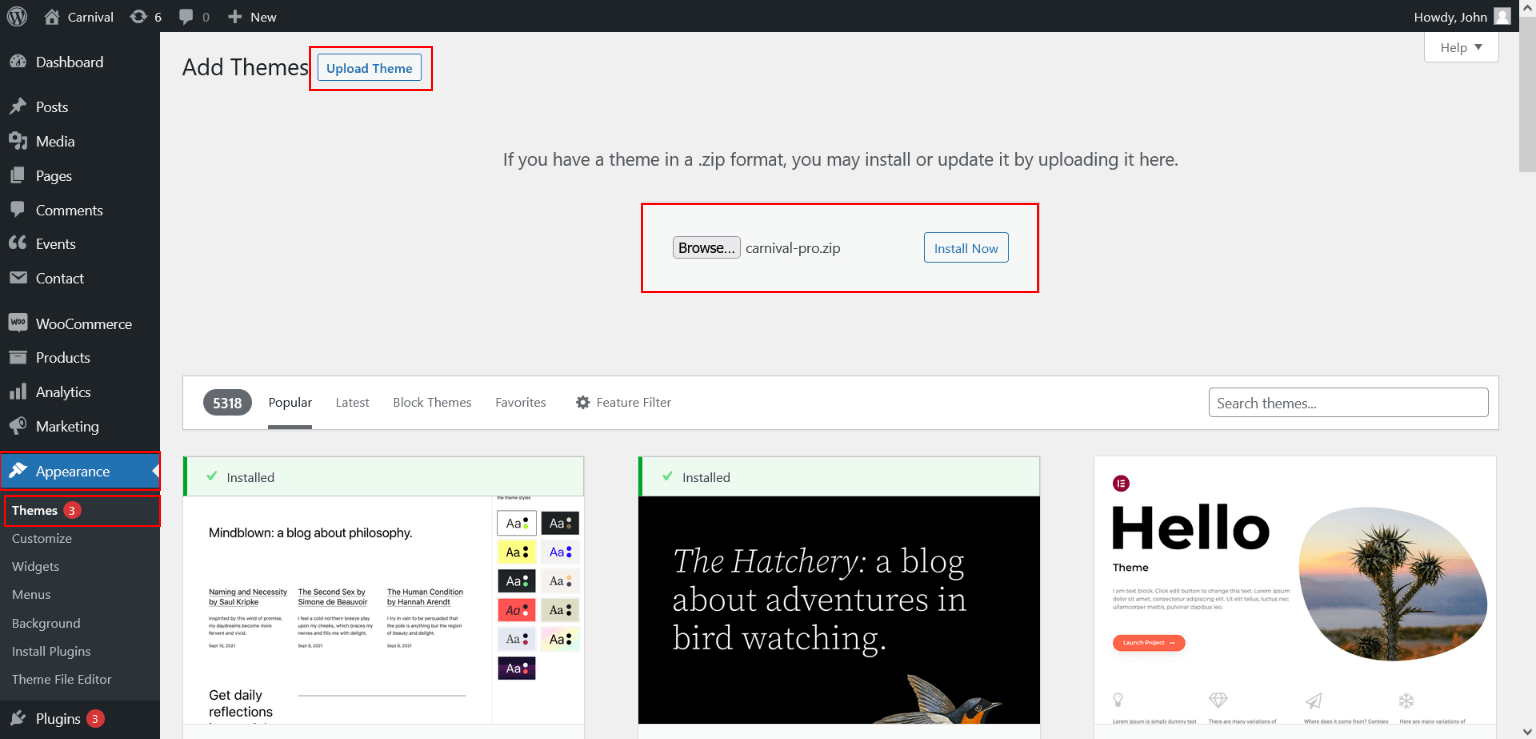
GraceThemes includes free installation and setup with every paid plan, so beginners can ask support to handle these steps.
How to Update a Premium Theme Safely
- Back up files and the database with a backup plugin or your host.
- Test the update on a staging site first.
- Read the changelog for breaking changes.
- Upload the new version and check key pages, forms and checkout.
Post-Install Setup Checklist
- Create a child theme before editing theme files, so updates do not erase your changes.
- Replace demo images with optimized images in WebP format.
- Set your logo, brand colors and typography in the Customizer.
- Install an SEO plugin, a caching plugin and a security plugin.
- Check accessibility basics such as color contrast, alt text and keyboard navigation.
- Test speed with Google PageSpeed Insights and fix the largest issues first.
Common Mistakes to Avoid With Premium Themes
- Buying nulled themes from unofficial sites, which can hide malware and never receive updates.
- Stacking several page builders on one site, which slows every page.
- Expecting the demo to appear without importing demo content.
- Sharing your main admin password instead of a temporary account.
- Editing the parent theme directly instead of using a child theme.
How to Set Up WooCommerce With a Premium Theme
Nineteen of the 21 GraceThemes PRO themes reviewed above state WooCommerce support, so most of them can power an online store. WooCommerce is a free WordPress plugin that adds products, a cart, checkout and order management to your site. The theme controls how those store pages look, while WooCommerce handles the selling.
Step-by-Step WooCommerce Setup
- Install and activate your premium theme first, then import its demo content.
- Go to Plugins > Add New, search for WooCommerce, then install and activate it.
- Complete the setup wizard, which asks for your store address, industry and product types.
- Confirm that WooCommerce created the Shop, Cart, Checkout and My Account pages.
- Add your first product with a title, description, price, images and inventory settings.
- Set up payment gateways, such as a card processor or PayPal, through their official extensions.
- Create shipping zones for the areas you serve and add a rate to each zone.
- Review tax settings, since US sales tax rules differ by state.
- Place a test order from start to finish on desktop and mobile.
Store Design Tips for Premium Themes
Your theme’s product grid and single product page do most of the selling. Use consistent image sizes so the grid looks tidy, and write descriptions that answer size, material and delivery questions before customers ask them.
Keep checkout short. Remove optional fields you do not need, show trust signals such as secure payment icons near the button, and make shipping costs clear before the final step. Unexpected costs at the last step can make shoppers abandon their carts.
Service Businesses Can Sell Too
WooCommerce is not only for physical products. Gyms can sell class passes, nutritionists can sell meal plans, and travel agencies can take tour deposits. In those cases, list each service as a product and add any extra plugins you need for bookings or subscriptions.
How to Build a Multilingual Site With Polylang, Weglot or WPML
Most GraceThemes PRO themes list support for Polylang and Weglot, and MilkyLush PRO also lists WPML. A multilingual site lets you serve customers in their preferred language, which matters for US businesses with Spanish-speaking or international customers. The theme provides translatable text; the plugin manages the translated versions.
Polylang vs Weglot vs WPML
| Plugin | How translation works | Best for |
| Polylang | You create each translated page inside WordPress; a paid Pro version adds more features | Owners who want control and translate manually |
| Weglot | A hosted service that machine-translates your site, which you can then edit | Owners who want speed and little setup |
| WPML | A paid plugin that manages translations of pages, menus and store content | Larger sites and multilingual WooCommerce stores |
Check each plugin’s current plans on its official site, since features and limits change over time.
Steps to Launch a Multilingual Premium Theme
- Decide which languages you need and which pages matter most, such as the homepage, services and contact page.
- Install one translation plugin only; running two causes conflicts.
- Add your languages and set the default language.
- Translate menus, widgets and theme text, not just page content.
- Add a language switcher to the header or footer.
- Have a fluent speaker review key pages, especially if you use machine translation.
- Test every language on mobile, including forms and checkout.
SEO for Multilingual Sites
Search engines need to know which page serves which language. Translation plugins such as Polylang, Weglot and WPML can add hreflang tags that link each page to its translations. Give each language its own clear URL structure, such as a subfolder, and translate titles and meta descriptions too, not just the visible text.
Test your chosen plugin with the demo content before launch, and send any untranslated text to our support team.
How to Customize a Premium Theme Without Code
The demo is a starting point, not a finished website. A few hours of focused customization turns a template into a site that looks like your brand. GraceThemes PRO pages describe visual options for colors, fonts and backgrounds that work without coding, so most of this work happens in the WordPress Customizer or your page builder.
Brand Identity: Logo, Colors and Fonts
Start with the elements that appear on every page. Upload your logo and a site icon (favicon), then set two or three brand colors: one primary, one accent and one neutral. Pick one font for headings and one for body text. Using fewer choices keeps the site consistent and easier to read.
Header, Menu and Footer
Your navigation menu should match how customers think, not how your business is organized internally. Keep the top level to a handful of items, such as Services, About, Pricing, Blog and Contact. Put your phone number or main call to action in the header, and use the footer for address, hours, social links and legal pages.
Homepage Sections
Work through the demo homepage from top to bottom:
- Hero section: a clear headline that says what you do and for whom, plus one primary button.
- Services: three to six core offers, each with a short benefit-focused line.
- Social proof: real testimonials, reviews or client logos you have permission to use.
- About or team: faces and credentials build trust, especially for service businesses.
- Call to action: one final prompt to book, buy or get in touch.
Delete any demo section you cannot fill with real content. An empty or placeholder section hurts trust more than a missing one.
Inner Pages and Blog
Create dedicated pages for each main service instead of one long services page. Dedicated pages give search engines more to rank and give visitors the detail they need. Set up the blog layout, categories and author box early, so new posts follow the same design.
When to Use a Child Theme
If you or a developer plan to edit theme files, CSS or templates, create a child theme first. A child theme keeps your changes separate, so a future theme update does not overwrite them. Settings made in the Customizer or page builder are stored separately and do not need a child theme.
Speed Optimization and Core Web Vitals for Premium Themes
A beautiful theme loses its value if pages load slowly. Google measures real-user experience with Core Web Vitals, and a page passes when it meets all three targets at the 75th percentile of page loads.
| Metric | What it measures | Good score |
| Largest Contentful Paint (LCP) | Loading: when the main content appears | 2.5 seconds or less |
| Interaction to Next Paint (INP) | Responsiveness: how fast the page reacts to taps and clicks | 200 milliseconds or less |
| Cumulative Layout Shift (CLS) | Visual stability: how much the layout jumps while loading | 0.1 or less |
INP became a stable Core Web Vital in 2024, replacing First Input Delay.
What Slows Down Premium Themes
- Large hero images and sliders that load several full-size photos at once.
- Too many plugins, especially overlapping ones that do the same job.
- Animations and effects you never turned off after importing the demo.
- Many font families and weights loading on every page.
- Slow hosting that takes too long to send the first byte.
Speed Checklist After Installing Your Theme
- Test the homepage and one inner page in Google PageSpeed Insights and note the starting scores.
- Compress images and serve them in WebP format at the size they are displayed.
- Replace an autoplay slider with a single strong hero image where possible.
- Turn off demo animations and effects you do not need.
- Limit fonts to two families and only the weights you use.
- Install one caching plugin and enable page caching.
- Remove plugins the demo installed but your site does not use.
- Consider a content delivery network (CDN) if you serve visitors across the country.
- Retest and compare against your starting scores.
Hosting Matters as Much as the Theme
Even a lightweight theme feels slow on an overloaded server. Managed WordPress hosting usually includes server-level caching, automatic updates and staging, which helps busy owners. Whatever host you choose, run a supported PHP version and keep WordPress, the theme and plugins updated.
Premium Theme Security Checklist
A premium theme from the original developer is a safe foundation, but security depends on how you run the site afterward. Common risks include outdated software, weak logins and untrusted downloads, and each of these is in your control.
Before You Install
- Download the theme only from your GraceThemes account, never from a third-party or “free premium” site.
- Avoid nulled themes, which are pirated copies that can contain hidden code and never receive official updates.
- Check the theme’s last updated date so you know it is maintained.
Logins and User Accounts
- Use a unique, strong password for every administrator.
- Turn on two-factor authentication (2FA) with a security plugin or your host.
- Give each person their own account with the lowest role they need, such as Editor instead of Administrator.
- When support or a developer needs access, create a temporary administrator account and delete it when the work is done.
Updates and Backups
- Keep WordPress core, your theme and all plugins updated.
- Delete plugins and themes you no longer use, since inactive code can still be a risk.
- Schedule automatic backups of files and the database, and store copies off the server.
- Test major updates on a staging site before applying them live.
Site-Level Protection
- Serve the whole site over HTTPS with a valid SSL certificate.
- Install one reputable security plugin for firewall rules, login protection and malware scanning.
- Limit login attempts to slow down password-guessing attacks.
- Review your users and installed plugins every few months.
Our themes are built to run on the latest version of WordPress. Choose plugins from established developers and keep the list short.
Accessibility Basics for US Business Websites
An accessible website works for people who use screen readers, keyboards, magnification or captions. It also tends to be clearer for everyone else. The reference standard is the Web Content Accessibility Guidelines (WCAG) from the W3C, and the latest version is WCAG 2.2, published in October 2023.
The Four WCAG Principles
| Principle | What it means for your site |
| Perceivable | Content is available to all senses, such as alt text for images and captions for video |
| Operable | Every feature works with a keyboard, and nothing traps or rushes the user |
| Understandable | Text is clear, and forms explain errors in plain language |
| Robust | Content works with assistive technologies, now and in future |
WCAG success criteria are graded at levels A, AA and AAA. Many organizations aim for level AA as a practical target.
Accessibility Checklist for Premium Themes
- Check that text and buttons have strong color contrast against their backgrounds, especially after you change brand colors.
- Write descriptive alt text for every meaningful image, and leave decorative images empty.
- Use headings in order (one H1, then H2, then H3) so screen readers can navigate the page.
- Make sure every menu, slider and form works with the Tab key alone.
- Give every form field a visible label, not just placeholder text.
- Avoid autoplay sliders and animations, or give users a way to pause them.
- Add captions to videos and transcripts to audio.
Test Before You Launch
Try navigating your homepage and contact form using only a keyboard. Then run a free automated checker on a few key pages. Automated tools catch many issues but not all of them, so pair them with a manual review of your most important pages.
Local SEO Tips for Niche Business Themes
Most GraceThemes PRO themes serve local businesses, such as salons, clinics, gyms, caterers, barbers and contractors. For these businesses, appearing in local search and map results often matters more than ranking nationally. A premium theme gives you the pages and sections; local SEO is how you fill them so nearby customers find you.
Build Pages That Match Local Searches
- Create one page per core service, such as “teeth cleaning” or “lawn aeration,” instead of one combined services page.
- If you serve several towns, add service area pages with genuinely useful local details, not copies with the city name swapped.
- Put your city or region naturally in page titles, headings and the opening paragraph.
- Add a clear contact page with your address, phone number, hours and an embedded map.
Keep Your Business Details Consistent
Use exactly the same business name, address and phone number (NAP) on your website, your Google Business Profile and the directories you appear in. Inconsistent details can confuse customers and search engines alike. Place your NAP in the footer so it appears on every page.
Add Structured Data
LocalBusiness schema is structured data that tells search engines your business type, address, hours and contact details in a machine-readable format. Many SEO plugins can add it for you. Pair it with FAQ schema on pages that contain real questions and answers.
Turn Reviews Into Content
The testimonial and review sections in themes such as PetPulse, RazorCuts and CosmoCalm are built for social proof. Ask happy customers for reviews on your Google Business Profile, then feature short, permission-based quotes on your site. Reply to reviews, including negative ones, since that shows prospects how you treat customers.
Local SEO Checklist
- Claim and complete your Google Business Profile.
- Match NAP details across your site and profiles.
- Publish a page for each main service and service area.
- Add LocalBusiness schema with an SEO plugin.
- Embed a map on the contact page.
- Collect and respond to reviews every month.
- Keep your site fast and mobile-friendly, since many local searches happen on phones.
Your First 30 Days With a Premium Theme: A Launch Plan
Buying premium WordPress themes is the easy part; launching a site that brings in customers takes a plan. The schedule below breaks the work into four weekly stages, so a small business owner can launch in about a month without rushing.
Week 1: Set Up the Foundation
- Choose hosting, connect your domain and install WordPress with HTTPS
- Install your premium theme, activate it and import the demo content.
- Set up backups, a security plugin and two-factor authentication before adding real content.
- Write down your main goal for the site, such as calls, bookings, sales or quote requests.
Week 2: Brand and Core Pages
- Add your logo, brand colors and fonts in the Customizer.
- Rewrite the homepage sections with your own headline, services and call to action.
- Build the About, Services and Contact pages, and delete demo pages you will not use.
- Replace every demo image with your own photos or properly licensed images.
Week 3: Features and Content
- Add the features your niche needs, such as a booking plugin, WooCommerce or a quote form.
- Set up your translation plugin if you serve more than one language.
- Publish two or three helpful blog posts that answer common customer questions.
- Install an SEO plugin, write titles and meta descriptions, and add LocalBusiness schema.
Week 4: Test, Launch and Measure
- Test every form, button and checkout on desktop and mobile.
- Run Google PageSpeed Insights and fix the biggest speed issues.
- Check keyboard navigation, color contrast and alt text for accessibility.
- Connect analytics and submit your sitemap to Google Search Console.
- Launch, then review traffic, leads and speed after the first two weeks.
After launch, set a monthly routine: update WordPress, the theme and plugins, check backups, add new reviews and publish fresh content. A premium theme stays valuable only when the site around it keeps improving.
Frequently Asked Questions About Premium WordPress Themes
Are premium WordPress themes worth the money?
Yes, for most business sites. A $29 GraceThemes PRO theme includes lifetime support and updates, plus niche layouts, demo content and security updates that many free themes lack.
How much do GraceThemes premium themes cost?
A single theme costs $29 one-time, and the Elementor Themes Bundle costs $59. The All Theme Package costs $79 for one year, and the Lifetime Package costs $99 one-time.
Does GraceThemes offer refunds?
Because our themes are delivered digitally, all sales are final. Try the live demo and send our pre-sales team any questions before you buy.
Can I use one premium theme on multiple websites?
Yes. GraceThemes plans list unlimited site usage, and the terms allow use on as many projects as you like.
Why do customers trust GraceThemes?
GraceThemes holds a 4.7 TrustScore from 404 Trustpilot reviews and a 5.0 rating on G2. Customers often praise our fast, helpful support.
How long does GraceThemes support take to reply?
Usually within 12 hours on weekdays, and up to 24 hours for complex issues, Monday to Saturday.
Do I need Elementor for GraceThemes premium themes?
Only for the Elementor-based premium themes, such as CosmoCalm, BrandZen and Energix. Others use WPBakery, WP Page Builder or shortcodes.
Do premium themes improve SEO?
Premium themes do not rank pages by themselves. A well-coded theme helps through fast loading, mobile responsiveness and clean heading structure, while rankings still depend on content quality, backlinks and search intent.
Are premium themes safe to use?
Premium themes from the original developer are safe when you keep them updated. The risk comes from nulled themes and abandoned themes, so check the last updated date and avoid unofficial downloads.
What is the difference between a premium theme and a page builder?
A theme controls your site-wide design, such as headers, footers and layouts. A page builder like Elementor or WPBakery lets you design individual pages visually.
What happens when premium theme updates end?
The theme keeps working, but you stop receiving compatibility updates for new WordPress and PHP versions. The All Theme Package includes one year of updates, while the other plans include lifetime updates.
Can I switch from a free theme to a premium theme later?
Yes. Your posts, pages and media stay in the database when you change themes. Expect to rebuild menus, widgets and homepage sections, and test the switch on a staging site first.
Are GraceThemes premium themes one-time purchases?
Yes for most plans. The Single Theme, Elementor Themes Bundle and Lifetime Package are one-time payments, while the All Theme Package covers one year.
Do GraceThemes premium themes work with WooCommerce?
Nineteen of the 21 PRO themes reviewed here state WooCommerce compatibility on their product pages. For PetPulse PRO and RazorCuts PRO, contact our team to confirm the best store setup.
Can I translate a GraceThemes theme into Spanish?
Most PRO themes are translation-ready and list support for Polylang and Weglot, and MilkyLush PRO also lists WPML. Test your translation plugin on the demo content first for the smoothest setup.
What do I get with a premium theme purchase?
Each paid GraceThemes plan includes the theme files, an XML demo content file, documentation, online chat support and free installation and setup.
Will a premium theme slow down my website?
It can if you keep heavy sliders, animations and unused plugins from the demo. Compress images, turn off effects you do not need and test with Google PageSpeed Insights after setup.
Do I need coding skills to use a premium theme?
No. Demo import, the Customizer and visual builders such as Elementor let you change text, images, colors and layouts without code. Coding only matters if you want changes the theme options do not cover.
Can I change premium themes later without losing content?
Yes. Posts, pages, products and media stay in your database. Layouts built with a page builder, menus and widgets usually need rework, so test the change on a staging site.
Where should I buy premium WordPress themes?
Buy directly from the developer’s official website, such as GraceThemes, so you receive genuine files, updates and support. Avoid sites that offer paid themes for free, since those copies can carry malware.
Premium Theme Glossary
These are the terms you will meet most often when comparing premium themes.
| Term | Meaning |
| Premium theme | A paid WordPress theme sold with support, updates and demo content |
| Free theme | A theme available at no cost, often from the WordPress.org theme directory |
| Demo content | Sample pages, images and settings you import to recreate the theme’s demo |
| XML file | The file format WordPress uses to import demo content |
| Page builder | A plugin, such as Elementor or WPBakery, for designing pages visually |
| Shortcode | A short tag in square brackets that inserts a feature, such as a slider or map |
| Widget | A small content block for sidebars or footers, such as a calendar or testimonial |
| Customizer | The WordPress screen for changing site-wide colors, fonts, logo and menus |
| Child theme | A theme that inherits a parent theme and keeps your code changes safe during updates |
| GPL | The GNU General Public License, which lets you use and modify the theme code |
| Boxed layout | A layout where content sits in a fixed-width box instead of spanning the screen |
| Retina-ready | Graphics designed to look sharp on high-resolution screens |
| Translation-ready | A theme whose text can be translated with language files or plugins |
| WooCommerce | A free WordPress plugin that turns a site into an online store |
| Staging site | A private copy of your site used to test changes before going live |
| Nulled theme | A pirated copy of a paid theme, often unsafe and never updated |
| Core Web Vitals | Google’s metrics for loading, responsiveness and visual stability |
| hreflang | A tag that tells search engines which language each page version serves |
Final Verdict: Choosing the Right Premium WordPress Themes
The best premium WordPress themes fit your industry, your editor and your budget at the same time. Start with a niche design, confirm the builder, WooCommerce and translation details, and try the live demo before you buy.
- One business, one site: a $29 Single Theme with lifetime updates is enough.
- Elementor users: the $59 Elementor Themes Bundle covers 20+ Elementor designs.
- Freelancers and agencies: the $99 Lifetime Package covers all 100+ designs on unlimited sites.
If you are still undecided, shortlist three themes from your niche, open each live demo on your phone and send one pre-sales question to support. How quickly and clearly the team answers tells you a lot about the help you will get after you pay.
Well-chosen premium themes remove weeks of design work and let you focus on content, conversions and customers.
