

Set a WordPress Performance Budget Before Adding Video
A hero video can look finished in a design review and still weaken the page that has to carry it. The opening frame may be blank while the clip loads. A headline can disappear against a bright scene. On a slower phone, the visitor may meet a large moving asset before the page has explained what the business actually does.
The useful question is not whether motion looks impressive. It is whether the page works in three states: before playback, during playback, and when playback never begins. An AI Video Generator can create the moving candidate, but WordPress still has to deliver a clear first view without depending on that candidate.
Set Three Load States Before Designing Motion
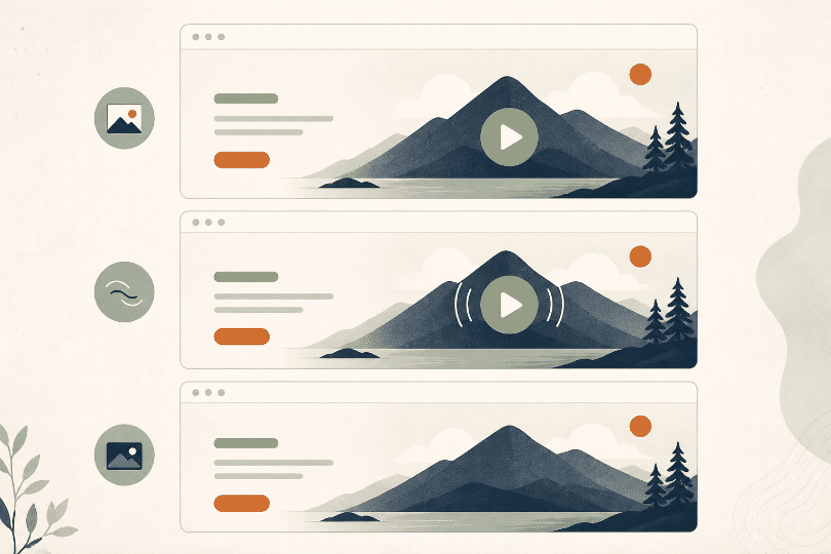
Write the three states down before opening a generation tool. This turns a vague creative review into a release gate. The poster state is what a visitor sees while the video is unavailable. The motion state is the intended experience after playback starts. The fallback state covers reduced-motion preferences, failed loading, blocked autoplay, or a deliberate choice to keep the page still.
Start with a Useful Poster Frame
The poster cannot be a random attractive frame. It needs to carry the subject, preserve the headline area, and make sense without sound or motion. If the hero advertises a theme for restaurants, the still should already show the page character or visual promise. A visitor should not need the camera move to discover the focal point.
Put the real headline and button over the poster at the narrowest planned width. Check the brightest and busiest parts of the image. If the text needs a heavy overlay merely to remain legible, the source composition is already fighting the page. Fix that still before asking motion to rescue it.
Add Motion without Moving the Message
Decide which visual element may move and which page message must remain steady. A slow camera push across a room can support a theme demo. A product card that keeps sliding behind the headline cannot. Motion should add depth or attention while the subject, copy zone, and call to action keep their jobs.
| Load state | Visitor sees | Release signal |
| Poster | Static subject, headline, and action | Page promise is clear before playback |
| Motion | Bounded movement behind stable copy | Motion adds context without hiding the action |
| Fallback | Poster or still layout remains in place | No essential meaning disappears |
These states should look related, not like three different campaigns. Use the same subject position and tonal balance across them. The test is simple: cover the video, show only the poster, and ask a reviewer to identify the offer and next action. If that answer changes when motion is removed, the hero is carrying information in the wrong layer.
Generate One Bounded Hero Candidate from Approved Art
Begin with a still that has already passed the poster review. MakeShot.ai supports both text-to-video and image-to-video work. For a WordPress hero, image-to-video is usually the more bounded starting point because the approved composition enters the generation step instead of being rebuilt from a description alone.
Choose Image to Video for Layout Control
Upload the cleared still and describe the motion rather than redesigning the whole scene. The AI Video Generator can animate a static image according to the instruction. Keep that instruction narrow: move the curtain slightly, let light travel across the wall, or push the camera forward while the central subject remains fixed.
A narrow brief gives the review something concrete to reject. If the tool changes the subject silhouette, fills the copy zone with new detail, or shifts the visual weight toward the page edge, the candidate fails even when the motion itself is smooth. Return to the approved still rather than stacking corrections on a drifting result.
Describe Camera Motion and Protected Space
Name the camera action, the protected subject, and the quiet copy area in the same instruction. Avoid a pile of style adjectives. “Slow forward camera move; keep the table and lamp in place; leave the left wall plain” is easier to inspect than a request for something cinematic, premium, dynamic, and unforgettable.
One candidate is enough for the first review. Put it beside the source still and compare the subject outline, the quiet copy area, and the crop at the narrow breakpoint. A changed silhouette or occupied copy zone is a rejection, not a prompt for reviewers to choose whichever variation feels best.
Test the Hero inside the Real WordPress Page
A video player preview does not reproduce the page. Place the candidate in the actual hero component with the real theme, fonts, headline length, button, navigation, and mobile breakpoints. The review should start with the page unloaded, then move through playback, reduced motion, and a failed-video state.
Measure the First View before Playback
Load the page with the video disabled and inspect the first screen. The poster should not jump to a different crop when the video becomes available. The headline must remain readable without a late overlay. The action button should stay in the same place. A hero that rearranges itself after playback begins makes the opening feel unstable even when the clip is small.
Check a slow connection profile as well as a normal one. Record what appears first and which element moves when the media arrives. The goal is not a universal speed number; themes, hosts, plugins, and surrounding assets differ. The pass signal is that the page communicates and remains usable while the motion asset is still absent.
Check Reduced Motion and Failed Playback
Turn on the device’s reduced-motion preference and confirm that the hero still has a complete composition. Then block the video request or replace it temporarily with a broken path. In both cases, the poster, copy, and action should remain. Do not hide essential instructions, prices, or product claims inside moving pixels.
Watch the loop with the page copy visible, then ask one reviewer to read the headline and find the button without being told where either sits. A flashing seam or recurring camera pull that interrupts that task is enough to reject the clip. Ten calm seconds in a player can become a permanent distraction on a looping page.
Know the Limits of Hero Motion on Fragile Pages
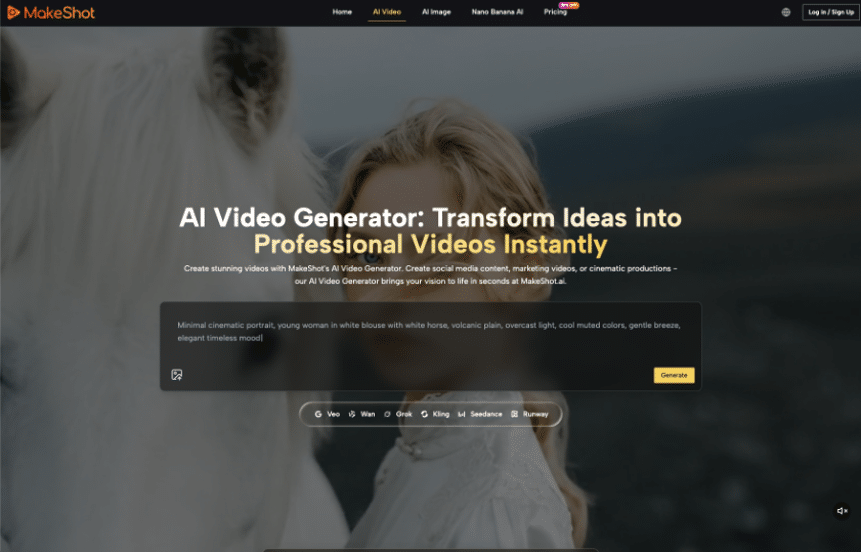
Skip the video when the poster cannot explain the offer, the page already carries heavy media, or the theme cannot preserve a stable fallback. MakeShot.ai can supply a clean candidate and its paid plans advertise watermark-free commercial use, but those benefits do not repair a weak page structure. A still hero is the better release when motion adds risk without adding meaning.
Ship Motion Only after the Static Page Passes
The strongest WordPress hero is not the one with the most visible generation work. It is the one that keeps its promise through poster, playback, and fallback states. That means approving the still first, bounding the motion request, and testing the result inside the real page rather than in an isolated player.
MakeShot.ai fits teams that already have an approved visual and a clear motion boundary. It is less useful when the page depends on generation to invent the message, fix the layout, or carry text that should remain editable. Let the static page earn release first. Motion can then add atmosphere without becoming a structural dependency.
