

Script Website Videos Before They Compete With The Page
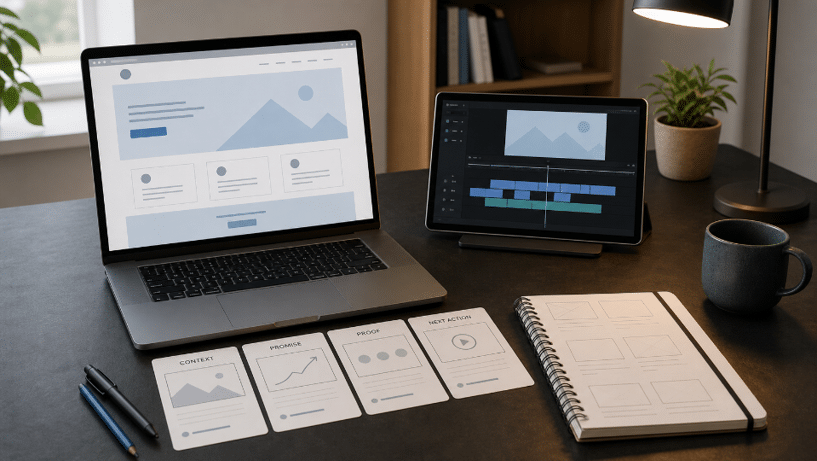
A website video can look polished and still make a WordPress page harder to understand. The hero already names the offer, the feature grid already explains the product, and the call to action already tells visitors what to do. If an AI Script Writer simply turns that copy into voice-over, the result repeats the page while asking for even more attention.
The better starting point is to give the video one job that the page cannot do as well on its own. It might show a physical change, demonstrate a sequence, or make a complicated service feel concrete. Laper is useful in that planning stage because it keeps one editable screenplay at the center while scenes, beats, characters, locations, and visual references stay connected to the same project.
Give Every Website Video One Page-Level Job
Before writing a scene, mark the exact place where the video will appear. A short clip beside the hero has a different job from a walkthrough below the feature list. The first may need to establish the situation in seconds. The second can explain a process that would otherwise take several screenshots. Treating both as a general “brand video” usually produces a script that fits neither position.
Write The Page Promise Before The Voice-Over
Copy the page’s main promise into a working note, then rewrite it as something a camera could prove. “Simple appointment booking” is still website copy. A useful visual might show an available time being selected, a confirmation arriving, and the calendar updating. The script does not need to repeat the phrase if the sequence already makes it visible.
This move also exposes vague pages. If nobody can describe what the promise looks like in action, a video will not solve the positioning problem. It will cover the gap with motion, music, and confident narration. Fix the page claim first, then decide whether a video adds evidence.
Choose The Proof A Viewer Must See
Pick one moment that earns the space and load time. For a restaurant theme, that could be a visitor moving from the menu to a reservation. For a fitness site, it could be the change from browsing class types to choosing a suitable session.
Keep the proof narrow enough to survive a short runtime. If the script needs to explain the company history, list six features, introduce a team, and demonstrate the product, it has no single page-level job. Split the material or let the page handle the parts that visitors can scan faster as text.
Turn Four Page Sections Into Four Script Beats
A useful first draft can follow four page functions: context, promise, proof, and next action. These are not mandatory screenplay acts. They are a practical bridge between a WordPress layout and a short video. Each beat should add something the surrounding section does not already provide.
Open With The Situation Not The Logo
Start with the visitor’s recognizable situation. A booking request gets lost in a message thread. A product detail is difficult to compare. A service handoff is unclear. The opening needs one visible problem, not a sequence of decorative shots. A logo can appear when the solution enters, but it should not consume the only seconds available to establish relevance.
Show The Change Across Two Clear Actions
The middle beat should contain a before-and-after relationship the viewer can follow without a paragraph of explanation. Choose two actions that cause the change. A customer selects a service and receives a clear next step. A store owner updates one product detail and the storefront reflects it. If five actions are required, the video is becoming a tutorial and should be placed where visitors expect one.
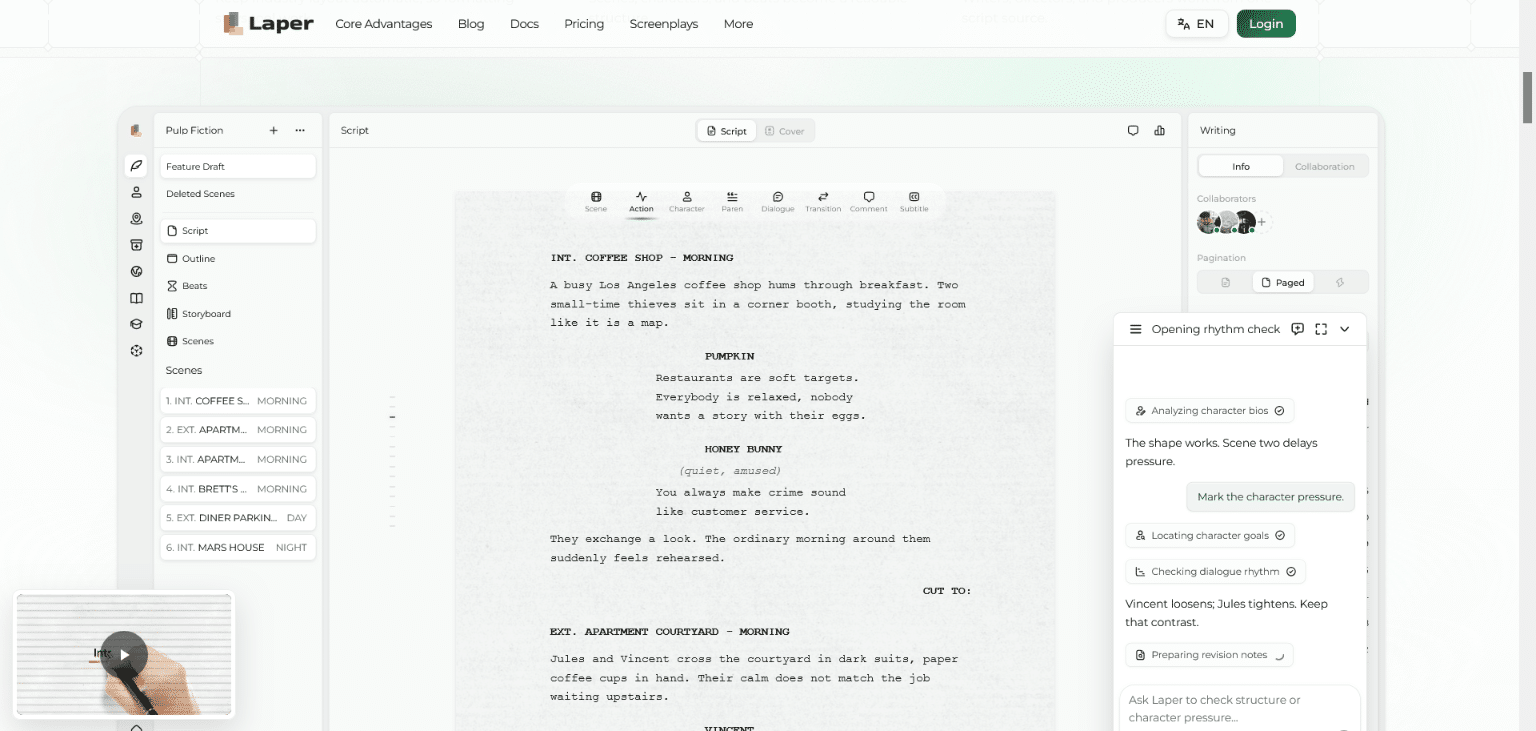
Laper stores scene headings, action, character cues, dialogue, parentheticals, and transitions as structured screenplay elements. That makes it easier to separate what the viewer sees from what a narrator says. It also prevents a page heading from being pasted into the voice-over merely because the words are already approved.
End On The Same Action As The Page
The final beat should hand attention back to the page. If the button says “View Plans,” the video should not end by asking viewers to book a call. If the page leads to a product demo, the closing frame should not introduce a newsletter.
Write the ending before polishing the middle. It gives every earlier beat a destination and makes unnecessary scenes easier to cut. A website video is not a short film that happens to sit on a webpage. It is one part of a page journey.
Cut Repeated Copy With A Structured Script Pass
Repetition often enters when the page and script are reviewed in separate tools. The copywriter shortens the hero, the video draft keeps the old version, and a storyboard still illustrates a sentence that no longer exists. By launch time, all three assets are polished but no longer agree on what the visitor should notice.
Limit Each AI Request To One Script Problem
Do not ask an AI screenplay generator to “make the whole video more engaging.” Ask whether the selected scene repeats the page promise, whether the voice-over describes an action already visible, or whether the ending introduces a different call to action. Laper can read the current focus, outline, selected scene, range, node, or a bounded full draft. That explicit scope makes the suggestion easier to inspect.
Keep the screenplay editable after every suggestion. A clean rewrite can still remove the one product step that makes the proof credible. The useful result is a change the writer can accept, reject, or revise without treating generated text as the approved source.
Attach Visual References To The Scene They Serve
Storyboard frames, location references, props, and scene stills can remain attached to the project entities that requested them. Use that connection to answer a basic review question: which sentence or action does this frame support? A stylish image with no answer is likely decoration, and decorative motion is the first thing to remove when the page already feels busy.
Audit The Video Against The Finished WordPress Page
Review the script beside the real page, not an old wireframe. Read the page once without playing the video, then play the video with the sound off, and finally listen without watching. Each pass reveals a different type of overlap.
| Review Pass | Useful Signal | Reason To Revise |
| Page only | The offer and next action are clear | The video is carrying essential copy |
| Silent video | The main change is visible | Meaning depends on long captions |
| Audio only | The narration adds context | It reads the page aloud |
| Page and video | Both lead to one action | They compete for different clicks |
The page-only pass is the most important. A visitor should not need to press play to learn the basic offer, price condition, or next step. Video controls can be missed, playback can be interrupted, and some visitors simply prefer text. Keep essential information in the page structure.
Use the other three passes to cut rather than add. Remove narration that duplicates headings. Replace a generic montage with one readable action. Shorten an ending that repeats the button beneath it. The aim is not to make the video carry more information. It is to make the page and video divide the work cleanly.
- Confirm that the first visual matches the section where the video appears.
- Check that captions do not copy nearby headings word for word.
- Keep the final action consistent with the page button.
- Reject any frame that implies a feature the page cannot support.
Publish A Video That Supports The Page
This workflow fits WordPress teams that already have a clear page promise and need a short video to demonstrate one change or process. It is less useful when the page itself is unsettled or when the video is expected to carry every feature, testimonial, and brand message at once.
Laper provides a practical place to keep the formatted script, bounded AI notes, scene structure, and visual references together. It cannot decide what a website should promise, and it does not replace page-level UX review. Give the video one job, test it beside the finished page, and let every unnecessary sentence lose the argument.
