

Best password protect plugin for WordPress in 2026
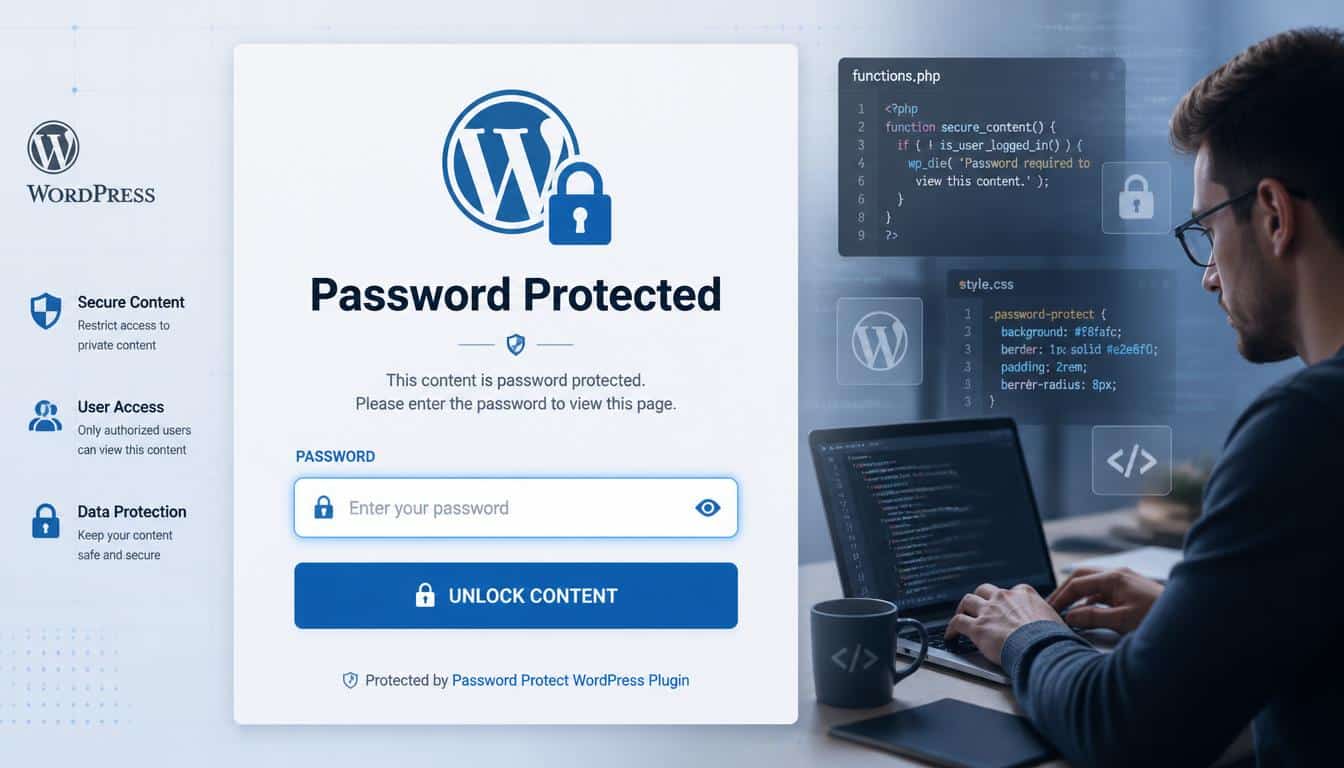
There is something strangely comforting about a locked door. Not because we always want to keep people out, but because we like knowing we get to decide who comes in.
A website works the same way. Your blog posts, client files, online courses, private photos, and business documents sometimes need a quiet little gatekeeper standing there.
In 2026, choosing the best password protect plugin for WordPress is less about simply adding a password box and more about building a smarter system of trust, privacy, and control.
Many website owners start with a simple dream: publish ideas, sell products, share knowledge, or create a community.
Then reality knocks softly. A freelancer needs a private client area. A developer needs a staging website hidden from curious visitors.
An online course creator wants members-only lessons. A small business owner needs a protected product catalog.
Suddenly, WordPress password protection plugin options become a very real decision, and picking the wrong one can feel like buying a lock that looks fancy but forgets the key.
The good news is that the WordPress ecosystem has grown massively. WordPress now supports a huge range of Password protection plugins, WordPress security plugins, membership tools, and content restriction plugins.
The right choice depends on what you are protecting, who needs access, and how much control you actually want. So yeah, it’s not just about passwords anymore.
| Plugin | Best For | Key Feature | Free Version |
| PPWP | Complete site & page protection | Passwords for pages, posts, categories | ✅ Yes |
| Password Protected | Entire website | Simple site-wide password protection | ✅ Yes |
| Passster | Membership & premium content | Partial content protection & CAPTCHA | ✅ Yes |
| WP Shield Content Protector | Content security | Prevents copying and content theft | ✅ Yes |
| SeedProd | Maintenance & coming soon pages | Password-protected landing pages | ✅ Yes |
What Makes the Best Password Protect Plugin for WordPress in 2026?
A good password protect plugin WordPress users can trust should feel invisible when it works. Nobody visits a website hoping to admire a complicated security system. They just want smooth access, quick loading, and no weird surprises.
The strongest plugins usually combine easy setup with serious protection features. A modern WordPress access restriction plugin may include page-level protection, post-level protection, user roles, subscription access, and even advanced security options.
Here are the features worth watching:
- Simple password access without confusing settings that make beginners feel lost
- Protection for pages, blog posts, client galleries, digital products, and media uploads
- Compatibility with builders like Elementor, Divi, and Gutenberg
- Multiple passwords for different user groups
- User role protection for editors, customers, and members
- Lightweight code that does not slow your website down
- Integration with membership levels and subscription systems
A password is only one piece of the puzzle. Real website privacy also involves authorization systems, secure content delivery, and proper access permissions.
A password protects the front gate, but a complete security strategy protects the whole neighborhood, kinda.
Understanding WordPress Built-In Password Protection Limitations
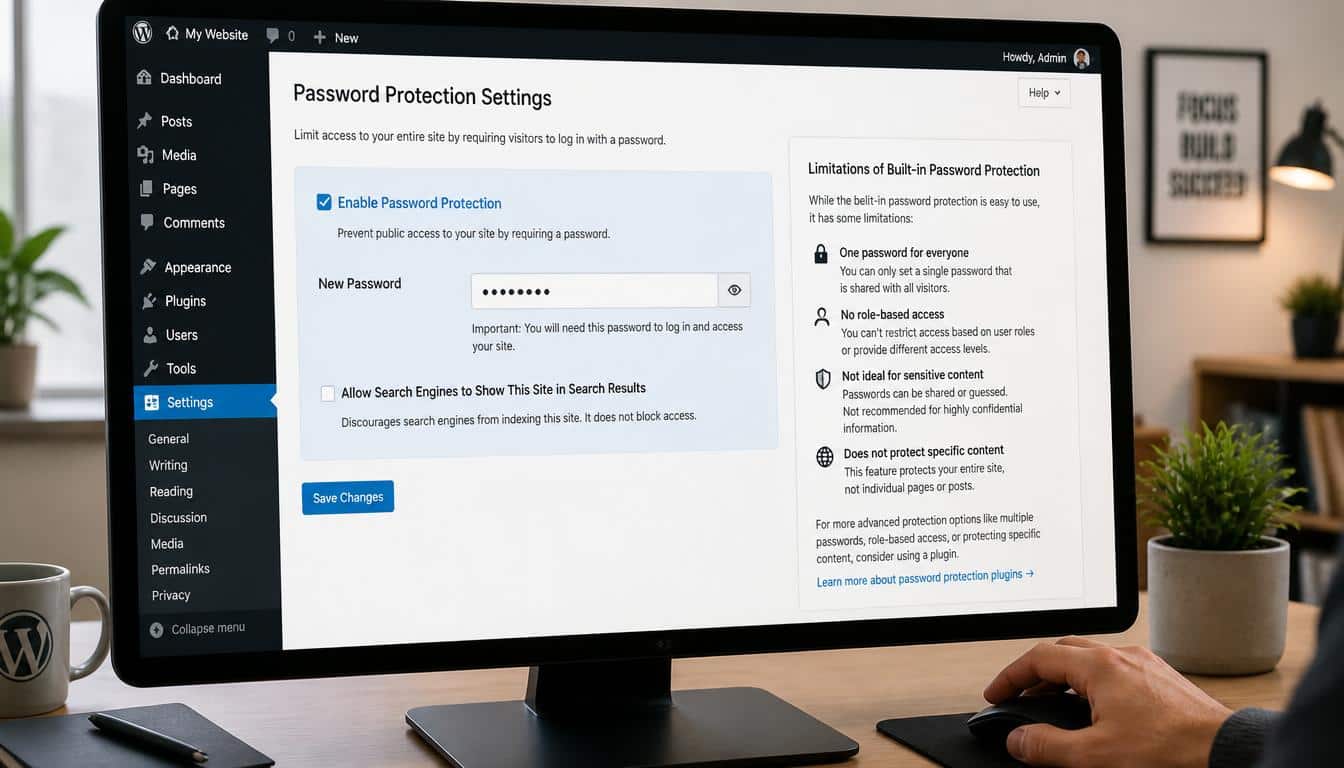
Before installing any plugin, many people ask: “Does WordPress already have password protection?” The answer is yes, but with some limitations.
The built-in WordPress password feature allows users to make individual pages and posts private with a password. It is useful for basic needs, especially if you want a quick WordPress page password protection method without extra tools.
However, it is not designed for advanced WordPress content protection. You might quickly run into problems when you need:
- Multiple passwords for different visitors
- Partial content protection inside a post
- Client portal password protection
- Membership restrictions
- WooCommerce product protection
- Detailed access rules
It is like having a small umbrella during light rain. Nice to have, but maybe not the thing you grab during a storm. For serious private website management, dedicated plugins offer more flexibility.
Password Protect WordPress (PPWP): A Strong Choice for Flexible Content Protection
Password Protect WordPress (PPWP) is often considered one of the strongest options for users searching for the best WordPress password protection plugin 2026. It focuses specifically on making protected content simple without forcing users into a complicated membership system.
PPWP works well for bloggers, agencies, developers, and businesses that need different types of protection.
Useful features include:
- Sitewide password protection
- Partial content protection
- Multiple passwords
- Password-protected pages and posts
- Client website preview protection
- Page builder compatibility
A designer once described this type of plugin perfectly: “My clients don’t need to see my entire workshop, they only need the room where their project is hanging.” That’s the idea behind partial protection. You share exactly what matters and hide the rest.
For agencies handling website redesign projects or developers working in development mode, PPWP can create a smoother WordPress development workflow. The client sees progress, search engines stay away, and nobody accidentally finds unfinished work.
Passster: Best for Partial Content Protection in WordPress
When someone asks how to password protect part of a WordPress post, tools like Passster become interesting because they focus on flexible content locking.
Not every website needs a completely private page. Sometimes you want a teaser, a protected paragraph, a hidden download, or a members-only section inside normal content.
Passster offers:
- Protected content blocks
- Gutenberg integration
- Shortcode protection
- CAPTCHA and reCAPTCHA options
- Flexible content access controls
This makes it useful for bloggers, creators, and educators who want to experiment with gated content. A recipe website might share the introduction but protect premium cooking guides. A teacher might show course details while locking the actual lessons.
Small things like this matter because visitors don’t always want another login wall. Sometimes they just need a little invitation before opening the next door.
SeedProd: Ideal for Coming Soon and Maintenance Protection
Launching a website can feel like preparing a stage before the audience arrives. You want the lights tested, the curtains fixed, and nobody walking in during rehearsal.
SeedProd is a popular choice for WordPress coming soon password protection and temporary website privacy.
It is especially useful for:
- Coming Soon pages
- Maintenance Mode
- Under construction websites
- Password pages
- Email marketing integration
The drag-and-drop builder makes creating a professional temporary page easier, even for people who are not developers. That’s a big win because website owners usually have enough tasks already, honestly.
SeedProd is not mainly a membership tool. It is more about controlling website visibility during important moments like launches, redesigns, and business transitions.
Password Protected Plugin: Simple Sitewide Locking
Some website owners do not need complicated rules. They sim ply want to lock the entire website and move on.

The Password Protected plugin style of solution focuses on straightforward sitewide password protection.
This type of plugin can help when you need:
- A private development website
- A temporary business website lock
- A simple internal website
- A hidden project preview
Its biggest advantage is simplicity. Sometimes the smartest tool is the one that does not make you read fifty settings pages before doing the one thing you came for.
MemberPress: The Choice for Membership-Based Websites
Password protection and membership protection are cousins, but they are not twins.
If you are building a paid community, online course platform, or subscription business, a dedicated membership system usually makes more sense.
MemberPress is designed around:
- Paid memberships
- Subscription management
- Content dripping
- Member levels
- Recurring payments
For creators selling premium content, this type of WordPress membership content protection plugin provides deeper control than a simple password.
Imagine an online course where beginners see lesson one, advanced members unlock additional modules, and premium subscribers access everything. That is not just password protection; that is membership management.
All-in-One Security (AIOS): Security Beyond Passwords
A secure website needs more than locked pages. Hackers usually do not politely knock and ask for a password.
All-In-One Security (AIOS) focuses on broader WordPress security features.
It includes tools related to:
- Firewall protection
- Login lockdown
- Two-factor authentication (2FA)
- Brute-force prevention
- Security hardening
A password protect plugin controls access to content. A security plugin protects the entire environment. Many serious site owners use both because they solve different problems.
Security is a little like maintaining a house. A strong door lock is great, but you still want working alarms, good lighting, and a neighbor who notices something strange.
Content Control: Managing User Roles and Permissions
For websites with different audiences, controlling who sees what becomes important.
Content Control helps website owners manage visibility based on:
- Logged-in users
- Logged-out visitors
- User roles
- Redirect rules
- Protected areas
This approach works well for businesses, communities, and internal websites where access depends on user identity instead of a shared password.
A private team dashboard, customer resource area, or employee section often needs this style of control.
How to Choose the Right WordPress Password Protection Plugin
The “best” plugin is not the same for everyone. A blogger and a membership site owner are solving completely different problems.
Choose based on your goal:
- Bloggers may prefer simple password-protected posts
- Freelancers may need private client galleries
- Developers may need temporary website protection
- Course creators need membership restrictions
- Store owners may need protected WooCommerce content
For ecommerce websites, WooCommerce users often need more than a password. They may need customer accounts, paid access, and protected digital products.
Also remember website backup. Before making major security changes, create a full backup and have a restore option ready. Tools like UpdraftPlus are commonly used for website backup management.
Can Password Protection Affect SEO?

Many website owners worry about search indexing when they hide content.
Password-protected pages are generally not treated like normal public pages because visitors and search engines cannot freely access them. If you want to prevent indexing, consider proper SEO settings such as noindex options.
Protecting private content can actually improve your SEO strategy because unfinished pages, hidden client projects, or premium resources should not appear publicly.
A hidden page is not a failed page. Sometimes privacy is the whole point.
Frequently Asked Questions About WordPress Password Protection
How do I password protect a WordPress page?
You can use WordPress’s built-in visibility settings for basic protection or install a dedicated plugin for advanced control. Plugins provide more options for passwords, users, and content rules.
Can I password protect an entire WordPress website?
Yes. Several plugins offer sitewide password protection for development mode, private websites, and temporary launches.
How do I lock part of a WordPress post?
Use a plugin that supports partial content protection. This allows you to hide sections while keeping other content visible.
Is WordPress password protection secure?
It can be effective for controlling casual access, but sensitive websites should also use strong passwords, backups, login security, and additional protections like 2FA.
What is the best WordPress membership plugin?
For paid communities and subscription websites, membership-focused plugins like MemberPress are usually more suitable than simple password tools.
WordPress Password Protect Plugin
A WordPress password protect plugin helps you secure your website content by requiring visitors to enter a password before accessing pages, posts, or files. It’s a simple way to keep private content safe without creating user accounts.
Password Protect WordPress Plugin
A password protect WordPress plugin lets you restrict access to selected content or your entire website with just a few clicks. Most plugins also support custom passwords and role-based protection.
WordPress Password Protection
WordPress password protection is an effective method for limiting access to sensitive content, client projects, or members-only resources. It improves privacy while remaining easy to manage.
WordPress Password Protect Page Plugin
A WordPress password protect page plugin allows you to lock individual pages or posts without affecting the rest of your website. This is ideal for private landing pages, client portals, or exclusive content.
WordPress Document Management Plugin
A WordPress document management plugin helps you organize, store, and securely share files from your website. Many solutions also include password protection, version control, and user access permissions.
Read This Blog: https://gracethemes.com/what-is-web-development-a-beginners-guide-to-website-building/
Final Thoughts: Finding the Best WordPress Password Protection Solution
Choosing the best password protect plugin for WordPress in 2026 is really about understanding your website’s story.
Every site has something worth protecting. Maybe it is a client project waiting for approval, a course full of knowledge, a private community, or a business idea still growing quietly.
The strongest choice depends on your needs. PPWP shines for flexible password protection. Passster helps with protected sections.
SeedProd handles temporary privacy beautifully. MemberPress manages memberships. AIOS strengthens overall security. Content Control brings smart visibility rules.
Before choosing, ask yourself a simple question: “Who should see this, and who should not?” The answer usually points toward the right tool.
A website is not only a collection of pages and files. It is a place where ideas, businesses, and relationships live. Protecting that space thoughtfully creates confidence for both you and your visitors.
If you have found a plugin that changed how you manage private content, share your experience. Your little discovery might be exactly what another website owner needs today.
