
Online Video Editing Tools: Features, Benefits, and Best Options
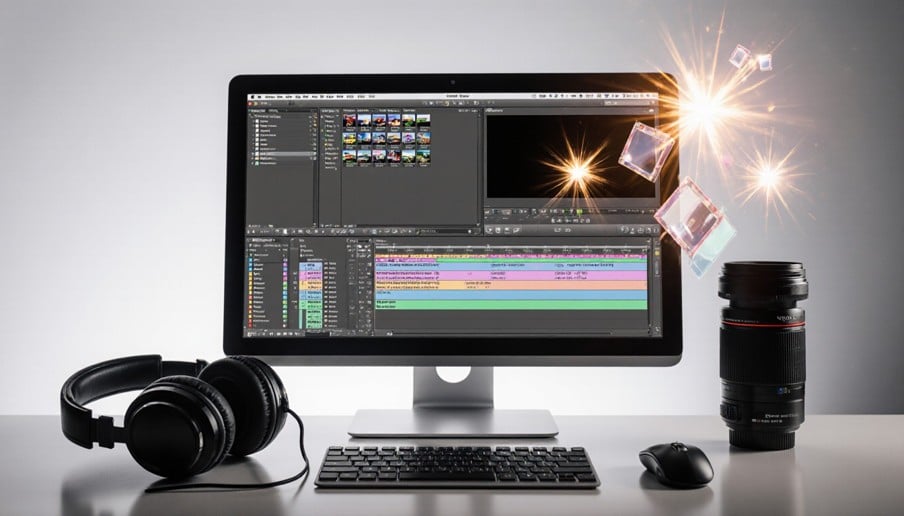
Video editing online applications have made it easy and convenient to create videos. They help you edit your videos directly through the internet. There is no need for installation of complicated software. You can cut out clips, add text, music, and effects. They are helpful for everyone, whether they are novices or experienced video makers and companies.
Most online video editing applications have many templates available for use and editing is easy. They are helpful in saving time and making video creation easy. Most online applications have different file formats and exporting facilities. Selecting the correct editor will depend on various factors.
Popular Online Video Editors
Popular online video editors allow users to produce and enhance videos without downloading complicated software. Several websites have simple editing options. Users can cut down video clips, apply transitions, add music, and modify text. Some sites also have pre-designed templates for users.
Clideo, Canva, and Adobe Express are examples of such sites. These sites cater to various requirements. Novices can use these sites to produce social media videos. Companies can use these sites to produce marketing content. It all depends on what one wants from the editor.
Essential Video Editing Features
Good online video editing tools come with features that can make the process of editing easy and efficient. The trimming and cutting feature can be used to eliminate unnecessary parts. The text feature allows one to include titles and captions. Transition is used to ensure that the transition from one scene to the other is seamless.
Audio editing allows one to regulate music and sound. The filters and effects are used to enhance the visual quality. The resizing and cropping feature is also available in some editors.
Benefits of Online Editing
- Accessibility: Edit your video on any device which is connected to the Internet.
- No Installation Necessary: Edit using editing software via a browser.
- Quick Editing Process: Edit your videos fast using easy editing tools.
- User-Friendly Interface: Create your videos even without editing skills.
- Affordable Editing Tools: Use free or cheap editing software.
- Templates for Your Videos: Use templates to edit your videos faster.
- Easily Share Files Online: Share your edited videos online with others.
- Easily Edit Your Video: Cut your clips, add music, text, and effects.
Browser Based Editing Tools
Online video editing tools permit people to make edits on videos directly from their web browser. They do not need any huge software installation or complex process. People can upload their video files and begin editing immediately. These services provide helpful functions such as cutting, trimming, adding text, and inserting music.
Online editors even have pre-designed templates and visual effects that people can use. They are compatible with various devices, such as laptops and tablets. Some tools also have cloud storage options for easy access. Online video editing tools are ideal for fast editing projects.
Video Editing For Beginners
Video editing for beginners is made much easier with the help of simple and easy-to-use online software. Such websites give users the facility of some basic tools that help them create attractive videos. Users can cut clips, join scenes, put music in the background, and include text.
Many such editors even provide templates for beginners along with tutorials to help them out. Beginners do not require any professional knowledge to begin with video editing. They can learn various functions of the editor through practice. The easy interface makes the process much simpler for beginners.
Comparing Online Editing Platforms
There are different online editing software with different features, pricing and editing capabilities. Some programs will only be concerned with basic editing while others are advanced. People can compare their interfaces, templates, the quality of their exports and the types of file formats that they can handle.
Free versions will be limited in their features or have watermarks while paid versions will have more editing capabilities. There are also those which have cloud storage capabilities and team capabilities. Another consideration is the ease of use since some people like beginner level editors.
Creating Engaging Video Content
Video content creation needs clear visuals and good storytelling. Proper editing allows you to communicate your message well. You can merge clips, use background music, and add relevant texts. Proper transitions will make your videos more appealing. Captions will also enable your viewers to understand the message.
Short videos tend to do well on social media sites. The use of proper colors, effects, and transitions will make your visuals appealing. There are online video editing tools which can make your work easy. You can also resize your videos for various platforms.
Conclusion
Video editing software on the internet has made the process of making videos very easy. The best thing about such software is that it has many features, which do not need installation of any software. You can trim your videos, put in music, write texts, and put creative effects.
Such software is good for beginners, content makers, and even companies. When comparing different editing software, one can find what suits him/her well. Things like cost, features, user-friendly nature, and quality of exports should be looked into. It saves time and space when using browser-based software.
FAQ’s
What features should a video editor have?
Features such as trimming, cropping, transitions, text, filters, and audio editing are important.
Is it possible to use online video editors for business purposes?
Yes, one can make videos for promotion, advertisement, and other needs.
Is it possible to export videos in HD quality?
Yes, many online editors allow exporting videos in HD quality.
How to choose a video editor?
One should consider the features, pricing, simplicity, export quality, etc.
