

Nano Banana 2 vs Pro: Choosing the Right Tool for Each Image
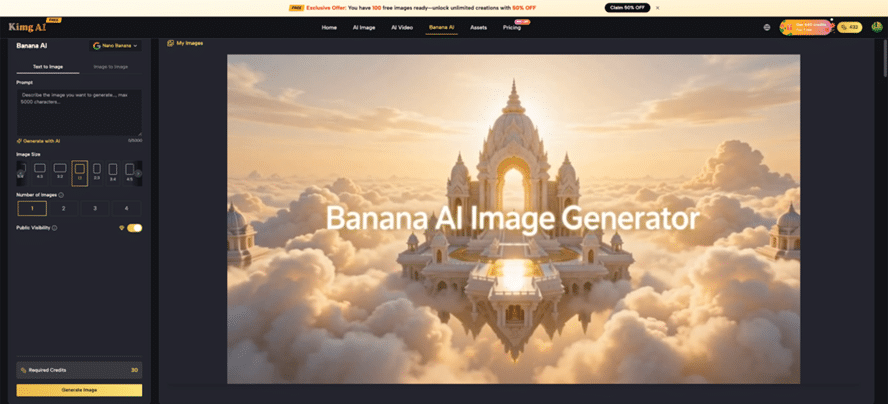
In many creative workflows, most image tasks do not actually require the heaviest model in the stack. On Kimg AI, the Banana AI family (Nano Banana, Nano Banana 2, Nano Banana Pro) is designed around this reality: fast, practical results for the majority of work, with an elite option reserved for the few moments when perfection truly matters. For anyone comparing image tools, Banana AI becomes the strategic entry point into this system, especially when Nano Banana 2 and Nano Banana Pro are used with clear roles in mind.
I. Why Most Workloads Fit Nano Banana 2
1. Everyday Visual Tasks Don’t Need Overkill
- Many projects only require strong clarity, solid composition, and convincing style, not microscopic perfection.
- Nano Banana 2 already delivers high‑quality outputs suitable for social posts, product visuals, concept art, and blog illustrations.
- For these cases, using the most advanced Pro model for every single draft often adds time without bringing visible benefit to most audiences.
2. Speed and Iteration Beat Tiny Quality Gains
- Nano Banana 2 focuses on fast generation and efficient batch output, letting teams try multiple ideas in minutes.
- Being able to generate multiple variations in one go means more options to choose from before any polishing phase.
- When creative direction is still fluid, quick cycles matter more than subtle detail differences that only specialists will notice.
3. Strong Enough for Public-Facing Work
- In many everyday scenarios, Nano Banana 2 comes close to the perceived quality of Pro, especially for online and in‑app viewing.
- For banners, emails, common ad creatives, and thumbnails, viewers typically cannot distinguish Nano Banana 2 from Nano Banana Pro at a glance.
- As long as compositions are clear and textures look natural, Nano Banana 2 delivers results that already feel polished to most audiences.
II. What Nano Banana 2 Does Especially Well
1. Text to Image for Concepts and Campaigns
- Nano Banana 2 is well suited for transforming written prompts into clear visuals that communicate an idea quickly.
- Marketers and creators can sketch different campaign directions, moods, and compositions without commissioning early-stage artwork.
- This makes it ideal for decks, internal reviews, and A/B testing creative ideas before committing to high-end production.
2. Style Experiments and Mood Boards
- Nano Banana 2 offers rich style control, which is valuable for exploring aesthetic directions such as minimalist, cinematic, anime, or painterly looks.
- Teams can build mood boards or visual guidelines using text prompts plus a few reference images.
- Because generation is fast, it becomes realistic to explore dozens of style variations in a single working session.
3. Asset Libraries for Reuse
- Nano Banana 2 outputs are well suited for building asset banks: icons, background plates, UI illustrations, and simple product scenes.
- Such assets usually appear at moderate resolutions or after resizing, where Pro-level micro‑detail adds little visible value.
- Using Nano Banana 2 here keeps the process efficient, while still delivering consistent, recognizable brand visuals.
III. Role of Nano Banana and Banana AI in the Workflow
1. Nano Banana for Quick, Flexible Editing
- On Kimg AI, Nano Banana acts as a capable Banana AI Image Editor with strong text‑guided editing and good scene preservation.
- It supports up to 4 reference images on Kimg AI, allowing style‑ and character‑consistent edits across a compact set of assets.
- This makes Nano Banana ideal for quick retouching, background changes, or maintaining continuity across a small group of images.
2. Banana AI as the Accessible Front Door
- The Banana AI Image page on Kimg AI focuses on an easy process: choose text‑to‑image or image‑to‑image, write a prompt, adjust batch size, and generate.
- Banana AI works well for creators who want a straightforward Banana AI Image Generator that handles concept creation and editing in one place.
- Its guided steps—selecting mode, entering prompts, configuring outputs, then reviewing—make the tool approachable even for non‑specialists.
3. When to Use Banana AI Instead of Nano Banana 2
- For users who primarily need a simple workflow for text‑to‑image and practical editing, Banana AI alone can already cover a large share of daily tasks.
- It offers a balance of control and simplicity without requiring deep knowledge of all model settings.
- Teams can start with Banana AI to standardize their process, and bring Nano Banana 2 or Nano Banana Pro into the pipeline only when higher control or fidelity is required.
IV. The 10%: When Nano Banana Pro Is Worth It
1. Hero Images and Flagship Campaigns
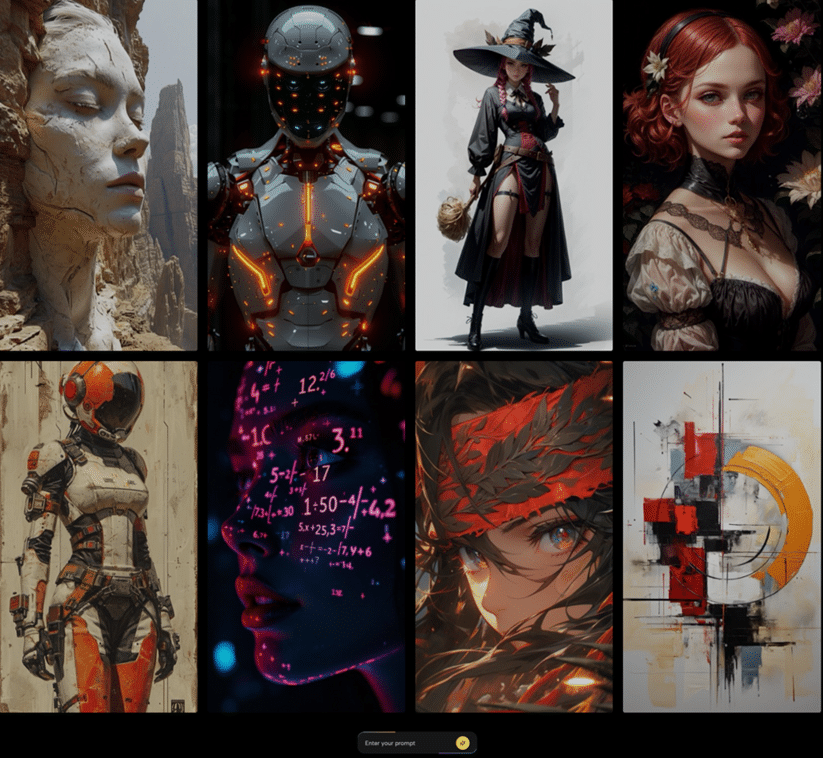
- Nano Banana Pro is tuned for the highest visual fidelity in the Banana AI family, with more refined detail and more natural rendering in complex scenes.
- It shines when producing hero images for homepages, key ad creatives, or portfolio pieces that must look outstanding even under close inspection.
- In these rare but crucial cases, the extra processing effort becomes a worthwhile trade for superior results.
2. Complex Multi-Subject Scenes
- Nano Banana Pro handles complex compositions, such as multi‑character scenes, intricate environments, and rich lighting setups, more reliably.
- For storyboards, promotional art, or visual narratives where several subjects must interact believably, this extra competence matters.
- Creators can rely on Pro to produce fewer artifacts and more coherent spatial relationships in these demanding setups.
3. Final Output for High-Resolution Use
- On Kimg AI, images can be generated up to 4K resolution, and Nano Banana Pro is designed to deliver strong sharpness and detail at that level.
- For prints, large on‑screen displays, or crops that keep only part of the image, the extra clarity from Pro is more noticeable.
- A common pattern is to draft and iterate with Nano Banana 2, then regenerate the approved concept with Pro for the final export.
V. Practical Workflow: 90% Nano Banana 2, 10% Pro
1. Start Broad with Banana AI and Nano Banana 2
- Begin on the Banana AI Image interface to define prompts and quickly test different directions with text‑to‑image or image‑to‑image modes.
- Once a general direction is clear, switch to Nano Banana 2 when more control over resolution and references is needed.
- Use Nano Banana 2’s multi‑image support and higher reference limit to explore refined variations while keeping the process quick.
2. Reserve Nano Banana Pro for Shortlisted Shots
- After narrowing down concepts, pass only the top candidates to Nano Banana Pro.
- Rebuild or refine those images at 4K using Nano Banana Pro for maximum sharpness, subtle detail, and more convincing complex scenes.
- This funnel‑style approach ensures that Pro is used only where its strengths directly support business or creative goals.
3. Use Kimg AI’s Broader Toolset Around Banana AI
- Alongside the Banana AI Image Generator, Kimg AI includes models such as Seedream and Flux that support fast ideation and context‑aware editing.
- Users can edit, outpaint, fuse images, remove backgrounds, and then turn stills into motion with Veo, staying inside a single environment.
- This integrated workflow helps teams move from first prompt to final asset while shifting between Nano Banana, Nano Banana 2, and Nano Banana Pro only when necessary.
VII. How to Decide: Simple Rules of Thumb
1. Use Nano Banana 2 When…
- The main target is online or in‑app visuals where speed and volume are critical.
- You need to manage many reference images to keep style consistent across a wide set of outputs.
- You are still exploring concepts, and final selection has not been locked in.
2. Use Nano Banana Pro When…
- The image will act as a flagship visual: cover art, main landing page hero, or a key campaign centerpiece.
- The scene is complex, with several characters, detailed environments, or demanding lighting that must hold up in 4K.
- You already validated the idea with Nano Banana 2 and now want the best possible final version.
VIII. Getting the Most out of Banana AI on Kimg AI
For teams and individual creators, the most efficient approach is not to force everything through Nano Banana Pro, but to treat the Banana AI stack like a tiered creative system. Fast ideation and heavy use of Nano Banana 2 handle the majority of production, while Nano Banana Pro is reserved for the critical 10% of images that must look flawless at high resolution and withstand close scrutiny. Used this way, Kimg AI becomes not just a Banana AI Image tool, but a complete image workflow: from first prompt on the Banana AI page to carefully finished, Pro‑grade 4K artwork ready for launch.
