

Hours Ago Calculator: Easily Find What Time It Was Hours Before Now
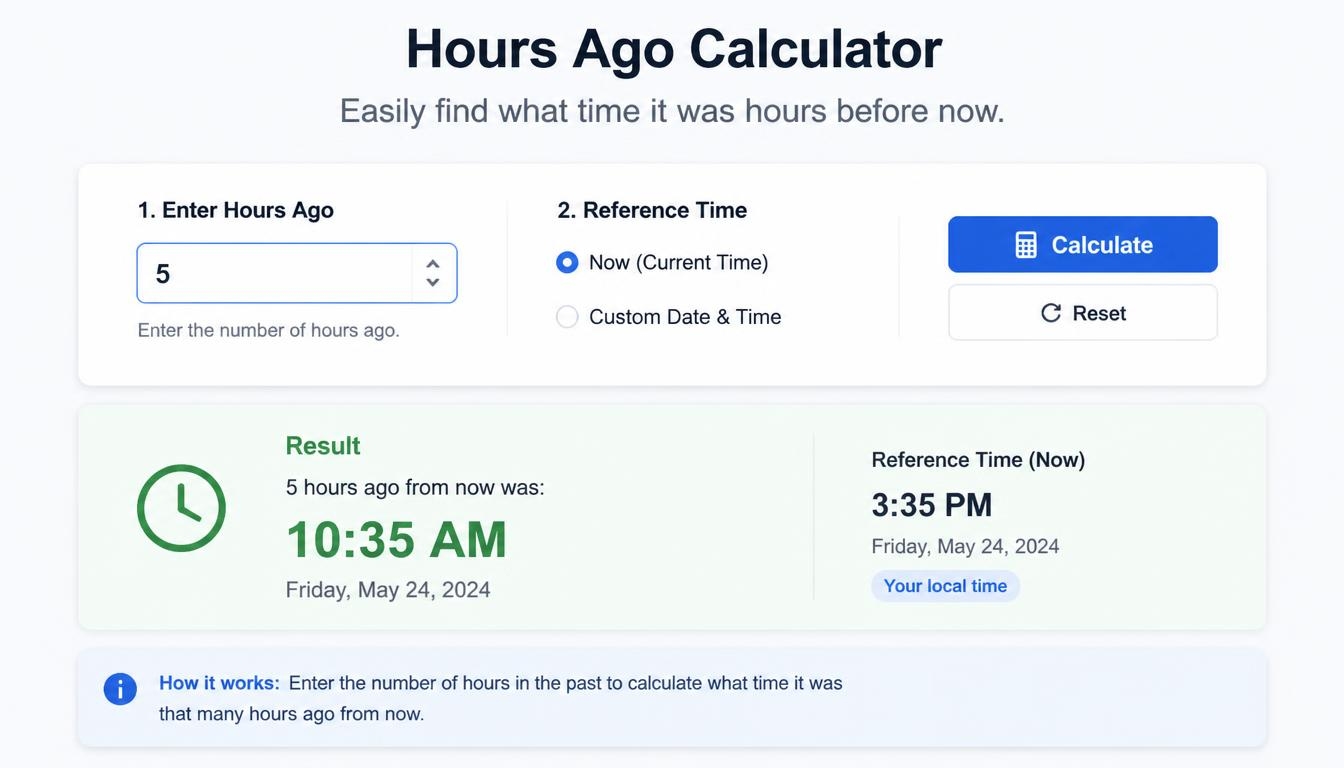
Time has a funny way of slipping through our fingers. One moment you’re checking your phone at lunchtime, and somehow the next moment it’s already evening.
You might remember receiving a message, finishing a meeting, taking medicine, or starting a journey, but the exact time has become a little blurry. We’ve all been there, honestly.
That’s where an Hours Ago Calculator becomes surprisingly useful. Instead of staring at a clock and trying to work backwards, you can use a simple time calculation to discover exactly what time it was a few hours ago.
Whether you want to calculate one hour ago, twelve hours ago, or even several days in the past, this tool makes the process much easier.
The best part? You don’t need to be good at mathematics or understand complicated calendar calculations. Enter the number of hours and minutes, press the calculate button, and let the calculator do the work.
From remembering an important conversation to checking an event’s timeline, knowing how to calculate Hours Ago from Now can save time and prevent unnecessary confusion.
Let’s explore how this calculator works, how to use it correctly, and why such a small time tool can be useful in everyday life.
What Is an Hours Ago Calculator?
An Hours Ago Calculator is an online time tool that helps you determine the exact clock time and date that occurred before a selected starting time.
In its simplest form, it takes the Current Local Time, subtracts a chosen number of hours or minutes, and displays the result. The calculation can also move backwards across midnight, previous dates, and even several calendar days.
For example, imagine your current time is 7:30 PM and you want to know what time it was five hours ago.
The calculator subtracts five hours and gives you 2:30 PM on the same day.
Now imagine you want to know what time it was 12 hours ago. The answer would be 7:30 AM.
Simple, right? But there’s more to it than just subtracting numbers from a clock.
A useful Time Calculator can handle different time formats, minutes, seconds, and date changes without requiring you to calculate each part manually.
It is especially helpful when you need an accurate Time in the Past rather than an approximate answer.
How Does the Hours Ago Calculator Work?
The basic idea behind this calculator is time subtraction. It starts with an initial time, identifies the duration you want to go backwards, and calculates the resulting time.
Most online calculators follow three simple steps:
- Enter the hours: Decide how many hours before the current time you want to check.
- Add minutes if necessary: Include additional minutes to make the calculation more precise.
- Calculate the result: Press the calculate button to display the previous time and date.
For instance, suppose your initial time is 7:30 PM and you want to calculate what happened 3 hours and 45 minutes earlier.
The result is 3:45 PM.
The calculator performs the entire Time Calculation automatically, so you don’t need to worry about carrying minutes or adjusting the hour manually.
Some tools also let you enter an initial time instead of automatically using the current clock. This is particularly useful when checking an event that happened yesterday or working with a recorded timestamp.
A reliable calculator should also recognize whether the result belongs to today, yesterday, or an earlier date.
Hours Ago Calculator: Find the Exact Time Before Now
The main purpose of an Hours Ago Calculator is to answer a question that sounds simple but can become confusing: What time was it a certain number of hours ago?
Let’s look at a few everyday examples.
Assume the current time is 7:30 PM.
- 1 hour ago: 6:30 PM
- 2 hours ago: 5:30 PM
- 3 hours ago: 4:30 PM
- 4 hours ago: 3:30 PM
- 5 hours ago: 2:30 PM
- 6 hours ago: 1:30 PM
- 7 hours ago: 12:30 PM
- 8 hours ago: 11:30 AM
- 9 hours ago: 10:30 AM
- 10 hours ago: 9:30 AM
- 11 hours ago: 8:30 AM
- 12 hours ago: 7:30 AM
These examples make it easier to understand how the clock moves backwards.
However, the actual result depends on the starting time. If your current time is 2:15 AM and you subtract four hours, the answer isn’t 10:15 PM today. It is 10:15 PM on the previous day.
This is why an online calculator is more reliable than simply guessing from the clock.
How to Calculate Hours Ago Manually
You don’t always need an online tool to find a previous time. With a little understanding of time subtraction, you can calculate it yourself.
The easiest approach is to convert the starting time into minutes, subtract the required duration, and then convert the result back into hours and minutes.
For example:
Suppose the starting time is 6:40 PM and you want to find the time 2 hours and 20 minutes ago.
- Starting time: 6:40 PM
- Subtract 2 hours: 4:40 PM
- Subtract 20 minutes: 4:20 PM
Your final answer is 4:20 PM.
The Basic Time Subtraction Formula
The general formula is:
Previous Time = Starting Time − Elapsed Duration
For a more technical calculation, convert the clock time into minutes after midnight.
Total Minutes = (Hours × 60) + Minutes
Then subtract the required duration in minutes.
For example, 6:40 PM in 24-hour notation is 18:40.
- 18 × 60 = 1,080 minutes
- Add 40 minutes = 1,120 minutes
- Subtract 140 minutes = 980 minutes
- 980 minutes = 16:20
The result is 4:20 PM.
This method works even when the subtraction crosses midnight, provided you also adjust the calendar date when necessary.
Hours Ago from Now: What Time Was It 24, 48, or 72 Hours Ago?
Calculating larger time intervals can be a little confusing because the result may fall on another calendar date.
Here’s a useful distinction: subtracting 24 hours means going back exactly one day, not simply changing the clock by a few numbers.
Let’s consider a starting time of 7:30 PM on November 19, 2026.
- 1 hour ago: 6:30 PM, November 19.
- 12 hours ago: 7:30 AM, November 19.
- 24 hours ago: 7:30 PM, November 18.
- 48 hours ago: 7:30 PM, November 17.
- 72 hours ago: 7:30 PM, November 16.
- 96 hours ago: 7:30 PM, November 15.
Notice how the clock time stays the same when subtracting complete 24-hour periods, while the date changes.
This is particularly helpful when checking old messages, tracking an event, or remembering when something happened during the previous week.
For longer intervals, a Past Time Calculator is generally more convenient than manually counting calendar days.
Calculate Hours and Minutes Ago Together
Sometimes the answer isn’t a whole number of hours.
You might need to calculate 1 hour and 15 minutes ago, 4 hours and 35 minutes ago, or even 12 hours and 50 minutes ago.
This is where an Hours and Minutes Calculator becomes useful.
Consider these examples using 7:30 PM as the starting time:
- 30 minutes ago: 7:00 PM
- 45 minutes ago: 6:45 PM
- 1 hour and 15 minutes ago: 6:15 PM
- 2 hours and 30 minutes ago: 5:00 PM
- 3 hours and 45 minutes ago: 3:45 PM
- 5 hours and 20 minutes ago: 2:10 PM
- 8 hours and 15 minutes ago: 11:15 AM
- 10 hours and 40 minutes ago: 8:50 AM
The calculator combines both time units and produces a single result.
You can also subtract seconds if your calculator supports more detailed input. This matters when working with timestamps that need greater precision.
For ordinary everyday calculations, however, hours and minutes are usually enough.
Understanding Time Formats: 12-Hour and 24-Hour Clocks
A good time calculator should make its results easy to understand, regardless of which clock format you prefer.
There are two commonly used systems.
12-Hour AM/PM Format
The 12-hour clock divides the day into two periods:
- AM represents the period from midnight until just before noon.
- PM represents the period from noon until just before midnight.
For example:
- 8:00 AM means morning.
- 12:00 PM means noon.
- 3:00 PM means afternoon.
- 8:00 PM means evening.
- 12:00 AM means midnight.
This format is familiar to many people because it is commonly used on smartphones, household clocks, and everyday conversations.
24-Hour Format
The 24-Hour Format uses numbers from 00:00 to 23:59.
Here are a few conversions:
| 12-hour format | 24-hour format |
| 12:00 AM | 00:00 |
| 2:00 AM | 02:00 |
| 6:30 AM | 06:30 |
| 12:00 PM | 12:00 |
| 3:30 PM | 15:30 |
| 7:30 PM | 19:30 |
| 10:00 PM | 22:00 |
| 11:45 PM | 23:45 |
The 24-hour clock is especially useful for travel schedules, medical records, international communication, and professional timekeeping.
When calculating time backwards, either format works perfectly. Just make sure you interpret AM and PM correctly.
Why Does the Date Change When You Calculate Hours Ago?
One of the most common mistakes people make while subtracting time is forgetting about midnight.
A digital clock resets after 11:59 PM and starts again at 12:00 AM. However, time itself doesn’t stop or restart. The calendar simply moves to the next day.
Imagine your current time is 2:30 AM on November 19.
You want to calculate what time it was six hours ago.
The calculation takes you backwards across midnight:
- Starting time: 2:30 AM, November 19.
- Subtract 2 hours and 30 minutes to reach midnight.
- Subtract another 3 hours and 30 minutes.
- Final result: 8:30 PM, November 18.
The answer belongs to the previous date.
A proper Time and Date Calculator handles this automatically.
This feature becomes even more useful when calculating 24, 48, 72, or 96 hours backwards, because the result may involve several previous dates.
Hours Ago Time Chart: A Quick Reference Guide
Sometimes you don’t need a detailed calculation. You just want a quick reference to understand how far backwards a particular duration takes you.
The following chart uses 7:30 PM on November 19, 2026, as its starting point.
| Hours ago | Previous time | Previous date |
| 1 hour | 6:30 PM | Nov 19 |
| 2 hours | 5:30 PM | Nov 19 |
| 3 hours | 4:30 PM | Nov 19 |
| 4 hours | 3:30 PM | Nov 19 |
| 5 hours | 2:30 PM | Nov 19 |
| 6 hours | 1:30 PM | Nov 19 |
| 12 hours | 7:30 AM | Nov 19 |
| 18 hours | 1:30 AM | Nov 19 |
| 24 hours | 7:30 PM | Nov 18 |
| 36 hours | 7:30 AM | Nov 18 |
| 48 hours | 7:30 PM | Nov 17 |
| 72 hours | 7:30 PM | Nov 16 |
| 96 hours | 7:30 PM | Nov 15 |
This Hours Ago Time Chart is useful as a quick guide, although your actual results will change according to the starting time.
For a specific minute or second, using a calculator is still the better choice.
Everyday Situations Where an Hours Ago Calculator Helps
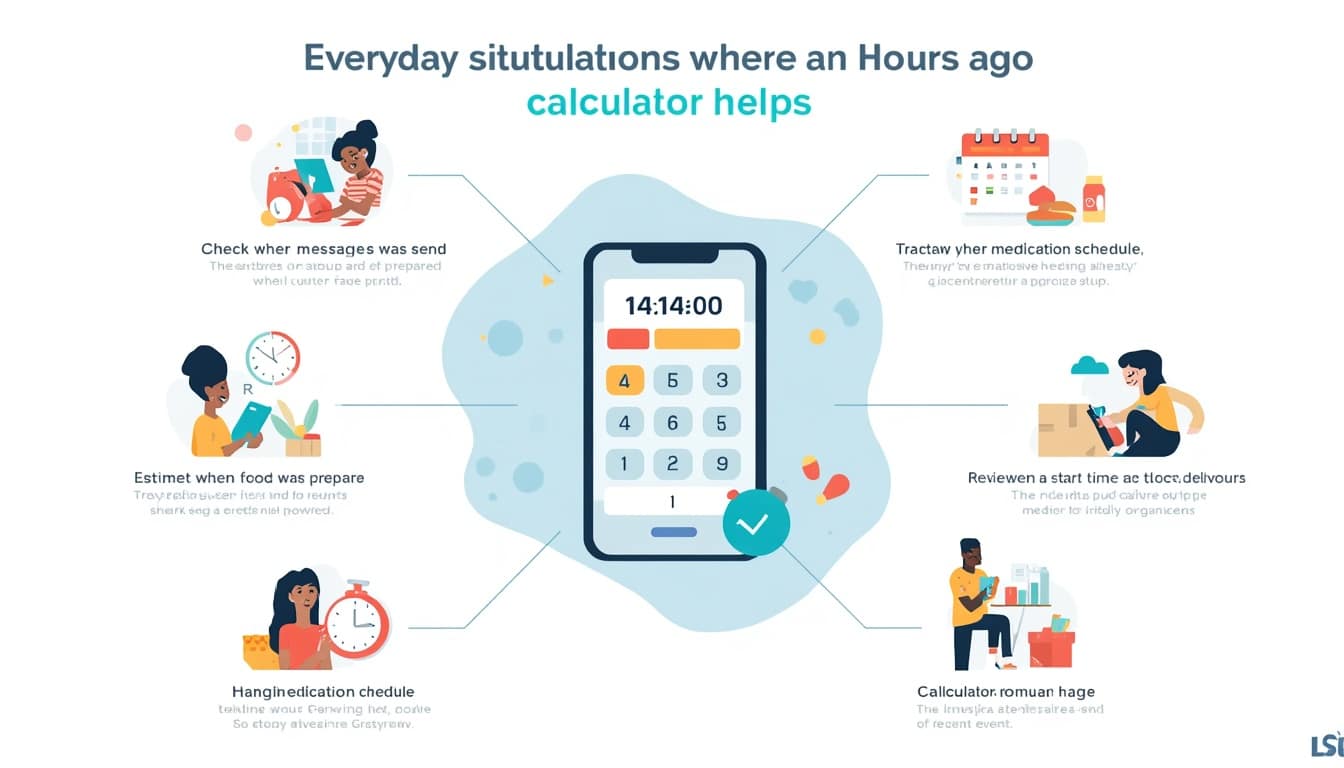
Time calculations may sound like something reserved for office work or complicated schedules, but they’re actually part of ordinary life.
Here are a few situations where this little tool can make things easier.
Remembering When Someone Sent a Message
Have you ever opened a messaging app and wondered when a particular message arrived?
Maybe someone contacted you five hours ago, but you can’t remember whether it was before lunch or during the afternoon.
An Hours Ago Calculator can help you work backwards from the current time and identify the approximate message time.
Checking Work and Meeting Schedules
Professionals often need to review when a meeting started, when a task was completed, or how long ago a colleague shared an update.
Subtracting hours and minutes makes these details easier to organize.
Travel and Transportation Planning
Travelers sometimes need to calculate when they left a location or when a particular journey began.
If you know the current time and approximate journey duration, calculating the previous time can help reconstruct your schedule.
Remembering Personal Events
Perhaps you started cooking dinner, received an important phone call, or began watching a movie several hours ago.
Small details can become surprisingly difficult to remember once the day gets busy.
A past-time calculator gives you a simple way to reconstruct those moments.
Reviewing Digital Activity
People who manage websites, social accounts, and online projects often work with timestamps.
Calculating the time before now can help them understand when an update was published or when a particular activity occurred.
Just remember that the displayed time may depend on the platform’s timezone and timestamp settings.
How Time Zones Affect Hours Ago Calculations
Time zones are another important detail, especially when communicating with people in different countries.
Your local clock may show 7:30 PM, while someone in another country is already experiencing the next morning.
An Hours Ago Calculator generally uses the starting time and timezone supplied to it. If the tool automatically reads your device clock, the result usually reflects your device’s local settings.
For international calculations, make sure you know which timezone the original timestamp represents.
For example, a meeting scheduled at 10:00 AM in one country may correspond to a different local time elsewhere.
Daylight saving time can also affect calculations in locations that observe it.
During a daylight saving transition, a local clock may move forward or backward by one hour. Therefore, subtracting a duration across that transition may not always match a simple subtraction from the displayed clock numbers.
For accurate international work, use a date-and-time tool that supports timezone selection rather than assuming every location follows the same clock.
Hours to Minutes, Seconds, and Days: Understanding Time Conversion
Time conversion is closely connected to calculating past time.
Once you understand the relationship between hours, minutes, and seconds, working with different durations becomes much easier.
Here are the basic conversions:
| Time unit | Equivalent |
| 1 hour | 60 minutes |
| 1 hour | 3,600 seconds |
| 2 hours | 120 minutes |
| 6 hours | 360 minutes |
| 12 hours | 720 minutes |
| 24 hours | 1,440 minutes |
| 24 hours | 1 day |
| 48 hours | 2 days |
| 72 hours | 3 days |
| 96 hours | 4 days |
Hours to Minutes
To convert hours into minutes, multiply the number of hours by 60.
For example:
5 hours × 60 = 300 minutes.
This conversion is helpful when working with an Hours to Minutes calculator or manually subtracting a longer duration.
Hours to Seconds
One hour contains 3,600 seconds.
Therefore:
3 hours × 3,600 = 10,800 seconds.
An Hours to Seconds conversion is particularly useful when working with detailed timestamps or technical records.
Hours to Days
To convert hours into days, divide the number of hours by 24.
For example:
72 hours ÷ 24 = 3 days.
This makes it easier to understand longer intervals without counting each hour separately.
Common Mistakes to Avoid When Calculating Hours Ago
Even a simple time calculation can produce the wrong result if you overlook a small detail.
Here are some common mistakes worth avoiding.
- Ignoring midnight: Remember that subtracting enough hours can move the result into the previous calendar day.
- Mixing up AM and PM: A result of 7:00 AM is very different from 7:00 PM.
- Forgetting minutes: Subtracting 2 hours and 30 minutes is not the same as subtracting just 2 hours.
- Using the wrong starting time: Make sure the initial time is accurate before calculating.
- Ignoring time zones: International timestamps may not match your device’s local clock.
- Overlooking daylight saving changes: Some locations adjust their clocks seasonally.
- Confusing elapsed hours with calendar dates: Exactly 24 elapsed hours and one calendar day can behave differently around certain clock changes.
A little attention to these details can prevent a surprising amount of confusion.
Hours Ago Calculator vs. Hours from Now Calculator
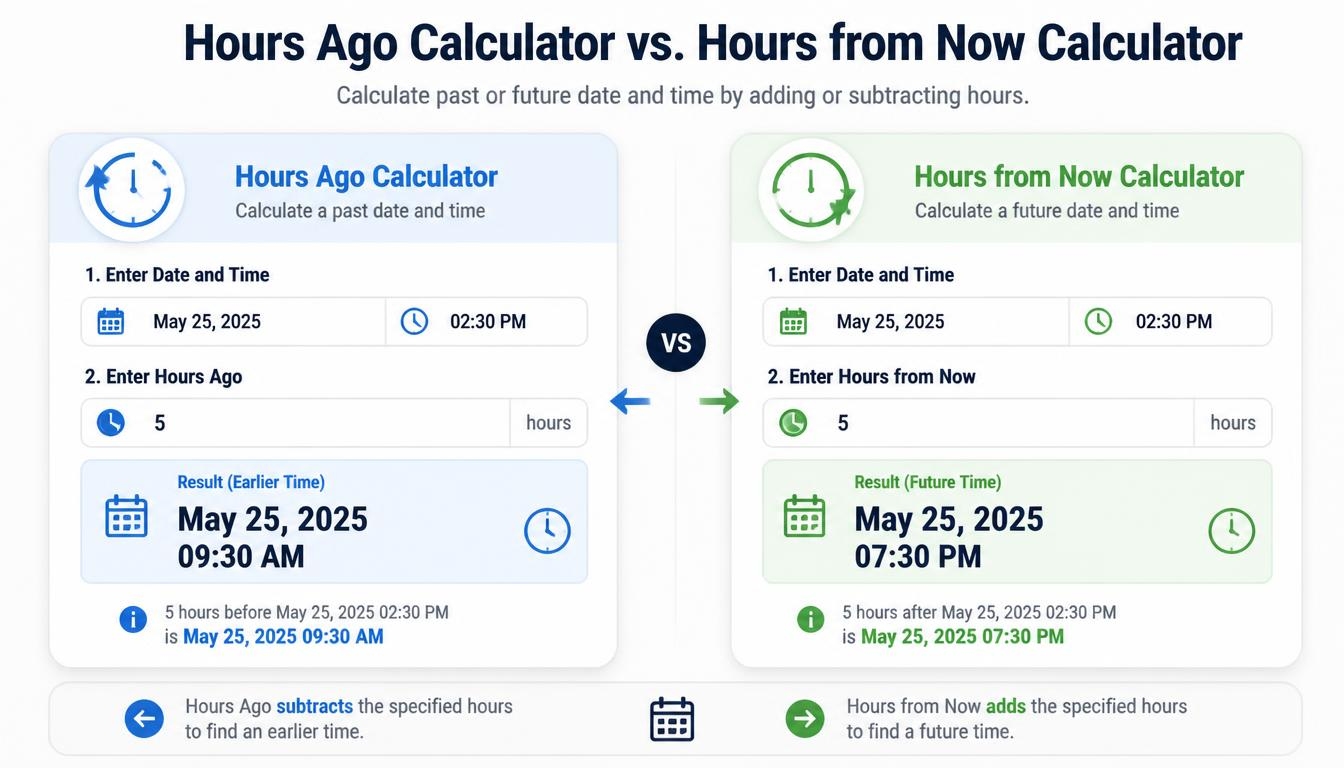
These two calculators sound similar, but they perform opposite operations.
An Hours Ago Calculator subtracts a duration from a starting time.
An Hours from Now Calculator adds a duration to the current time.
For example, suppose the current time is 7:30 PM.
- 3 hours ago = 4:30 PM.
- 3 hours from now = 10:30 PM.
Both tools are useful for different situations.
Use a past-time calculator when you want to discover when something happened.
Use a future-time calculator when you want to plan when something will happen.
Other related tools include a Time Difference Calculator, Date Calculator, Minutes Ago Calculator, and Time Duration Calculator.
Together, these online time tools make it easier to manage appointments, understand elapsed time, and plan your daily activities.
Frequently Asked Questions About the Hours Ago Calculator
What is an Hours Ago Calculator used for?
An Hours Ago Calculator helps you find the exact time and date before a selected starting time. You can enter hours and minutes to calculate when something happened in the past.
How do I calculate what time it was 1 hour ago?
Simply subtract one hour from your current time. For example, if it is 8:45 PM, one hour ago was 7:45 PM.
What time was it 2 hours ago?
Subtract two hours from your starting time. If the current time is 7:30 PM, the result is 5:30 PM on the same date.
How do I calculate what time it was 12 hours ago?
Subtract 12 hours from the current clock time. For example, 7:30 PM minus 12 hours equals 7:30 AM on the same day.
What time was it 24 hours ago?
Twenty-four hours ago is exactly one elapsed day earlier. If it is 7:30 PM on November 19, the result is 7:30 PM on November 18, assuming no unusual clock adjustment affects the local time.
What time was it 48 hours ago?
Forty-eight hours equals two days. Subtracting 48 hours from 7:30 PM on November 19 gives 7:30 PM on November 17.
Can I calculate hours and minutes ago together?
Yes. Most time calculators allow you to enter both hours and minutes. For example, you can calculate 3 hours and 25 minutes ago without performing separate calculations.
Does an Hours Ago Calculator show the previous date?
A date-aware calculator can display both the previous time and its corresponding calendar date. This is particularly useful when the calculation crosses midnight.
Can I use an Hours Ago Calculator in 24-hour format?
Yes. You can use the 24-hour clock to calculate past times. For example, 19:30 minus four hours equals 15:30.
Is an online Hours Ago Calculator accurate?
It can provide an accurate mathematical result when the starting time, duration, and timezone are correct. For calculations involving daylight saving changes, choose a tool that properly supports timezone-aware date and time arithmetic.
How do I calculate 72 hours ago?
Divide 72 hours by 24 to understand the duration: it equals three days. Subtracting 72 hours from 7:30 PM on November 19 gives 7:30 PM on November 16.
Can I calculate seconds ago?
Some advanced time calculators support seconds as well as hours and minutes. If your tool does not include seconds, you can convert them into minutes or use a more detailed timestamp calculator.
What is the difference between a Time Calculator and a Time Difference Calculator?
A Time Calculator can add or subtract durations from a starting time. A Time Difference Calculator generally measures the interval between two separate times or dates. Both are useful, but they answer slightly different questions.
14 hours ago
14 hours ago means subtracting 14 hours from the current time to find the exact previous time and date.
17 hours ago
To find the time 17 hours ago, simply subtract 17 hours from the current local time.
What time was it 8 hours ago
Find out what time it was 8 hours before now by subtracting eight hours from the current clock time.
7 hours ago
Seven hours ago refers to the exact time you get by moving seven hours backwards from the present time.
What time was it 6 hours ago
Calculate the time six hours before now to quickly identify the previous clock time and date.
Read More: https://gracethemes.com/how-long-until-2105/
How to Get the Most Accurate Result From an Hours Ago Calculator
Getting an accurate result isn’t complicated, but a few sensible habits can make the process much smoother.
First, check whether the calculator automatically uses your current local time or requires you to enter an initial time.
If you’re calculating something that happened earlier today, using the current clock is usually enough. However, if you’re reconstructing an event from another date, enter the original starting time rather than relying on today’s clock.
Next, enter the complete duration.
Don’t leave out those extra 15 or 30 minutes just because they seem insignificant. Small differences can matter when you’re checking an appointment, reviewing a schedule, or comparing timestamps.
Finally, check whether the result displays the date as well as the time. This is especially important for calculations involving 12, 24, 48, or more hours.
These small checks make your Time Calculation more dependable and help you avoid mistakes.
Final Thoughts: Make Time Calculations Simple
Time moves forward whether we’re paying attention or not. Sometimes we remember an event perfectly but forget the exact hour it happened. Other times, we simply need to know what the clock showed a few hours earlier.
That’s why an Hours Ago Calculator is such a practical little tool.
It removes the guesswork from time subtraction, handles hours and minutes together, and helps identify previous dates when a calculation crosses midnight. Whether you’re checking one hour ago, calculating 24 hours backwards, or finding a time several days in the past, the process becomes much simpler.
The next time you catch yourself counting backwards on your fingers or repeatedly looking at the clock, let a calculator handle the numbers instead.
And remember, accurate timekeeping isn’t always about complicated schedules or professional planning. Sometimes it’s just about finding one little moment in the past without getting your calculations all mixed up.
Use the calculator, check your result, and make every minute count. Time may not wait for anyone, but at least finding out where it has been doesn’t have to be difficult.
