

Fully Managed Dedicated Servers: Benefits, Features and How to Choose the Right Solution
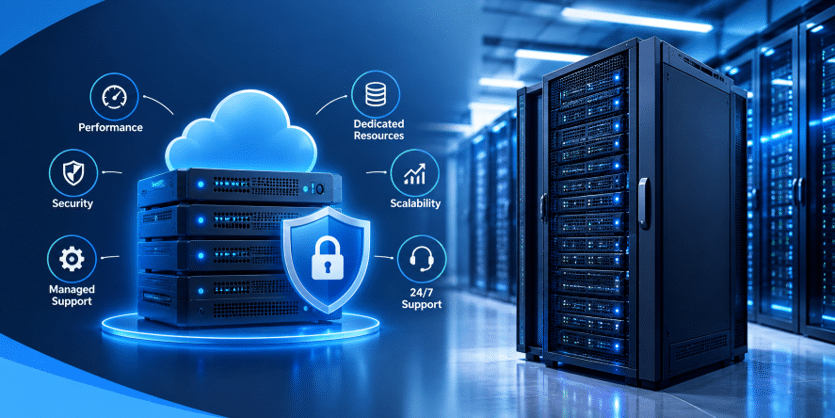
As websites, applications, and online businesses grow, their hosting requirements often become more demanding. Higher traffic, larger databases, complex applications, security requirements, and the need for consistent performance can make basic hosting environments difficult to manage. At this stage, businesses often start looking for infrastructure that provides dedicated resources without requiring their internal team to handle every technical server task.
Fully Managed Dedicated Servers are designed for businesses that want the resources and control of a dedicated physical server while having experienced technical professionals handle important server-management responsibilities. This type of infrastructure can help organizations focus on their websites, applications, customers, and business operations instead of spending excessive time maintaining server infrastructure.
However, choosing a managed dedicated server should not be based solely on the amount of RAM, CPU cores, or advertised monthly price. Businesses should also evaluate management services, security, monitoring, backups, hardware quality, network performance, scalability, technical support, and the provider’s ability to respond when something goes wrong.
This guide explains how managed dedicated server infrastructure works, its major benefits, important features, potential limitations, cost considerations, and the factors businesses should evaluate before selecting a solution.
What Is a Managed Dedicated Server?
A managed dedicated server is a physical server allocated exclusively to one customer while the hosting provider handles some or most of the technical administration associated with the infrastructure.
With traditional unmanaged dedicated hosting, the customer may be responsible for installing operating-system updates, configuring security settings, monitoring resources, troubleshooting services, managing backups, and maintaining the server environment.
A managed solution shifts many of these responsibilities to the hosting provider’s technical team. The exact services vary between providers, so businesses should carefully check what is included before purchasing a plan.
A managed dedicated server can therefore provide a combination of dedicated physical resources and professional server administration. This can be particularly useful for businesses that require dedicated infrastructure but do not have an internal system administrator or DevOps team available around the clock.
The underlying server remains dedicated to the customer, while management services help keep the infrastructure maintained and monitored.
How Managed Dedicated Server Hosting Works
A dedicated server is a physical machine located within a professional data center. Unlike shared hosting, the physical hardware is assigned to one customer rather than being shared among unrelated customers.
The server can contain a powerful processor, substantial RAM, SSD or NVMe storage, network interfaces, and other hardware selected according to the workload.
After the server is provisioned, the operating system and required applications can be configured. Depending on the management package, the hosting provider may then take responsibility for tasks such as server monitoring, software updates, security patches, troubleshooting, backups, and other administrative activities.
The customer can use the infrastructure to host websites, ecommerce stores, databases, APIs, SaaS applications, business systems, media platforms, or other workloads.
The exact level of management is important. Some providers may offer basic monitoring and operating-system updates, while others may provide comprehensive administration and application-level support.
Therefore, the word “managed” should never be treated as a universal service standard. Always check the actual scope of support before signing a contract.
What Does Server Management Include?
Server management can cover a wide range of technical responsibilities.
Operating-system management is one of the most common services. This can include installing updates, applying security patches, configuring system services, and maintaining the basic server environment.
Monitoring is another important component. A managed hosting team may monitor CPU usage, RAM, disk space, storage performance, network connectivity, system services, and server availability. Monitoring can help identify problems before they become major outages.
Security management may include firewall configuration, security updates, malware monitoring, access controls, and other server-hardening activities.
Backup management can involve creating scheduled backups, storing backup copies separately, monitoring backup jobs, and assisting with restoration when required.
Technical troubleshooting can also be part of a managed service. If a server service stops working or a configuration issue affects the application, the provider’s technical team may investigate and resolve the infrastructure-level problem.
However, businesses should confirm whether application-level troubleshooting is included. Some providers manage the server operating system but do not troubleshoot custom application code.
Benefits of Managed Dedicated Servers
Dedicated Physical Resources
One of the biggest advantages of dedicated hosting is exclusive access to physical resources.
CPU, RAM, storage, and other server resources are allocated to one customer. This can provide more predictable resource availability than environments where multiple customers share the same physical infrastructure.
For resource-intensive applications, this can be particularly useful when consistent computing capacity is important.
Professional Server Administration
Running a physical server requires ongoing technical maintenance. Security updates, service configuration, monitoring, troubleshooting, and performance optimization can require considerable expertise.
A managed service can reduce this administrative burden by providing access to technical professionals who handle defined infrastructure tasks.
This allows business owners and internal teams to spend more time on their core operations.
Greater Server Control
Dedicated infrastructure provides substantial control over the server environment.
Organizations can typically select operating systems, software configurations, storage arrangements, security policies, server applications, and other components according to their requirements.
This flexibility can be valuable when an application requires specific software versions or configurations that are difficult to support on standardized hosting platforms.
Improved Resource Predictability
Because the physical server is dedicated to one customer, unrelated customers are not consuming the same physical CPU and RAM resources.
This can make resource planning easier for applications with consistent or demanding workloads.
Security Management
A managed server can provide an additional layer of operational security because the provider’s technical team can help maintain the operating system, monitor the server, and apply relevant security updates.
However, businesses should remember that hosting management does not eliminate application-level security responsibilities. Websites, databases, plugins, APIs, user accounts, and application code still need appropriate protection.
Technical Support
When infrastructure problems occur, having access to technical support can significantly reduce the amount of time a business needs to spend diagnosing server-level problems.
The value of support depends heavily on the provider’s response time, expertise, availability, and scope of service.
Businesses should therefore review support policies carefully instead of assuming that every managed service provides the same level of assistance.
Performance and Reliability
Performance is one of the primary reasons businesses consider dedicated infrastructure.
A dedicated physical server can provide substantial CPU, RAM, storage, and network capacity. This can make it suitable for websites and applications with demanding workloads.
However, server hardware is only one part of performance.
Application architecture, database queries, caching, content delivery, image optimization, server configuration, network routing, and code quality can all influence the final user experience.
For example, increasing server RAM may not solve a website’s performance problem if the underlying issue is inefficient database queries.
Similarly, a powerful processor cannot compensate for poorly optimized application code in every situation.
A good managed hosting service should therefore combine appropriate hardware with monitoring and infrastructure optimization.
Businesses should monitor measurable performance indicators such as CPU utilization, RAM consumption, storage I/O, network traffic, server response time, error rates, and application performance.
Security and Server Management
Server security requires continuous attention.
A dedicated server hosting provides greater control over the environment, but that control also creates responsibility. Operating systems, server software, applications, databases, and administrative accounts need to be maintained properly.
A managed service can assist with infrastructure-level security by applying patches, configuring firewalls, monitoring services, restricting unnecessary access, and identifying certain server-level issues.
Strong access control is particularly important. Administrative access should be restricted to authorized users, unnecessary services should be disabled, and authentication should be configured securely.
Businesses should also consider DDoS protection, malware detection, intrusion monitoring, firewall configuration, secure remote access, and backup protection according to their risk profile.
Security should be treated as an ongoing process rather than a one-time server configuration.
Backups and Disaster Recovery
A reliable backup strategy is essential for businesses operating important websites and applications.
A server can experience hardware failure, accidental deletion, software problems, cyber incidents, configuration errors, or other events that result in data loss.
A managed hosting provider may offer automated backups, but businesses should understand exactly how the backup system works.
Important questions include how frequently backups are created, where they are stored, how long they are retained, whether backups are isolated from the main server, and how quickly data can be restored.
Testing restoration is equally important. A backup that has never been tested may not provide the expected protection during an emergency.
For critical applications, organizations may also consider maintaining multiple backup copies and storing at least one copy separately from the production environment.
Managed Dedicated Servers for Businesses
Growing businesses often reach a point where hosting infrastructure becomes an important part of their operations.
A corporate website may begin with basic hosting but eventually handle more visitors, larger databases, customer portals, integrations, and business applications.
A dedicated managed environment can provide the computing resources required for these workloads while reducing the amount of server administration handled internally.
This can be particularly useful for businesses without a dedicated infrastructure team.
Instead of spending internal resources on operating-system maintenance and server monitoring, the business can rely on its hosting provider for defined infrastructure tasks while focusing on sales, marketing, product development, customer service, and other business activities.
Managed Servers for Ecommerce Websites
Ecommerce websites can have complex infrastructure requirements.
An online store may need to manage product catalogs, customer accounts, orders, payment systems, inventory, search functionality, analytics, APIs, images, and databases.
Traffic can also change significantly during promotions, seasonal sales, product launches, or marketing campaigns.
A dedicated server can provide substantial physical resources for an ecommerce platform, while managed services can help with server maintenance and monitoring.
However, hosting alone does not guarantee ecommerce performance.
Database optimization, caching, image compression, CDN configuration, application architecture, payment security, and website code also need attention.
For larger ecommerce operations, a dedicated server may be part of a broader infrastructure involving separate application servers, databases, load balancing, caching layers, and backup systems.
Managed Servers for Web Applications
Modern web applications can have significantly different infrastructure requirements from traditional websites.
SaaS platforms, customer portals, APIs, business applications, and subscription platforms may require background processes, databases, queues, APIs, authentication systems, and custom software environments.
Dedicated infrastructure can provide the flexibility required to configure these components.
A managed service can further reduce the operational workload by helping maintain the underlying server environment.
Before selecting hardware, businesses should understand the application’s behavior. CPU-intensive applications may need powerful processors, while memory-intensive workloads may require additional RAM. Database-heavy applications may benefit from high-performance storage.
Choosing hardware based only on the number of CPU cores or amount of RAM can therefore lead to inefficient infrastructure decisions.
Managed vs Unmanaged Dedicated Servers
The primary difference between managed and unmanaged dedicated hosting is responsibility.
With unmanaged hosting, the customer generally has greater responsibility for server administration. This can include operating-system maintenance, security updates, software configuration, monitoring, troubleshooting, and other technical tasks.
With managed hosting, the provider takes responsibility for some or many of these tasks.
Managed hosting can be useful for businesses that do not have dedicated server administrators. It can also reduce the time internal developers need to spend on infrastructure maintenance.
Unmanaged hosting can make sense for organizations with experienced system administrators or DevOps teams that want direct control over the infrastructure.
Neither approach is universally suitable. The correct choice depends on the organization’s technical capabilities, budget, security requirements, and desired level of control.
Dedicated Server Hosting in India
Businesses serving customers in India may evaluate infrastructure based on network performance, data-center location, support availability, compliance requirements, and overall service quality.
When researching hosting providers in India, businesses should look beyond the advertised server specifications.
Processors and RAM are important, but they are only part of the infrastructure. Network connectivity, storage technology, bandwidth policies, backup infrastructure, hardware replacement procedures, monitoring, support response times, and management services can significantly affect the overall hosting experience.
Businesses should also verify the actual location of the infrastructure if geographic placement is important to their application.
For applications with specific data-residency or compliance requirements, contractual documentation and infrastructure details should be reviewed carefully before deployment.
What Affects Dedicated Server Pricing?
Dedicated server pricing can vary substantially between configurations.
The processor, CPU cores, RAM, storage type, storage capacity, RAID configuration, bandwidth, network port speed, operating system, control panel, management services, backup options, security services, and data-center location can all influence the final cost.
Managed services can also increase the monthly price because the provider is taking responsibility for additional technical tasks.
Businesses should therefore calculate total cost rather than comparing only the advertised base server price.
For example, a low-cost unmanaged server may require additional spending on system administration, monitoring, backups, security tools, and technical staff.
A more expensive managed plan may include several of these services.
The right comparison should therefore consider the complete infrastructure and operational requirements.
How to Choose the Right Managed Dedicated Server
Start by identifying your actual workload.
Analyze current CPU usage, RAM consumption, storage requirements, database size, network traffic, peak visitors, application processes, and expected growth.
Next, identify the type of processor your workload requires. CPU-intensive applications may benefit from high-performance processors, while other workloads may benefit more from additional memory or faster storage.
Storage should also be selected according to the application. SSD or NVMe storage can be valuable for workloads with frequent read and write operations, while high-capacity storage may be more important for applications managing large datasets.
Network requirements should also be reviewed. Consider bandwidth limits, network speed, expected traffic, redundancy, latency, and the geographic distribution of users.
Finally, evaluate the management service itself. Confirm what the provider actually handles and what remains your responsibility.
Questions to Ask Before Choosing a Provider
Before purchasing a managed dedicated server, businesses should ask several practical questions.
First, determine exactly what is included in server management. Does the provider handle operating-system updates, security patches, monitoring, firewall configuration, service troubleshooting, and backups?
Next, ask about support availability. Is technical support available 24/7? How are critical infrastructure incidents escalated? What is the expected response time?
Backup policies should also be clarified. Ask how frequently backups are created, where they are stored, how long they are retained, and whether restoration assistance is included.
Hardware failure procedures are equally important. Find out how quickly failed components are replaced and whether the provider has spare hardware available.
Businesses should also ask about upgrade options. A growing application may eventually require additional RAM, storage, CPU capacity, or a
Frequently Asked Questions
- What is a fully managed dedicated server?
A fully managed dedicated server is a physical server exclusively assigned to one customer, where the hosting provider handles important server-management tasks such as monitoring, maintenance, security updates, backups and technical support. - What are the benefits of managed dedicated server hosting?
Managed dedicated hosting provides dedicated physical resources, greater server control, professional technical management, improved resource predictability, security maintenance, monitoring and technical support. - How much does a managed dedicated server cost?
The cost depends on the processor, RAM, storage, bandwidth, management services, backup options, security features, software licenses and data-center location. Managed services can increase the overall cost because they include additional technical administration. - Is a managed dedicated server good for ecommerce websites?
Yes. It can be suitable for ecommerce websites with high traffic, large databases, demanding applications or complex infrastructure requirements. However, performance also depends on website optimization, caching, database configuration and network performance. - What is the difference between managed and unmanaged dedicated servers?
With managed hosting, the provider handles defined server administration tasks such as monitoring, updates, security maintenance, and troubleshooting. With unmanaged hosting, the customer is responsible for most server administration and maintenance.
