

Five Free Image-to-Image Platforms Worth Knowing in 2026—Starting With the One That Focuses on It
AI image generation in 2026 has moved well past the novelty phase. Most tools can now produce a striking sample on the first try. The harder problem is what happens on the fifth try, the tenth, and especially when the starting point is not a blank prompt but a specific photo, sketch, or product shot that needs to become something else entirely. This is where image-to-image transformation earns its place. It is one thing to generate an image from words. It is another to take a real asset and push it into different visual directions while holding onto what matters. Free access matters, but usefulness matters more, and finding a free platform that actually supports iterative work rather than just a few trial generations can save a lot of wasted time.
After spending time with several free platforms that offer image-to-image capabilities, this article focuses on five that stand out in 2026 for different reasons. The first, Image to Image, leads this list because it treats image-to-image transformation as the central product experience rather than as one feature among many. The others each solve a slightly different version of the same creative problem, and the right choice depends on whether the priority is model range, design polish, quick editing, community discovery, or raw creative flexibility.
How Free Platforms Differ Once Real Work Begins
A free platform reveals its true character not in the first generation but in the tenth. Some tools feel effortless for a quick restyle but offer no path toward more demanding tasks. Others provide deep creative power but demand technical patience that many users do not have. The difference between a useful free platform and a shallow one often comes down to how it handles the core image-to-image question: can it preserve what matters in the source image while making the transformation feel intentional?
Judging platforms on sample galleries alone misses the point. What matters is whether a user can upload a reference image, describe the desired transformation, and get a result that respects the original while adding real creative distance. Some platforms excel at style transfer but drift on subject identity. Others keep the composition locked down so tightly that every variation feels like a subtle filter. The most useful free tools find a working balance between these extremes and let the user stay in control of that balance.
1. Toimage AI: The Platform That Puts Transformation First
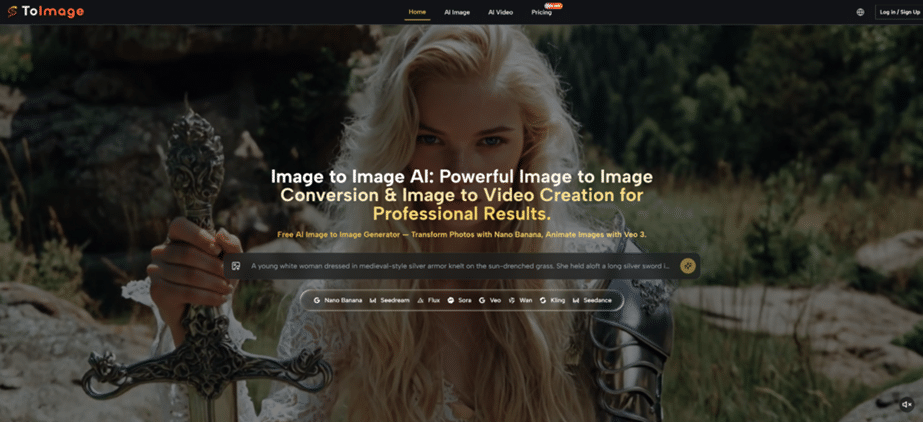
Toimage AI earns its place at the top of this list because it is built from the ground up with image-to-image as the core workflow. Instead of treating transformation as a secondary tab inside a broader photo editor or text-to-image tool, the platform orients the entire experience around uploading a source image and exploring what that specific image can become.
What Sets It Apart in This Group
The most meaningful difference is model depth. Toimage AI does not route every job through a single engine. It surfaces different model paths for different needs: Nano Banana for reference-led realism and multi-image consistency, Nano Banana Pro for sharper output and better text rendering within images, Flux Kontext for controlled editing with strong layout preservation, and Seedream for fast iteration. A user can start with a simple style restyle and, without leaving the platform, move into more demanding product transformations or image-to-video experiments. This range matters because a platform that offers only one way to transform an image limits what users can attempt over time.
In practical use, the upload-to-export path is clean. No account is required to begin, and outputs are watermark-free with full commercial usage rights across all plans, including the free tier. The file support covers PNG, JPG, and GIF within a 10MB limit. Multiple reference images are supported through Nano Banana, which helps when character consistency or multi-shot product styling is the goal.
The trade-offs are worth noting. Users who prefer a single-button experience may find the model selection step requires more decision-making than they want. The platform rewards users who bring clear prompts and a sense of which visual direction they want, and vague instructions produce vague results. For rapid, low-effort transformations, some of the simpler tools on this list may feel more immediate.
Who It Fits Best
Toimage AI is the strongest pick for users who work from existing visual assets and need the most creative headroom. It suits content creators testing multiple variations from one product shot, concept artists exploring style directions, and marketers who need watermark-free commercial outputs without navigating complex licensing. Users who only want to apply a quick filter to a selfie may not need its full depth.
2. Adobe Firefly: For Users Who Care About Refinement and Design Integration
Adobe Firefly offers image-to-image capabilities within a broader generative AI suite that connects directly to the Adobe ecosystem. It is not a standalone transformation tool in the same way as Toimage AI, but for users already working inside Photoshop, Illustrator, or Express, it provides a familiar and polished path from source image to transformed output.
Where Firefly Performs Well
The platform handles text-guided image editing with strong integration into Adobe’s existing design tools. Generative Fill, background replacement, and style transfer all live alongside traditional editing features, which means a user can generate a variation and immediately refine it with professional-grade tools in the same environment. The output quality benefits from Adobe’s training data approach, and the results tend to look clean and commercially safe.
The free tier provides a limited number of generative credits per month, which should be verified on the Adobe website before committing to a workflow. The limitation to note is that Firefly does not treat image-to-image as a separate, dedicated workflow in the way Toimage AI does. It is one capability inside a much larger creative suite, which can feel powerful for users who want that breadth but less focused for those who want transformation to be the center of the experience.
Who It Fits Best
Firefly is the logical choice for Adobe users who already pay for Creative Cloud and want AI-assisted image transformation inside their existing toolset. It rewards users who value refinement and polish over rapid exploration across multiple model types. Those who work entirely outside the Adobe ecosystem may find the platform’s integration strengths less relevant.
3. Canva: For Users Who Need Results Without Friction
Canva has steadily added AI capabilities to its design platform, and the image-to-image functionality lives inside a tool that millions of users already know. The emphasis is on speed and accessibility. Users can upload a photo and apply AI-driven style transformations, background replacements, and enhancement effects without leaving the familiar Canva interface.
What Makes It Useful
The workflow is as simple as it gets. Upload an image, select from a range of AI effects or describe a transformation, and Canva produces a result that fits into the user’s existing design project. There is no model selection to navigate and no technical learning curve. This is both a strength and a limitation. The transformations lean toward clean, design-ready outputs rather than the kind of dramatic creative reinterpretation that model-rich platforms can produce.
The free tier offers a generous set of features, though premium AI effects and higher-resolution exports are part of the paid plans. The background removal tool, a frequent companion to image transformation work, is included. For users who need a quick visual variation for a social media post or presentation slide, Canva’s AI tools deliver with minimal friction. The trade-off is that users who want to explore multiple distinct style directions or need reference-image-based consistency across variations will find the creative range narrower than what Toimage AI or NightCafe offers.
Who It Fits Best
Canva is the best fit for users who already work inside the platform for design tasks and want AI transformation to feel like a natural extension of their existing workflow. It is ideal for social media managers, educators, and small business owners who need image variations that look polished enough to publish without requiring deep creative experimentation.
4. NightCafe: For Users Who Want Model Variety and Community Discovery
NightCafe is a long-running AI art platform that aggregates multiple generative models under one roof, including Stable Diffusion variants, Ideogram, DALL-E 3, and Flux. Its image-to-image functionality sits alongside a broad set of creation modes and a community feed where users share prompts and results.
What the Platform Offers for Transformation Work
NightCafe supports sketch-to-image and photo-to-style transformations through its model routing system. Users can select which engine to use for a given task and benefit from the community-driven prompt inspiration that the platform encourages. The daily credit system provides free generations each day, with higher-resolution outputs and premium models costing more credits. Users who log in daily accumulate credits, which makes it possible to sustain a regular creation habit without payment.
The community dimension is a genuine differentiator. Users can see what prompts and settings others are using and learn from successful transformations. For exploration and inspiration, this adds value beyond the raw generation capability. The limitation is that NightCafe’s image-to-image path is not as streamlined as Toimage AI’s focused workflow. It lives inside a platform where text-to-image art creation is the primary identity, and users seeking a dedicated transformation environment may find the interface more involved than necessary.
Who It Fits Best
NightCafe suits hobbyists and artists who enjoy the social and exploratory side of AI image generation. It works well for users who want to experiment across different models, learn from a community, and do not mind managing a credit system in exchange for free daily access to premium engines.
5. OpenArt: For Users Who Want Editing Depth and Creative Upscaling
OpenArt positions itself as a comprehensive AI image and short-form video creation platform. It aggregates a wide range of models and offers editing tools that go beyond simple style transfer, including inpainting, background removal, image enhancement, and upscaling. Its image-to-image capabilities live inside this broader editing suite.
Where OpenArt Adds Value
The platform’s standout feature for image-to-image users is the editing depth. Beyond basic transformation, users can refine specific areas of an image, upscale to higher resolutions for final delivery, and generate variations from a reference image with meaningful control over how much the source influences the output. The model aggregation covers a broad set of engines, which gives users creative flexibility similar in spirit to what Toimage AI offers, though the interface organizes these capabilities differently.
The credit system requires attention. Different actions cost different amounts of credits, and free users receive a daily allowance that covers basic operations but limits access to premium models and higher-resolution exports. The platform is generous in what it offers for free, but users who plan to generate many variations per session may hit the credit ceiling faster than expected. For users who value editing precision and upscaling alongside transformation, OpenArt offers a capable and versatile free tier.
Who It Fits Best
OpenArt fits users who want transformation and editing in one environment and are willing to learn a credit system in exchange for access to a broad model library. It works particularly well for those who need inpainting, enhancement, and upscaling as part of the same workflow that includes image-to-image conversion.
A Quick Comparison Across the Five Platforms
| Platform | Primary Strength | Free Tier Character | Best For |
| Toimage AI | Dedicated image-to-image workflow with multiple model paths | No-account start, watermark-free commercial outputs | Creators and marketers working from real assets needing range |
| Adobe Firefly | Refined generative AI inside the Adobe ecosystem | Monthly generative credits, Creative Cloud integration | Adobe users who value integration and polished results |
| Canva | Fast, frictionless AI effects inside a design platform | Generous free features, premium effects on paid plans | Social media managers and small businesses wanting quick results |
| NightCafe | Multi-model aggregation with community prompt sharing | Daily free credits, community features included | Hobbyists and artists who value exploration and community |
| OpenArt | Strong editing tools and upscaling alongside transformation | Daily free credits, broad model access, editing included | Users needing inpainting, enhancement, and transformation together |
This table reflects what each platform offers at the time of writing. Free tier policies change, and users should verify current limits directly on each platform. The value of each tool depends heavily on how well it matches the user’s actual workflow rather than on any abstract feature count.
What No Free Platform Fully Solves
Across all five platforms, certain limitations are consistent enough to be worth stating clearly. The quality of the output is always tied to the quality of the prompt. A vague description will produce a vague transformation, and no amount of model sophistication fully compensates for unclear direction.
Complex images with multiple subjects and detailed backgrounds can confuse even the best models. Minor artifacts around edges, slight shifts in small details, and occasional inconsistencies in lighting across multiple generations are common to every free platform tested. Users who need pixel-perfect results for professional print or regulated product imagery should expect to do some manual cleanup after generation.
Credit systems, where they exist, are always a constraint. Free users on platforms that use daily credit limits will need to plan their generation sessions and accept that some experiments will cost credits that could have gone toward final outputs. The most efficient users learn to iterate mentally before prompting, reducing the number of attempts needed per usable image.
Another gap worth recognizing is that free platforms generally do not provide the kind of batch processing or API access that paid tiers offer. For users producing content at scale, the free tier serves best as a testing and validation environment before committing to a paid plan.
Choosing Based on Workflow, Not Features
The five free platforms described here each represent a different answer to the same question: what should image-to-image transformation feel like? Image to Image AI answers by putting transformation at the center and offering multiple model paths so users can grow into the platform. Firefly answers by embedding AI inside the tools designers already use. Canva answers by removing all friction between upload and result. NightCafe answers by building a community around model experimentation. OpenArt answers by adding editing depth to the transformation pipeline.
The right choice depends not on which platform has the most impressive demo image but on which one fits into the user’s rhythm. A creator who needs ten variations from one product shot will value something different from a hobbyist exploring art styles for fun. The best free platform is the one that makes the user forget they are managing a tool and lets them focus on the image in front of them and what it could become next.
