

Building a Student Portfolio Site in WordPress While Carrying a Full Course Load
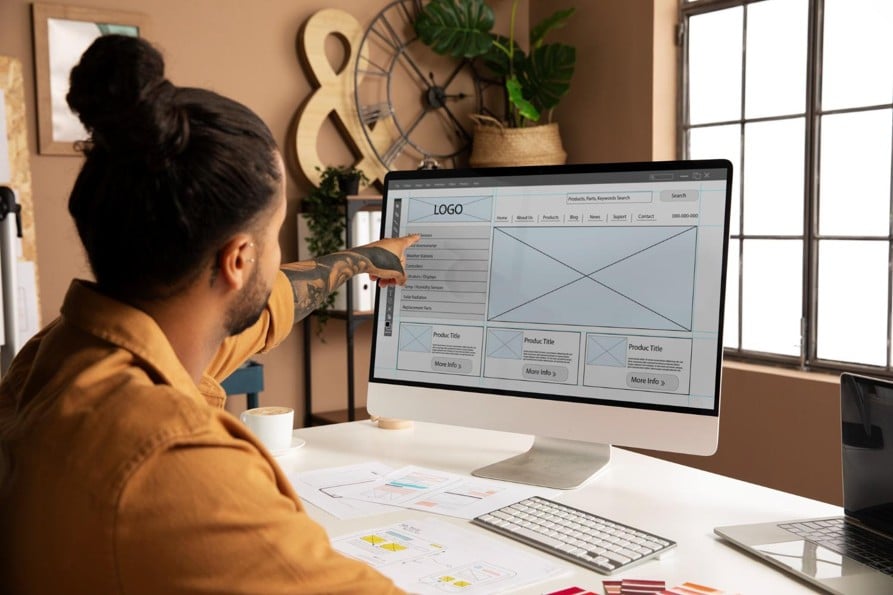
A portfolio site is one of the smartest investments a student can make. Long before graduation, a clean, professional site showing your projects, skills, and personality gives you a real edge with employers, clients, and internship recruiters. The catch is timing: the years when you most need to build one are also the years when your course load is heaviest. The trick is to build something polished without letting the project drag on so long that it never ships. Here is how to do exactly that in WordPress.
Start with the right theme
Your theme choice sets the tone for the whole build, and choosing well saves you enormous time later. As a student, you want a theme that looks professional out of the box, is easy to customize without heavy coding, and is responsive so it looks good on phones and laptops alike.
Resist the temptation to pick the flashiest option. A clean, fast, well-supported theme will serve you far better than an overloaded one packed with effects you will never use. Look for solid documentation and a layout that fits a portfolio: a strong homepage, a projects or work section, an about page, and a contact area. The less you have to fight your theme, the sooner your site goes live.
Plan your structure before you build
It is tempting to start designing immediately, but a little planning prevents hours of rework. Sketch your site structure first. Most student portfolios need only a handful of pages: a homepage that makes a strong first impression, an about page telling your story, a projects or portfolio page showcasing your work, and a contact page.
Keep the navigation simple and intuitive. Visitors, especially busy recruiters, should find what they need in a click or two. Map out what goes on each page before you open the editor. Knowing your structure in advance means you build with purpose instead of endlessly rearranging, which matters enormously when your time is limited.
Fill it with real, well-presented work
Your projects are the heart of the portfolio, so present them well. For each piece of work, do not just show the result. Briefly explain the goal, your role, the tools you used, and the outcome. This short context turns a screenshot into a story that demonstrates how you think.
Quality beats quantity. A few strong, clearly explained projects make a better impression than a dozen thin ones. If you are early in your studies and short on work, class projects, personal experiments, and volunteer work all count. Use good images, keep your descriptions concise, and make sure every project reflects the kind of work you want to be hired for.
Handle the design basics
You do not need to be a professional designer to make a clean site, but a few fundamentals matter. Stick to a simple, consistent color scheme, ideally two or three colors. Use readable fonts and limit yourself to one or two typefaces. Leave generous white space so the page feels uncluttered and easy to scan.
Consistency is what makes a site feel professional. Keep spacing, headings, and button styles uniform across pages. Most importantly, make sure your site is responsive and loads quickly, since many visitors will view it on a phone, and a slow or broken mobile experience undoes all your hard work.
Finding the time so it actually ships
The biggest threat to a student portfolio is not a lack of skill; it is a lack of time. The project competes with assignments and exams, and too often it stalls half-finished for a whole semester. Shipping a good site requires protecting the hours to build it.
Schedule small, regular build sessions rather than waiting for a free weekend that never comes, and be willing to offload routine work that is crowding out the project. Some students lighten the load by delegating non-core academic busywork during build weeks, using support such as WriteMyEssays for routine written assignments so that time can go into finishing and launching the site. The principle is simple: protect the work that builds your future, like the portfolio itself, and clear the busywork that merely needs doing. A finished, live portfolio beats a perfect one that never leaves your laptop.
Run through a launch checklist
Before you go live, a short checklist catches the small problems that undermine a site. Proofread every page for typos and broken sentences. Click every link and button to confirm they work. View the site on a phone and a laptop to check responsiveness. Test your contact form by sending yourself a message.
Also cover the basics that make a site findable and credible: set clear page titles, add a custom domain if you can, and install a simple security and backup plan. These finishing touches separate a site that looks like a student experiment from one that looks genuinely professional.
Keep it alive after launch
A portfolio is not a one-time project. The best ones grow with you. Set a reminder to update your site each semester with new projects, skills, and achievements. An outdated portfolio can hurt more than help, while a current one shows momentum and care.
Building a portfolio site in WordPress while carrying a full course load is absolutely achievable. Choose a clean theme, plan your structure, present strong work, keep the design simple, protect the time to finish, and run a proper launch checklist. Do that, and you will graduate not just with a degree, but with a living showcase of your abilities that keeps working for you long after the assignments are forgotten.
