

10 Best WordPress Support Agencies in 2026
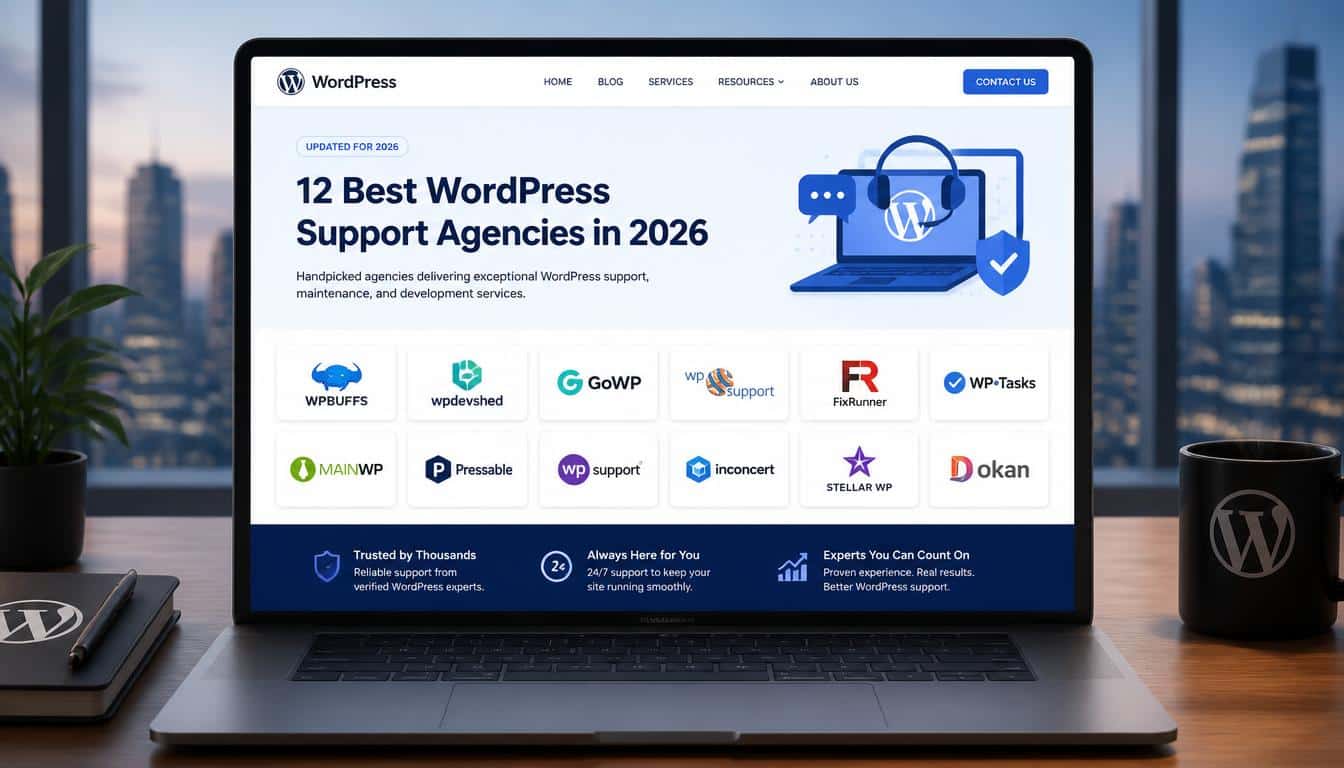
Finding the right WordPress support provider can save you from broken plugins, security problems, slow loading pages, failed forms, and those unpleasant moments when a website suddenly stops behaving.
That is exactly why we created this guide to the 12 Best WordPress Support Agencies in 2026.
The best WordPress support companies do much more than fix websites after something goes wrong.
They provide ongoing WordPress website maintenance, security monitoring, backups, updates, troubleshooting, performance optimization, and sometimes custom development.
A good support agency should make your website feel pleasantly boring. Pages should load, forms should work, plugins should stay updated, backups should exist, and someone should know what to do when something eventually breaks.
But choosing between the 12 Best WordPress Support Agencies is not as simple as picking the company with the biggest website or the longest list of features.
A small business website has very different requirements from a WooCommerce store, a publishing platform, or an enterprise WordPress installation.
So, in this guide, we compare the 12 Best WordPress Support Agencies based on their services, ideal customers, technical capabilities, maintenance approach, emergency support, security, performance optimization, and overall suitability.
What Do WordPress Support Agencies Actually Do?
Before comparing the 12 Best WordPress Support Agencies, it is worth understanding what a professional WordPress support service actually includes.
A proper WordPress support service sits somewhere between a mechanic, security guard, developer, and occasionally a detective who has seen too many mysterious white screens.
At the basic level, WordPress maintenance services may include:
- WordPress core updates
- Plugin and theme updates
- Website backups
- Security monitoring
- Malware scanning and removal
- Uptime monitoring
- Technical troubleshooting
- Website restoration
- Performance optimization
More advanced WordPress support agencies can also handle WooCommerce problems, Core Web Vitals, migrations, custom development, API integrations, database optimization, staging environments, and emergency recovery.
The important distinction is between maintenance and a one-off fix.
A freelancer might repair a broken plugin today. A professional maintenance provider should also ask why the problem occurred, whether the update was tested, whether a clean backup exists, and whether the same issue could happen again.
That preventative approach is one of the biggest reasons businesses hire WordPress support agencies.
Some providers also offer white-label support, allowing digital agencies to outsource technical work while continuing to manage the client relationship themselves.
How We Evaluated the 12 Best WordPress Support Agencies
There is no magical scoring machine hidden under my desk, unfortunately.
Instead, we compared the 12 Best WordPress Support Agencies using practical factors that actually matter to website owners.
Our evaluation considered:
- Range of WordPress support services
- Security monitoring and malware response
- Backup and restoration practices
- WordPress core, plugin, and theme updates
- Performance optimization
- Core Web Vitals support
- Emergency assistance
- WooCommerce capabilities
- White-label support
- Custom WordPress development
- Pricing transparency
- Support responsiveness
- Suitability for small businesses
- Suitability for enterprise websites
Features and pricing can change, so prospective customers should always confirm the current plan directly with the provider.
The goal of this guide is not to pretend that one company is perfect for everyone. It is to help you identify which of the 12 Best WordPress Support Agencies is most appropriate for your particular website.
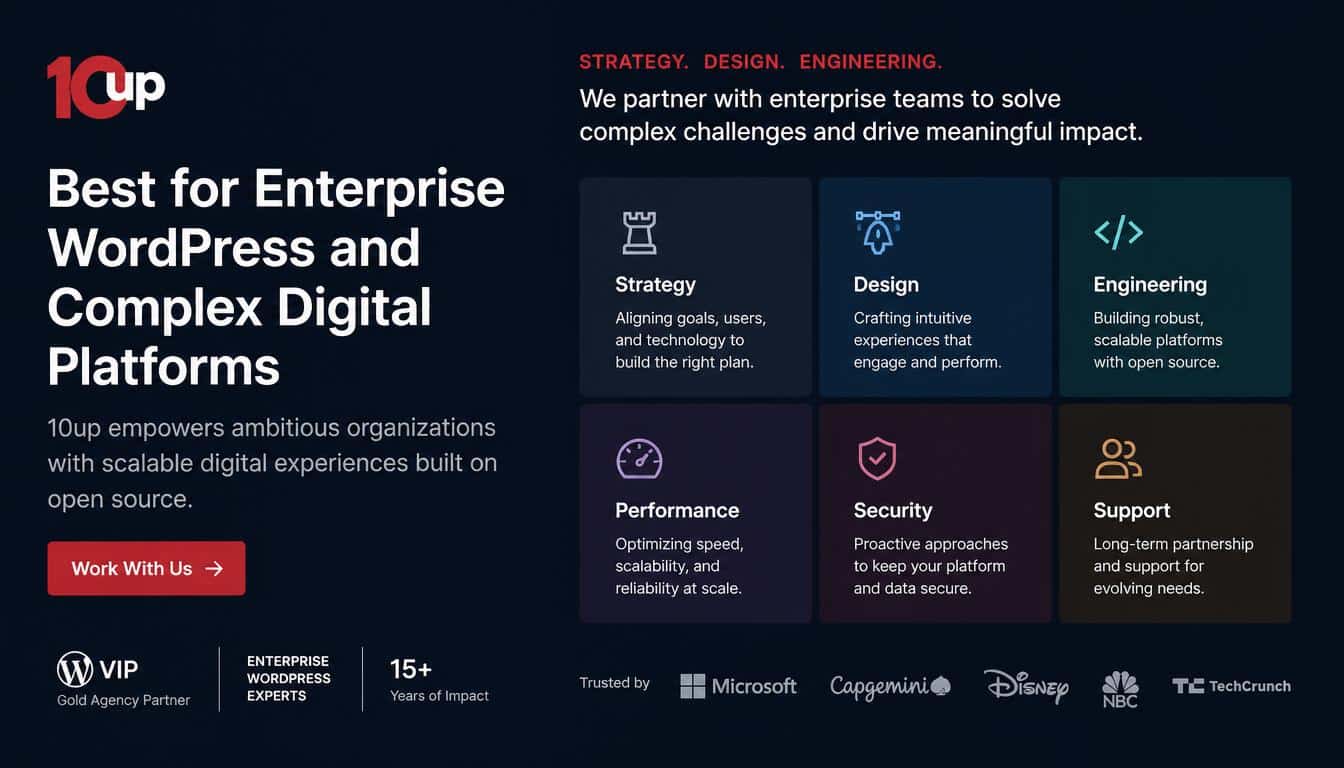
1. 10up — Best for Enterprise WordPress and Complex Digital Platforms
10up
If your WordPress website is less “company homepage” and more “large digital ecosystem with several moving pieces,” 10up deserves serious consideration.
10up is known for enterprise WordPress work, engineering, architecture, large publishing environments, and technically complicated implementations.
Its strength is not simply routine maintenance. The company is more relevant when WordPress is an important part of a larger digital platform.
That makes 10up one of the 12 Best WordPress Support Agencies for organizations that need advanced technical expertise rather than basic plugin updates.
For businesses wanting more straightforward maintenance, its SiteWatch offering also provides monitoring, maintenance, support, emergency assistance, and security-focused website care.
Best for:
- Enterprise websites
- High-traffic WordPress platforms
- Large publishing organizations
- Complex integrations
- Custom WordPress engineering
- Organizations needing strategic technical expertise
Watch out for: a small five-page business website probably does not need an enterprise engineering team. You could be bringing a submarine to cross a puddle.
2. WP Buffs — Best for Ongoing Support and Website Edits
WP Buffs
WP Buffs is designed around the idea that website owners should have an ongoing technical team rather than repeatedly searching for a developer whenever something breaks.
Its service offering includes website management, emergency support, security, updates, backups, speed optimization, and website edits.
One of its attractive features is the availability of ongoing support and website edits under relevant plans.
Routine requests can include content changes, banner adjustments, plugin settings, CSS tweaks, image changes, and landing-page formatting.
For businesses that continually need small website changes, this can be more convenient than hiring a developer every time.
WP Buffs is also relevant for agencies looking for white-label WordPress maintenance and support.
Among the 12 Best WordPress Support Agencies, WP Buffs is particularly appealing when you want ongoing management rather than occasional troubleshooting.
Best for:
- Small and medium businesses
- Agencies managing multiple websites
- Frequent content or styling edits
- Ongoing WordPress support
- Emergency assistance
- White-label maintenance
Watch out for: “unlimited” should not automatically be interpreted as unlimited custom development. Always check what tasks are included.
3. FixRunner — Best for Technical Support and Emergencies
FixRunner
FixRunner takes a straightforward approach to WordPress technical support.
When a website has a plugin conflict, broken layout, security issue, performance problem, or update-related error, the objective is to have WordPress specialists available to investigate it.
Its maintenance services include support, backups, speed optimization, WordPress updates, uptime monitoring, and security-related assistance.
That makes FixRunner a practical option for website owners who need dependable technical help without requiring a large digital-transformation agency.
For many small businesses, this is exactly what WordPress maintenance should accomplish.
Among the 12 Best WordPress Support Agencies, FixRunner is a sensible choice for businesses that primarily need troubleshooting, maintenance, security, and ongoing technical support.
Best for:
- Small businesses
- Established WordPress websites
- Technical troubleshooting
- Security concerns
- Updates and backups
- Website speed problems
- Emergency assistance
Watch out for: check support limits, response expectations, contract terms, and whether custom development is included.
4. GoWP Best for Agencies and White-Label WordPress Support
GoWP
GoWP is particularly interesting if you are a digital agency managing websites for clients.
Its core appeal is outsourced WordPress support. Agencies can use GoWP for maintenance, security, content management, development support, and related technical work instead of hiring an entire internal team.
Its maintenance model includes update validation, backups, security scanning, malware cleanup, and a maintenance dashboard.
GoWP also offers white-label options that allow agencies to maintain their own client-facing branding.
Imagine a web design agency managing dozens of client websites. The agency wants recurring maintenance revenue but does not want its designers spending every Wednesday updating plugins.
Outsourcing that technical layer can solve the problem.
For agencies, GoWP is therefore one of the strongest choices among the 12 Best WordPress Support Agencies.
Best for:
- Digital agencies
- Freelancers with multiple clients
- White-label WordPress support
- Recurring maintenance programs
- Agencies scaling their services
Watch out for: individual website owners with one small blog may not need an agency-focused outsourcing model.
5. Seahawk Media Best for WooCommerce and Flexible Support

Seahawk Media
Seahawk Media occupies an interesting middle ground between routine maintenance and broader WordPress development.
It provides WordPress maintenance services, technical support, custom development, white-label services, and assistance for businesses and agencies.
Its services can include emergency assistance, backups, malware scanning, uptime monitoring, performance work, and ongoing technical support.
The WooCommerce angle is especially important.
A small brochure website may survive a minor issue for an hour. A busy eCommerce store can lose actual revenue while its checkout is broken.
That makes WooCommerce support, checkout troubleshooting, performance monitoring, and emergency assistance particularly valuable.
Seahawk also provides white-label maintenance options for agencies.
For businesses wanting maintenance plus development and WooCommerce expertise, Seahawk deserves its place among the 12 Best WordPress Support Agencies.
Best for:
- WooCommerce stores
- Small and medium businesses
- Agencies needing white-label support
- Custom WordPress development
- Website migrations
- Performance optimization
- Emergency assistance
Watch out for: compare the SLA, backup retention, included tasks, and support level instead of looking only at the headline price.
6. TemplateMonster Best for Straightforward Maintenance
TemplateMonster
TemplateMonster is perhaps the odd duck in this group because many people know it primarily as a digital marketplace for themes, templates, graphics, and other website products.
However, it also provides website maintenance services.
For website owners who want straightforward WordPress website maintenance without entering a major technical engagement, this can be attractive.
Its ecosystem can also be useful for customers already using TemplateMonster products.
If your requirements are mostly updates, backups, routine maintenance, and basic technical assistance, TemplateMonster can be worth considering.
That makes it one of the 12 Best WordPress Support Agencies for website owners who prioritize simplicity over advanced enterprise engineering.
Best for:
- Small business websites
- Routine maintenance
- TemplateMonster customers
- Basic updates and backups
- Simple website support
Watch out for: complex custom development, high-traffic systems, and mission-critical WooCommerce websites may require a more engineering-heavy provider.
7. SiteCare — Best for Proactive Maintenance and Performance
SiteCare
SiteCare is a strong option for businesses that want more than routine plugin updates.
Its WordPress maintenance approach combines ongoing website care with security, monitoring, backups, troubleshooting, and performance optimization.
Performance is particularly important here.
A website can technically be “working” while still being slow, inefficient, or frustrating for visitors. Good WordPress maintenance therefore needs to consider more than whether the homepage loads.
SiteCare is also relevant for businesses interested in Core Web Vitals, security, proactive monitoring, and broader WordPress development.
For businesses where website performance affects leads, sales, or customer experience, SiteCare is one of the 12 Best WordPress Support Agencies worth investigating.
Best for:
- Growing businesses
- Performance-focused websites
- Proactive website monitoring
- Security-conscious organizations
- WooCommerce websites
- Businesses wanting maintenance plus development
Watch out for: compare plan levels carefully because advanced performance, hosting, development, and priority-support features may vary.
8. Codeable — Best for Vetted WordPress Experts and Custom Development
Codeable
Codeable takes a different approach from a conventional maintenance agency.
Rather than functioning solely as a traditional maintenance provider, Codeable connects businesses with vetted WordPress experts and also provides maintenance packages.
Its maintenance services can include safe updates, staging, regression testing, backups, security checks, uptime monitoring, and reporting.
That combination makes Codeable particularly interesting for websites where maintenance and developer-level expertise need to exist together.
For example, a custom WooCommerce website may require regular updates but also have complicated integrations that make careless updates risky.
In that situation, access to experienced WordPress developers can be more valuable than simply purchasing the cheapest maintenance plan.
That is why Codeable earns a place among the 12 Best WordPress Support Agencies for businesses that need expert-level WordPress work.
Best for:
- Custom WordPress websites
- WooCommerce stores
- Advanced maintenance
- Custom development
- Staging and testing
- Businesses needing experienced developers
Watch out for: Codeable may be more than a small blog needs if the only requirement is basic maintenance.
9. Maintainn Best for Managed WordPress Maintenance
Maintainn
Maintainn focuses on ongoing WordPress maintenance and technical support.
Its model is suitable for organizations that want their WordPress installation kept updated, secure, backed up, and professionally maintained rather than relying entirely on DIY management.
The main benefit of this type of relationship is continuity.
Instead of finding a different developer every time a plugin creates a problem, businesses can work with a team that becomes familiar with their website and its technical environment.
Maintainn is therefore worth considering as part of the 12 Best WordPress Support Agencies for businesses that want a dedicated WordPress maintenance relationship.
Best for:
- Businesses needing ongoing WordPress care
- Security and updates
- Managed maintenance
- Technical support
- Organizations wanting experienced WordPress specialists
Watch out for: verify current pricing, response times, included development work, and emergency support before purchasing.
10. Valet Best for High-End WordPress Support and Development

Valet
Valet is a strong option for organizations that treat WordPress as an important business platform.
Its approach combines WordPress support, maintenance, development, performance work, and strategic technical assistance.
This is particularly useful when the website needs more than routine maintenance.
A development-oriented support provider can help address technical debt, improve architecture, build new functionality, and maintain the existing WordPress environment.
For established businesses with complicated websites, Valet is a strong candidate among the 12 Best WordPress Support Agencies.
Best for:
- Established businesses
- Complex WordPress websites
- Custom development
- Long-term technical partnerships
- Performance and architecture work
Watch out for: smaller websites may not need this level of technical involvement.
11. WP Tech Support — Best for Practical WordPress Help
WP Tech Support
WP Tech Support focuses on practical WordPress assistance for businesses that need help with maintenance, security, backups, updates, troubleshooting, and technical problems.
The appeal is straightforward.
When a website develops a strange problem, you have WordPress specialists available instead of spending an entire evening searching forums and trying random fixes.
This makes WP Tech Support relevant for small and medium businesses that want ongoing technical assistance without necessarily requiring a large enterprise development partner.
For straightforward WordPress maintenance and troubleshooting, it deserves consideration among the 12 Best WordPress Support Agencies.
Best for:
- Small and medium businesses
- Routine WordPress maintenance
- Troubleshooting
- Security and backups
- Plugin and theme problems
- Ongoing technical support
Watch out for: confirm the number of websites covered, support limits, response times, and custom-development terms.
12. Newt Labs Best for Small Businesses and WordPress Maintenance
Newt Labs
Newt Labs is another option for businesses that want professional WordPress maintenance without requiring a large enterprise engineering team.
Its approach is particularly suitable for website owners who need regular technical care, updates, security attention, and help with everyday WordPress problems.
For a small business, this can remove a surprisingly annoying responsibility from the weekly to-do list.
You do not necessarily need a massive technical department to keep a normal business website healthy.
You simply need someone competent to make sure the website remains secure, updated, backed up, and functional.
That makes Newt Labs a practical final entry in our 12 Best WordPress Support Agencies list.
Best for:
- Small businesses
- WordPress maintenance
- Routine technical support
- Security and updates
- Website owners wanting ongoing assistance
Watch out for: make sure the current service includes the development, backup, security, and emergency support your website requires.
12 Best WordPress Support Agencies Compared at a Glance
| Agency | Strongest Fit | Notable Strengths | Consider Instead If… |
| 10up | Enterprise | Engineering, strategy, complex WordPress platforms | You have a small website |
| WP Buffs | Ongoing management | Support, edits, security, backups | You need enterprise architecture |
| FixRunner | Technical support | Maintenance, troubleshooting, security | You need major digital transformation |
| GoWP | Agencies | White-label outsourcing and maintenance | You manage only one small site |
| Seahawk Media | WooCommerce | Support, development, performance | You need only occasional basic fixes |
| TemplateMonster | Routine maintenance | Simple upkeep and website services | You need advanced engineering |
| SiteCare | Performance | Monitoring, maintenance, security | You need only occasional support |
| Codeable | Expert development | Vetted developers, staging, testing | You want the cheapest maintenance |
| Maintainn | Managed maintenance | Technical care and support | You need enterprise engineering |
| Valet | High-end support | Development, performance, strategy | Your site is very simple |
| WP Tech Support | Practical support | Troubleshooting, maintenance, security | You need complex architecture |
| Newt Labs | Small businesses | Routine care and technical support | You run a complex enterprise platform |
What Services Should a Good WordPress Maintenance Plan Include?
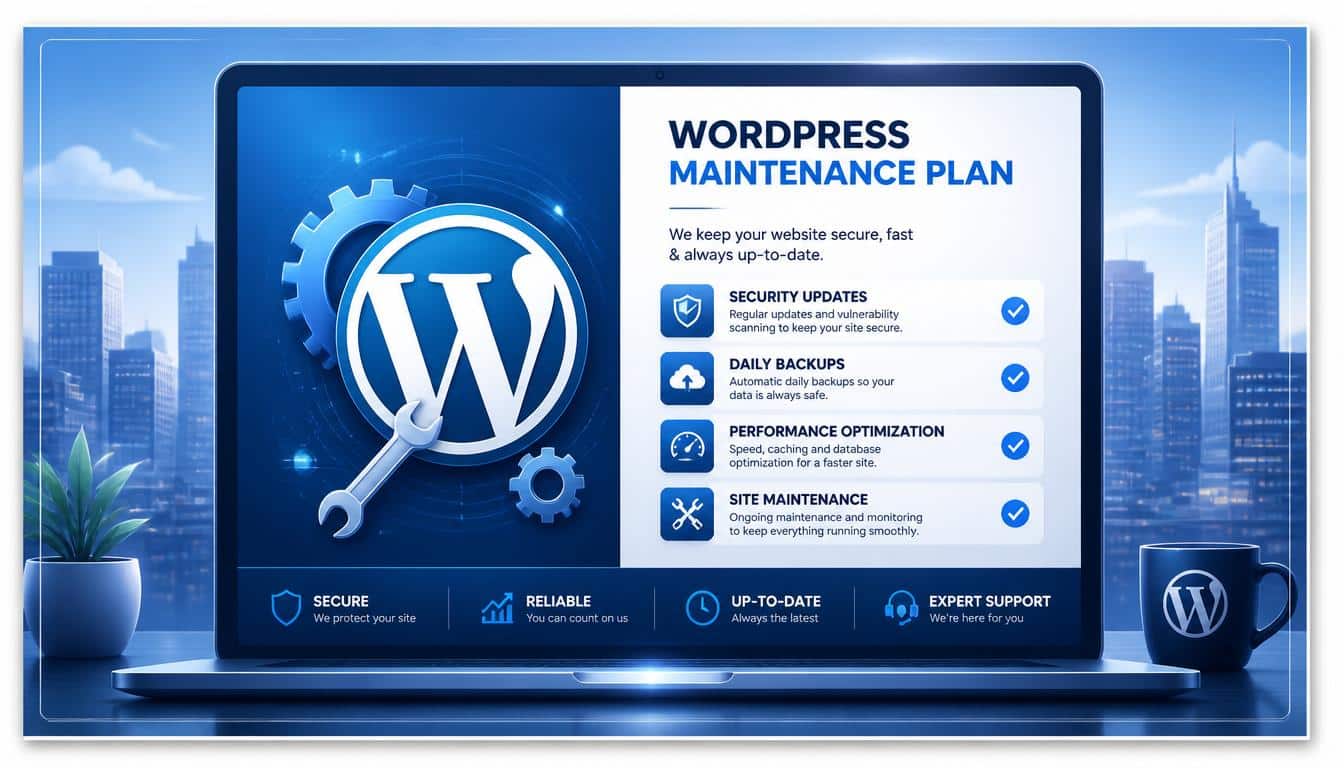
When comparing the 12 Best WordPress Support Agencies, do not look at the monthly price alone.
A good maintenance plan should include the fundamentals needed to keep a WordPress website healthy.
At minimum, look for:
- WordPress core updates
- Plugin updates
- Theme updates
- Reliable backups
- Security scanning
- Uptime monitoring
- Technical troubleshooting
- Clear support procedures
- Website restoration
Backups deserve special attention.
“We take backups” sounds reassuring until you ask where those backups are stored, how often they are created, how long they are retained, and whether restoration has actually been tested.
A strong maintenance process should ideally use a staging environment for important updates.
Updating directly on production is sometimes unavoidable, but testing significant changes before releasing them is much safer.
Security is another major category.
A serious WordPress support provider may offer vulnerability monitoring, malware scanning, firewall protection, login security, security hardening, and hacked-site recovery.
Then there is performance.
A good WordPress performance optimization service should look beyond simply installing a caching plugin.
It may involve database cleanup, image optimization, server response, caching, scripts, CDN configuration, and Core Web Vitals.
If your website generates leads or revenue, performance is not decorative polish. It affects how people experience the entire business.
How Much Does WordPress Support Cost?
There is no honest single answer to WordPress support pricing.
The cost can vary dramatically depending on which of the 12 Best WordPress Support Agencies you choose, how many websites you manage, how complex your website is, and how much hands-on development you require.
A simple business website requiring routine maintenance can cost much less than a WooCommerce store with custom integrations.
An enterprise publishing platform with demanding uptime requirements can require an entirely different budget.
When comparing pricing, ask:
- How many websites are included?
- Are backups included?
- How long are backups retained?
- Is malware cleanup included?
- Are plugin and theme updates tested?
- Is staging available?
- How quickly are support tickets answered?
- Is emergency support included?
- Are content edits included?
- Is custom development billed separately?
- Are there minimum contract periods?
- What happens when you cancel?
The boring questions are usually the expensive questions.
WordPress Support Agency vs Freelancer
A good freelancer can be brilliant.
In fact, a talented WordPress developer may know your website more intimately than a large agency ever will.
The weakness is availability.
If that freelancer is sick, travelling, overloaded, or asleep when your checkout breaks, your website has to wait.
An agency can potentially provide a broader team, documented processes, monitoring, and backup coverage.
A freelancer may therefore be excellent for custom development or occasional technical work.
A professional WordPress support agency becomes more attractive when you need ongoing support, predictable coverage, security, backups, monitoring, and multiple specialists.
Neither option automatically wins. It depends on how important your website is to your business.
WordPress Support Agency vs DIY Maintenance
DIY maintenance is perfectly reasonable for a hobby blog or low-risk personal website.
You can update WordPress yourself, maintain backups, monitor security, check performance, and troubleshoot problems.
The cost is time and responsibility.
Once a website becomes responsible for leads, customer accounts, bookings, advertising revenue, subscriptions, or online sales, the question changes.
Instead of asking, “Can I maintain this website?” you should ask, “Should I personally be responsible for maintaining it?”
That is a very different question.
Red Flags to Watch for Before Hiring a WordPress Support Agency
Even among the 12 Best WordPress Support Agencies, services can differ significantly.
A glossy website does not necessarily mean a great maintenance provider.
Be cautious when an agency cannot clearly explain its backup strategy, support response times, restoration process, or security responsibilities.
A vague SLA is another warning sign.
“Fast support” sounds lovely but means almost nothing.
Does fast mean ten minutes, four hours, or next Tuesday?
Also ask whether the agency works on a staging environment before significant updates, whether your data remains portable, and whether you retain administrative ownership of your website.
The biggest red flags include:
- No clear backup or restoration policy
- No defined response times
- Hidden fees
- Unclear ownership of website data
- No staging process
- Excessive vendor lock-in
- Aggressive upselling
- No meaningful maintenance reports
- Limited emergency procedures
- Unclear separation between hosting and application support
How to Choose From the 12 Best WordPress Support Agencies
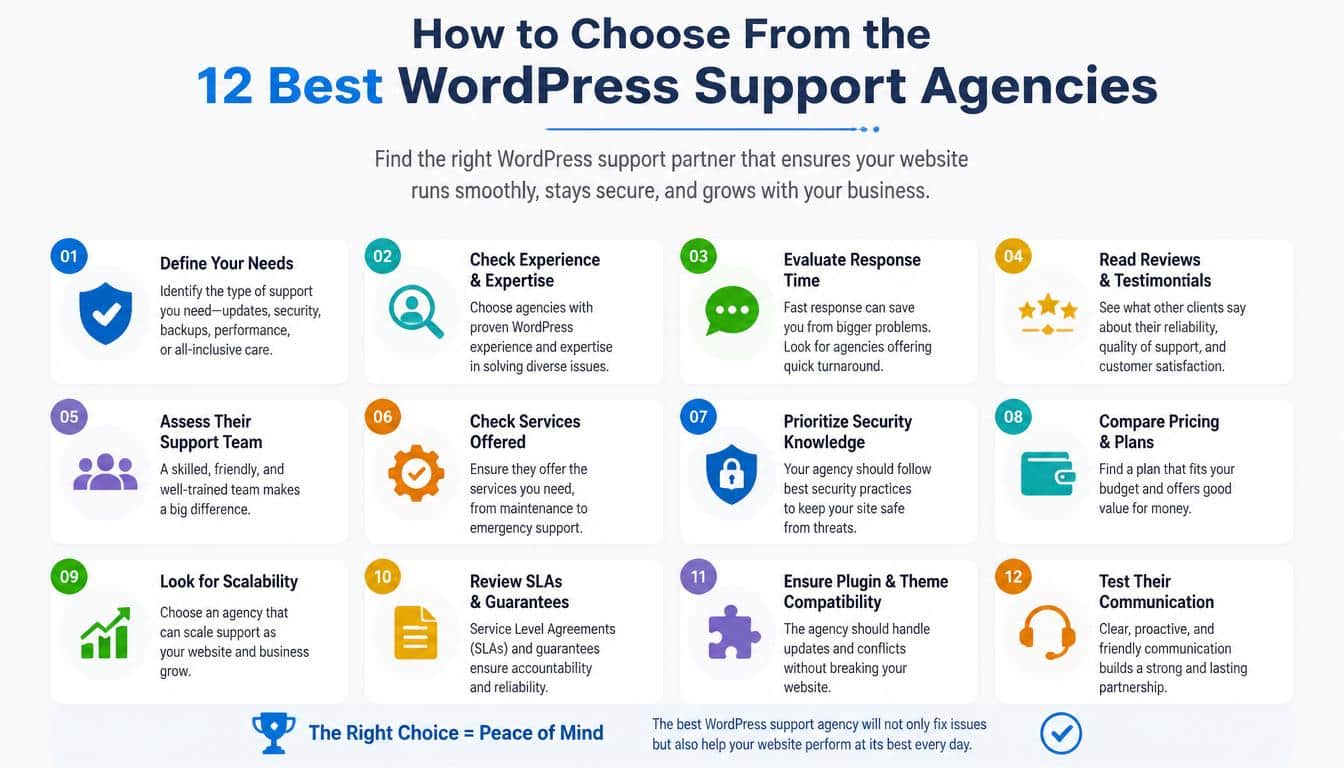
Start with the website, not the agency.
If you operate a simple local business website, look for dependable WordPress maintenance services, security, backups, updates, and reasonable support.
You probably do not need a team specializing in global digital transformation.
If you run WooCommerce, prioritize checkout stability, backups, performance monitoring, security, and emergency support.
Seahawk, Codeable, and other providers with WooCommerce and development capabilities may be worth investigating.
If you operate several client websites, white-label WordPress outsourcing becomes much more important.
GoWP, WP Buffs, and Seahawk are particularly relevant models to investigate.
If performance is a major concern, look closely at providers offering proactive monitoring, optimization, and Core Web Vitals work.
If your website requires advanced custom development alongside maintenance, a developer-focused provider can make more sense than a basic maintenance subscription.
Finally, if you operate a high-traffic publication, major institution, or complicated enterprise platform, architecture, engineering, scalability, integrations, deployment practices, and enterprise security become much more important.
That is where providers such as 10up become particularly relevant.
Frequently Asked Questions
What are the 12 Best WordPress Support Agencies?
The 12 Best WordPress Support Agencies covered in this guide are 10up, WP Buffs, FixRunner, GoWP, Seahawk Media, TemplateMonster, SiteCare, Codeable, Maintainn, Valet, WP Tech Support, and Newt Labs.
The right choice depends on your website’s size, technical requirements, budget, and need for ongoing support.
What do WordPress support agencies do?
WordPress support agencies help businesses maintain, secure, troubleshoot, and improve their websites.
Services can include WordPress updates, backups, security monitoring, malware cleanup, performance optimization, technical troubleshooting, and custom development.
Are WordPress maintenance services worth paying for?
For business websites, professional maintenance can be worthwhile because it reduces the time and technical responsibility involved in keeping a website secure and operational.
The more important your website is to revenue or customer acquisition, the more valuable dependable maintenance can become.
How much does WordPress support cost?
Pricing varies depending on the provider and the complexity of your website.
Basic maintenance can be relatively affordable, while WooCommerce, custom development, enterprise support, emergency response, and advanced performance work can increase the cost significantly.
What should I look for in a WordPress support company?
Look for reliable backups, security monitoring, tested updates, clear response times, staging where appropriate, technical expertise, transparent pricing, and a clearly defined support process.
Do not choose a provider based only on price.
Should I hire a freelancer or WordPress support agency?
A freelancer can be excellent for custom development and occasional technical work.
An agency is generally more attractive when you need ongoing monitoring, maintenance, security, backups, emergency support, and access to multiple specialists.
Read This Blog: https://gracethemes.com/best-wordpress-support-agencies-2026/
Final Verdict: Which of the 12 Best WordPress Support Agencies Is Best?
There is no single winner for every website.
The best choice depends on what your website actually needs.
10up is the strongest choice for organizations needing enterprise WordPress engineering and complex digital-platform expertise.
WP Buffs stands out for businesses and agencies wanting ongoing management, website edits, security, backups, and emergency support.
FixRunner is a practical choice for owners who mainly need dependable technical assistance, maintenance, updates, security, and troubleshooting.
GoWP makes particular sense for digital agencies that want to outsource maintenance and provide white-label support to clients.
Seahawk Media is compelling for businesses and agencies wanting a broad combination of maintenance, development, performance work, emergency support, and WooCommerce capabilities.
TemplateMonster is worth considering when your needs are straightforward and you primarily want routine website maintenance.
SiteCare stands out for businesses that want proactive maintenance combined with security, monitoring, and performance optimization.
Codeable is particularly attractive when maintenance needs to sit alongside vetted developer expertise, staging, testing, and custom development.
Maintainn is worth considering for organizations wanting ongoing WordPress maintenance and technical care.
Valet is better suited to established businesses that need support and development rather than simple plugin updates.
WP Tech Support can make sense for businesses looking for practical WordPress troubleshooting, maintenance, security, and ongoing technical assistance.
Newt Labs is a useful option for smaller businesses that want professional WordPress maintenance without the complexity of a large enterprise engagement.
Ultimately, the purpose of this 12 Best WordPress Support Agencies guide is not to convince you that one company is universally better than the others.
Your website does not need the “most famous” provider.
It needs the provider whose WordPress support services match the consequences of something going wrong.
For a hobby blog, that threshold may be low.
For a lead-generation site, it is higher.
For an eCommerce store, higher again.
And for an enterprise platform, “the website is down” can become a business incident very quickly.
So compare the maintenance plans, ask uncomfortable questions about backups and emergencies, understand the SLA, check what is actually included, and make sure you know who owns the keys to the castle.
Then choose the provider that makes the future feel pleasantly uneventful.
That, in WordPress maintenance, is usually the point.
