

Best WordPress Plugin for Analytics in 2026
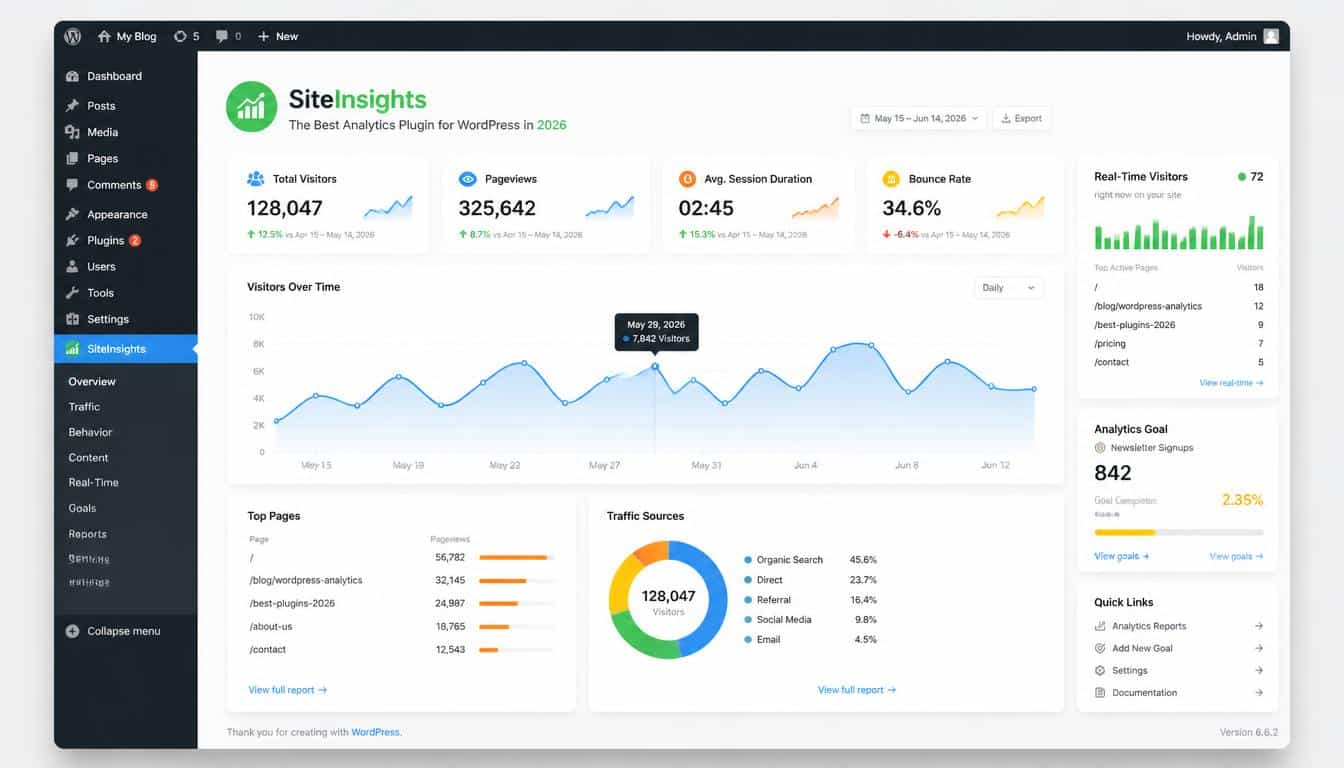
A website without analytics is a little like hosting a grand dinner party while keeping the lights off. People may arrive, conversations may happen, and beautiful moments may unfold, but you won’t really know who came, what they enjoyed, or what made them stay.
That’s the strange little mystery of running a website in 2026 you can create amazing content, build products, and launch campaigns, yet without proper data, you’re mostly guessing. And guessing online is kinda expensive.
Choosing the Best WordPress analytics plugin for 2026 is not only about counting visitors anymore. Modern website owners need tools that explain website traffic, reveal visitor behavior, protect user privacy, and help turn random clicks into meaningful growth.
Whether you are a blogger, freelancer, agency owner, digital marketer, or WooCommerce seller, the right analytics solution can become your quiet business partner sitting inside your WordPress dashboard.
Many beginners ask, “What is the best analytics plugin?” but the answer is not identical for everyone.
A small blog may need simple visitor statistics, while an online store might require advanced WooCommerce analytics, conversion tracking, and sales reports.
The perfect plugin depends on your goals, your audience, and honestly, how much technical stuff you want to handle.
Why WordPress Analytics Matter More Than Ever in 2026
The internet has changed. Website owners are no longer satisfied with knowing only how many people visited their pages. They want deeper answers:
Where did visitors come from? Which pages kept them reading? Which marketing campaigns actually worked? Why did some users leave before buying anything?
A powerful WordPress analytics plugin transforms confusing numbers into useful stories. Instead of seeing a traffic graph going up and down, you begin understanding the human journey behind it. That tiny detail can change how you write content, design pages, and plan future campaigns.
In 2026, privacy is also a major part of the conversation. Visitors care more about how their information is handled, and businesses need solutions that respect regulations.
This is why privacy-first analytics, GDPR compliant analytics, and cookie-free analytics are becoming popular choices among responsible website owners.
The old “track everything and ask questions later” approach is slowly fading away, which is probably a good thing.
What Features Should the Best WordPress Analytics Plugin Include?
Before choosing any tool, it helps to understand what actually matters. A shiny dashboard with hundreds of numbers might look impressive, but if you don’t know what to do with those numbers, it becomes digital decoration.
A reliable website analytics plugin should offer clear reporting, simple setup, and useful insights. Look for features like:
- Website visitor tracking that shows who is visiting and how they interact with your pages.
- Traffic analytics that explains sources such as search engines, social media, referrals, and direct visits.
- Real-time reports for understanding current activity on your website.
- Tracking for outbound clicks, affiliate links, and important user actions.
- UTM campaign tracking to measure marketing performance.
- E-commerce insights for stores using WooCommerce.
- Integration with platforms like Google Search Console, Google Ads, and Google AdSense.
- A clean analytics dashboard that doesn’t require a data science degree to understand.
The best plugin is not always the one with the longest feature list. Sometimes a lightweight plugin that gives you five useful answers beats a complicated system giving you fifty confusing ones. Simple wins more often than people admit.
Burst Statistics: A Privacy-Friendly Analytics Choice
For website owners looking for privacy-friendly analytics, Burst Statistics has gained attention as a strong alternative to traditional tracking methods.
Burst Statistics focuses on privacy while still providing valuable insights. It is designed around first-party data collection, meaning website owners can understand their audience without depending heavily on third-party tracking systems.
For people searching for WordPress analytics without Google Analytics, this approach can feel refreshing.
The plugin provides useful information such as page views, popular pages, visitor trends, and website performance details.
It fits nicely for bloggers, small businesses, and creators who want analytics without making visitors feel like they are being followed everywhere online.
Some reasons users consider Burst Statistics include:
- A privacy-focused approach.
- Support for cookie-free website analytics.
- Simple reports inside WordPress.
- Lower complexity compared with larger analytics platforms.
- Better alignment with privacy expectations.
The premium version, Burst Pro, adds additional capabilities for users who need deeper reporting. Still, whether free or premium, the biggest attraction is its philosophy: useful data without unnecessary tracking. That idea is becoming pretty important in 2026.
MonsterInsights: The Popular Google Analytics Plugin for WordPress
When people search for the best Google Analytics plugin for WordPress, MonsterInsights is often one of the first names they discover.
MonsterInsights is built for users who want easy access to Google Analytics 4 (GA4) data directly inside WordPress.
Instead of constantly switching between platforms, website owners can view important reports from their WordPress dashboard.
It is especially popular among businesses that rely on detailed measurement. Features commonly appreciated by users include:
- Google Analytics integration without complicated coding.
- Easy GA4 setup.
- E-commerce tracking.
- Affiliate link monitoring.
- File download tracking.
- Custom dimensions.
- Audience reports.
For beginners asking “how to use Google Analytics in WordPress,” MonsterInsights can make the process feel less intimidating.
The plugin basically translates complicated analytics language into something normal humans can understand.
That’s a nice little gift because analytics tools sometimes act like they were designed by robots for robots.
However, some privacy-focused users may prefer alternatives because traditional Google Analytics setups can involve third-party data processing and tracking considerations. The right choice depends on your priorities.
ExactMetrics: Another Strong Google Analytics Option
ExactMetrics is another well-known option for users who want advanced reporting through Google Analytics.
ExactMetrics focuses on making analytics easier for website owners who do not want to spend hours configuring tracking codes.
It helps connect WordPress websites with Google Analytics 4 (GA4) while offering reports about visitors, content performance, and conversions.
Important features include:
- Simplified GA integration.
- Enhanced e-commerce tracking.
- Real-time analytics reports.
- Campaign tracking.
- Audience insights.
- Custom reporting options.
For agencies managing multiple websites, ExactMetrics can be useful because reporting becomes faster.
Client conversations become easier when you can show actual numbers instead of saying, “I think traffic improved.” Numbers don’t tell the whole story, but they do make meetings less awkward.
WP Statistics: Self-Hosted Analytics Inside WordPress
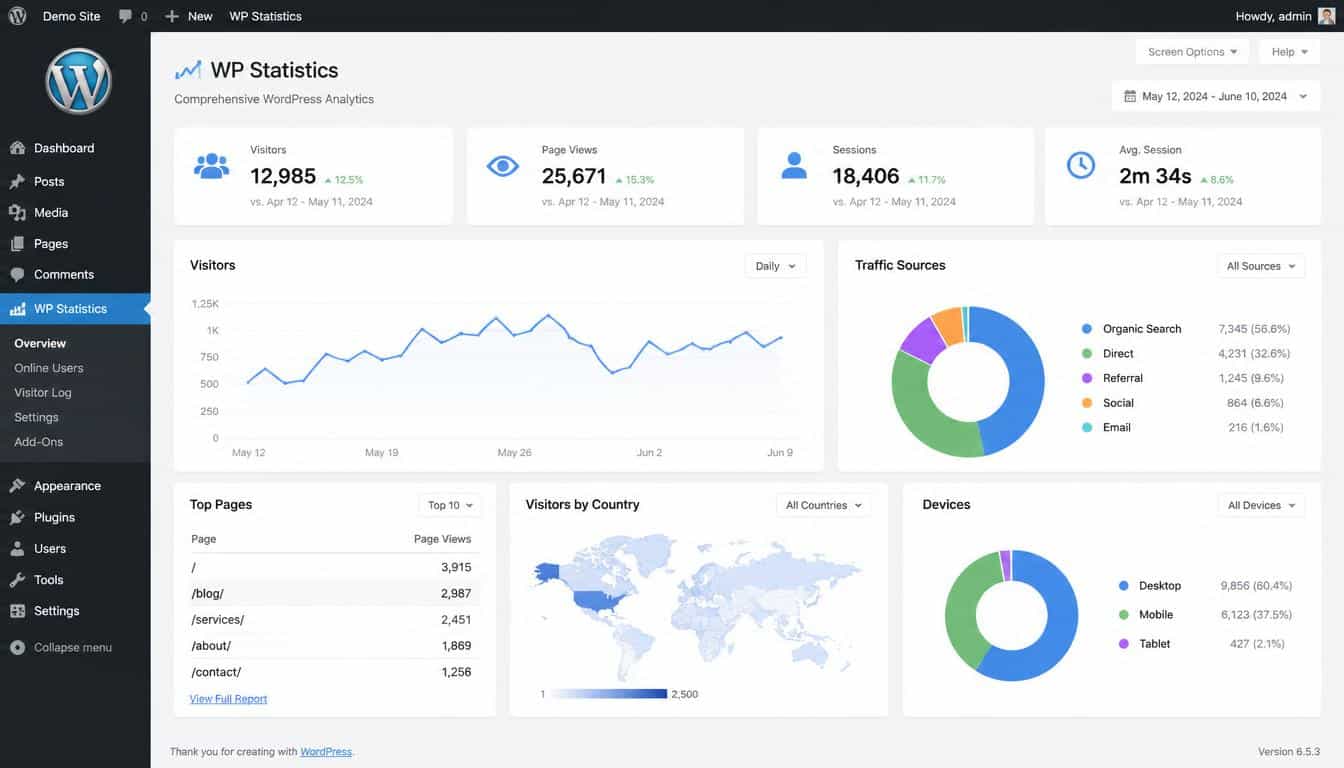
For users who want more control over their data, WP Statistics is another interesting option.
This plugin appeals to people interested in self-hosted analytics and local data storage. Instead of sending all information to external platforms, it keeps much of the analytics process within your own WordPress environment.
WP Statistics can provide details about:
- Visitor statistics.
- Search engine activity.
- Popular content.
- Visitor locations.
- Browser and device information.
A major benefit is ownership. Some website owners like knowing their analytics data stays closer to home. It feels a bit like keeping your personal notebook instead of leaving your diary on someone else’s desk.
However, self-hosted analytics can require attention to server resources. Large websites should consider performance carefully before adding any analytics system.
Site Kit by Google: The Official Google Ecosystem Connection
Google offers Site Kit by Google as a free solution connecting WordPress websites with Google services.
For beginners, Site Kit is attractive because it combines multiple Google tools in one place, including:
- Google Analytics.
- Google Search Console.
- Google AdSense.
- Google PageSpeed Insights.
It provides a convenient overview of website performance, search visibility, and advertising information.
Site Kit works well for bloggers and small businesses who already use the Google ecosystem. It is not always the most advanced reporting solution, but it delivers a comfortable starting point. Sometimes a simple doorway is better than a giant gate with ten locks.
Comparing the Best WordPress Analytics Plugins for Different Users
There is no single winner in every situation. The “best” option changes depending on your website type.
For bloggers looking for a beginner-friendly analytics plugin, Site Kit or Burst Statistics may feel easier because they reduce complexity.
For marketers who need detailed campaign measurement, MonsterInsights and ExactMetrics provide strong Google Analytics reports and tracking features.
For privacy-conscious businesses, Burst Statistics and WP Statistics stand out because they support ideas like GDPR compliance, local analytics, and reduced dependence on third-party tracking.
For online stores, the best choice usually involves strong WooCommerce analytics, conversion reports, and customer journey insights.
A quick comparison:
- Burst Statistics: Best for privacy-focused website owners.
- MonsterInsights: Best for Google Analytics users who want simplicity.
- ExactMetrics: Best for advanced GA4 reporting.
- WP Statistics: Best for self-hosted analytics preferences.
- Site Kit: Best for beginners using Google services.
The winner is not the plugin with the loudest marketing. It’s the one that quietly solves your actual problem.
How to Choose the Best WordPress Analytics Plugin for 2026
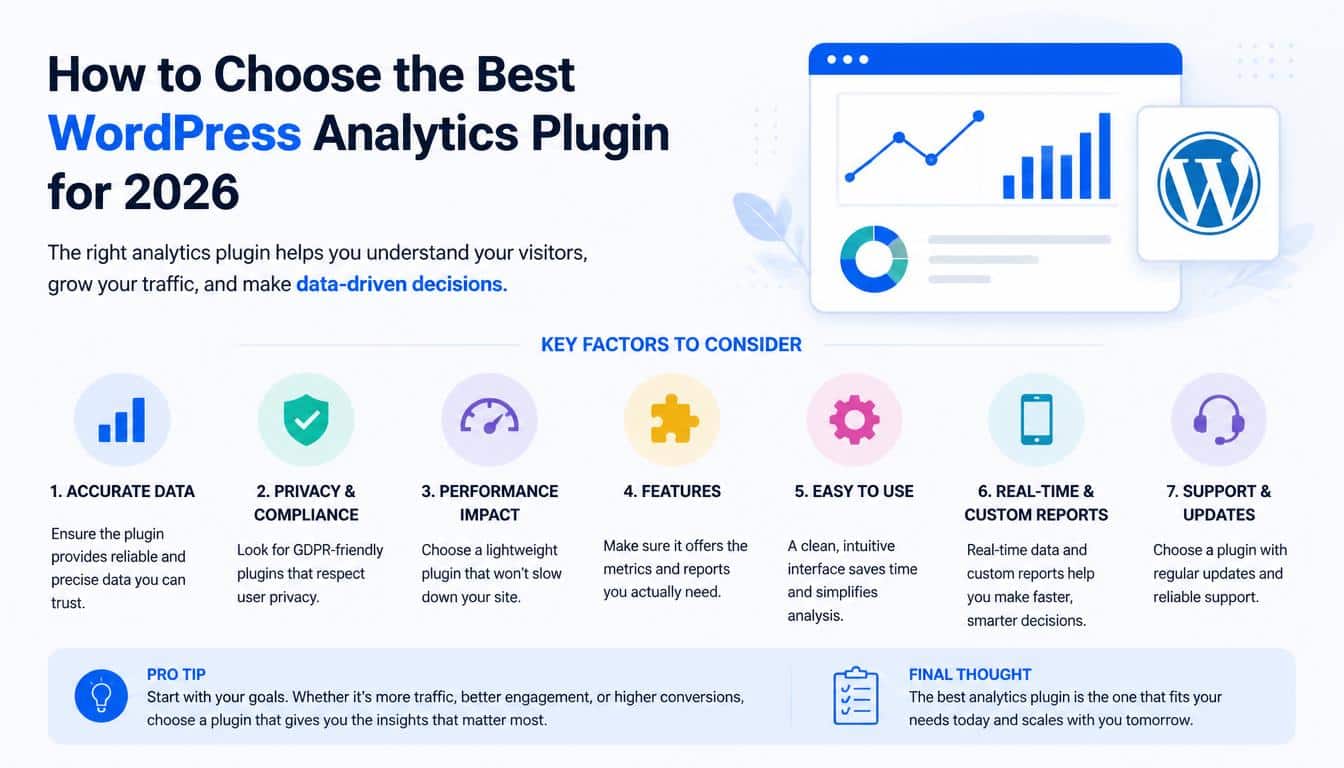
Start by asking what decisions you need your analytics to support.
If your goal is increasing blog traffic, focus on content reports and visitor trends. If you run a store, prioritize ecommerce metrics, sales tracking, and conversion optimization. If you manage client websites, look for reporting tools and export options.
Also consider:
- Privacy requirements in your region.
- Website speed impact.
- Ease of installation.
- Support quality.
- Pricing structure.
- Integration needs.
A lightweight plugin may be perfect today, while a growing company might eventually need advanced reporting. Websites evolve, and analytics tools should grow alongside them.
Frequently Asked Questions
Best WordPress analytics plugin
The best WordPress analytics plugin depends on your needs, but privacy-focused options like Burst Statistics and powerful Google Analytics integrations like MonsterInsights are popular choices.
WordPress analytics plugin
A WordPress analytics plugin helps you track website visitors, traffic sources, page views, and user behavior directly from your WordPress dashboard.
WordPress google analytics plugin
A WordPress Google Analytics plugin connects your website with Google Analytics, allowing you to view detailed traffic reports, conversions, and audience insights inside WordPress.
WordPress analytics
WordPress analytics helps website owners understand visitor activity, measure performance, and make data-driven decisions to improve traffic and conversions.
Best analytics plugin for WordPress
The best analytics plugin for WordPress should offer accurate tracking, an easy-to-use dashboard, privacy compliance, and features that match your website goals.
Read This Blog: https://gracethemes.com/best-ecommerce-wordpress-themes/
Final Thoughts: Data Should Tell Your Website’s Story
The search for the Best WordPress analytics plugin for 2026 is really a search for understanding.
Behind every number is a person someone who clicked, searched, read, purchased, or simply discovered your website by accident.
Analytics should not make your website feel cold and mechanical. The best tools help you listen better.
They show what your audience loves, where visitors struggle, and how your ideas are connecting with real people.
Whether you choose Burst Statistics, MonsterInsights, ExactMetrics, WP Statistics, or Site Kit, the important thing is choosing a solution that matches your values and goals.
Good analytics is not about collecting endless data; it is about finding the few insights that help your website become better.
Before installing any plugin, think about the questions you want answered. Then choose the tool that answers those questions clearly.
Your website already has a story analytics simply helps you read it properly, and maybe discover a few surprises along the way.
