
Best WordPress Booking Plugins in 2026 for Service Websites

Introduction
A booking plugin should match the way your business actually accepts reservations. A salon needs staff schedules and reminders. A rental website needs availability calendars. A workshop business needs activity sessions. A WooCommerce store may need bookable products.
That is why this roundup does not repeat the same appointment tools you see everywhere. Instead, it compares different types of WordPress booking plugins and explains when each one makes sense.
The ranking below is written for service websites, theme users, agencies, and small businesses that want to add online booking to WordPress without building a custom system from scratch.
Quick Comparison
| Rank | Plugin | Best For | Starting Price | Free Version |
| 1 | Booknetic | Full appointment booking for service businesses | $45/year | Yes, from booknetic.com |
| 2 | MotoPress Appointment Booking | Simple service appointments | $49/year | Yes, Lite |
| 3 | Booking Calendar | Flexible reservation calendars | $41.87 one-time current single-site offer | Yes, WordPress.org |
| 4 | WP Simple Booking Calendar | Availability calendars | $49/year | Yes, WordPress.org |
| 5 | Appointment Hour Booking | Defined time-slot booking forms | €59/year | Yes, WordPress.org |
| 6 | Booking Activities | Classes, workshops, and activities | Add-on passes from €99 first year | Yes, WordPress.org |
| 7 | WooCommerce Bookings | WooCommerce bookable products | €221/year | No |
1. Booknetic – Best Overall WordPress Booking Plugin
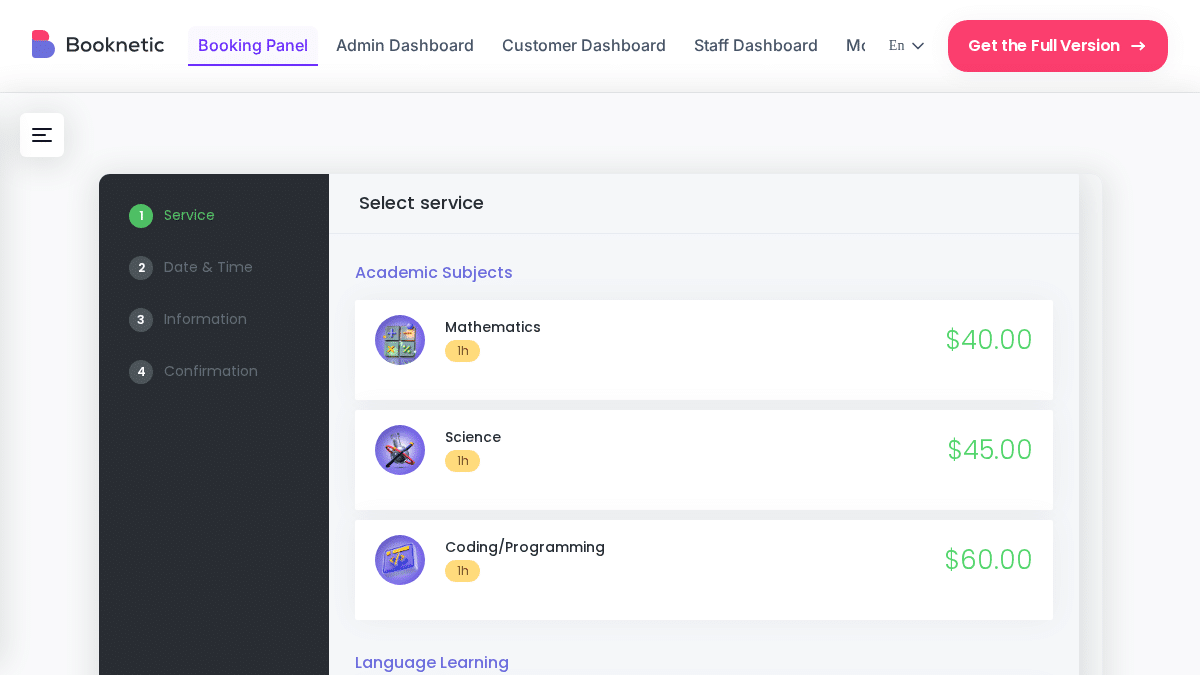
Booknetic is a complete WordPress booking plugin for service businesses that need more than a basic calendar. It supports staff schedules, locations, services, payments, notifications, customer details, and automation from one WordPress-based system.
The booking form is step by step. Customers choose a service, staff member, date, time, and payment option. The flow is clean on desktop and mobile, which matters for service businesses that get many bookings from phones.
The admin side is also practical. Booknetic gives staff a dedicated dashboard instead of making them work inside the normal WordPress admin area. This is useful for salons, clinics, gyms, tutors, consultants, and agencies where staff may not be technical WordPress users.
Booknetic also has a broad add-on system. You can extend it with payment gateways, calendar sync, video meetings, mobile apps, WhatsApp, SMS, Telegram, custom fields, invoices, and more.
Key features:
- Step-by-step booking wizard
- Multi-staff scheduling
- Multi-location support
- Recurring appointments
- Group appointments
- Deposit and full payment support
- Stripe, PayPal, Square, WooCommerce, and other gateways through add-ons
- Email, SMS, WhatsApp, and Telegram notifications
- Google Calendar and Outlook Calendar sync
- Zoom and Google Meet integrations
- Custom fields with conditional logic
- Staff and admin mobile app
- REST API on all plans
- 50+ add-ons through Boostore
Pros:
- Best overall option for service businesses
- Strong staff, service, and location management
- Dedicated dashboard for staff
- Good long-term value through lifetime licenses
- Wide add-on ecosystem
Cons:
- Free limited version is available from booknetic.com, not WordPress.org
- Some advanced features require add-ons
- Very small one-person websites may not need all options
Pricing: Basic $45/year, Standard $99/year, Premium $149/year, Elite $299/year. Lifetime licenses: Basic $99, Standard $239, Premium $599, Elite $699.
Best for: salons, clinics, gyms, consultants, tutors, repair services, law firms, cleaning businesses, agencies, and any WordPress website that needs serious appointment scheduling.
2. MotoPress Appointment Booking – Best for Simple Service Appointments
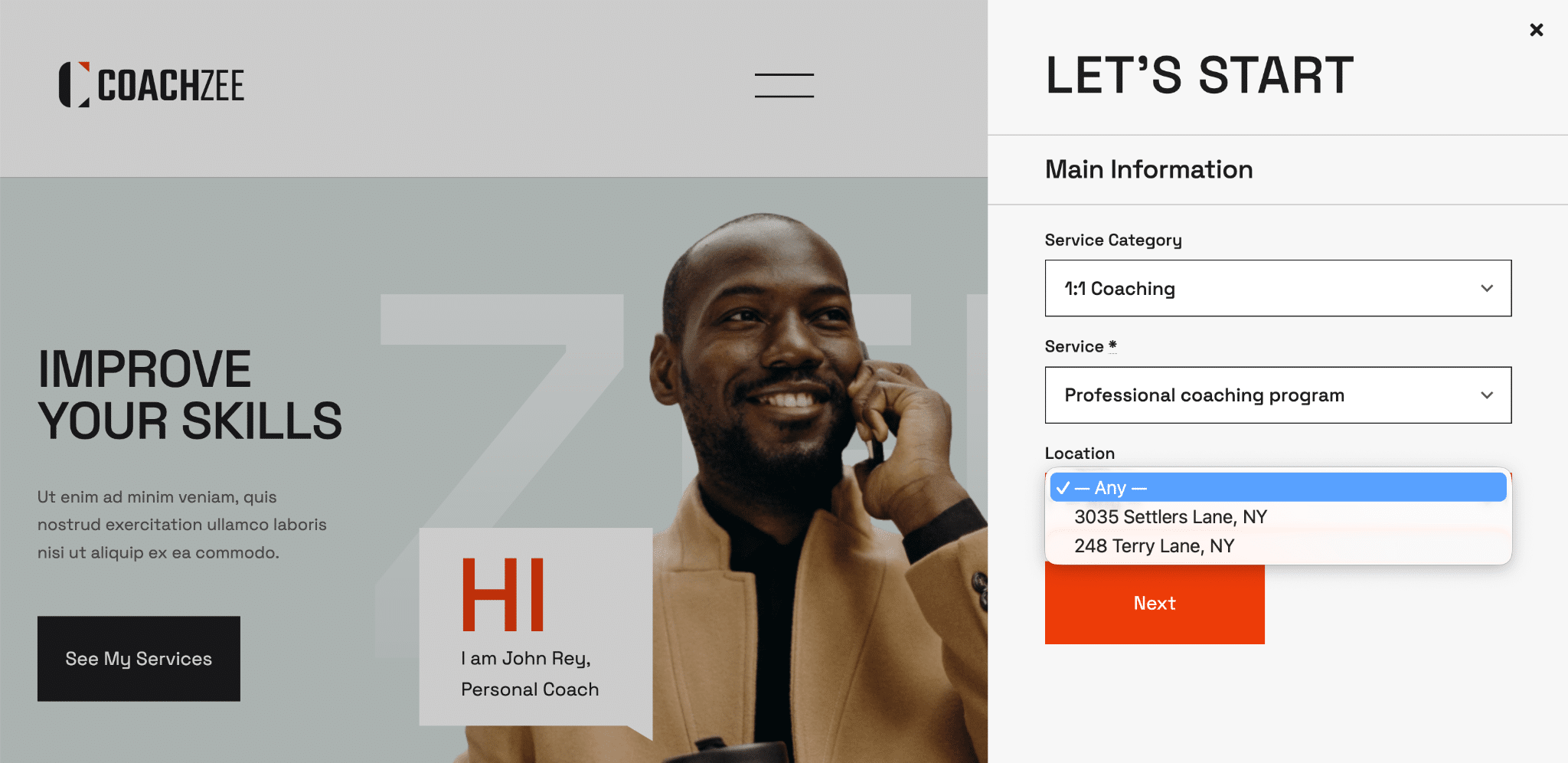
MotoPress Appointment Booking is a clean booking plugin for small service businesses. It is easier to set up than many advanced scheduling systems and works well when you need a simple appointment flow.
The Lite version includes unlimited services, employees, and locations. That makes it useful for smaller websites that want to test online booking before paying for premium features.
The paid version adds payments, SMS notifications, video meeting links, invoices, coupons, and other useful business features.
Key features:
- Appointment booking calendar
- Unlimited services, staff, and locations in Lite
- Stripe and Square payments in Pro
- Twilio SMS notifications in Pro
- Video meeting links in Pro
- PDF invoices
- Elementor and Gutenberg support
Pros:
- Generous free Lite version
- Simple setup
- Good fit for solo or small local businesses
- Affordable paid plans
Cons:
- Smaller add-on ecosystem than Booknetic
- Fewer advanced automation options
- No dedicated staff mobile app
- Not ideal for complex multi-branch operations
Pricing: Free Lite version. Pro starts at $49/year. Bundle plans are available from $99/year.
Best for: solo practitioners and small service businesses that need a clean appointment booking setup.
3. Booking Calendar – Best Flexible Reservation Calendar
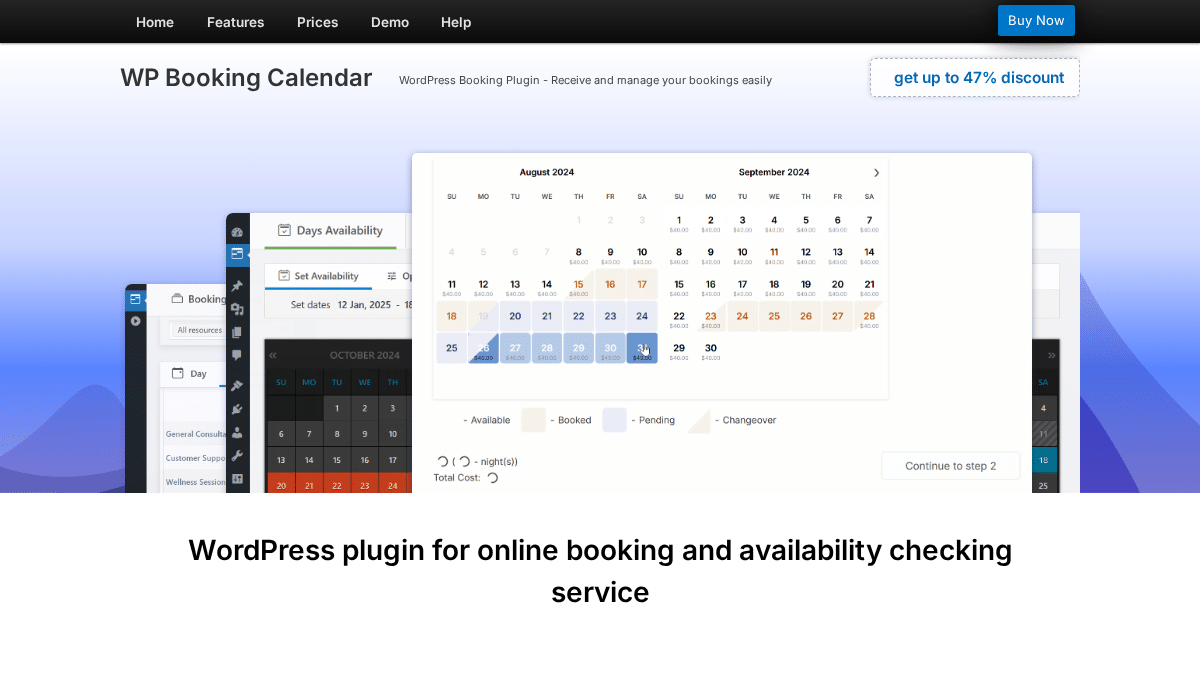
Booking Calendar is one of the oldest WordPress booking plugins. It can handle many reservation types: appointments, rentals, rooms, equipment, events, and resources.
This flexibility is the main reason to use it. If your website needs a calendar-first reservation system rather than a modern appointment dashboard, Booking Calendar can be a strong fit.
The interface is not as modern as newer appointment tools, but the plugin has a long history and a large feature set across paid editions.
Key features:
- Availability calendar and booking form
- Time-slot and full-day bookings
- Multiple booking resources
- Online payments in paid editions
- Seasonal pricing in higher editions
- Deposits and coupons in higher editions
- Search availability in higher editions
- Multi-user booking panel in MultiUser edition
Pros:
- Very flexible booking logic
- Long track record
- Free version available
- Useful for many reservation types
Cons:
- Interface feels older
- Pricing and edition structure can be confusing
- Not focused only on appointment businesses
- Best features are split across paid editions
Pricing: Free version available. Current single-site paid offers start at $41.87 one-time for Personal, with higher editions available. Check the live pricing page before buying.
Best for: rental websites, appointment calendars, room booking, resource booking, and mixed reservation use cases.
4. WP Simple Booking Calendar – Best Availability Calendar
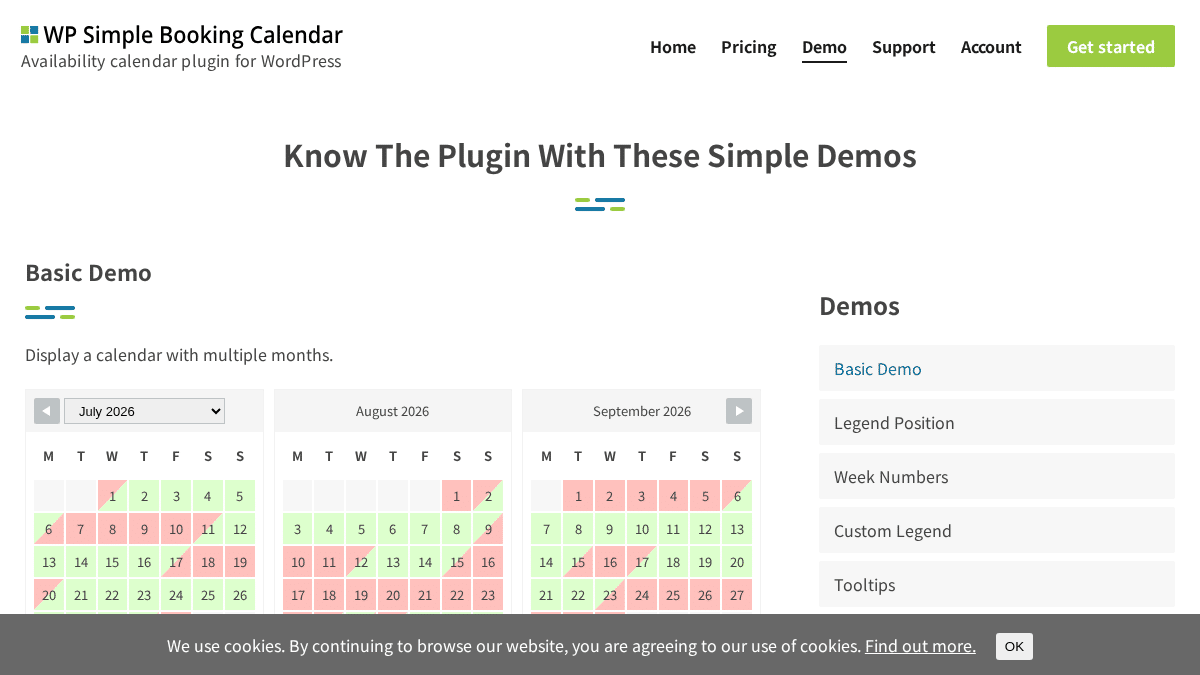
WP Simple Booking Calendar is not a full appointment system. It is an availability calendar. That makes it useful for websites where visitors only need to see open and unavailable dates.
It works well for vacation rentals, rooms, equipment, offices, and simple resource availability. If you do not need staff schedules, payments, and complex booking workflows, this type of tool may be enough.
Key features:
- Availability calendar display
- Free WordPress.org version
- Premium calendar features
- Multiple website license options
- Simple editing workflow
- Good fit for rentals and resources
Pros:
- Very easy to understand
- Good for availability display
- Affordable paid plans
- Lightweight compared with full booking systems
Cons:
- Not a full appointment booking plugin
- No staff scheduling depth
- Not built for payments or service workflows
- May require another tool for actual booking collection
Pricing: Personal $49/year for 1 website, Business $79/year for 5 websites, Developer $159/year for unlimited websites.
Best for: rental calendars, rooms, equipment, and simple availability displays.
5. Appointment Hour Booking – Best for Time-Slot Forms
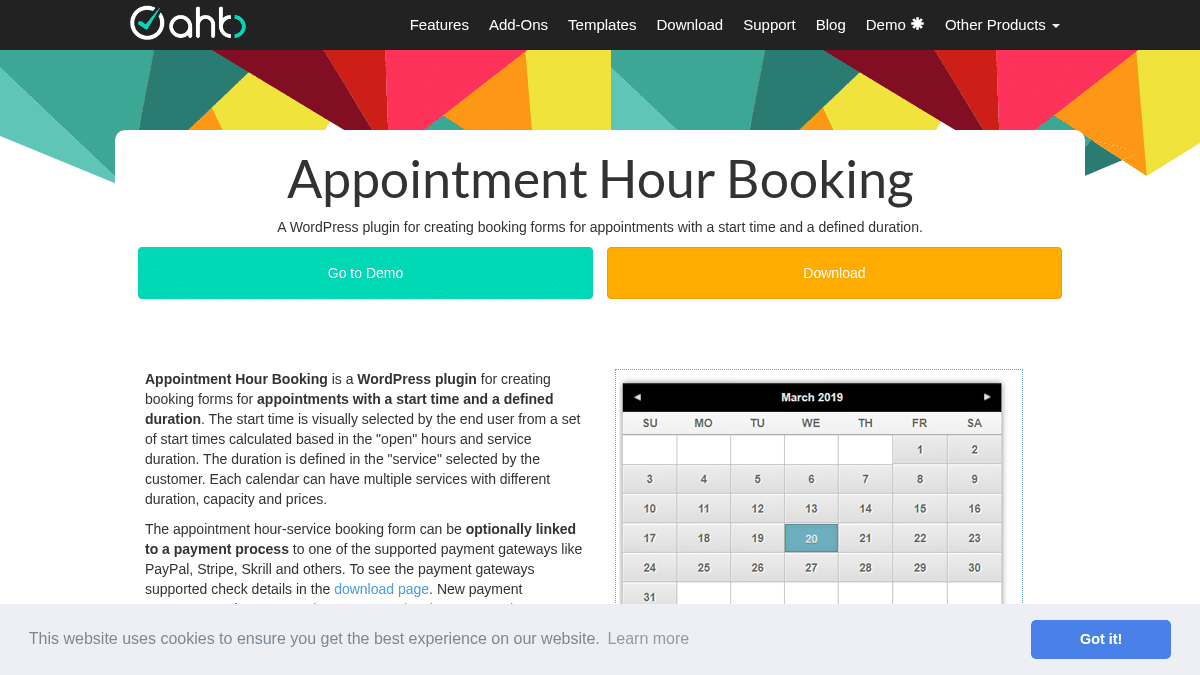
Appointment Hour Booking is built for forms where each service has a defined duration. Customers choose an available time slot, fill out the form, and submit the booking.
This is useful for classes, medical sessions, workshops, room reservations, and other cases where appointment length matters.
The free version gives you a basic start. Paid plans unlock more form-building and payment options.
Key features:
- Time-slot booking forms
- Services with different durations
- Open hours and schedule configuration
- Capacity rules
- CSV export and iCal export in free version
- Elementor and Gutenberg blocks
- Payment gateways in paid plans
- Visual form builder in paid plans
Pros:
- Good for fixed-duration bookings
- Free version available
- Affordable paid version
- Useful for classes and resources
Cons:
- Interface is less modern than newer tools
- Not a complete service-business platform
- Advanced functionality requires paid plan
Pricing: Basic is free. Professional starts at €6.99/month or €59/year when billed annually.
Best for: time-slot forms, classes, workshops, room bookings, and simple appointment schedules.
6. Booking Activities – Best for Classes and Activities
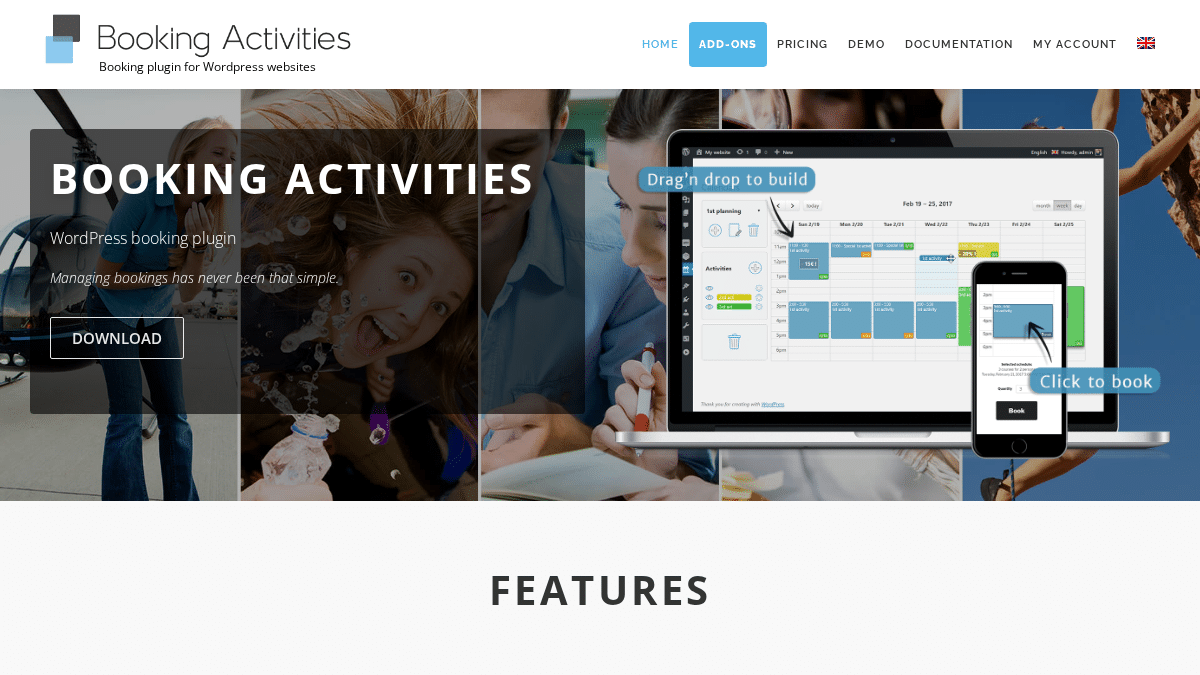
Booking Activities is made for workshops, classes, tours, and activity-based bookings. It uses a drag-and-drop calendar where you place activities on the schedule.
This makes it different from normal appointment plugins. It is not the best choice for a salon or clinic, but it can work well for event-like activity scheduling.
The core plugin is free. Paid add-on passes unlock advanced forms, resource availability, waiting lists, prices, credits, and other features.
Key features:
- Drag-and-drop activity scheduling
- Free core plugin
- WooCommerce integration
- Booking forms through shortcodes
- Waiting list add-on
- Prices and credits add-on
- Advanced forms add-on
- Resource availability add-on
Pros:
- Good for classes and workshops
- Free core plugin
- Modular add-on model
- Useful for group sessions
Cons:
- Not ideal for normal service appointments
- Advanced features require add-ons
- Setup can feel less familiar than simple appointment plugins
Pricing: Core plugin is free. Add-on passes start at €99 for the first year, then €129/year. Advanced Pass starts at €199 first year, then €259/year. Complete Pass starts at €289 first year, then €349/year.
Best for: classes, workshops, activities, tours, and group sessions.
7. WooCommerce Bookings – Best for WooCommerce Product Bookings
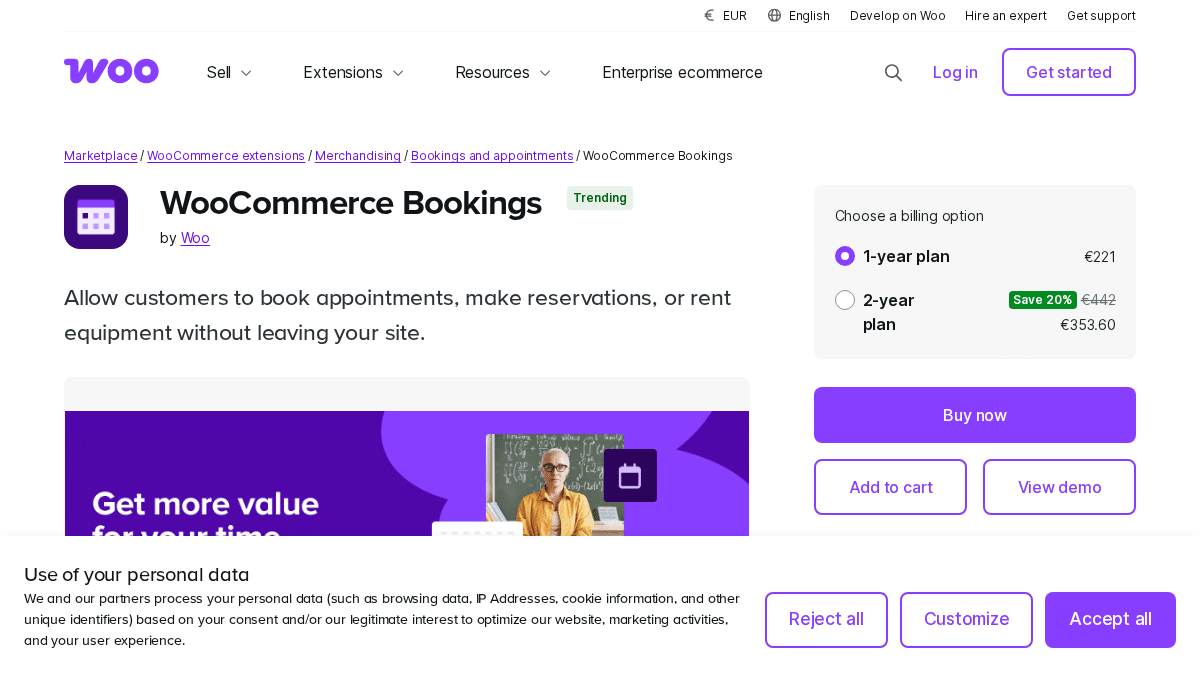
WooCommerce Bookings is the official WooCommerce extension for selling bookable products. It is useful when your booking workflow needs to live inside WooCommerce checkout.
It can handle appointments, rentals, tours, reservations, and other productized booking types. You can set availability, define blocks of time, charge by duration, and combine it with other WooCommerce extensions.
For normal appointment businesses, it is usually not the simplest or most cost-effective option. But for WooCommerce-first stores, it can make sense.
Key features:
- Bookable WooCommerce products
- Fixed blocks and customer-defined blocks
- Availability rules
- Flexible pricing rules
- Per-person pricing
- WooCommerce checkout
- Works with several WooCommerce extensions
Pros:
- Official WooCommerce extension
- Good fit for product-based booking stores
- Uses WooCommerce checkout
- Works inside the WooCommerce ecosystem
Cons:
- Expensive compared with many booking plugins
- Requires WooCommerce
- Not ideal for standard appointment businesses
- Mixed public customer reviews
Pricing: €221/year for the 1-year plan. A 2-year option is available at €353.60 at the time of writing.
Best for: WooCommerce stores that sell bookable products, rentals, tours, or reservations.
How to Choose
Choose Booknetic if appointments are central to your business and you need staff, services, locations, payments, reminders, and automation.
Choose MotoPress Appointment Booking if you want a simple appointment plugin for a smaller service business.
Choose Booking Calendar if you need a flexible reservation calendar for several booking types.
Choose WP Simple Booking Calendar if you only need to show availability.
Choose Appointment Hour Booking if you need fixed-duration time-slot forms.
Choose Booking Activities if you manage classes, workshops, tours, or sessions.
Choose WooCommerce Bookings if your bookings must run through WooCommerce products and checkout.
Frequently Asked Questions
What is the best WordPress booking plugin overall?
Booknetic is the best overall choice for most service businesses because it supports staff, locations, payments, notifications, calendar sync, mobile apps, REST API, and 50+ add-ons.
What is the best free WordPress booking plugin?
For availability calendars, WP Simple Booking Calendar is a good free option. For flexible reservations, Booking Calendar is useful. For appointment businesses, Booknetic offers a free version directly from booknetic.com.
Do I need WooCommerce for booking?
No. Most booking plugins work without WooCommerce. WooCommerce Bookings is useful only if you specifically want bookings to work as WooCommerce products.
Which plugin is best for multi-staff scheduling?
Booknetic is the strongest option for multi-staff scheduling because it supports staff-specific hours, days off, locations, services, payments, and notifications.
What is the difference between a booking calendar and appointment booking plugin?
A booking calendar usually shows availability or accepts basic reservations. An appointment booking plugin usually handles services, staff, payments, reminders, and customer workflows.
Conclusion
There is no single booking plugin for every WordPress website. The right choice depends on whether you need appointments, availability calendars, activities, rentals, or WooCommerce product bookings.
For most service businesses, Booknetic is the best overall choice. It gives you the strongest mix of scheduling depth, automation, payment options, add-ons, and long-term value.
For narrower needs, MotoPress, Booking Calendar, WP Simple Booking Calendar, Appointment Hour Booking, Booking Activities, and WooCommerce Bookings can all make sense.
Start with your business workflow first. Then choose the plugin that removes the most manual work from your booking process.
