

Best AI Logo Generators in 2026 for Small Business Owners
Starting a business has never been easier.
Between ChatGPT, Google Gemini, AI website builders, business name generators, and a plethora of free marketing tools, entrepreneurs can now launch a brand in days instead of months.
Logo design is no exception, with AI logo generators now capable of creating professional branding in just a few clicks. The real challenge is choosing the right one for your needs.
Which is exactly what we set out to test. We looked at the top AI logo generators in the market and evaluated them from the perspective of a small business owner and what they would typically value: how quickly the tool could produce a usable logo, whether the AI could understand the intricacies of the brand’s identity, how easy the editor was to use, and what commercial rights you receive.
See the results of our experiment below.
How We Evaluated Each AI Logo Generator
A logo is often the very first thing customers notice about your business. Thus, you’ll want something that looks credible and professional, and captures your brand’s unique identity.
At the same time, a small business owner may not have the time or the design skills to do advanced editing. So a tool that is beginner-friendly or produces great results from the start is ideal.
With all of these in mind, we evaluated the platform with these metrics:
| Criteria | What We Are Looking For | Points |
| Speed | How quickly can you generate the logo | 15 |
| Logo Quality | Whether the logos look polished and well-designed, and have no common AI glitches | 25 |
| Brand Relevance | How well the AI understands your business and personality | 25 |
| Customization | How easy it is to edit + how much you can edit | 20 |
| Files & Commercial Use | What files you get + if you get a commercial license for your logo | 15 |
Best AI Logo Generators in 2026
Here’s a quick summary of how the tools performed in our testing:
| Tool | Speed | Quality | Relevance | Customization | Files & Commercial Use | Total |
| Design.com | 15 | 25 | 25 | 18 | 15 | 98 |
| BrandCrowd | 15 | 25 | 23 | 18 | 15 | 96 |
| Wix | 12 | 23 | 23 | 17 | 13 | 88 |
| Canva | 12 | 21 | 21 | 16 | 13 | 82 |
| Adobe Express | 13 | 20 | 19 | 17 | 13 | 82 |
And here’s a deep dive into each tool, so you can see how the scores came to be:
1. Design.com
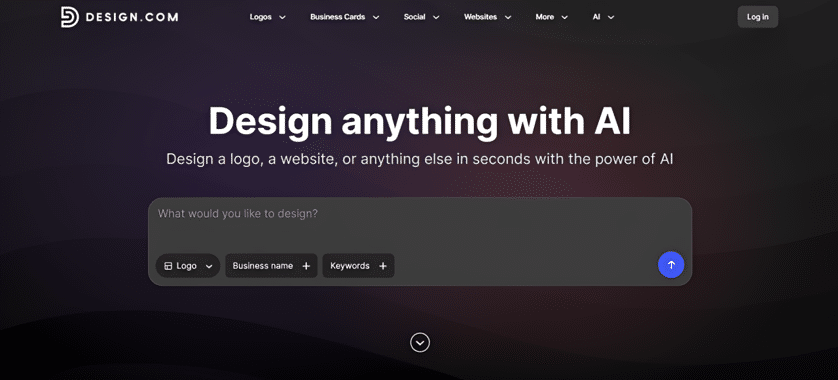
Best for: Creating on-brand logos with minimal editing
Design.com hits the mark with creating on-brand logos that feel like a designer specifically created a logo for your brand, rather than something made by AI.
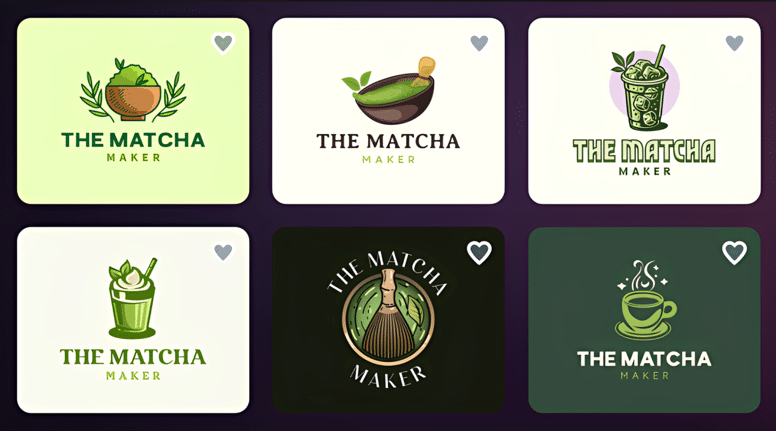
This is because the AI logo generator studies your business name and keywords, matches it with industry standards, and considers brand personality to create relevant logos. It doesn’t just default to obvious symbols (like just showing a leaf for skincare or a loaf of bread for the bakery) and call it a day. It considers everything, from the icon to the color palette, to create a purposeful and intentional design. For a more in-depth breakdown of how Design.com’s AI generates and evaluates logos, see this detailed Design.com review.
We also liked how clean and polished the logos look. We don’t see any glitches or errors with the lines or text that are usually seen in AI images. This goes for all of the logos they produce, which is remarkable since they produce thousands per generation.
And once you’ve chosen a design, editing is also simple and straightforward enough for beginners. You just need to click or drag items to edit. Design.com also offers a built-in AI editing assistant that can make changes through simple prompts, making the editing process even faster for non-designers.
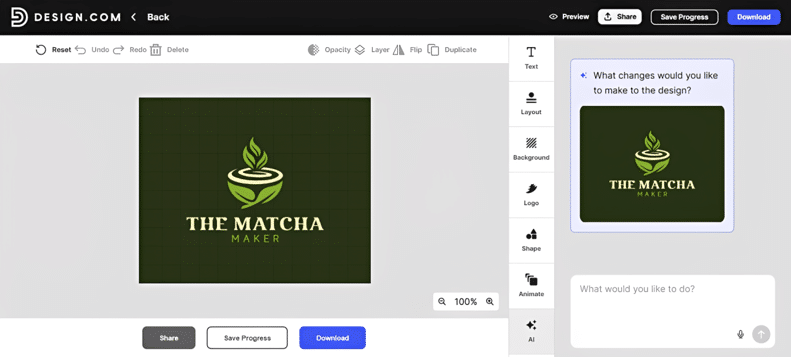
Every part of the design can also be adjusted, from the spacing of the letters to the color of the icon. It’s worth mentioning since most AI tools tend to flatten images, which makes it difficult to do granular changes like this.
Design.com also gives you commercial rights to your logos. You get high-resolution files in PNG, JPG, SVG, PDF, EPS, MP4, and GIF.
Verdict
Design.com earned our highest score because it excelled across every category that matters to small businesses. It consistently created logos that felt tailored to the business, rather than relying on generic industry symbols, while its extensive customization tools meant you weren’t locked into the AI’s first idea.
2. BrandCrowd
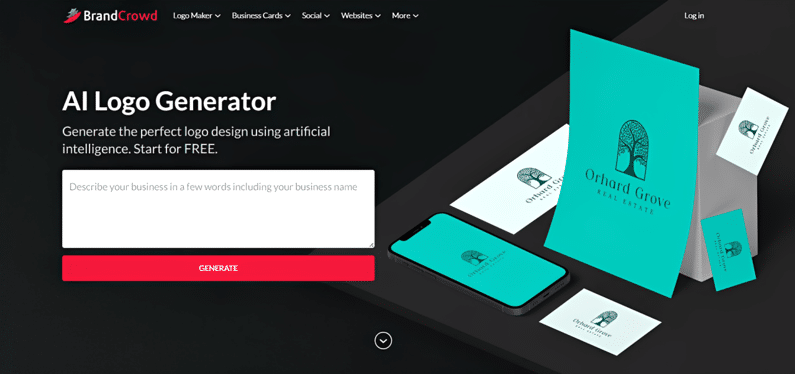
Best for: Creative and visually distinctive logo designs
While many AI tools tend to play it safe by going for the most obvious interpretation of the brief or just defaulting to generic layouts, BrandCrowd’s AI logo designs have creative, thoughtful, and more visually bold takes. This makes BrandCrowd an excellent choice for businesses that want a logo with more personality right from the beginning.
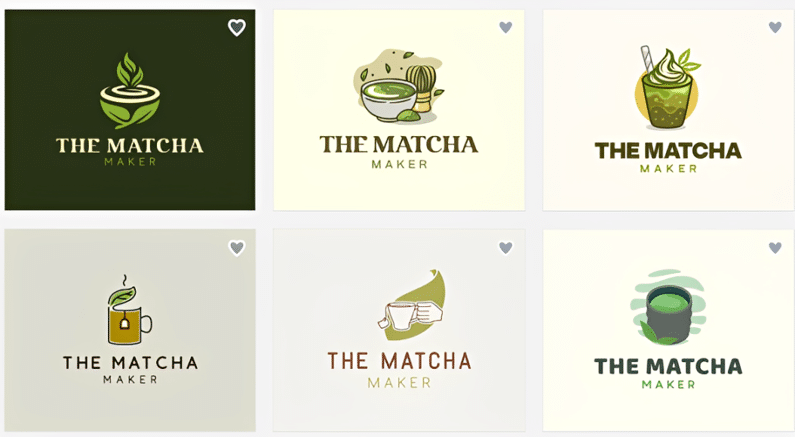
BrandCrowd also produces thousands of options in a generation rather than just one or four. That makes it much easier to compare different directions and find something that genuinely suits your business, rather than settling for the least-bad option. You also won’t need to waste AI credits just to continuously regenerate options till you get what you want.
Customization is beginner-friendly. It’s a simple drag-and-drop editor that lets users easily change fonts, colors, layouts, icons, spacing, and other visual elements without advanced design experience. And just like Design.com, every aspect of the design is editable, making it more flexible than other AI tools.
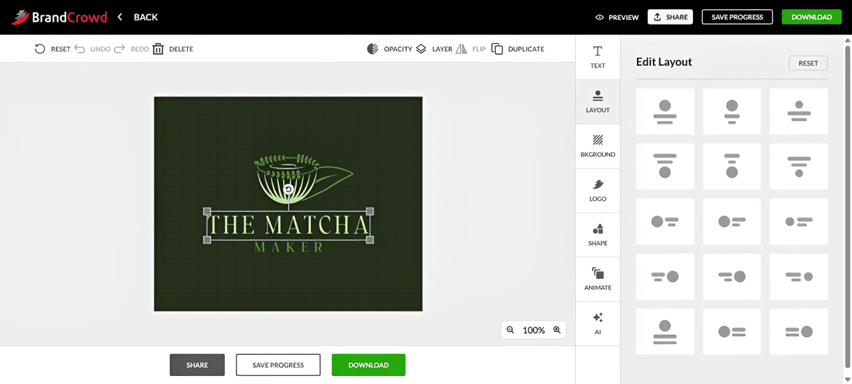
Where BrandCrowd falls slightly behind Design.com is in brand relevance. Although the logos are consistently beautiful, some later suggestions tend to prioritize visual appeal over accurately reflecting the business description.
BrandCrowd gives you logo files in: PNG, JPG, PDF, SVG, EPS, MP4, and GIF. You also get a commercial license.
Verdict
If visual creativity is your highest priority, BrandCrowd is one of the strongest AI logo generators available today. Its logos consistently look polished and stylish, making it a fantastic choice for businesses that want to stand out.
3. Wix Logo Maker
Best for: Beginners who prefer step-by-step guidance
Unlike prompt-based AI generators, Wix Logo Maker takes a more guided approach. It instead asks a series of questions about your business, industry, preferred styles, and visual preferences before generating logo concepts.
This questionnaire is genuinely helpful for beginners. Rather than wondering what keywords to type, users just need to answer straightforward questions, allowing the AI to narrow down designs for you.
The resulting logos are generally good. They may not be as visually striking as BrandCrowd’s or as consistently on-brand as Design.com’s, but they’re polished enough for many startups and local businesses. No obvious AI tells as well.
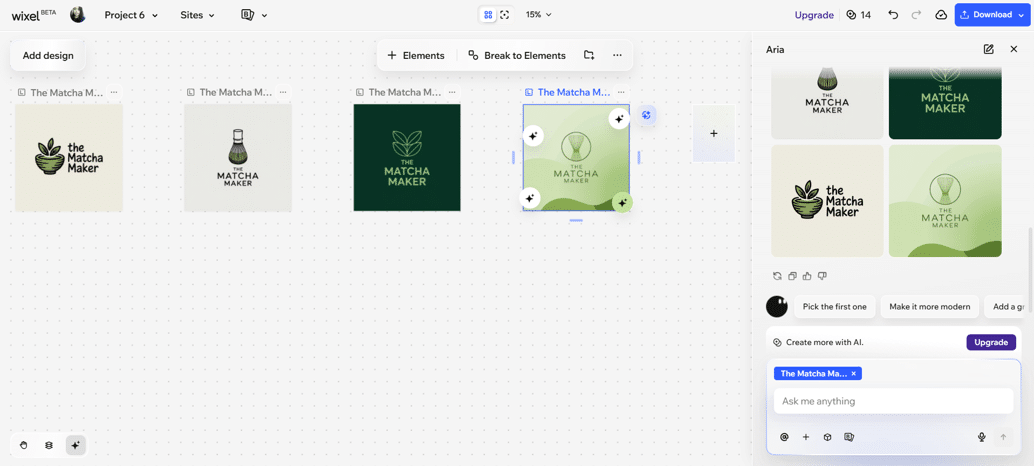
Customization is another strength. Wix marks the elements that users can edit, again so that everything is easy to find. You can also chat the AI to do edits for you or have it generate an icon in case you don’t find what you want in their library of assets. However, both actions eat up your credits, so take that into consideration.
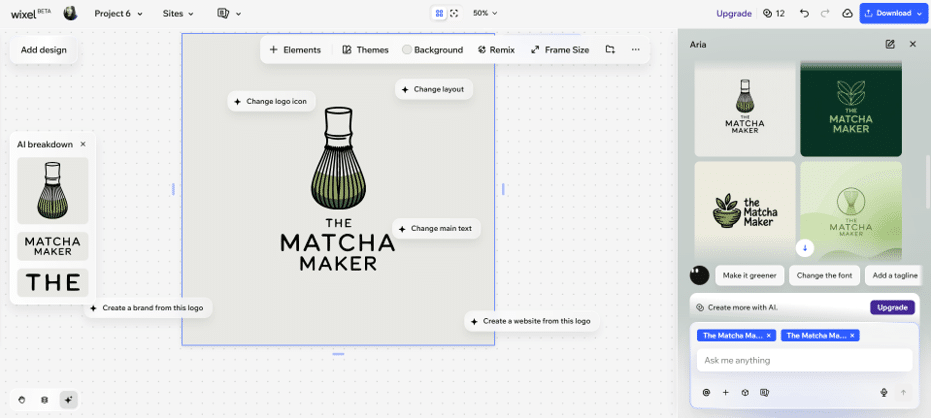
Another drawback is speed. It takes a long time to generate the logo or to generate assets. Wix also generates just four concepts at a time, limiting opportunities to explore different creative directions.
Free plan gives you hi-res PNG file, while paid plans give you SVG files. Paid logo packages also include commercial usage rights.
Verdict
Wix Logo Maker is an excellent choice for first-time entrepreneurs who appreciate guidance throughout the design process. While it doesn’t offer the same speed or sheer variety as the top-ranked platforms, it consistently produces solid, professional logos without overwhelming new users.
4. Canva
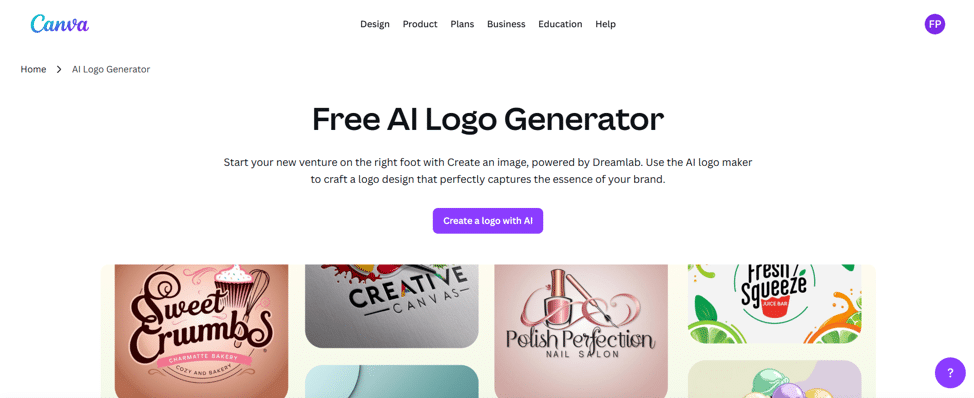
Best for: Existing Canva users who want simple logo editing
Canva is one of the most recognizable names in online design, so it’s no surprise that many first-time business owners start their logo search here.
The AI logo generator is easy to use. You just need to enter your info and prompt and the AI will get to creating your design. However, their generation does take a bit longer compared to both Design.com and BrandCrowd. It’s not terribly long, but if you are busy it may be a negative for you.
Another downside is that the platform produces only four concepts at a time. If you want more options you have to regenerate (which costs credits).
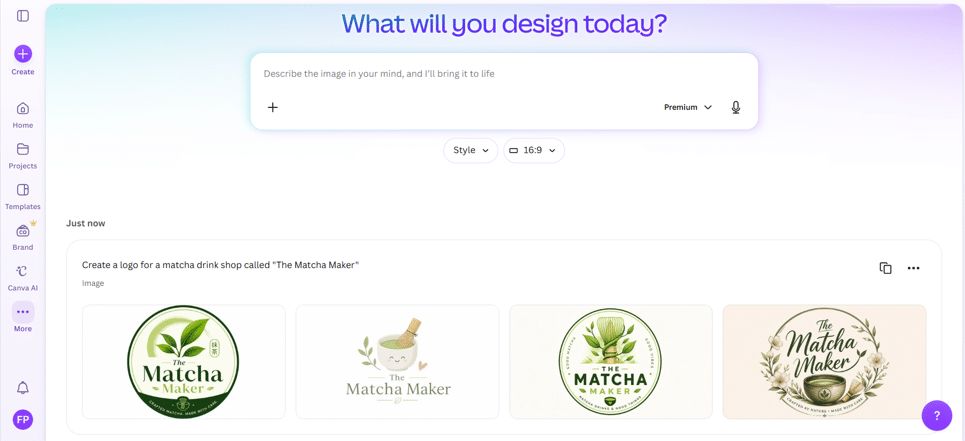
The designs themselves were fine. We appreciate that there is variety in style, such as one being cutesy while one is more artisanal in feel. However they still come off a bit too plain or typical for our taste.
Editing is another mixed experience. While Canva’s editor itself is excellent, the AI-generated logos are flattened into one image. This means making detailed adjustments isn’t as flexible compared to Design.com and BrandCrowd where every icon, shape, or text element remains independently editable.
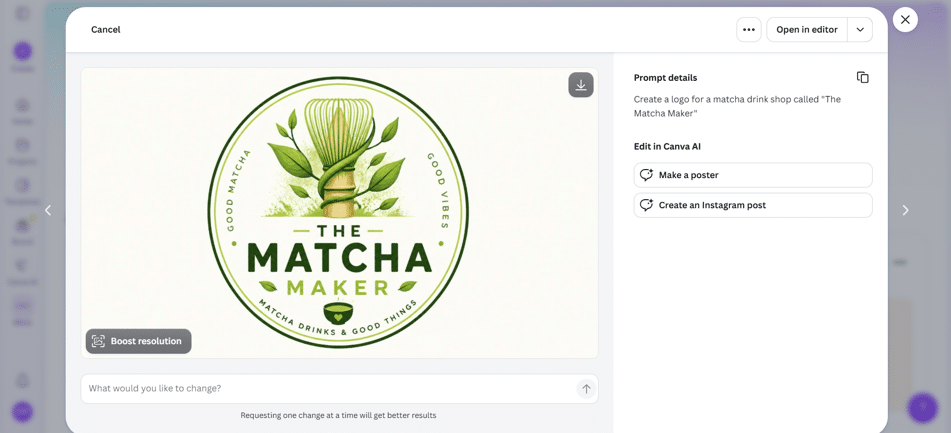
If you want to make substantial edits, you’ll have to send a prompt to the AI to edit the design. However this again costs credits.
For entrepreneurs who already subscribe to Canva and primarily need a simple logo for use within Canva’s broader ecosystem, it’s still a practical option. But if creating the strongest possible logo is your main objective, the dedicated AI logo generators perform noticeably better.
Canva only gives PDF, PNG, and JPG files. Free plan is also limited in terms of AI use, access to assets, and editor features. If you want to use everything, you’ll need to subscribe to Canva Pro.
Verdict
Canva succeeds because it’s easy, familiar, and integrates well with the rest of its platform. If you’re already using Canva for your marketing materials, creating your logo there makes sense. However, as a dedicated AI logo generator, it doesn’t produce the same level of brand relevance or creative variety as Design.com or BrandCrowd.
5. Adobe Express
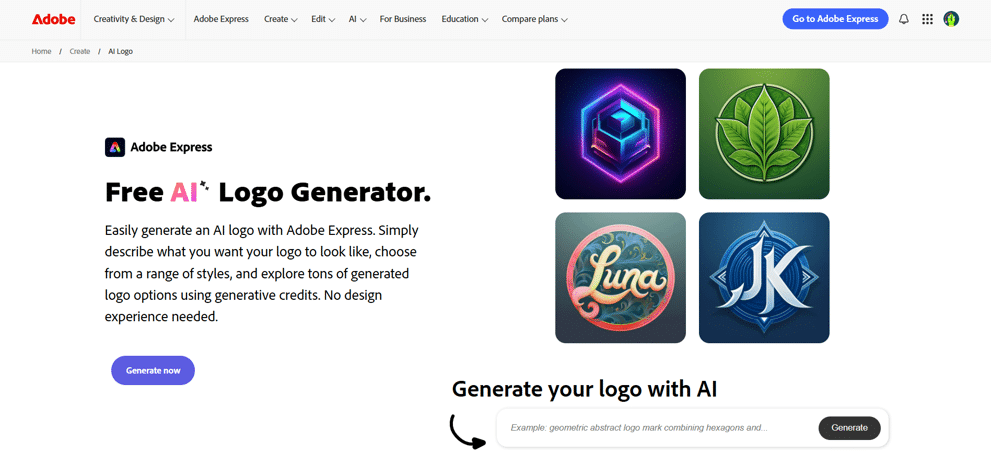
Best for: More advanced designers
Adobe Express brings Adobe’s design expertise into a beginner-friendly platform, making it a popular option for entrepreneurs who want professional-looking graphics without learning Photoshop or Illustrator.
How does their AI logo generator perform? The designs look modern and bright, and do show relevant colors, icons, and imagery.
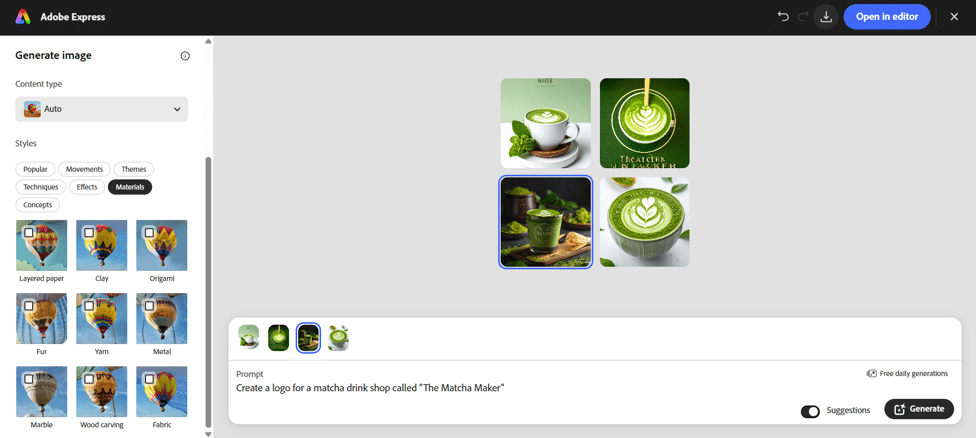
However, their AI doesn’t seem to read prompts properly, as the “logos” they created doesn’t exactly feel like a logo to us. There are also many glitches in the text that would need manual editing before being production-ready.
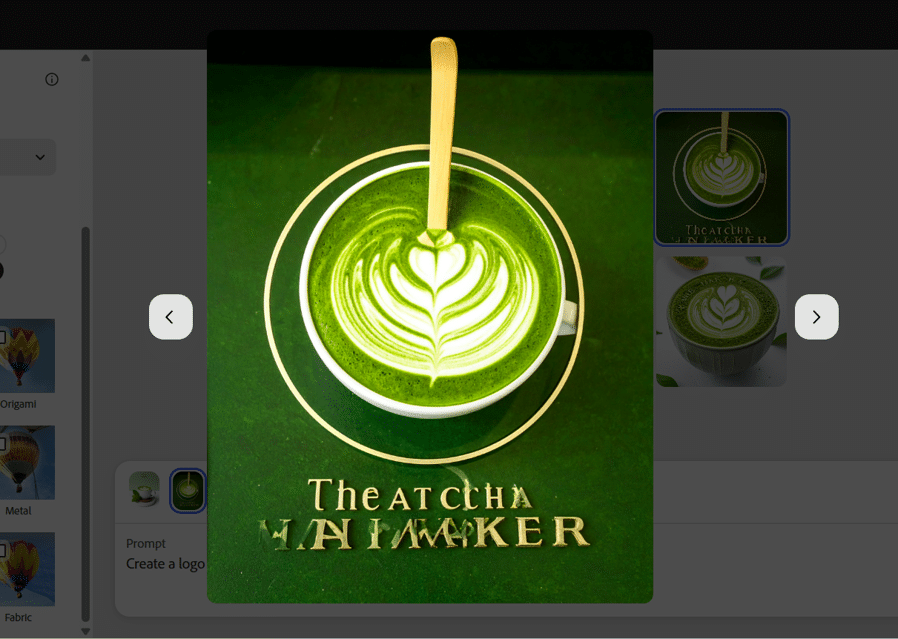
This can be fixed by asking to refine the design (or by being extremely specific in the prompt), but it would cost more time, credits, and effort. And looking at it with a busy, “beginner to design” lens, Adobe Express requires more steps to get to a usable logo compared to Design.com or BrandCrowd.
Like Canva, Adobe Express flattens the AI image so it’s hard to edit individual design components. You need to send another prompt to edit.
However they do provide more ways to tinker with your designs. You can select a preset technique or art movement to emulate, add a composition reference, or make the design look like a specific material. It’s a great option for users who want more creative ways to edit their designs.
Free plan gives you PNG, JPG, and PDF files + access to free assets only. Premium assets require a Premium subscription. Any Adobe Stock or Firefly-generated assets also remain subject to Adobe’s licensing terms.
Verdict
Adobe Express is best for users who are already familiar with the Adobe ecosystem, or those who can take advantage of the platform’s more advanced design settings.
Final Verdict
AI logo generators have advanced enough that almost anyone can create a professional-looking logo without hiring a designer. For entrepreneurs and small businesses, that’s a huge advantage. Instead of spending weeks refining concepts or hundreds of dollars on an initial logo, you can generate dozens or even thousands of ideas within minutes.
That said, not every platform delivers the same experience. Some prioritize convenience, others focus on creative design, while a few excel at understanding your brand from the very beginning.
After evaluating the most popular AI logo generators, Design.com emerged as our top recommendation for small businesses. It consistently generated the most on-brand logos, offered the widest range of design options, and provided one of the easiest editing experiences we tested.
BrandCrowd was a close second, delivering some of the most polished and creative logo concepts in our comparison. Meanwhile, Wix Logo Maker, Canva, and Adobe Express each serve different audiences and remain solid choices depending on your existing workflow and priorities.
Ultimately, the best AI logo generator is the one that helps you confidently launch your business. Start by identifying what matters most to you, whether that’s creativity, speed, customization, or value, then choose the platform that best fits your goals.
