

17 Best Social Media Plugins for WordPress (2026)
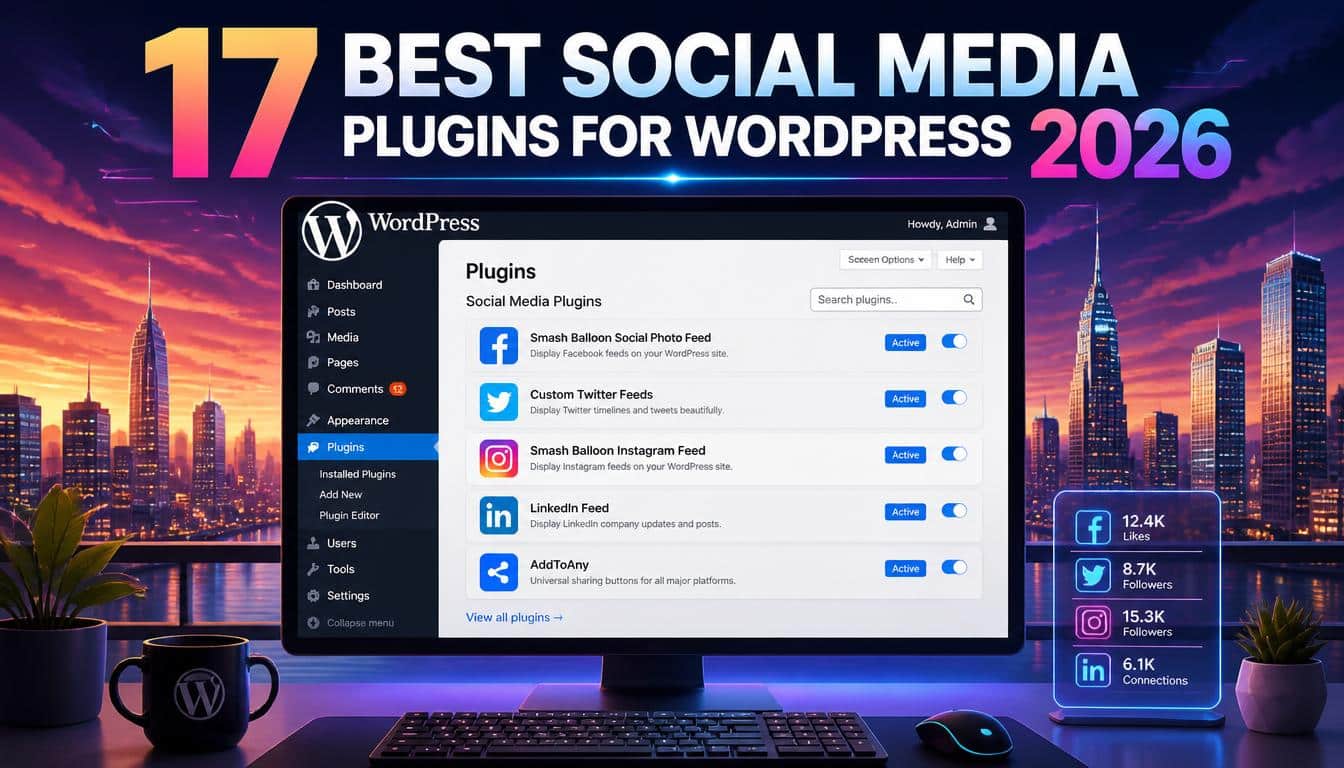
There is a funny moment in running a WordPress website when you realise the content is good, the design is decent, and yet your social media presence is sitting somewhere outside the building, waving politely but not coming in.
That’s where the right social media plugin can change things. A useful plugin can turn a quiet blog post into something shareable, pull your latest Instagram photos onto a landing page, or remove the annoying registration wall that makes visitors disappear.
But here is the slightly less exciting truth: social media plugins for WordPress are not all built for the same job.
Some are brilliant at feeds, others at sharing, some handle social login, and a few are really content-promotion machines wearing a WordPress-plugin costume. Choosing one simply because it says “social” is a bit like buying a toolbox because it has a shiny handle.
For this 2026 guide, I’ve grouped 17 well-known options by what they actually help you accomplish: social media feeds, social sharing, social login, automation, giveaways, social icons, galleries, and author profiles.
The current WordPress.org ecosystem still includes widely used tools such as AddToAny, Sassy Social Share, Simple Social Icons, and others, while developer documentation shows that platforms and API requirements continue to change.
How to Choose the Best Social Media Plugins for WordPress
Before installing anything, decide what problem you are trying to solve. That’s more important than the number of features on a plugin’s sales page.
If your goal is to embed an Instagram feed, you need a feed plugin. If visitors should share articles, look for social share buttons.
If you’re trying to remove registration friction, you want social login. And if your real problem is remembering to post your own articles on Facebook, LinkedIn, X, or other networks, you need social media automation rather than another row of pretty icons.
There is also the matter of performance. A social plugin can introduce JavaScript, CSS, images, API requests, iframes, and third-party connections, and that can add weight to a page.
It doesn’t automatically mean a plugin is slow, but it does mean you should test the finished page rather than trusting a marketing sentence.
A sensible selection process looks at features, compatibility, updates, active installations, customization, network support, setup difficulty, privacy, and performance.
WordPress.org currently shows, for example, more than 300,000 active installations for AddToAny and more than 100,000 for Sassy Social Share and Simple Social Icons, which gives some useful context about adoption.
1. FS Poster Best for WordPress Social Media Automation
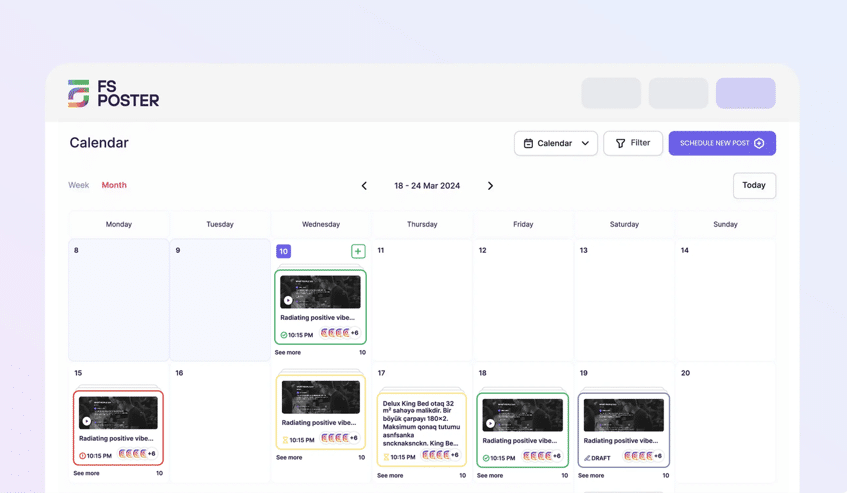
FS Poster is the plugin to reach for when your real problem is not showing a feed or adding share buttons, but actually getting your content onto social media automatically. It is a mature WordPress social media plugin that has been in active development for 8+ years, with 25,000+ paid customers, 120,000+ installs, and a 4.91/5 rating from 655 reviews on CodeCanyon, which is about as much of a track record as this category offers.
The plugin auto-posts and schedules your posts, products, and pages across a wide range of networks, including Facebook, Instagram, X/Twitter, LinkedIn, Pinterest, Threads, YouTube, and Google Business Profile. A built-in calendar and scheduler let you plan a week or a month of content in one sitting, while features like auto-posting on publish, per-network post templates, and bulk scheduling mean you set it up once and let it run. For WooCommerce stores, it can share products automatically as they go live.
What sets it apart from lighter automation tools is breadth and control: direct publishing to many networks, per-network content customization, and scheduling that behaves like a proper social calendar rather than a fire-and-forget button.
Best for: WordPress social media automation, auto-posting on publish, multi-network scheduling, WooCommerce product sharing, and content calendars.
Watch for: With so many networks and options, give yourself a little time to connect each account and tailor the post template per network. The payoff is a genuinely hands-off posting workflow.
2. Smash Balloon Best for Social Media Feeds
Smash Balloon is the obvious starting point if your website needs to actually show social content instead of merely linking to social profiles.
Its family of plugins focuses on feeds from networks such as Instagram, Facebook, YouTube, and other major platforms, making it especially useful for businesses, creators, photographers, restaurants, and anyone whose social content is part of the brand itself.
The attraction is visual: you can build an Instagram grid, video feed, social wall, or other feed-style presentation without manually copying posts into WordPress. That’s a much nicer workflow when your social account is already active.
Best for: Instagram feeds, Facebook feeds, YouTube feeds, social walls, and branded social content.
Watch for: API requirements and the amount of feed content you display. A huge wall of external images may look impressive but isn’t always friendly to page speed.
3. RafflePress Best for Social Giveaways

A giveaway can make a sleepy social account suddenly behave like it has had three cups of coffee. RafflePress is designed around that idea, providing a WordPress giveaway and contest builder with drag-and-drop campaign creation and social actions.
The plugin supports actions designed to encourage sharing, following, and other engagement,
while its landing-page approach can make a campaign feel like an actual promotion rather than a random widget dumped into a sidebar.
The WordPress.org listing specifically highlights social actions, email growth, traffic, and follower growth.
Best for: social media contests, viral giveaways, referral tracking, follower growth, and newsletter signups.
Watch for: Giveaways need a real incentive and sensible rules. A contest that attracts thousands of people who have zero interest in your product isn’t necessarily marketing success.
4. Envira Gallery Best for Social-Friendly Image Galleries
Envira Gallery is primarily a WordPress gallery plugin, but it earns a place in a social-media-focused list because visual content and social sharing are basically neighbours who borrow sugar from each other.
Its drag-and-drop gallery system is aimed at creating responsive galleries without coding. The free WordPress version describes responsive image galleries, while the Pro version adds features including social sharing and other advanced gallery functionality.
Best for: photographers, portfolios, product galleries, image-heavy brands, and websites where visual content needs to be shared easily.
Watch for: Gallery plugins can become image-heavy very quickly, so use optimized images and lazy loading where appropriate.
5. Social Warfare Best for Designed Social Sharing
Social Warfare focuses on the part of social marketing many websites overlook: making the act of sharing feel polished.
Its WordPress offering is known for responsive social sharing controls and options aimed at encouraging visitors to distribute content.
It is particularly interesting for publishers who care about how their articles appear when somebody shares them.
That’s where custom social images, descriptions, and sharing presentation can matter more than simply putting five icons underneath a headline.
Best for: bloggers, publishers, content marketers, and sites that want attractive WordPress share buttons.
Watch for: Always check current compatibility and maintenance status before choosing a plugin as a long-term dependency.
6. AddToAny Share Buttons Best Free Sharing Plugin
If you want something straightforward, AddToAny Share Buttons is hard to ignore. Its WordPress.org listing describes standard and floating share buttons, responsive layouts, share counts, SVG icons, accessibility support, and a very broad selection of social destinations.
The especially nice thing is that AddToAny isnt trying to force you into a giant social-media management universe. You can use it simply for inline share buttons, floating buttons, or a universal share menu.
Best for: free social sharing, floating share buttons, lightweight social icons, and many sharing destinations.
Watch for: Don’t add every available network just because you can. A crowded share menu can become visual wallpaper.
7. Nextend Social Login and Register Best Social Login Plugin
For membership websites, stores, communities, and comment-heavy sites, Nextend Social Login and Register solves a very different problem.
Instead of asking a visitor to create another username and password, it can let them register or log in through supported social accounts.
The free version currently supports Facebook, Google, and X, while Pro expands provider and integration options. Its documentation also explains how the buttons can be integrated with WordPress forms and placed through widgets or shortcodes.
Current pricing information lists a free unlimited-site version, with paid plans beginning at €49 for one site, although prices can change and taxes may apply.
Best for: WordPress social login, one-click registration, WooCommerce accounts, and reducing registration friction.
Watch for: OAuth setup can be the fiddly part. The plugin may be easy, but creating and configuring provider applications isn’t always a five-minute job.
8. Revive Old Posts Best for Evergreen Content
A website with 500 useful articles has a strange problem: most visitors have seen approximately none of them. Revive Old Posts tackles this by automatically promoting older content on social networks.
The current Revive Social offering supports networks including Facebook, X, and LinkedIn, with options for customized formatting, hashtags, calls to action, scheduling, and queue management.
This is particularly useful for evergreen blogs where a good tutorial from two years ago is still perfectly useful today. Instead of publishing it once and allowing it to disappear into the archive, you can build a content recirculation strategy.
Best for: evergreen blogs, automatic resharing, old-content promotion, and busy publishers.
Watch for: Don’t repeatedly blast the same article with identical wording. Variation keeps automated publishing from feeling, well, automated.
9. Blog2Social Best for Social Media Scheduling
Blog2Social is for people who don’t merely want to press “publish” and hope the social-media gods notice. It supports automatic sharing, customized social posts, scheduling, recurring publishing, and a social-media calendar.
Its WordPress.org documentation says the free version can share content to 14 networks, while premium plans add more advanced automation. It also supports Open Graph tags and more than 20 networks across its broader offering.
That makes it useful when one WordPress article needs different wording for different audiences rather than one copy-pasted sentence everywhere.
Best for: social media scheduling, automatic posting, content calendars, and multi-network publishing.
Watch for: Social networks have different rules and API capabilities, so “automatic” doesnt always mean every network behaves identically.
10. Sassy Social Share Best for Huge Network Support

Sassy Social Share takes the “give people lots of choices” route. Its WordPress.org listing currently describes support for around 100 social-sharing and
bookmarking services, along with customizable icon shapes, sizes, colors, floating bars, share counts, widgets, and shortcodes.
Its also designed with Gutenberg and multilingual websites in mind, and the plugin says it doesn’t save cookies in visitors’ browsers.
Best for: sites needing many social sharing destinations, floating buttons, custom icon styling, and broad network support.
Watch for: More choices aren’t automatically more conversions. Put the networks your audience actually uses first.
11. Better Click to Tweet Best for Shareable Quotes
Sometimes you don’t need a giant social wall. You need one sentence that makes somebody think, “Yep, thats worth sharing.”
Better Click to Tweet creates quote boxes designed to encourage visitors to share selected snippets on X. It is a small-function plugin, but that can be its charm.
A writer can pull a memorable statistic, opinion, or sentence from an article and turn it into a low-friction click-to-share moment.
Best for: bloggers, thought leaders, newsletters, statistics, quotes, and educational content.
Watch for: The feature is tightly focused, so don’t install a whole social suite if this is literally the only thing you need.
12. Feed Them Social Best Alternative for Multi-Network Feeds
Feed Them Social gives you another route into the social-feed world, with support for Instagram, Facebook, TikTok, and YouTube. The current plugin listing says feeds can be placed in posts, pages, and sidebars, with responsive designs, Gutenberg support, saved feeds, and share/follow buttons.
That makes it useful when your website needs several types of social content but you don’t want to manually maintain each feed.
Best for: Instagram feed WordPress projects, Facebook feeds, TikTok content, YouTube feeds, and multi-network embeds.
Watch for: Feed integrations can depend on changing platform APIs and access tokens. When a social platform changes its rules, even a good plugin can suddenly need an update.
13. Shareaholic Best for a Broader Sharing Toolkit
Shareaholic goes beyond the basic “here are some buttons” approach, offering a broader set of social sharing and related-content tools. It can make sense for publishers who want sharing alongside content discovery rather than treating those as completely separate jobs.
The plugin has been around for years, which matters in a space where social APIs can make short-lived plugins disappear rather quickly. Still, long history alone shouldn’t be the reason you install something.
Best for: publishers wanting sharing, related content, and broader audience-engagement features.
Watch for: Review exactly which features you need and whether they introduce external requests or scripts your site doesn’t really require.
14. Simple Social Icons Best for Basic Social Profile Links
There is a big difference between social sharing buttons and social profile icons, and Simple Social Icons is firmly in the second camp. You use it to point visitors toward your own Instagram, YouTube, Facebook, LinkedIn, or other profiles.
WordPress.org currently lists more than 100,000 active installations and describes both a traditional widget and block-based ways to display the icons.
Best for: footer social icons, sidebar profiles, author pages, and simple follow links.
Watch for: If your theme already has a native Social Icons block, you may not need another plugin at all. That’s a pleasantly boring decision, but often the right one.
15. WordPress to Buffer Best for Buffer Workflows
If your social-media workflow already lives in Buffer, connecting WordPress to that workflow can save a surprising amount of repetitive work.
WordPress to Buffer is built around sending your WordPress publishing activity into Buffer rather than trying to become a complete social-media management platform itself.
This distinction is important. A plugin that connects WordPress to an existing scheduling system can be cleaner than installing a giant automation suite you only use for one task.
Best for: Buffer users, scheduled social posts, and automated content distribution.
Watch for: Check the current Buffer account and API requirements before building an important publishing workflow around it.
16. Social Icons Widget Best for Flexible Icon Placement
Social Icons Widget is aimed at the simple but surprisingly useful task of putting social profiles where visitors can actually see them.
The current WordPress ecosystem includes WPZOOM’s social-icons offering with support for icons, sharing, and click-to-chat functionality, alongside block-editor and widget integrations.
For a site that needs a footer, header, sidebar, or contact-area social presence, this category of plugin can be more sensible than a full social-media suite.
Best for: social profile icons, widget areas, Gutenberg blocks, and customizable social links.
Watch for: Keep the icon set focused. Twenty-six logos in a footer can look less like a social strategy and more like an airport departure board.
17. Ultimately Social Best for All-in-One Social Widgets
Ultimately Social takes the all-in-one approach, combining social sharing and follow-oriented features into a broader toolkit.
Its appeal is convenience: fewer separate tools to configure, more social functions available from one place.
This style can work nicely for smaller sites where the owner wants social icons, sharing options, and related controls without assembling several individual plugins.
Best for: beginners wanting several social functions from one plugin.
Watch for: “All-in-one” shouldn’t be confused with “best at everything.” Test the specific feature that matters most before committing.
18. Simple Author Box Best for Author Social Profiles

The final pick is a little different, and that’s intentional. Simple Author Box adds an author bio area with social icons, which can be valuable for publishers trying to make their writers feel like actual humans rather than mysterious text-producing creatures.
The plugin currently provides an author-box block and supports social icons, while its WordPress.org listing shows more than 90,000 active installations.
For multi-author blogs, expert websites, agencies, and publications, an author bio can connect an article to a person’s professional identity and social profiles.
Best for: author bios, guest authors, multi-author blogs, and author social profile links.
Watch for: An author box works best when the biography actually says something useful. “John loves coffee and the internet” has been done enough times now.
Which Social Media Plugin Should You Choose?
If you need a quick decision, think in jobs rather than brands.
For social feeds: Smash Balloon is the strongest first place to investigate, while Feed Them Social is a useful alternative for multi-network feeds.
For social sharing: AddToAny is an excellent free-first option, while Sassy Social Share offers an unusually broad network selection. Social Warfare is worth considering when presentation and sharing optimization matter more.
For social login: Nextend Social Login is the obvious specialist choice, especially when reducing registration friction is important. Its free tier currently supports Facebook, Google, and X.
For automation: Revive Old Posts and Blog2Social approach the problem differently. Revive is especially interesting for evergreen content recirculation, while Blog2Social leans harder into scheduling and customized publishing.
For contests: RafflePress is the specialist choice for WordPress giveaways, referral actions, and follower or email-list growth.
For icons: Simple Social Icons or a native WordPress Social Icons block may be all you need. Installing a huge plugin just to show three profile links is usually unnecessary.
For author identity: Simple Author Box is the most directly focused choice on this list.
Do Social Media Plugins Slow Down WordPress?
They can, but the answer isn’t simply “yes.” A lightweight sharing plugin using efficient SVG icons is a very different creature from a social-feed plugin loading dozens of images and making multiple third-party API requests.
AddToAny, for example, says its buttons load asynchronously and uses SVG icons, while Feed Them Social and similar feed plugins necessarily deal with external social content.
Think about page weight, CSS, JavaScript, API calls, third-party requests, image sizes, lazy loading, and caching. If a plugin loads a feed only on the homepage, thats very different from loading it on every article.
The practical test is beautifully unglamorous: install the plugin on a staging site, test the page before and after, and check your performance measurements. Don’t assume a plugin is “fast” because the homepage of its website feels fast.
Free vs Premium WordPress Social Media Plugins
Free plugins can be genuinely excellent. AddToAny is a strong example: its WordPress.org listing describes the plugin as free and includes a large collection of sharing features.
Premium versions become more interesting when you need advanced providers, automation, analytics, design controls, support, WooCommerce integration, or multiple sites. Nextend is a good example of this model, offering a free version and paid one-time licenses for expanded providers and integrations.
Dont buy premium because a pricing table made you feel slightly guilty. Buy it because the paid feature saves time, improves conversion, solves a technical limitation, or gives you support you genuinely need.
A Smarter WordPress Social Media Strategy

The best WordPress social media plugin isn’t necessarily the one with the longest feature list. Its the one that quietly fixes an actual bottleneck.
If visitors aren’t sharing articles, improve sharing. If your social feed is invisible to website visitors, embed it somewhere useful. If nobody completes registration, remove some friction. If your archive is full of excellent forgotten articles, automate their rediscovery.
And remember that plugins are only machinery. They cant turn a weak piece of content into a remarkable one merely by attaching an Instagram icon to it, sadly.
Use Google Analytics, platform analytics, and sensible click tracking where appropriate to see whether your changes lead to more referral traffic, engagement, email signups, or conversions. Track outcomes rather than counting icons.
Frequently Asked Questions
Social media plugin WordPress
A social media plugin for WordPress helps you connect your website with social platforms, making it easier to share content, display feeds, and grow your audience.
WordPress social share plugin
A WordPress social share plugin adds sharing buttons to your posts and pages, allowing visitors to quickly share your content across their favorite social networks.
Best social media plugins for WordPress
The best social media plugins for WordPress depend on your goal, such as social feeds, sharing, social login, automation, giveaways, or social icons.
WordPress social media plugins
WordPress social media plugins make it easier to integrate social networks with your website, improve engagement, increase traffic, and grow your social following.
Social media plugins
Social media plugins help WordPress websites connect with social platforms through features like sharing buttons, feed embeds, social login, automation, and profile icons.
Read this Blog: https://gracethemes.com/26-best-free-wordpress-themes-2026/
Final Verdict: The Best Plugin Is the One You Actually Need
There is no single winner among these 17 tools because social media itself isn’t one task. Its a collection of very different jobs stitched together by algorithms, APIs, dashboards, and the occasional mysterious platform update.
For most websites, I would start with Smash Balloon for feeds, AddToAny for sharing, Nextend Social Login for authentication, Blog2Social or Revive Old Posts for automation, RafflePress for giveaways, and Simple Social Icons for straightforward profile links.
Those choices cover the major use cases without pretending that every website needs every social feature.
Most importantly, dont install seventeen plugins because an article told you seventeen plugins were good.
Pick one or two that solve your actual problem, test their performance and compatibility, keep them updated, and remove anything that stops earning its place.
A good social-media integration should feel almost invisible. Visitors share without thinking about the button.
Members sign in without wrestling with a registration form. Your Instagram content appears where it adds context. Your evergreen article gets another chance to be discovered.
That’s the sweet spot: technology doing its little bit of work in the background while your WordPress website gets on with being useful.
